Quick q: does the ‘More’ on the MFD mean there’s more information available? And if do, which button displayed the other data? Thanks
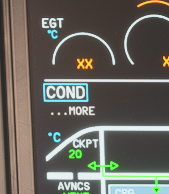
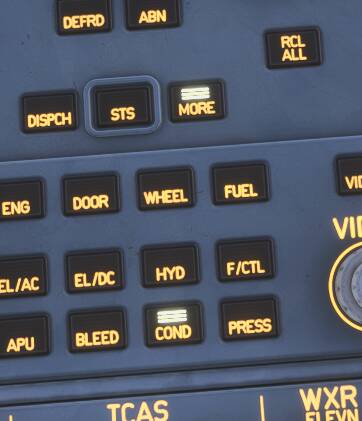
There is more data available for the aircraft’s air conditioning, if you want a detailed look at it. You can find that by pressing the COND key on the panel located just behind the throttles (marked in green).

If you are looking for a good reference manual, iniBuilds included a great one found in “Community\inibuilds-aircraft-a350\Resources\Documentation”.
I did not know that! You learn new things every day.