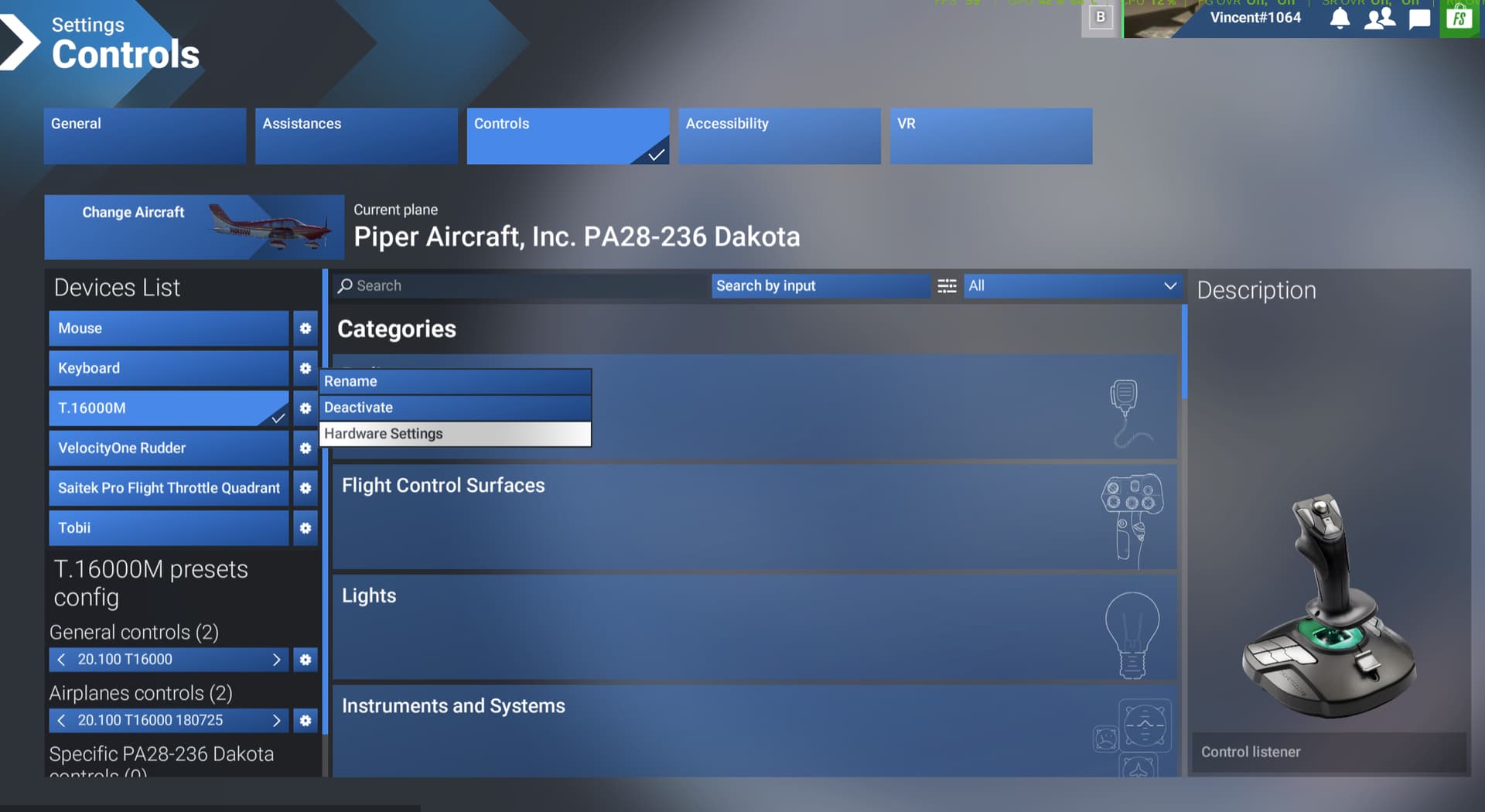
Cannot access any Controller 'Hardware Settings'

Just adding to the notes for this issue:

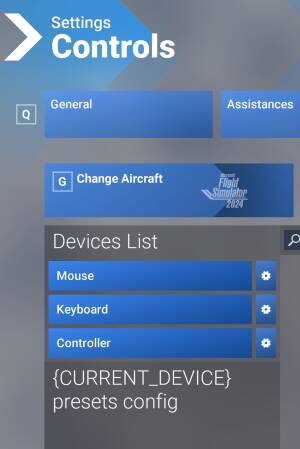
Controls showing No controls, or
Controls showing {Current_Device} and blocking connection to controller itself is making it impossible to use my Controller. Uninstalled v1.6.5.0 waiting for new build to try again.


2 Likes

Unfortunately not fixed on 1.6.7.0 :enraged_face:

5 Likes

Confirmed, no change here.

2 Likes

MSFS 2024 update 4 1.6.7

**Adjust sensitivity**:

When clicking on **Hardware Settings**.

- The sensitivity curves for each axis (elevator, aileron, rudder, etc.) do not appear.

This sensitivity cannot be adjusted.

On any of the controls.

occurring.

5 Likes

Frustrating, total showstopper for me right now as I’m always breaking. Don’t want to reinstall to get back to su3

in the words of Sully the Pilot Hero : Unable.

Very annoying bug for me 1.6.7.0 SU4 beta has screwed up my mappings and seems to have reset all my sensitivity curves.

Resetting the mapping is just time consuming and shouldn’t be required (I did try exporting my controller settings in the last beta but they won’t import back into this one)

But the sensitivity I cannot change due the the inaccesible hardware settings bug.

1 Like

I’m just wondering what makes us the ‘‘lucky’’ ones as majority of simmers don’t face this issue when I look at the amount of votes this topic get…

The topic is supposed to cover SU4 Beta sufferers only, if you are using the release version SU3 like me you probably won’t have the problem.

ISSUE DESCRIPTION

“Hardware Settings” for any of my controler are INOP

FREQUENCY OF ISSUE

Every time

YOUR SETTINGS

If the issue still occurs with no mods and add-ons, please continue to report your issue. If not, please move this post to the User Support Hub.

What peripherals are you using: Thrusmaster T.16000M, Turtle Beach Velocity One Rudder, Tobii, Saitek Pro Flight Throttle Quadrant

Are you using Developer Mode or have you made any changes to it? NO

MEDIA

2 Likes

Yay this one carries over from last build :sweat_smile::rofl:

I think I’ve found a way to access the hardware sensitivity settings etc…

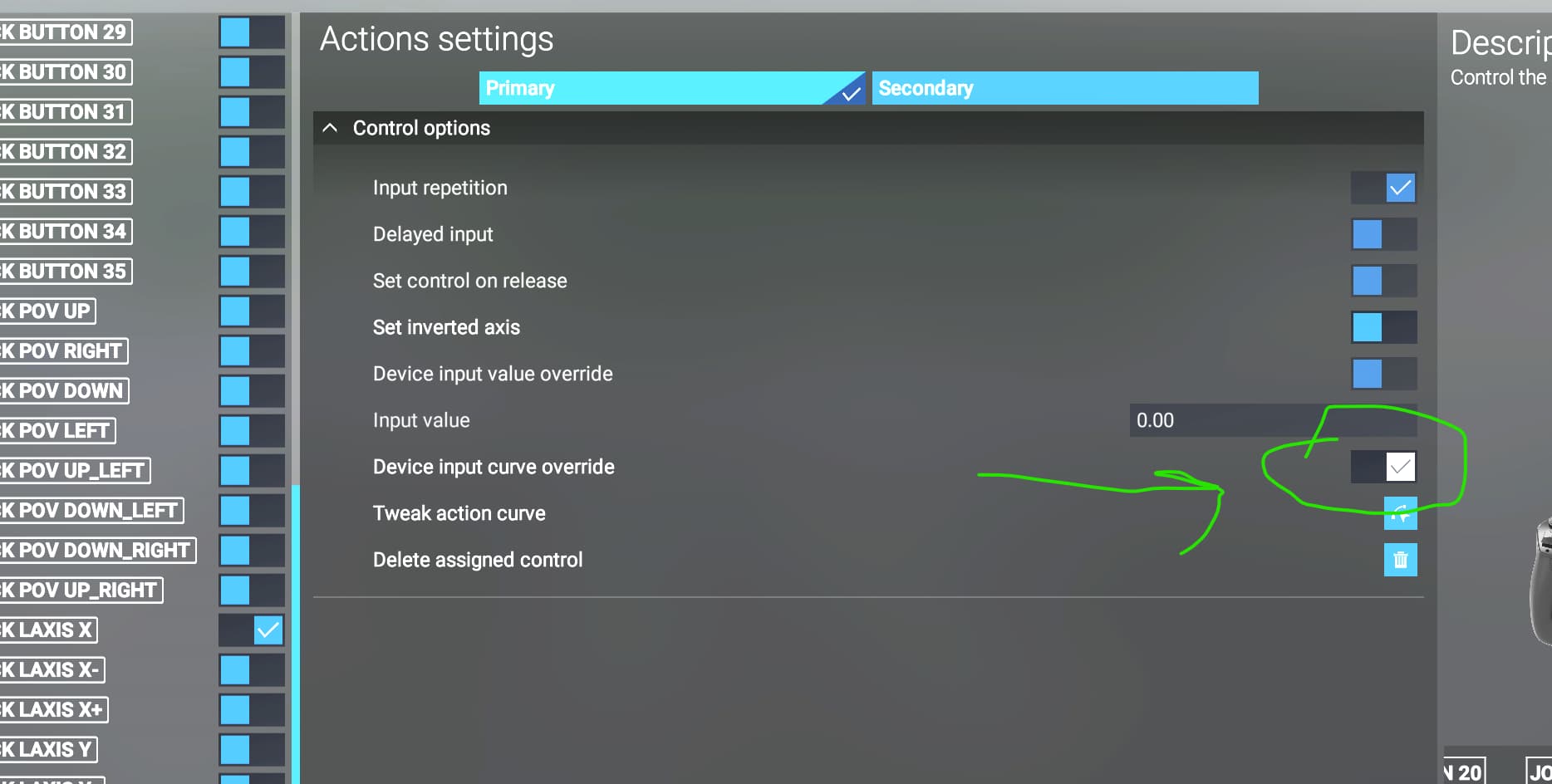
Don’t click on the gear wheel next to the controller in the Devices list, instead open up the binding that you want to adjust and then access the gear wheel from there.

For example I wanted to change the sensitvity of my ailerons and elevator on my Honeycomb Alpha.

I go to the axis binding for those and use the gear icon there, shown with my crude green arrow in the pic below

Tick the device input curve override as below….

Then the tweak action curve option will allow you to adjust the sensitivity and deadzones etc…..

6 Likes

Yes but only tweaks the action curve of an already tweaked action curve with the other way to access

Jumped out into su3 to set my controls and went back in was my work around, but also found out it’s a duel adjustment possible as I reset it via the normal way and checked my curve via the setting cog per axis and had to reset them as well

1 Like

Yes, it’s not ideal but you can make some useful adjustments this way if you need to.

Not if your curves are all messed up from the hardware settings cog as that’s the base that the stick will read then the way you have said ends up being a multiplier tested via removing the curve yet leaving one via hardware settings and it stayed with the hardware settings curve

Only way to fix it was back out to su3

Well since this bug has been introduced I’ve found my aileron and elevator sensitivity to be too high and I wasn’t able to adjust them in the way we used to be able to. Now I’ve adjusted them as I described above it’s now usable.

1 Like

Yes but it’s still a multiplier on what you had originally set is what I’m getting at the settings we can’t access are still as they were

Yes I’m not doubting what you say, this is just a workaround I’ve found useful until it is hopefully fixed.

In the latest Beta I cannot access the tobii settings anymore. I click on the hardware setting and nothing happens. I used to get the option to alter all the parameters. Has it been changed ??
1 Like

As discussed above, the gear wheel in the devices list is not accessible now, it’s a bug in su4 beta.

I’m not sure what options you have for the tobi as I’m not lucky enough to own one yet.

Hopefully it will be fixed soon.