Using the template below will greatly help the team reproduce the issue and ease the process of fixing it. Before posting, search for an existing report. If you are not sure it’s a bug, please first report in User Support Hub.
3 tags are required - add them in the tag section next to the title above:
-
One for platform (ms-store, steam, xbox, playstation, or xcloud)
-
One for aircraft if related (start typing in your aircraft name in the tag section and pick correct option)
Feel free to delete this quote section after adding your appropriate tags.
ISSUE DESCRIPTION
Description of the issue:
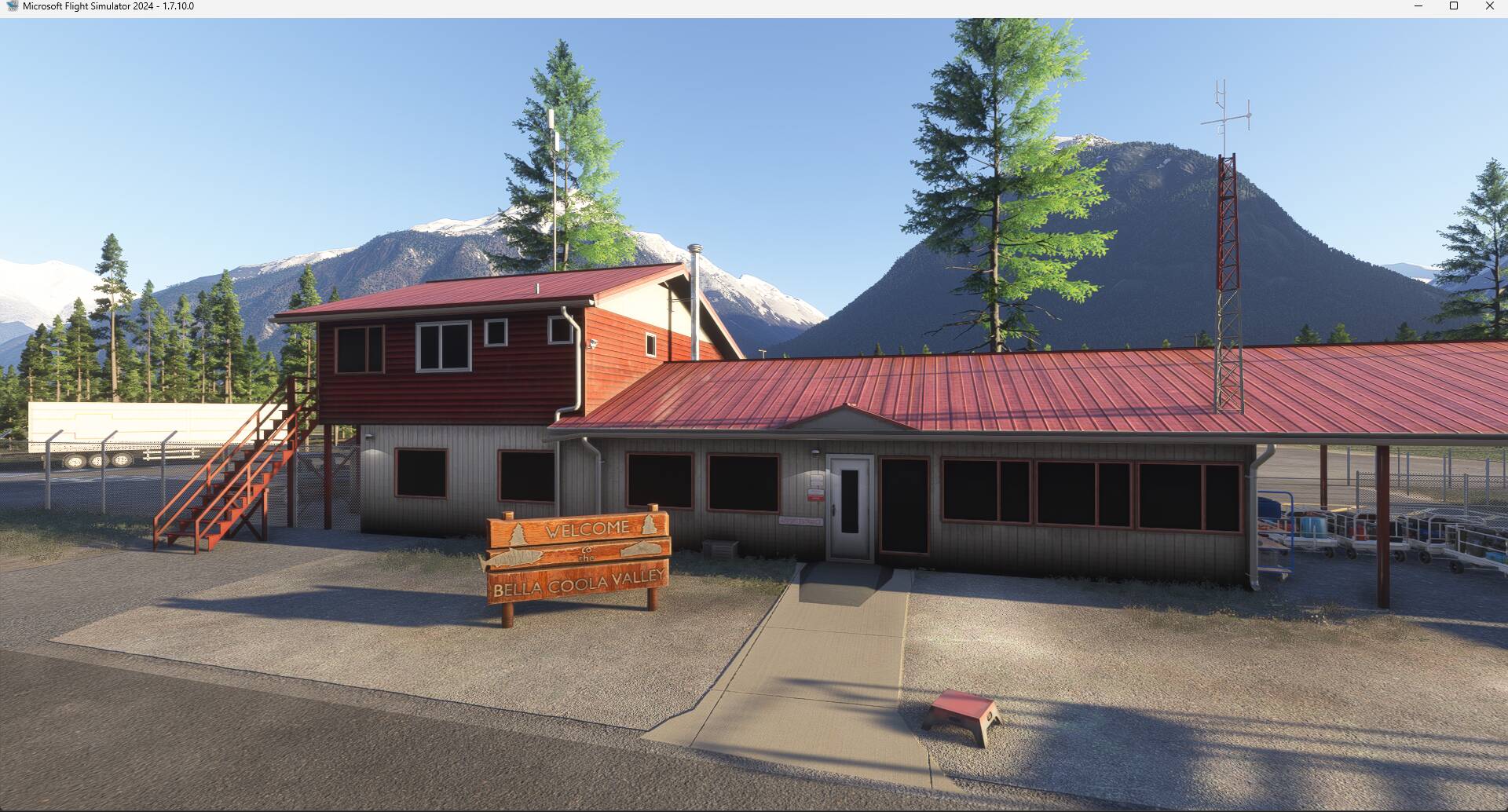
Bespoke buildings and handcrafted scenery items at Bella Coola Airport (CYBD) do not display proper textures. The models appear with missing, corrupted, or default placeholder textures rather than the intended high-detail handcrafted finishes.
Coordinate or location of issue:
CYBD - Bella Coola Airport, British Columbia
FREQUENCY OF ISSUE
How often does this occur for you (Example: Just once, every time on sim load, intermittently)?
Every time. Scenery defects are present each time I start a flight at or arrive at CYBD.
REPRODUCTION STEPS
Please list clear steps you took in order to help our test team reproduce the same issue:
-
Launch MSFS 2024 on Xbox.
-
Select “Free Flight” from the main menu.
-
Search for and select CYBD (Bella Coola) as the departure point.
-
Select any available parking position.
-
Click “Start Flight” and observe the textures on the airport terminal and surrounding bespoke hangars/buildings.
YOUR SETTINGS
If the issue still occurs with no mods and add-ons, please continue to report your issue. If not, please move this post to the User Support Hub.
What peripherals are you using:
Honeycomb Alpha Flight Controls (Yoke), Honeycomb Bravo Throttle Quadrant, USB Mouse, USB Keyboard, and Xbox Controller.
[PC Only] Are you using Developer Mode or have you made any changes to it?
[PC, MSFS 2020 Only] Are you using DX11 or DX12?
[PC Only] What GPU (Graphics Card) do you use?
[PC Only] What other relevant PC specs can you share?
MEDIA
Please add a screenshot or video of the issue occurring.