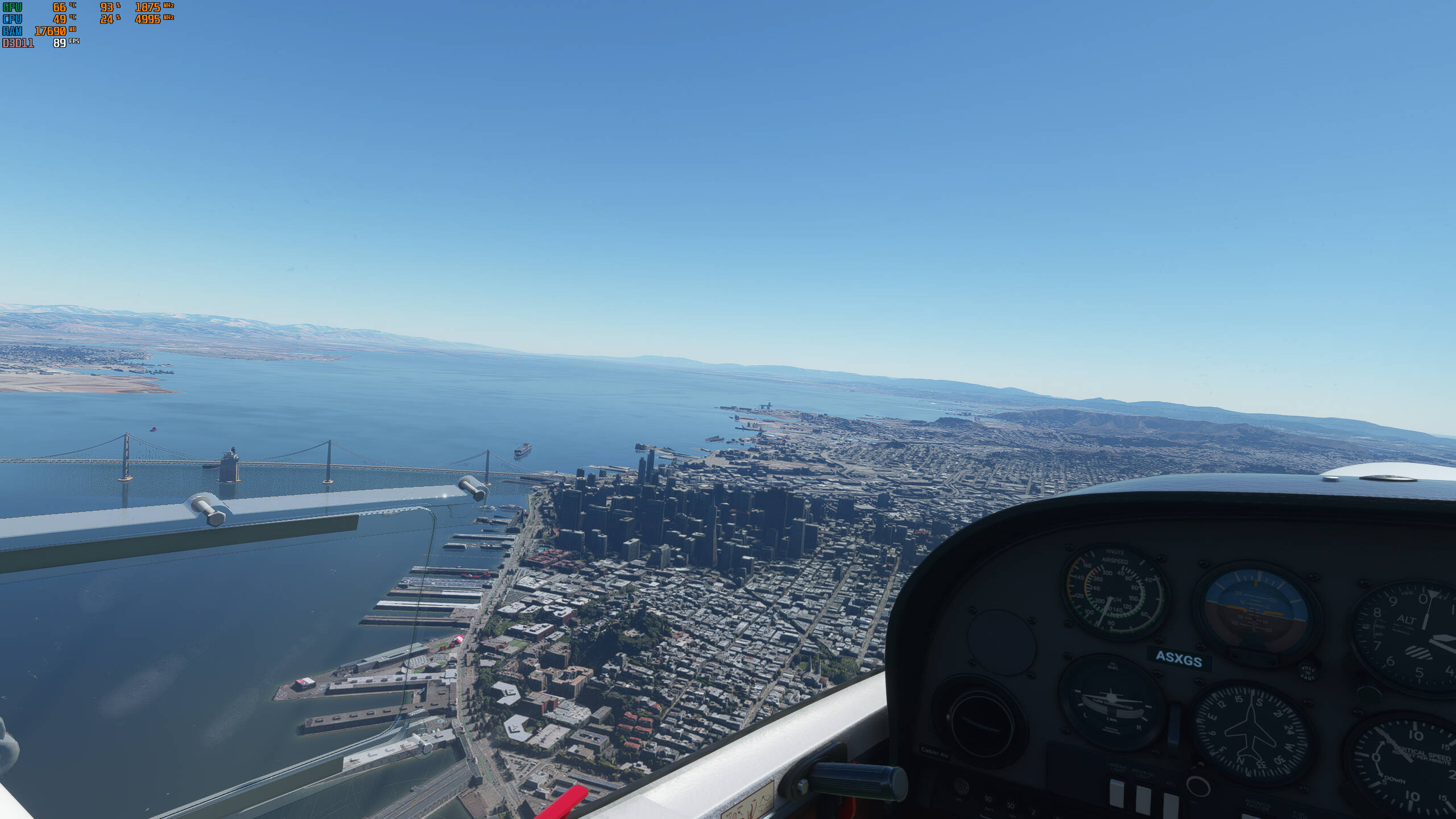
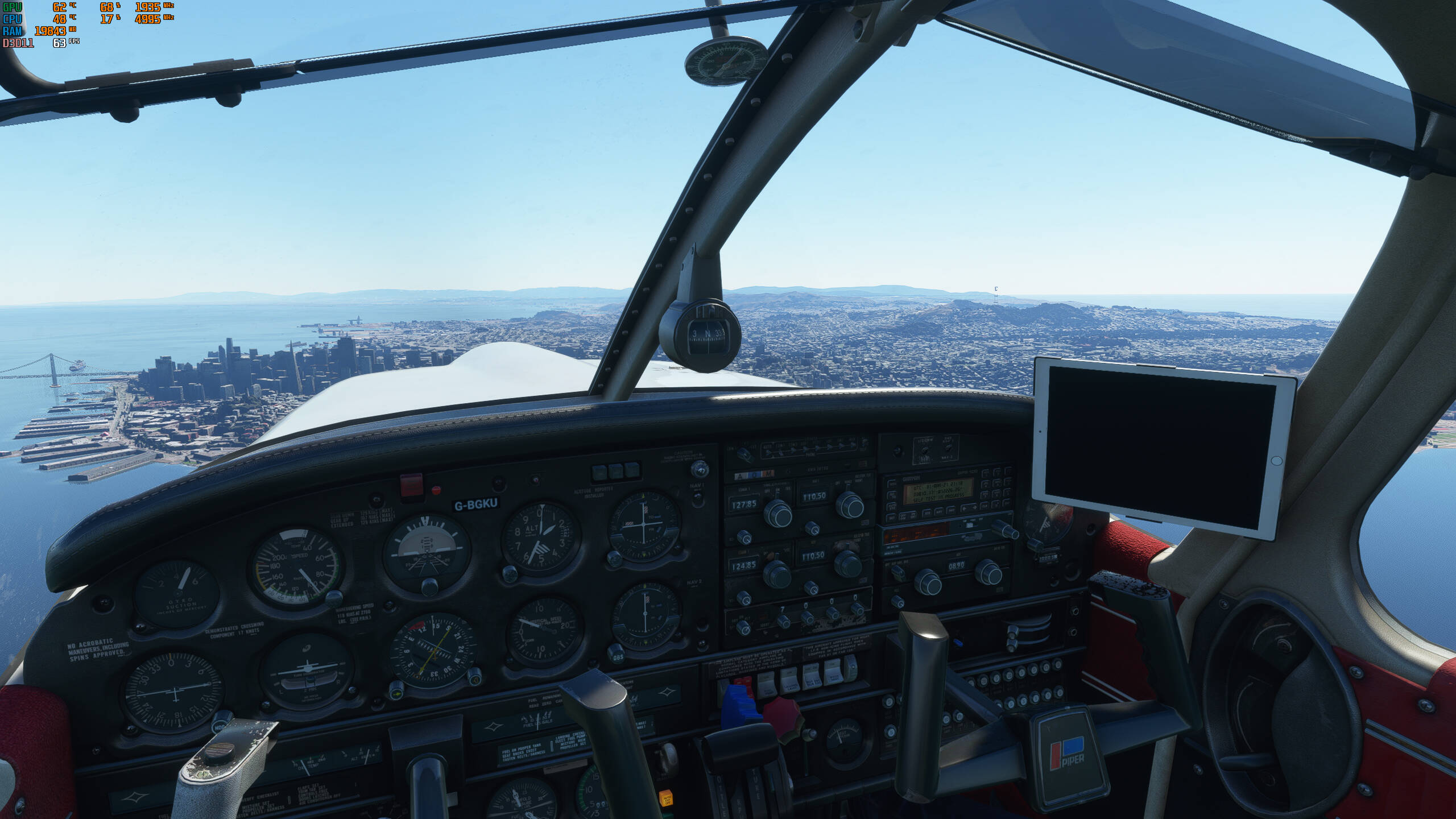
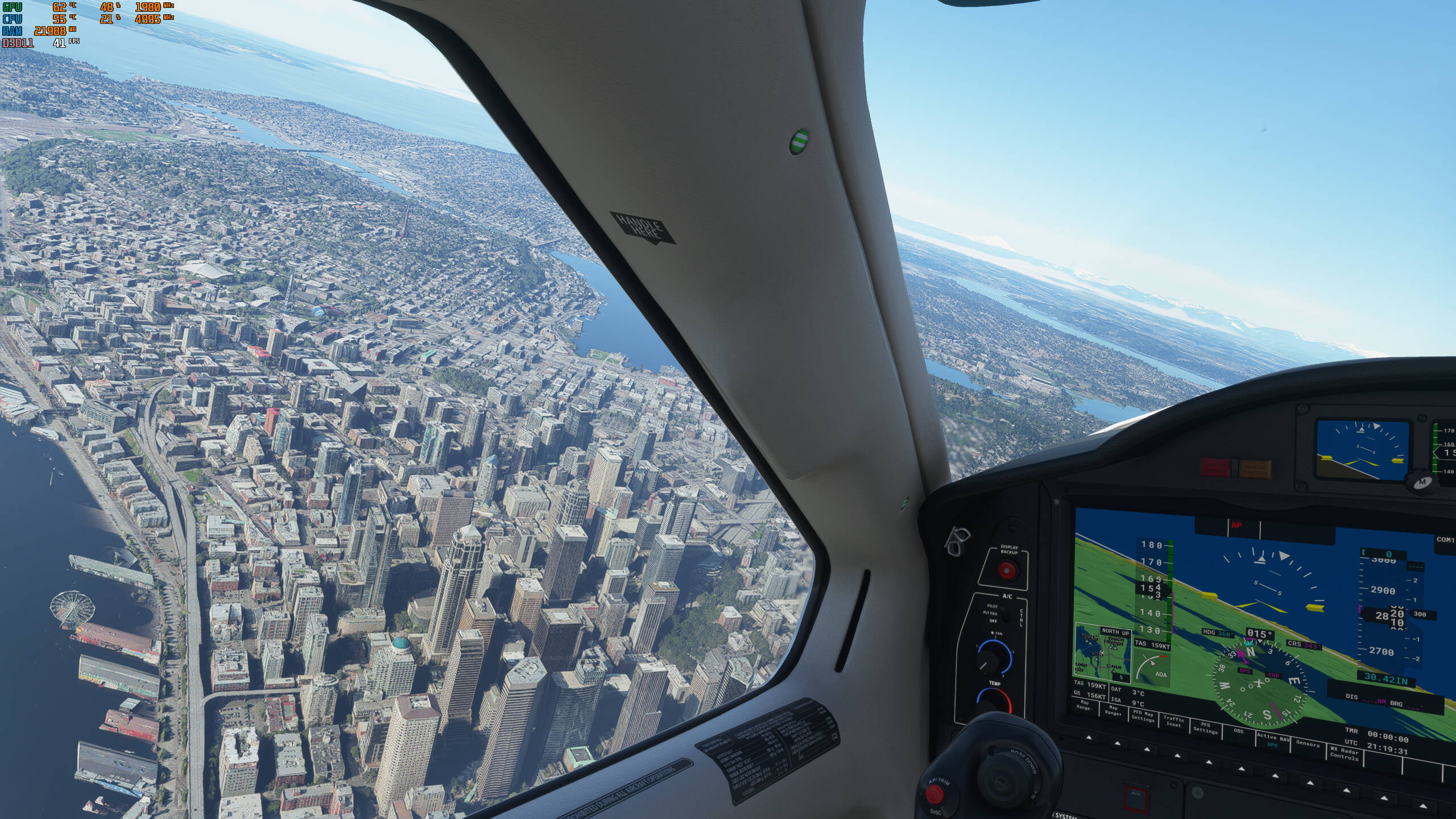
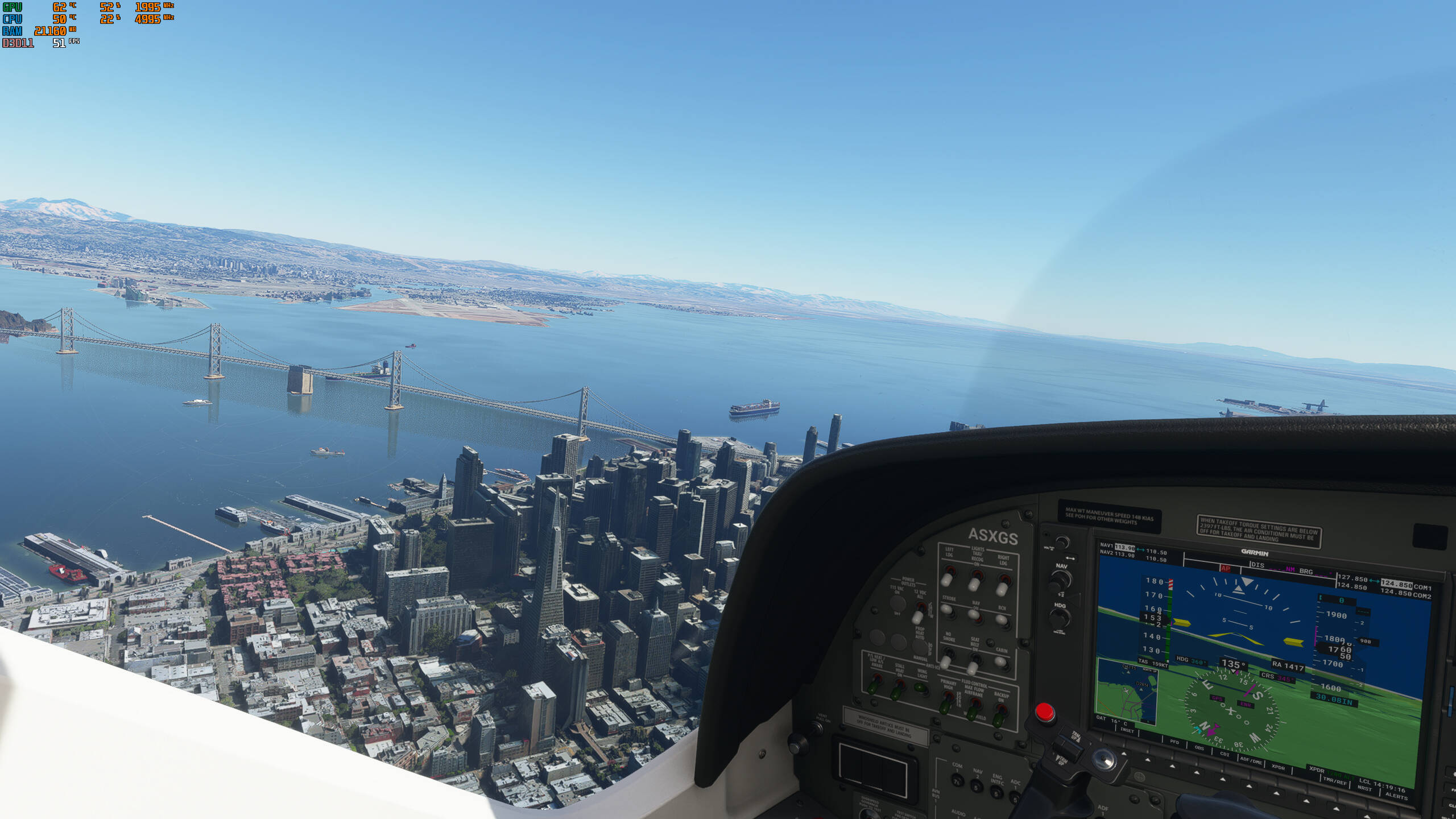
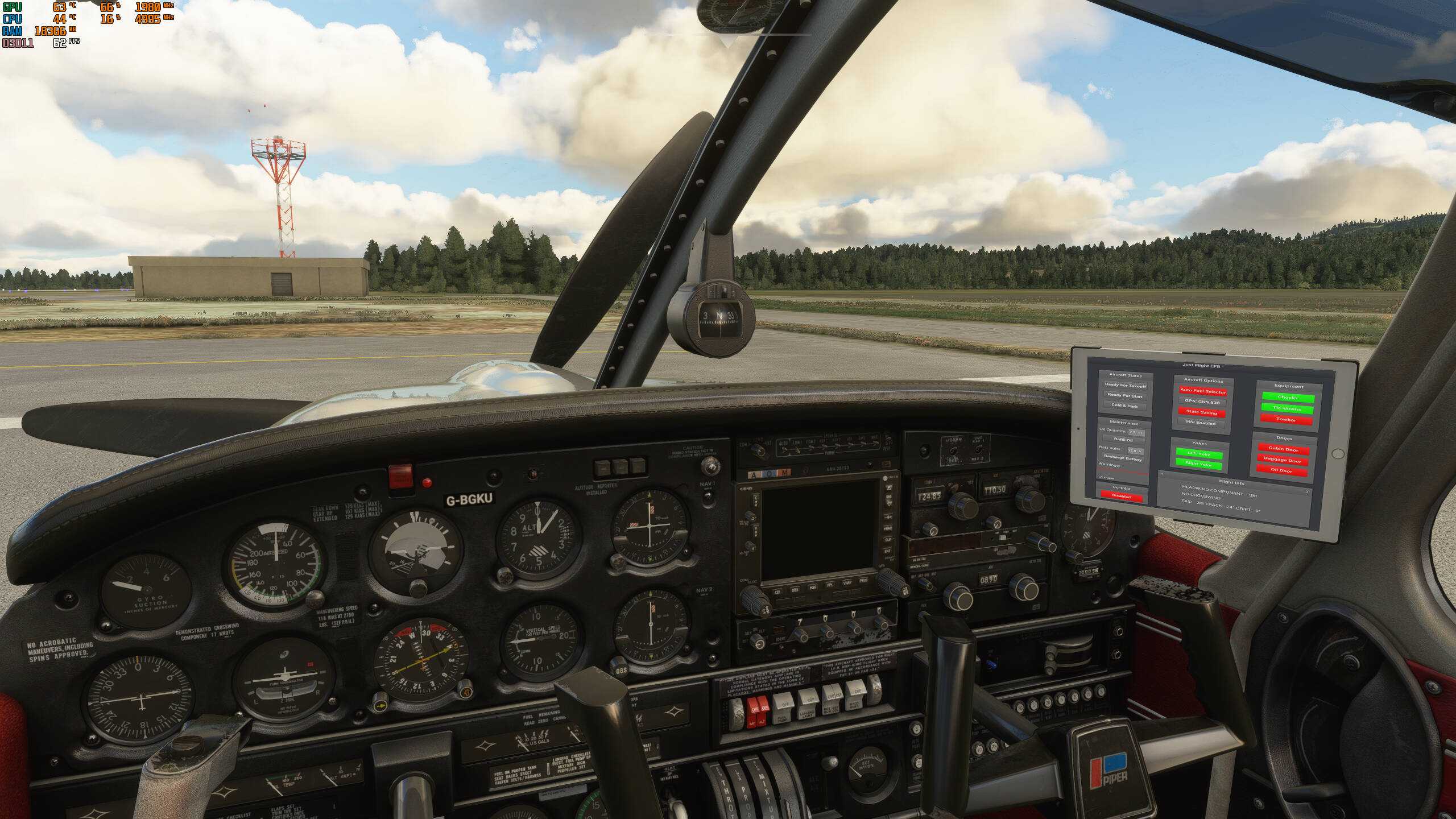
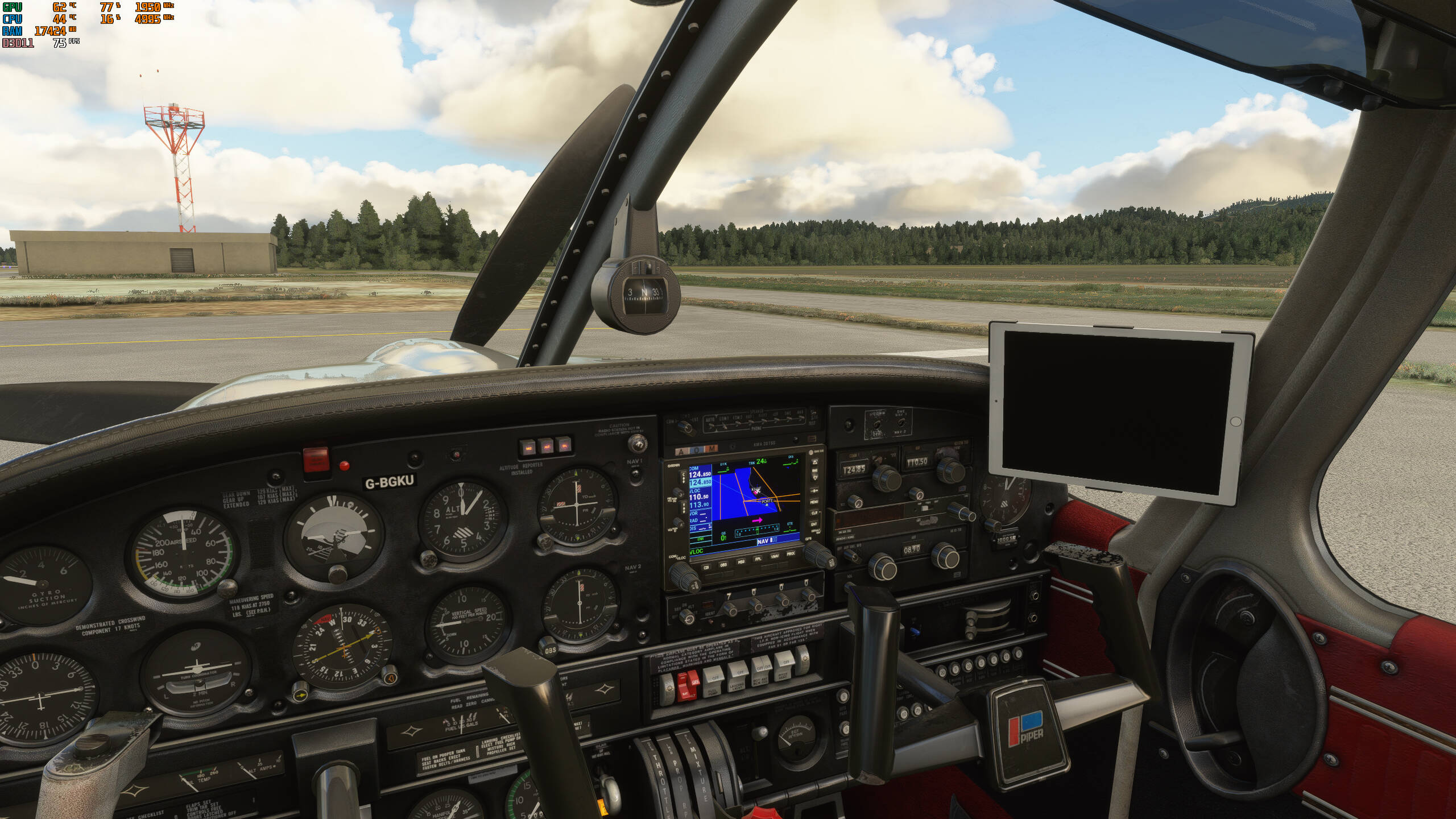
Can anyone explain to me why it is so hard to optimize the digital screens in the cockpits to get performance of those aircraft the same as the aircraft with analog cockpits? I mean, it’s a but weird they can build the whole world with prety detailed graphics running at a great performance. But somehow put one stupid ipad (just flight arrow) in the cockpit and performance drops with 10fps.
Here’s some screenshots, screens refresh rate was at medium..
1 Like
It’s odd. Workingtitle’s website says that apparently the text labels in GPS are very FPS intensive.
2 Likes
It should be obvious that CPU calculations have to me done to render all the pixels on the 2D screens too. That pulls some resources away from the 3D object rendering. The steam gauges are rendering a moving needle in 3D. That is a much easier task than all the thousands of pixels in the screens that have to be completely recalculated on each frame.
1 Like
Sure, but msfs is not the only game/sim that uses 2d screens. So why aren’t they able to optimize it so that it doesn’t completely destroy fps? That’s the question. I mean, especially when they throw that stuff in most of the default planes…
Only thing they did to improve this so far is enable a refresh rate option wich only works a little. Btw this workaround was made by the community, Asobo just copied it. So actually they did nothing to improve this since launch.
So.. we open a General Discussion complaint topic about having 51 FpS at 50 CPU and 62% GPU load..
Wish I had your PC, pal..  “Fps killer” hahaha
3 Likes
You’d think that they would spread the 2-D workload across all the threads on the CPU and reserve the GPU for 3-D work exclusively. Who knows…maybe they are doing that now and the sim is just poorly optimized. And if I remember correctly, Asobo said that we won’t see any significant performance increase from DirectX 12, which I find hard to believe seeing how DirectX12 has better CPU core management.
btw drop in CPU performance between 89 FpS and 41 FpS could be caused by that cute little flight tracker map in view. That must also be updated.. maybe you use external tools too ? Put the cockpit refresh rate in Settings on low and try again if you want to know if lag is caused by the cockpit view..
Here’s another example. Somehow the gps on or off has zero impact on performance. While the ipad has more then 10fps drop. You’d assume that the gps map has more impact on the cpu then that simple flimsy ipad with only a few options.
1 Like
Sorry i don’t know what you mean. First of all, I’m sorry you have a worse pc. But going from 80 to 50fps is indeed “fps killer”. So not sure what you’re on about with that?
Second, what you mean by cute little flight tracker map in view?.. You mean the ipad in the arrow? Yeah i mentioned that. Also decreases fps.
And it’s 100% the screens because it’s a well known issue.
ps. maybe, if you’re an software developer you should invest in a new pc 
No I know. I’d give my left nut to get a stable 49FPS over NYC without running at 1080 low
2 Likes
Why not just stay ontopic instead of starting a discussion wether people with high end pc’s can’t ask questions about performance ffs
It’s true that the glass cockpits have more fps impact than analog cockpits.
However, you also need to take into account that some are third-party planes (like the Piper shown in the OP). One would hope that the max effort to mitigate glass avionics is achieved through strict SDK compliance, but the SDK is also a work in progress, and individual aircraft maker’s coding levels vary.
So in a sense, if the complaint is mostly about how the iPad in the Piper is sucking down frames, that’s really the worst-case scenario (so far) - a glass display instrument in a third-party plane.
2 Likes
Well, i only put the piper in there because of the ipad. To me it’s a very simple 2d screen compared to the garmings of the default aircraft. So i wonder why it still suffers from the same fps loss. And btw, the gps in the piper doesn’t impact the fps as shown in the pictures above.
I agree however that a 3rd party plane is not the right comparison. But that’s why most of the screenshots at the top are from default aircraft;)
I think we can see performance drops in x-plane and P3D too. So, developers can and do optimize, but at some point, we need a faster processor too.
Either run the glass at Low or reduce graphics performance related sliders elsewhere to run at Medium. Low isn’t bad, Medium would be better, but everyone has a different taste on it.
Nah, don’t get me wrong. I’m satisfied with the performance i get. I just wondered why this difference was so big. 
Wondered that myself. The stock 787 is the worst for me. And putting the refresh on low hurts my eyes.
Flybywire managed to get good fps out of their panels. So that shows it defenately is possible to optimize the code. Has to be cpu related I think.
Edit:oh boy too many tipos
Yeah 787 is the worst for me too. Was really exited about this aircraft at launch but hounestely never touch it. Performance is to big compared to other aircraft to enjoy. And i really believe this is just bad optimization. Probably to busy with fixing all the other bugs.
Don’t wory about the tipos though. I’m also Dutch
1 Like
All the displays are basically web views running scripts like a browser does, including calls to the SDK.
An analog gauge shows one value. Glass cockpits can show and/or evaluate hundreds and thousands of parameters, having multiple pages etc.
So one display needs to evaluate all the SDK calls, render the web view (also done by the CPU) and then let the GPU render in the model which is the least amount of work.
I wonder how you compare a simple thing with a very complex one and then expect the same performance impact.
As for the Arrow: I guess it’s simply not well coded, since you have to take care about how often you update the screen and mostly static displays could very well skip many frames without you really noticing it (that’s basically what the glass cockpit refresh rate does).
If the sim gets told to evaluate the data on every frame, then it will do so. Prohibiting it would mean to cut down possibly necessary updates for some addons.
Of course there are many locations to optimize performance, in 3rd party addons as well as in the sim. And I’m sure that’s going to happen. But asking a question in a rhetorical sense is a bit strange since you don’t seem to see the amount of calculations happening behind such a display.
Going from 80 to 50 is a number on your screen. Human biology does not allow to see the difference. Of course questions are ok, you want to know what it is.. but is there any reason to put a title with “killer” when there is no actual issue ?
I was referring to “glass cockpit” facilities, like that map. Refer Coppersens, he knows more about the subject than I do.
Of course, FpS will always stay an issue. For most of us, that is.. what is your configuration ?
Or the other way around.. depends on what you’re building and what your framerate is. I now have 20 FpS during development, in a grassland environment, that works fine for me. When it comes to aircraft, I’ve little experience with that part of the SDK, but I can recompile and run a VS C++ gauges project, in a work cycle of about 4 minutes. Fast enough for development. I think we have a totally different perspective about the FpS actually needed.