Any idea why, after turning on the AVIONICS master switch, the LEAR LIVERY option w/ the GTN750XI remains dark? The GNS530 livery fires right up, but the alternate screen (GTN750) stays dark. Not sure what setting I am missing.. THX
Do you own the TDS GTNXi?
I just had the same thing happen, but with the Blacksquare TBM850. Coincidentally, I had just updated the TDS GTNxi to the latest version that was recently released. Everything was fine before the update.
I don’t have time to follow through today, but tomorrow I’m going to reinstall the TDS as something may have gotten messed up during the update.
I bought the Lear Jet- assumed the liveries and various GPS came with it. Is the 750 an extra purchase? That would make sense.
the software is not yet installed.but if you ave the hardware the aircraft will working.the same issue happend with the C414&C310from MILVIZ
Hello, if you are having issues with the TDS GTNXi and they will not resolve with a reinstall, please feel free to contact TDS Sim Software on our Discord and we will gladly help you.
Hello, do you own the TDS GTNXi? It is a standalone product, so if you do not own it, the screen will be black.
OK- Just figured out this is a ~$75 add on specific purchase. Ha, that’s almost twice as much as buying the jet itself. Live and Lear…thanks for the help…
It’s integrated into many aircraft. In fact you can use it in any aircraft as a popup.
Curious- In the MARKETPLACE, you can buy a couple of AVIONICS packages (GARMIN G1000 & GNS 430/530), but they do not offer the GTN750. If the LEAR has that as one of the configurations, why isn’t this AVIONICS package offered for sale? They don’t tell you anywhere that it won’t work w/o owning it. Apparently you need to buy it from a 3rd party dealer to get it to work?
Not everything for MSFS is available in the marketplace.
GPS for MSFS2020 (there is a free version)
TDS GTNXi Pro for Flight Simulator
Personally I use the TDS GTNXi Pro.
I use the freeware version mentioned above.
Works fine but not all features are implemented.
Thanks for the link. I did download the FREE version, and installed it in my COMMUNITY folder. The manual says that’s all it should be required. However, when I go to my CONTENT MANAGER, it shows it as installed, but… when you click on it, says ‘WAITING’. For what I don’t know. It still isn’t working in the cockpit so it isn’t installed. Under GENERAL OPTIONS, DEVELOPERS - I have enabled Dev Mode ON, but it does not show anything else there. Not sure where it’s hanging up…
Did you select the PMS version?
What are you clicking on when it says waiting?
Under the INSTALLED section of the Contents Manager… it shows the PMS50 GTN750 as being INSTALLED, v 2.2.37.. However, when moving the cursor over this, it lights up with an exclamation to the right. Click on that and it says ‘WAITING’…
That’s what I thought.
For items in the Community Folder, the Content Manager most times does not show the correct status of addons.
Don’t be concerned.
Try the sim and see if the GPS works.
I suspect you will find all is OK.
It’s still not turning on in the LEAR. Black screen after the AVIONICS MASTER button is turned on. So not installed. I must be missing a setting somewhere that enables this. I even exited and restarted FS, still the same issue. The PMS50 shows installed, but ‘waiting’, and the LEAR with that package won’t turn on. Removing it from the COMMUNITY folder it goes away on the CONTENT MGR, so I know it’s seeing it. Even shows COMMUNITY as a comment on the name of it.
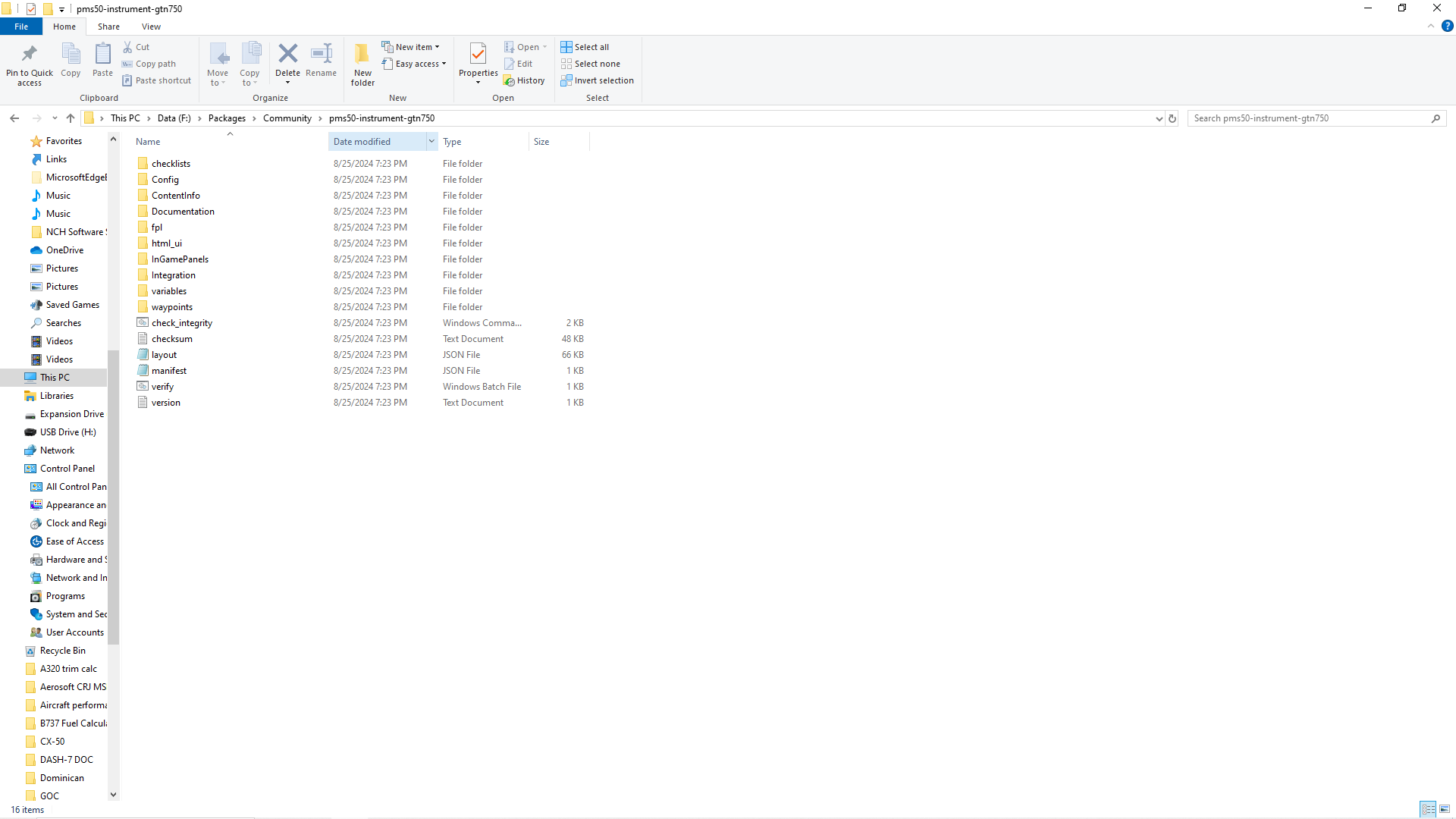
According to another forum, the ‘WAITING’ notation is a common issue w/ 3rd party software in the COMMUNITY folder. So…the other issue may be folders. The main folder for this is PMS50-Instrument-GTN750. That’s what’s in the COMMUNITY FOLDER.. that main folder. There are 10 folders under that, along w some files. Do all of these need to be broken out as files under the CF, or are sub-folders allowed like that? Maybe it can’t see something.