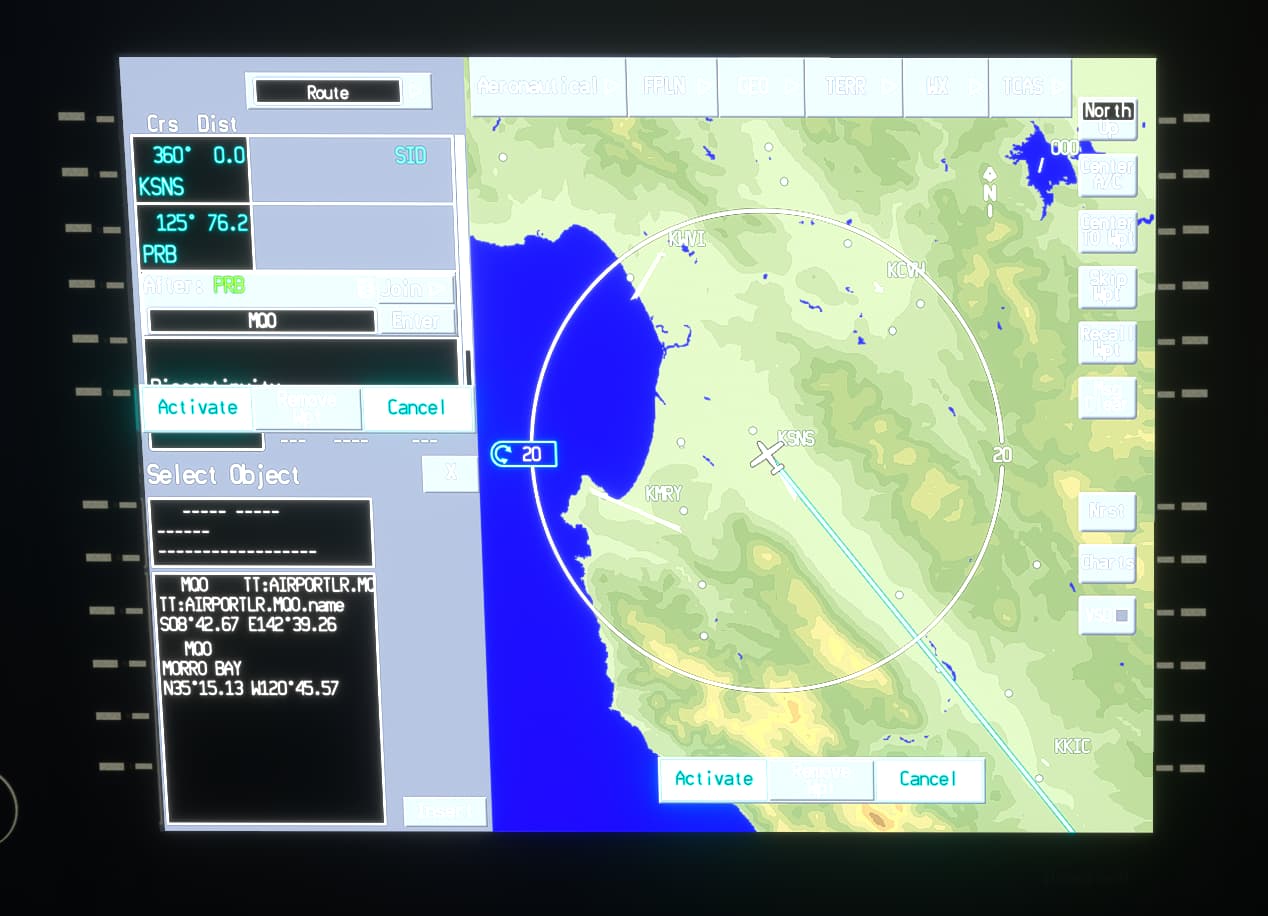
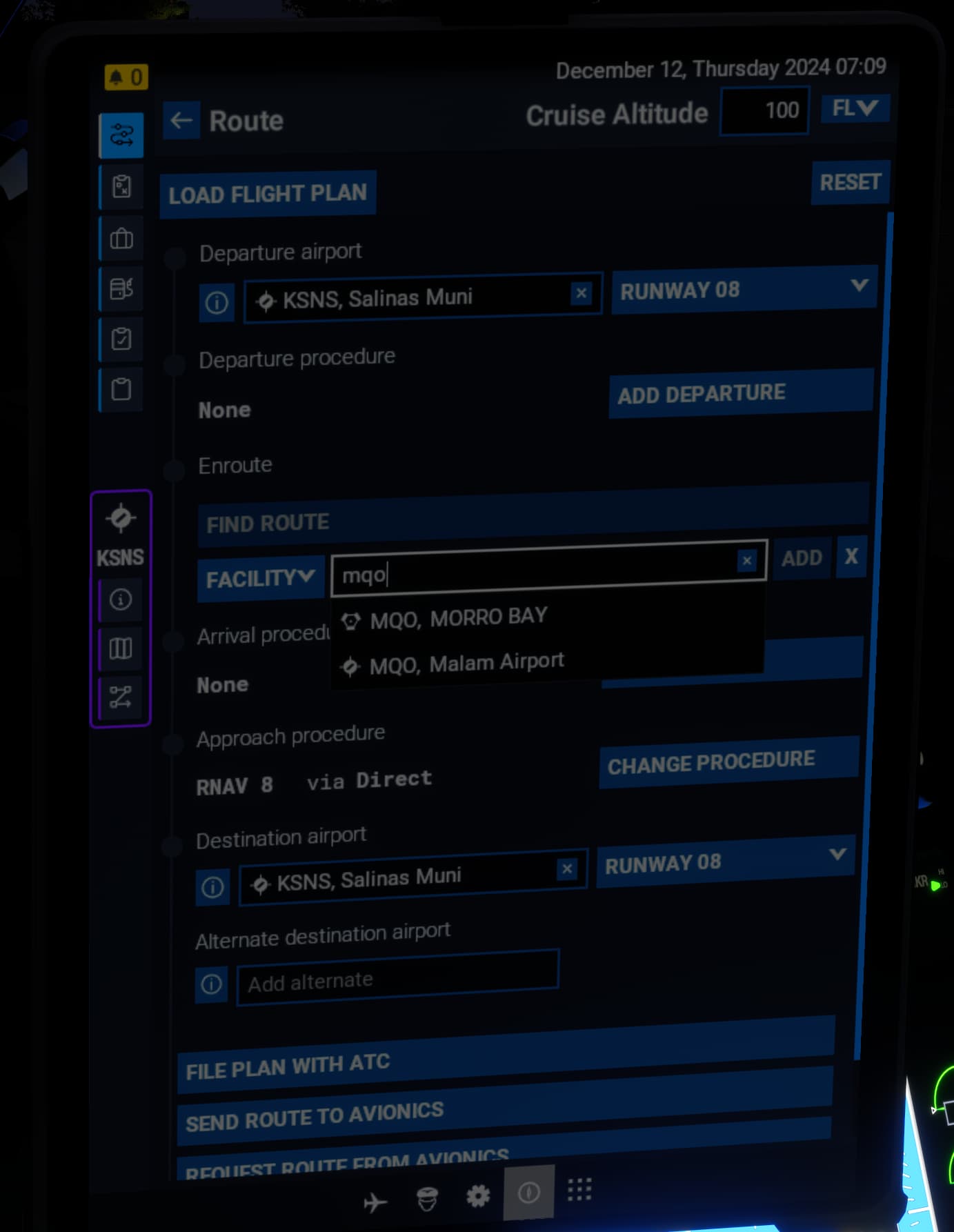
Sitting in the cockpit of the Seastar, I tried to enter the following flight plan into the Epic 2:
KSNS/31 > Dep CHLN3 > PRB > MQO > GLJ > GVO > ILS 07 via GVO > KSBA/07
PRB, MQO, GLJ & GVO are all active VOR here in CA.
Now, if the Epic 2 is too unfamiliar and befuddling, don’t try too hard to make sense of it.
My issue there was I entered my Origin and Destination airports, added PRB as the first waypoint. Typed in MQO and was only offered one choice, which I picked, and it was some place 6000+ miles to the west maybe in Asia?
So, then I deleted the rogue MQO, and entered GLJ and nothing appeared that I could select. The same with GVO.
I then gave that up and switched to the EFB.
I entered KSNS and KSBA as origin/destination and tried to add PRB and got these results all starting with “PR,” and scrolling the list didn’t reveal PRB, either:
Then I opened the web-based flight planner and built the flight plan there with 100% success. I saved it and switched back to the sim. I attempted to load the flight plan via the EFB and it got stuck on “Loading…” and never resolved.
I tried all the aforementioned EFB steps on both my PCs, and also on the World Map EFB with no change in behavior.
Again, total vanilla installs with only 2024 content, no Community folder content, one PC had a reinstall yesterday and both behave the same.
Stil having CTD’s, a few minutes into the game. Max i have lasted was maybe 10 minutes. Happens in 2D and 3D, in TAA and DLSS. It is always this coherentGTT.dll related CTD. This sim is really unplayable sadly. CTD’s are very random, and no error message . [i9-13900K, MSI 4090, 128 GB memory, latest Nvidia drivers.
And again, its pretty simple and you dont have to be right here. I flew over that same area multiple times before the update and never where the trees looking that bad in 2024. Its not only that, more ctds, Lod is a joke a 2d wasteland, cant fly any big airplane etc.
Now today, I just tried the same thing and it is working – granted I did work with Working Title last night, so I have no idea if they made any back-end changes that rectified this, but I don’t know.
So you had one of those in another continent waypoints before (like I saw previously) yet now today with VOR’s showing up you don’t?
I suspect backend fixes for missing things maybe? I haven’t checked all local VOR’s here yet, but you’d think it would be server side for nav database fixes. It would be good to have some visibility of that though via changelogs but I’ve no idea who keeps track of that.
ps good to have you back on fs2024, a trouble shared etc…
Likewise, I have appreciated your input and wiliness to investigate the issues I come across and the comradery.
As I have said before, my favorite part of MSFS is the community we are a part of. I love that I am up in the dark hours of the AM interacting with people all over the world.
Agree. I come from a (many years ago and some of that time working in CA Bay Area) software support background (in electronics industry), so I was used to using and debugging and helping out with behemoth CAD software/circuit simulator type programs, and so I guess I find it intriguing digging down and knowing what the issues are. Part of that is purely from a selfish perspective of being able to use the sim while understanding the issues but also to help when possible. I’m always grateful to the knowledgeable community on here who without their shared experiences and advice I’d probably have given up on flight simming long ago.
“Never mind all of the planes that work just fine, the couple of aircraft I want to fly have issues, so I’m going to act as if the entire game doesn’t work.” is a much more accurate statement.
Ironic and sad too.
I was very happy to see it working and now I am very disappointed
Also I checked Use Alternate display renderer and cockpit still dark
It’ll be hard, your mind will fight this, but stick with me:
Microsoft Flight Simulator is a game and has been since 1982.
There’s a dead giveaway that shows whether a certain software is a tool for actual pilots, that counts hours for licences and whatnot, or a simulator meant to be used for entertainment. How many thousands of US$ does a licence for it cost? It’s very simple:
Simulators certified for pilot training cost thousands of dollars per licence and are NOT publicly distributed.
Of course, that’s supposing that nothing but an actual IRL pilot-grade simulation counts, since only that actually counts as part of the experience hours necessary to fly for a living.
If you don’t do something with the expectation of being paid to do it (even if eventually), then it’s a hobby. Nothing more, nothing less. Hope that helps, cheers
So this morning 24 looked a lot better to me, scenery-wise, than 2020 on Series X before the patch…
Flew the Carenado C337 in 2020 from KMSP (Flightbeam), around Minneapolis (Samscene3D USA Cities 4) which was new to me so sightseeing, then past St. Paul and landing at KSTP. Copied some control bindings for the Skymaster’s weird cockpit views so I could replicate those in 24…
Set up the cockpit views in 24 to match 2020 and my hardware, then flew the 337H from KSTP, past St, Paul city, then around Minneapolis and landed at KMSP.
St. Paul and the scenery around Minneapolis looked much better in 24 than in 2020, which was a nice surprise as it didn’t look as good last week before the patch. Of course, Minneapolis and KMSP both looked much better in 2020 as add-ons (and excellent ones at that), but native 24 looked passable within the draw distance for Series X.
Whether any of this subjective improvement is related to patch #3 or not is anyone’s guess. Could be game server/streaming related too, one might guess, or both. Whatever. A small bit of progress for daytime VFR flight in 24. The Skymaster is a favorite of mine for sightseeing and it works great in 24 so far, so good!
I’ve barely used 2024 since launch, too frustrating, but I won’t repeat all the woes, it’s too tedious and most of them are listed elsewhere by others. I’ve got a decent enough PC and excellent fibre connection with details in profile.
This patch has certainly improved some performance aspects for me. My 2020 settings are mostly ultra, at 4K resolution resampled to 75-80%, with FPS at 40-50 on average and it is smooth. On 2024, prior to the patch, I could barely reach 30FPS with all settings on high and it was plagued with stutters.
After Patch 3 this has gone to about 40FPS on high, with less stutters, but still apparent. This would be liveable whilst we wait for further optimisation, but in all honesty, the visual aspect is still too poor for me when compared with 2020, presumably linked to overly aggressive LOD? I just flew over the Brecon Beacons in Wales - this is normally beautifully rendered in 2020, but it looked low res and frankly, underwhelming and unsatisfying, so why bother?
Back to 2020 for me until the next patch when I’ll try again. I do appreciate those who are persisting with 2024, highlighting the issues and finding temporary fixes but I don’t have the time or inclination to wrestle with something that is meant to be a (usually) relaxing place for me.
I find the forum quite depressing at the moment. I like to read about aircraft, scenery, the knowledgable posts about airmanship, navigation and so on, I’ve learned so much from the people here, but there’s so much justifiable frustration I understand why it is like this at the moment.