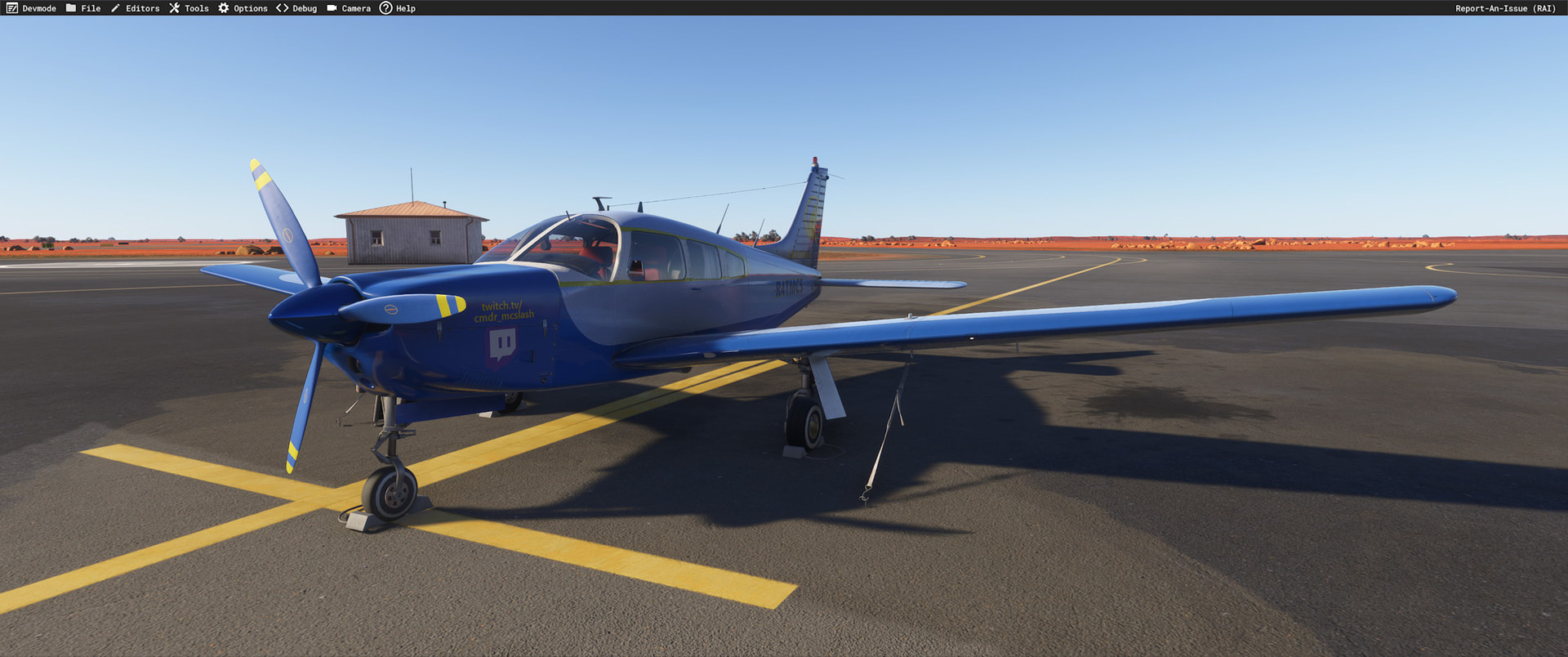
MSFS 2024 Help Me

After struggling almost a year and a half to get the game to load (first past the customize screen, then after the third update past 97%), all it took was syncing my time with auto time zone. I had forgotten it was off.
So, while all of you are used the quirks of the game, I’m experiencing them now . . . bear with me.
I’ll start with the simplest.

  1. Player Character; is there a way to get a third person view, basically an external view of the character out of the plane?
    I’ve seen videos of this, but I cannot find the bind. It would make better screenshots and videos.

  2. I’m thinking I understand the control set ups. If I needed, I could have different bind sets for general settings and different types of planes. And binds specifically for an individual plane. Anything I’m missing there?
    As I plan on staying with piston, no more than two engines, and GA, currently I feel good with one setup.
    Flightdeck HOTAS, two Logitech Throttle Quadrants, Logitech Rudder Pedals, and Razer Black Widow V4 Keyboard. I got lots of buttons, axes, and slides.

  3. Spending most of my time in a Just Flight PA28 Arrow, I’ve got an emotional attachment that I’ll tell you later. I could not figure out which button turned the starter (I know I can use the cursor), I ended up binding anything with the word start in it (except auto). Anyone know the ignition start nomenclature for single engine Piper?

  4. My most frustration comes from a livery. For the PA28. Fifty years ago, I co-piloted a week long Southwest trip with my pilot buddy (he went on to have a career with Delta) in a rented Piper Cherokee. From Oakland to the Grand Canyon and Sedona, back through Kernville. Skirted the China Lake restricted area, found ourselves surrounded by F-4 Phantoms, and spoke with Edwards Control, it was wonderful.
    In MSFS 2020 I created a personal custom livery for the plane. I create skins or liveries in most games I play, usually it is nothing more than unscrambling the template and saving a .dds.
    MSFS 2024 has upped that again. Ok, I’ve converted the images to ktx2, and built the comp and norm images. I’ve learned the livery folder tree, dl’d the layout.json generator, spent hours chatting with AI because the aircraft and texture.cfg’s I’ve seen come from MS Store games and my Steam game have different base containers and fallbacks. But the livery won’t load. Nothing I’ve done will get it there and I’ve done a lot. I’ve dl’d and put in game 5 other PA28s, study their livery folders and can’t find the issue. So, if anyone with a Steam game has sucessfully uploaded JF PA28 or any 2024 non native plane, I’d love to hear about it.

    That’s all for now, I’ll be posting this in a few places.
Hi,

  1. Settings->general->advanced options-> allow third person view
  2. You’re not missing anything as far as I can see.
    I have only one setup as well, flying thw A2A Comanche exclusively.
  3. Settings → search for “magneto”. The control is named “Increase/Decrease Magneto”
  4. No Idea, I’m on Xbox and I don’t play with liveries.

Regards, Frank

Thanks, Frank!

Magneto worked, but I still need a bind for the out of body view of my pilot. The toggle external view that gives 3rd party view of plane is not working on pilot character.

Are you PC player? The look the file I uploaded. To see the avatar, exit from plane with Shift*C and toggle between first and third person with ← (Backspace) This key works too for toggle between cockpit view external view.
FS2024Keys.pdf (181.5 KB)

Hi Commander,

would you mind to send me your 2020 livery for the PA28 ?

I would have a look at it.

Did you already convert old liveries for 2024, that worked?

Scott

PC, but I never use presets, prefer setting my own, which is why backspace never worked. I like keeping my hands on the HOTAS. I had set take charge of chacter. You got me looking through the pre set keybinds though, I had no idea what the bind was called. It is not toggle external view, but cockpit/external mode.

I have both my 2020 livery and the converted ktx2 and .json. I have not been able to get the conversions to work. I have the Steam version. Which would you like to see?

If you don’t mind both. Or at least the 2020

Scott

Edit: Will be back in one hour.

Yeah, I was last posting a 5:30am California time after pursuing this all night.

Your question made realize my 2020 folder was worthless. I purchased the Just Flight PA28 Arrow III years ago. After being frustrated at trying to load my custom livery, I forced the .dds and icon files into the base custom livery. Worked fine.

So today, with help of an AI Chat bot, I set about rebuilding a proper 2020 livery folder, three hours later, I had NO PA28s available in 2020. Even though, the Marketplace says I own it and it is installed, Dev Mode tools/packages shows justflight-aircraft-pa28-arrow-iii, and as the last item, my custom livery.

I told the bot, screw this, let’s see what we can do in 2024, as good AI do, he/it agreed.
Now, I have dl’d, six PA28s, five show as variants and work perfectly, one shows as a separate aircraft, visible icons, but one of the base liveries appears in its place. All have almost matching .cfg and .json files. The Livery showed but as a separate aircraft, with a default icon and sure enough it showed as a pink checkerboard . . . which is better than I’ve done all week.

So, I’ll private message tyhe livery folder to you if you want to have a look, I’ve gone crossed and hungry, but as Arnold sez: Ah’ll Be Bock.

not sure how I’d get it to you, pm doen’t allow .dds or .json or .ktx2

Hi,

about what size do we speak ?

Do you have dropbox ? It’s free and very helpful in cases like this.

Three hours with an AI Chatbot and we got it done. We were stalled at one point then I gave him/it the .cfg and ,json files from four liveries I had downloaded. Two that worked and two (mine was one) that didn’t. Less than ten seconds he had a theory, twenty minutes of tweaking then putting folders together, VICTORY!

A quick visit to Ayers Rock.

Thanks for the interest, really tricky structuring, even to get a Hybrid into game. The key seems to be the base container path and the texture fallback paths.

Itis still not perfect, it’s coming in as a separate aircraft, not a variant or livery, and it’s showing the deault icons, but that can wait. I’ve been working on this for more than two days. My eyes are crossed fdrom so much tiny print.

But I’m pleased, and finally completely in the game.

Hi,

when you’re in the cockpit you can toggle between cockpi/external view (standard assignment on keyboard is “END”).
Then use the shortcut to “take control of character” (standard is ctrl-C i believe) which brings you outside the plane in first person view. Now you can use the same button as used for “toggle cockpit/external view” to switch into third person view.

At least that’s how it works here. Only difference is I’m not using the standard assignments but have assigned everything myself.

Regards, Frank

Yeah, I can’t imagine trying to remember someone else’s keybinds. First thing I do is shut off whatever presets there are. I want as many binds as possible on my HOTAS.

As for the view, long ago I set ‘toggle external view’ and ‘toggle cockpit view’ for in plane (a little irritated that it didn’t really togggle off and on, you needed both binds to get back in the cockpit). But I could not get that to work on the character. So, I was looking for a character specific bind. I think it may have been the AI chatbot that mentioned ‘cockpit/external mode’. I had not found it. And ‘take control of character’? They couldn’t use, I don’t know, ‘leave plane’, ‘walk around’? Just took me a while to find it, too.

The Devs took what was a fairly intuitive system in 2020 and raised its level of difficulty.

Everything’s operational now, so, thanks for the help and input.

Can you maybe expand on what the AI theory was and what finally was needed as base container path and texture fallback to make it work?

I have a similar problem and while it is great that you got it to work, your post does not really offer a solution at this point.
Would really appreciate it if you could write up some guidance.

Cheers

Hello commodore, where are you from in California?

Northern CA .

WAIT! You weren’t asking about loading the game, you were asking about liveries, sorry, lots going on.

I went to flightsim.to and downloaded 5 liveries from the Arrow III. Put them in the Community folder and opened the game to see what worked. Three worked and two didn’t.

I gave the AI chat the texture.cfg, aircraft.cfg, the layout.json and the manifest.json from each explaining which worked and which didn’t. He rapidly compared them with my files, finding the differences. When using AI, realize they are over confident, but fast. they will make mistakes but will praise you for finding them. They’re suck ups. But they are so human like in their chat, you will find yourself thanking them, weirder than ****

There were some contradictions, of the working liveries, one was labeled Aircraft, two were labeled livery. They all showed up as variants. Mine was labeled Aircraft and shows as Aircraft. Which isn’t a problem, it works. One that didn’t work came in as an Aircraft but was either invisible or pink squares, don’t remember.

AIRCRAFT - the big icons where you choose the type of plane you want to fly.

VARIANT - A sub-category above liveries, each one can contain liveries.

LIVERIES - the list of available paintjobs that come with the base plane. But, a properly done cutom livery should show up here. I have found most 2020 updates don’t however, they show as variants.

In 2020 I ended up just putting my planes .dds files in the ‘Custom’ planes folder in the base plane folder. This will not work in 2024.

So, it took two or three hours but working the AI, I think I spotted more of his errors that he did of mine, we got my livery in the game.

One thing that was handy, AI will give a cfg or json file in a minute which you copy and paste and quickly try in the game. And you cannot just look in the livery row, you must look in the Aircraft collection to see if has popped up there.

The AI, will also give you an accurate folder tree to structure the Aircraft folder correctly. And will usually spot incorrect periods or commas and what needs to be caps, what can’t be, and what is unimportant.

You must double check its worked and plan on spending a few hours at it but, with AI help, I made it work.

The process of elimination . . . DL some custom liveries of the plane you want to paint, see what works, copy and paste the text files into AI chat, copy and paste your files and ask the AI to find the differences. It is what worked for me.

Some of the most important text lines are:

in aircraft.cfg the base container line and in texture.cfg the fallback line, ../../. These are direction to the game were it needs to look for the base plane and its model and textures.

In manifest.cfg, title, manufacturer, and creator lines are important.

title - the name of the plane folder

manufacturer - Piper or Airbus

creator - you