After SU3 there are several new icons on the floating toolbar. I can’t discern what the “target” (3 concentric circles) does. Nor can I get rid of it. Nor are my changes persistent; all the icons I delete show up again on the next flight. Can anyone enlighten me as to what the “target” icon relates to? (and how to get rid of it)
I have it too.
I thought it had something to do with FSLTL but I’m not sure…
Doesn’t seem to do anything.
wondering the same
From an earlier post: It’s mission objectives from career mode.
I don’t use career mode so I cannot confirm.
@tamsini7744
Yes, this is correct - see:
AFAIK, it cannot be removed / hidden from the toolbar.
Just FYI, it’s also available in the training missions.
Regards
Yes, I see that is linked to “missions”. Unfortunately, “missions” only shows up in the drop-down list sporadically, and the icon reappears every new flight.
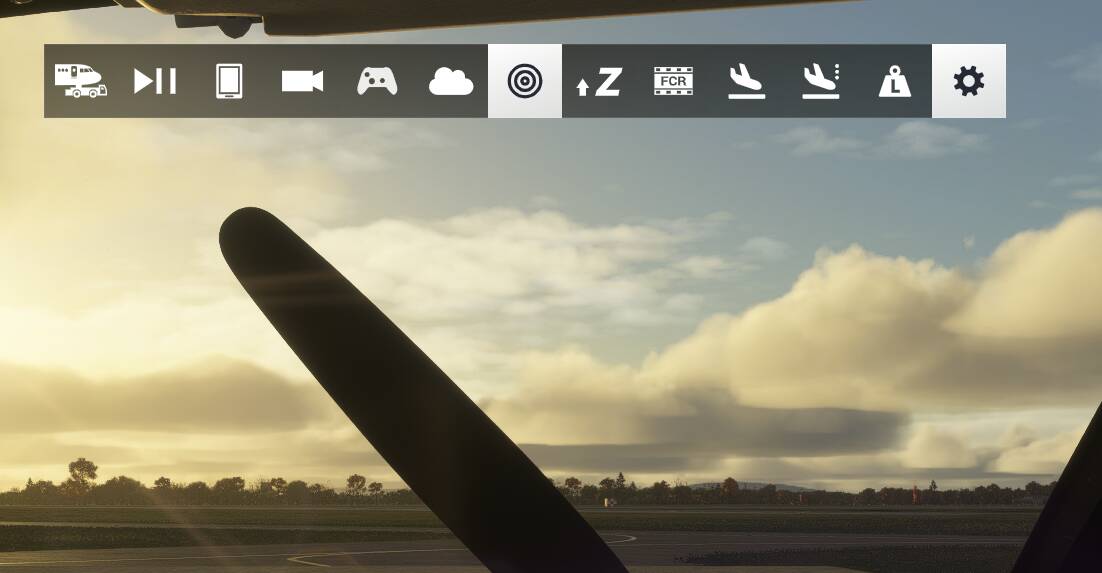
See above post: Mysterious toolbar icons - #4 by tamsini7744

This is used primarily in Career mode for the mission to offer instructions as to what needs to happen next. EG Request taxi IFR or Fly to “freddie” waypoint. (note, waypoint is made up!)
Oh, thank you very much! 