I’m running a 7950X3D which runs hotter than your 9800X3D. I have no issues whatsoever using an air cooler (Dark Rock Pro 4.)
My 3090 Ti (furnace) is liquid-cooled on a custom loop. In its OEM fan config it ran considerably hotter, and most importantly, dumped a lot of heat into the case.
The CPU cooler is right in line with the rear exhaust fan, so whatever heat it’s generating gets out pretty efficiently.
I have a 360mm AIO on my 9800X3D, but my GPU is air-cooled. Interestingly, my card is an MSI Ventus 2X OC version of the RTX 4070 Ti Super. This is a compact, 2-fan cooler version of a pretty decent mid-range card, but even running at 98%+ for hours on end, has never exceeded about 63C. In runs at least 10-15C cooler than my prior 3070. In SU4 right now, on my 5+ hour flight Sunday, my GPU was running in the low- to mid-50s range depending on VRAM usage and overall load.
As for my 9800X3D, when I first load up the sim and the CPU ramps up workload, I’ve seen temps rise up to the low 70s for a few seconds; however, the cooler soon catches up and within a few seconds temps have dropped to low 60s and within another 5-10 seconds, once the coolant has started pulling heat out of the die, temps run in line with my GPU temps or cooler - upper 40s in cruise, mid 50s when busy on the ground.
Case cooling plays a role in the above of course, too - power rails on modern motherboards and even RAM sticks and m.2 drives generate a decent amount of heat. I have a Corsair Frame 4000D case with 3 x 120mm front intake fans and one 120mm exhaust fan at the rear. My AIO cooler fans on top are also configured as exhausts. My motherboard component temps are typically in the low 40s to mid 50s under usual flight sim loads.
People might be confusing overclocking (OC) with undervolting - but what we’re actually doing with modern CPUs is undervolting. Overclocking doesn’t make much sense with today’s CPUs; undervolting does. Every now and then you’ll see someone mention “PBO -15/-20” on the forums - that’s not overclocking.
In any case, undervolting also affects how MSFS runs, and probably even more than overclocking does, since CPUs are pushed hard and need a “lot of power” to crunch all that data.
Have forgotten your specs but do you undervolt or OC? I have decided not to do it with my Ryzen 7950 and 5080 since seems I might pick up maybe a couple FPS but also system instability.
What undervolting does is allow the CPU to run cooler, increasing the thermal headroom which then allows CPUs, like the 9800X3D, to boost its clock to higher frequencies improving performance. A form of overclocking in itself but more then that, the cooler temps also allow you to increase the frequency, lets say by 200 MHz, bringing my 9800X3D from 5.2 to 5.4 GHz, hence overclocked.
While I agree undervolting can make a big difference in performance, OC’ing can also have a significant impact (at least on AMD cpu’s). The various PBO parameters below are examples of what can be tweaked to OC your AMD Ryzen cpu (as per my handy AI assistant):
All very nice info here but I feel that the original point of origin is being forgotten.
Which was that if you have made mods (overclocking/undervolting) to your system and you get instability then save your settings and reset to defaults and try the game again to see if there is a difference.
If you have made mods to your setup and they work then great. I will not knock this. The point was about what happens when they don’t work. This was what we started to see in posts about from about betas 15/16 onwards. Some people were demanding Asobo fix their systems because it worked before and therefore is their problem.
The culture needed to be amended. Some people needed to at least try and fix their systems themselves. The most useful thing here was people that had problems, tried resetting, or at least less aggressive modding, and posted about their successes.
This has helped a lot but you will always get some that simply refuse to try. The simple truth is that if the support team do not overclock their systems and therefore can’t reproduce a problem the how can they address it?
For me part of the narrative is about reducing user induced issues, modding/OS/driver etc., so that actual issues with the game are more easily identified and resources targeted accordingly.
If you undervolt too much, you’ll quickly run into stability issues - especially at higher clock speeds. For higher CPU frequencies, you increase vCore, not lower it. Raising voltage for higher clocks is what overclocking is - not undervolting.
That said, from my experience, a well-tuned undervolt on high-end gaming CPUs actually improves gaming performance - smoother gameplay and noticeably less stuttering. Overclocking makes more sense for users with mid-range or older CPUs who can’t upgrade right now; in that case, pushing CPU or GPU a bit harder can be worth it.
But when you’re running top-tier hardware like a Ryzen 7 9800X3D, Intel i9 14900K, or RTX 4090/5090, overclocking isn’t really worth it. For setups like that, undervolting is simply the smarter move - it lowers temps, keeps the system quieter, and can make gameplay smoother overall.
Personally, I stick with undervolting - the only thing I overclock is my RAM, fine-tuning the timings. I’m using G.Skill Trident Z5 Neo AMD EXPO CL26 2x32GB A-die RAM F5-6000J2636G32GX2-TZ5NR
so I can tighten it a bit more compared to, say, M-die modules.
Gaming Rig
PC Case Be Quiet Light Base 900 FX
MSI MPG X870E Carbon WIFI - BIOS 1A70
Virtualization - disabled
Re-size bar - enabled
PSU MSI MEG Ai1300P
Ryzen 7 9800X3D
AIO Arctic Liquid Freezer III 420
64GB Ram CL26 DDR5 6000 2x32GB G.Skill
MSI MAG 271QPX E2
Gigabyte RTX 4090 Gaming OC / 581.80
USB HUB
Logitech X56 H.O.T.A.S
VKB Gladiator NXT Evo Space Combat Edition
Honeycomb Alpha Flight Controls XPC Yoke
Logitech Flight Rudder Pedals
Airbus EFIS Winwing
Airbus FCU Winwing
Airbus MCDU Winwing
Boeing 737 MCP Core Flight
Boeing 737 EFIS Panel Core Flight
Boeing FMC/PFP 3N Winwing
Thrustmaster T300 RS racing wheel
Sound Blaster X5
Sound Blaster Katana v2
4xNVMe // 4TB for MSFS2022/2024
1xSSD
1xHDD
Windows 11 PRO 25H2
I just hope people realize how much both OC and undervolting can affect how MSFS runs and other flight sims too, like P3D. I have different BIOS profiles saved, for example: one with undervolting and RAM OC tweaks, and another that’s almost stock - “almost” because you still need to set fan curves and adjust a few minor things. Whenever I get a CTD on my OC/Undervolt profile, I always test again using the near-default one. It’s worth pointing out that running MSFS on OC or Undervolt profiles isn’t really recommended, because as mentioned, these settings can directly impact stability. You never know if a CTD comes from the BIOS tweaks or the game itself.
I think that’s it in a nutshell. On top of that you have an app that allows for other third party apps to run within it makes it very difficult to know.
The problem here is that you (and others) were assuming that the instability came from the overclock. Conveniently ignoring the fact that the instability occurring on non overclocked systems as well.
My method instead of undoing my thoroughly tuned bios settings (individual mem timings and sub timings, per core PBO settings and soc voltages among other things) Is to skip the offending version entirely and wait for a new version. Which proved to be the correct call because at the end of the day it was not my overclock/PBO setting that was at fault.
Two versions with ctds and i am the only one reporting a ctd ? then ill look at my bios. When other non overclocked systems are reporting ctd’s (In similar circumstances).. i am going to wait for validation. It seems like whenever there is some instability going on in these builds the first thing the average user wants to blame is someones overclock or pbo right off the bat. Its really annoying to deal with.
Thats the issue right there. The third party stuff and i am willing to hold my hand up in forgetting that AIG could have been the culprit because i have not had an unexplained CTD in pretty much ever until the .19 build.
Once Asobo fixed whatever they broke in the background in the subsequent build … no CTD.
Fare enough, and I have to say that your’s was the correct path to follow, however some good did come out of this exercise, at least for myself, as it did reveal an issue with my overclocking being a bit to aggressive so a positive outcome all around.
Then I guess Skatter Bencher is wasting time getting a 99950x3d undervolted and overclocked from 5700 to 5900MHz? By definition (that I posted above), PBO is both a cpu undervolting AND overclocking tool. There are literally hundreds of other you tube videos on how to undervolt and overclock your AMD Ryzen 5000/7000/9000 cpu to get better performance using PBO.
I’m not really sure why you brought up that video - it’s a typical “for beginners” kind of thing and doesn’t really have anything to do with how OC or UV actually affect MSFS 2024 SU4_beta performance. It’s more of a general guide for people who don’t fully understand BIOS tuning or how those settings translate into real-world performance in demanding sims like MSFS.
And let’s not forget there are also Intel users here. So it makes more sense to keep the discussion focused on OC and UV in general, applicable to both Ryzen and Intel CPUs.
I still believe that, generally speaking, when you’re running top-tier hardware like a Ryzen 7 9800X3D, Intel i9-14900K, or RTX 4090/5090, overclocking just isn’t really worth it.
You don’t have to agree with me - you’re absolutely entitled to your own opinion.
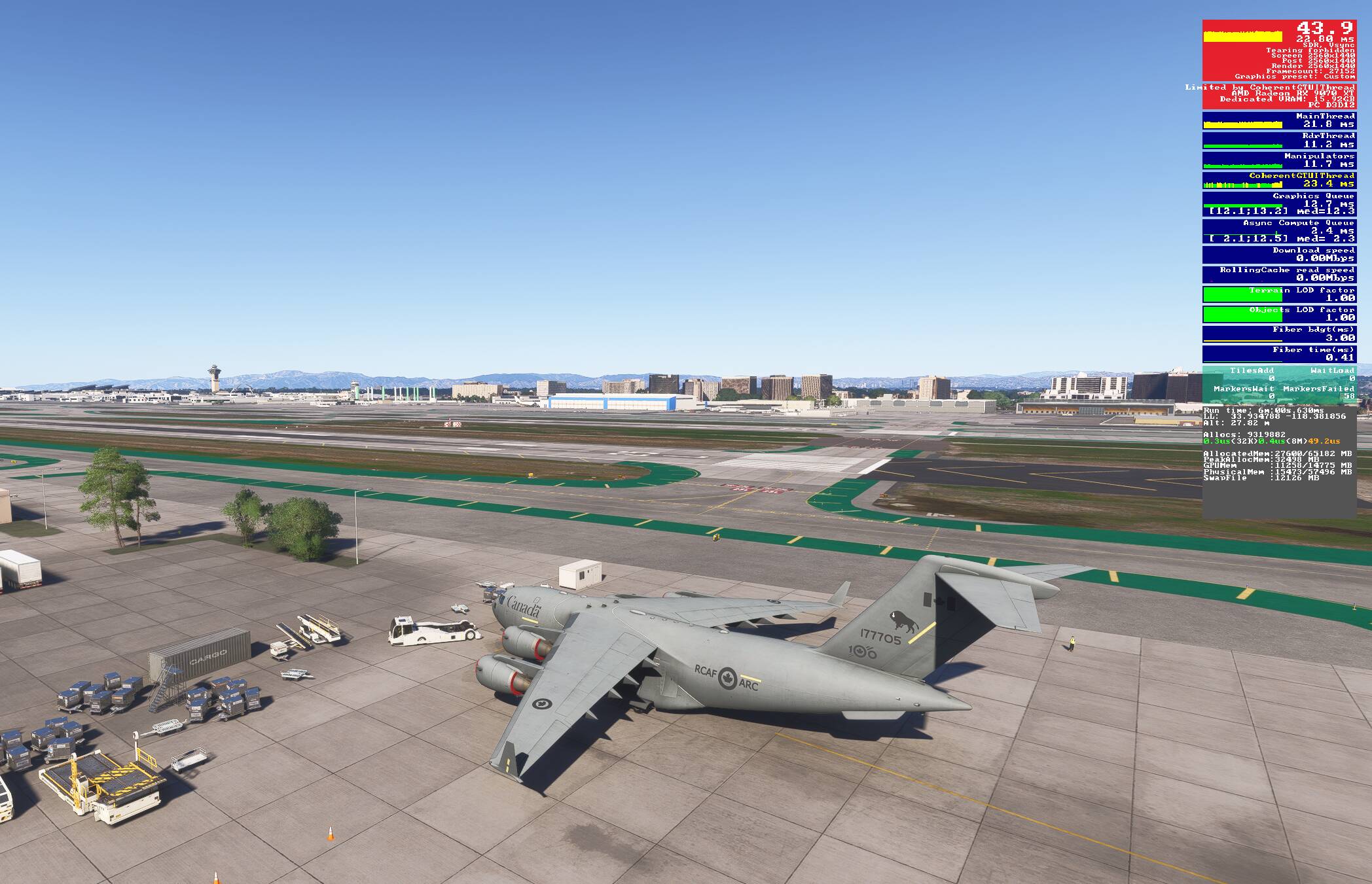
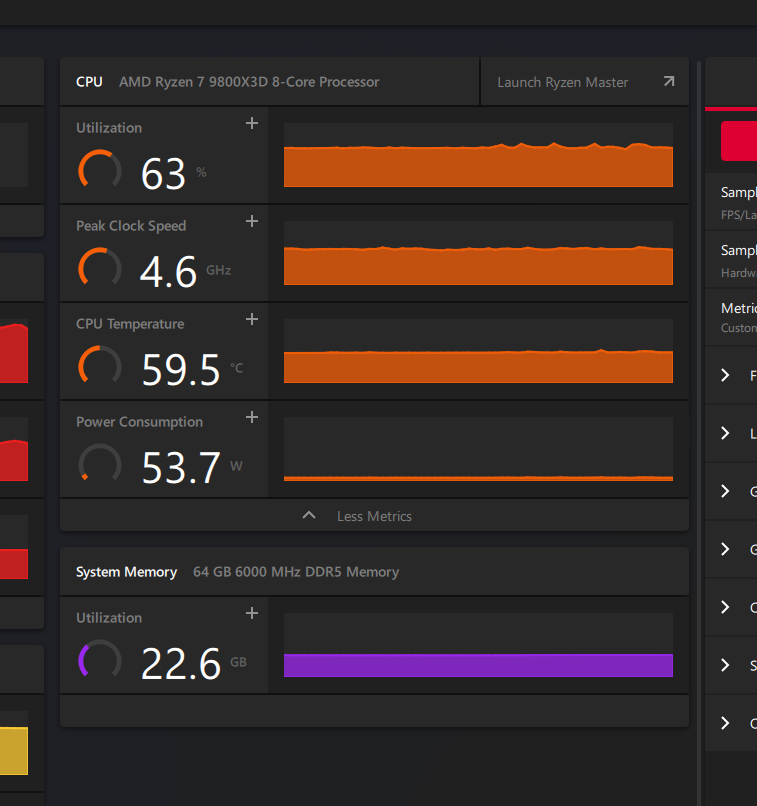
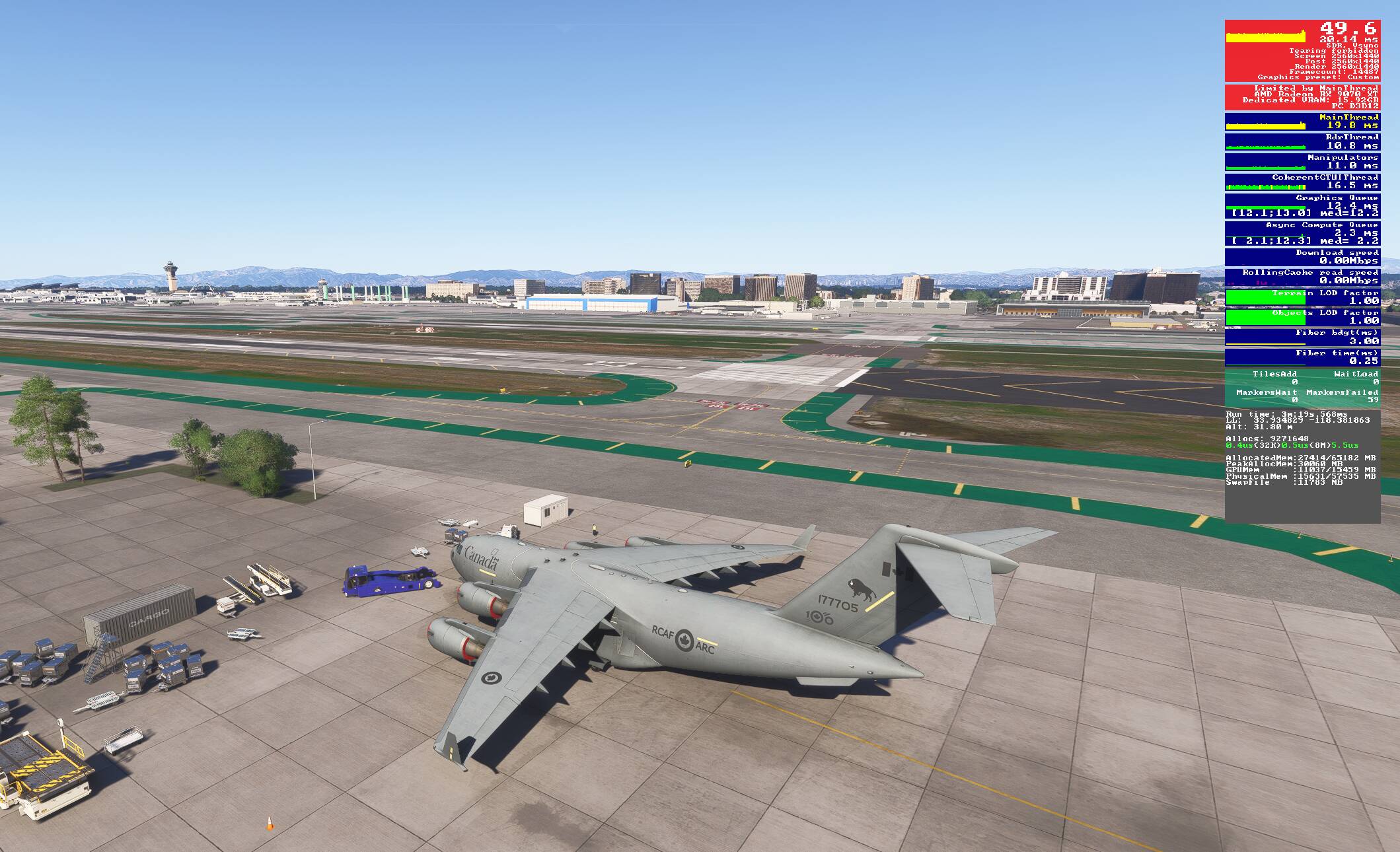
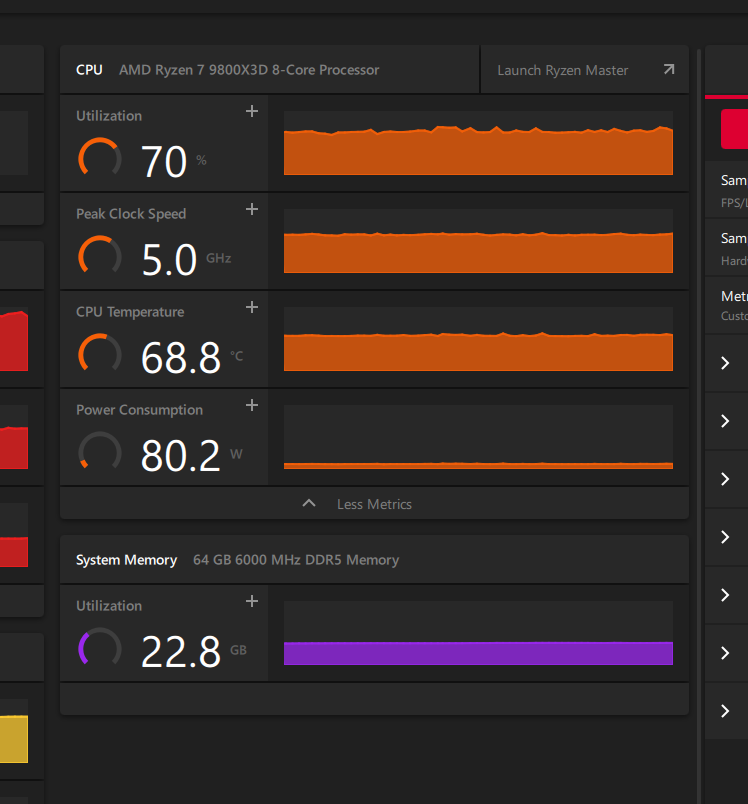
As you can see, with the additional tweaks, Curve Optimizer -15 and +200 MHz the FPS increased 6 FPS with the increase in clock and utilization. For me that is a significant enough increase in performance.
I wrote specifically about top-tier hardware. Your GPU is more in the mid-range category rather than top-range, so in your case, overclocking does make sense - and that’s exactly what I wrote earlier:
I forgot to add “GPU” in the first line, but since it’s already mentioned in the second one, I didn’t bother editing the post - I figured it would be clear enough to everyone what I meant.
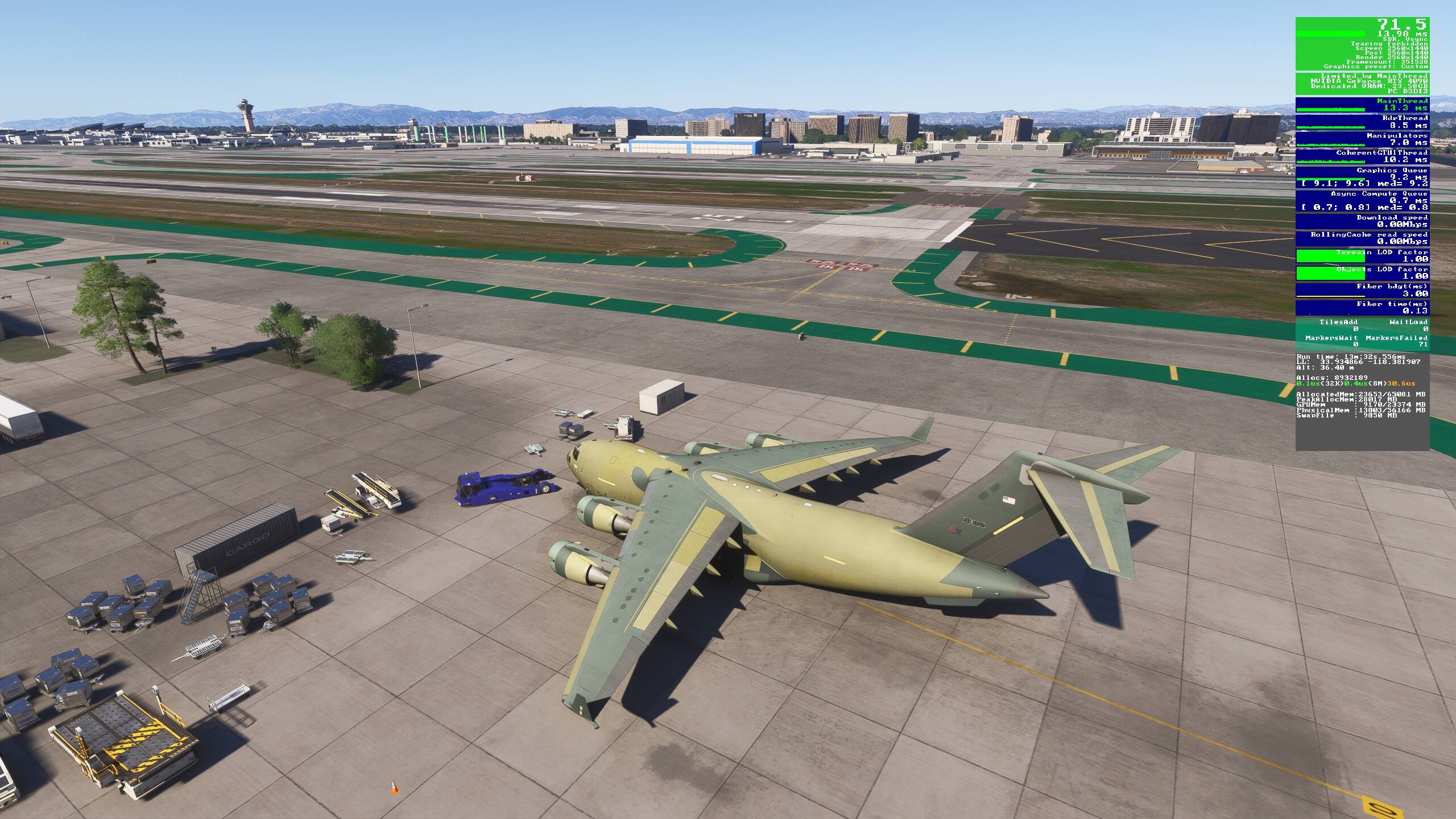
I checked the same location. As you can see, I’m getting around 70 FPS - so do I really need to overclock? I don’t think so, especially with a top-tier CPU and high-range GPU. Of course, nobody is stopping anyone from overclocking - it’s an individual choice. Personally, I usually fly with the FPS capped at 60, because smoothness is more important to me than chasing higher FPS.
So you’re saying it is not worth overclocking a 14900 if you have a 5090 gpu. This seems counterintuitive as one would assume you would be cpu limited in most circumstances with a powerful gpu.