It is not fixed because it is not even bug-logged. It is still feedback-logged after 3 months.
They must still be looking for an existing bug report…
Shameless.
Still broken at SU3.
2 Likes
Unfortunately this bug is still not fixed in Sim Update 3 (1.5.26.0). The throttle levers cannot be moved at all with the “Increase/Decrease Throttle” keybinds (A/B buttons on the Xbox controller).
Are you surprised? And their even selling it on MP
1 Like
Good news though, now they broke the PC12 Throttle too!
Both the throttle and flaps appear as “inop”. Luckily you can still use them with a controller.
Not surprised, but I think it’s important to keep reiterating these things and to “make noise” about these bugs, otherwise they will never be fixed. Most will probably not anyway.
I just don’t understand the logic of having the aircraft in the MP with these issues, sure the guys at Asobo wouldn’t be happy buying a car from a dealership just to not be able to drive it unless it’s full throttle or idle
4 Likes
Do you have the same issue if you follow the OP’s steps to reproduce it?
• Yes
Provide extra information to complete the original description of the issue:
• When using an Xbox controller with PC, there is no way to increase throttle with the A button. If you attempt to select a throttle and drag the throttle forward using either a controller or your mouse, the throttle will increase and hold at the desired throttle setting until you deselect the throttle. Once de-selected the throttle will snap back to 0%. Pressing RB+A will snap and hold the throttles to 100%, but there is no way to reduce throttle to less than 100%. If you try to reduce the throttle from 100%, it quickly snaps back to 0%, really frustrating.
If relevant, provide additional screenshots/video:
•
For as old as this bug is, this needs to be bug-logged. Not feedback-logged.
4 Likes
It is insane that UPDATE 3 shamefully did not solve it yet.
I am having the same ISSUE.
Xbox One Controller
PC
I mean Carenado and Microsoft should look for this. It is a critical issue for flying this aircraft. It is a shame.
5 Likes
Remember, Sim Update 4 will be the last bugfixing update, so anything that is not fixed by it may very well stay with us forever.
I guess we better wait for a proper PC-24 from a third-party that actually works.
Yes, it’s broken, but I’m still able to fly the aircraft successfully. As for the throttle, I created a button configuration to set it to 30% for taxiing.
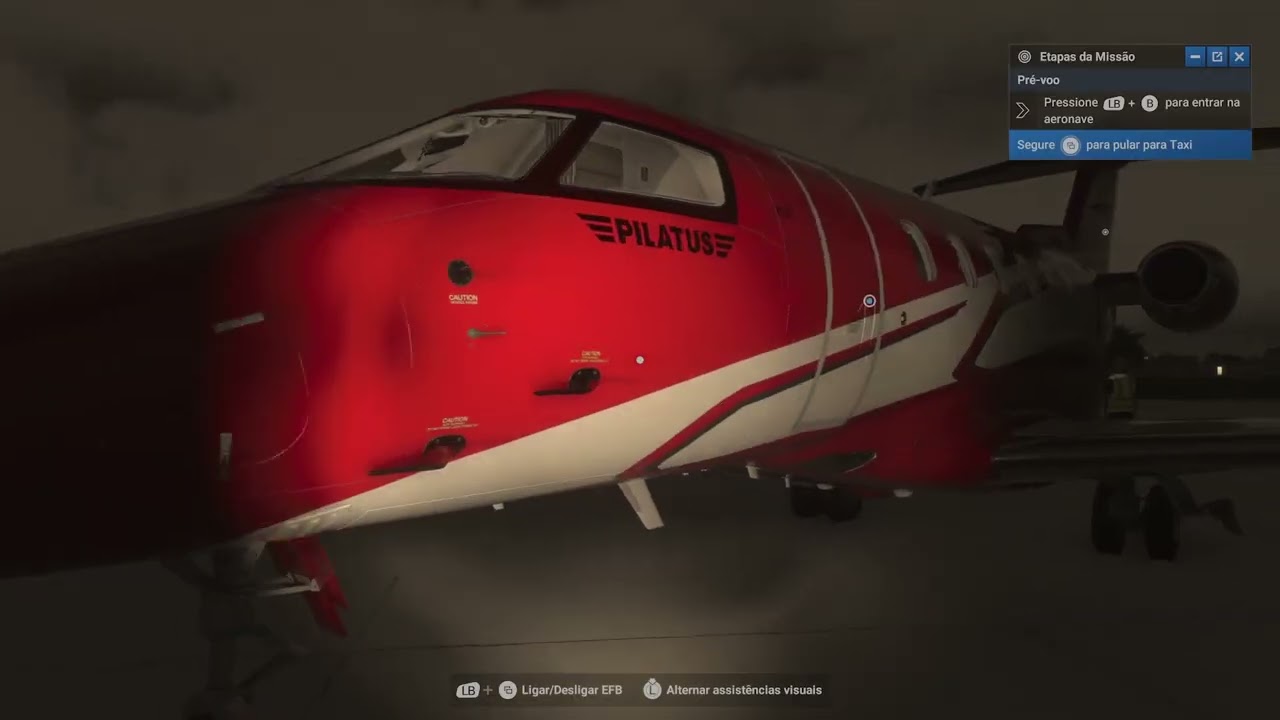
It is unacceptable that the Pilatus PC24 is still broken even after Sim Update 3. This aircraft was marketed as premium content that required players to pay extra, yet since its release it has never functioned properly.
Asobo and Carenado have shown no transparency, no meaningful communication and no accountability. Instead of delivering fixes or updates they continue to push new content into the marketplace while leaving a flagship business jet in a half finished state.
This feels less like a commitment to quality and more like a cash grab, selling a broken product, taking the money and ignoring the community that trusted them. For a platform that claims to represent the future of flight simulation this is nothing less than a disgrace.
The community does not want vague promises, we expect action, accountability and respect for the customers who invested in what was supposed to be a premium experience.
7 Likes
HI, so is MS going to fix this issue? I have seen at least 2 updates go by and what seems to be a simple fix, NEVER gets fixed. I liked flying this aircraft, but since the throttle is wonky, I haven’t been able to fly it in a while… PLEASE MS CAN YOU FIX THE PC-24??? - - THANKS IN ADVANCE
1 Like
They are checking if there is an existing bug report already, give them time, it has only been 3 months since they started looking.
What a joke…
3 Likes
Using the template below will greatly help the team reproduce the issue and ease the process of fixing it. Before posting, search for an existing report. If you are not sure it’s a bug, please first report in User Support Hub.
3 tags are required - add them in the tag section next to the title above:
-
One for aircraft (start typing in your aircraft name in the tag section and pick correct option)
Feel free to delete this quote section after adding your appropriate tags.
ISSUE DESCRIPTION
Description of the issue:
Unfortunately, you can’t use the thrust correctly with the Xbox controller on the PC 24. Either you use the standard key combination RB + A and you have 100% thrust (if you press A again afterwards, the thrust is completely gone). If you press RB + B, the thrust is also completely gone. This means that you can either give 100% or 0% thrust with the controller. There is nothing in between, which makes the PC24 unflyable with the Xbox controller, and this has been the case since the beginning of the Sim. I really hope you look into this and fix the bug, as I think the PC24 is really cool.
FREQUENCY OF ISSUE
How often does this occur for you (Example: Just once, every time on sim load, intermittently)?
Always.
REPRODUCTION STEPS
Please list clear steps you took in order to help our test team reproduce the same issue:
-
Select PC24
-
Try to give thrust with Xbox Controller (A)
YOUR SETTINGS
If the issue still occurs with no mods and add-ons, please continue to report your issue. If not, please move this post to the User Support Hub.
What peripherals are you using, if relevant: Xbox Controller
MEDIA
Do you have the same issue if you follow the OP’s steps to reproduce it?
• Yes, same issue.
Provide extra information to complete the original description of the issue:
•
If relevant, provide additional screenshots/video:
•
Do you have the same issue if you follow the OP’s steps to reproduce it?
• Yes, always in any flight in career mission following the OP´s steps
Provide extra information to complete the original description of the issue:
• Throttle is unresponsive to A. Once throttle is engaged(by looking at the throttle in 1st person view and manually increasing throttle) hitting A or B will cause throttle to go to 0% immediately
Can someone report if the issue is still present in the SU4 Beta?
Can confirm it is still present - doenst seem to be a priority for them to fix as its been feedback logged since SU2…
Any update?