Hello everyone, I would like some advice regarding the rolling cache. I usually leave it disabled. What do you recommend? Enabled at 16GB or disabled? Thank you very much for your attention!
Enabled @ 128GB. Never mess with it.
I have mine set to 32GB. It suits me. I stream everything and I tend to fly from only a few bases so it is more than enough for me.
I would say that a lot of the decision will be based on what flying you do. If you fly multiple planes to multiple places then a larger size is better than if you fly one plane from one base.
Perfect, I always left it off. But I’ll follow your advice and leave it at 128 GB to see if it makes any difference, thank you very much for your willingness to help.
I’ve always used it with the setting turned off; could you tell me if turning it on makes a significant difference?
Some experiments in a previous beta (SU4) made me think that maybe the RC plays a bigger role than we think, and perhaps in some unexpected ways, I find that going to 16 from 32 gave me quicker free flight load times and I hardly ever have a flight reverting to the previous (location and aircraft type) where that happened a lot more with thr larger cache.
Every now and then it starts to slow down though - and now that’s when I go through the “reset” process. Last time it slowed I got a repeatable WASM crash which went away after I’d refreshed the RC. I think there’s something going on with “look up” times and the speed of the Xbox HDD- and I jhave to wonder if that could put some pressure on memory resources?
Using 32 GB
I had RC at 128gb. When SU5 dropped RC reverted to 16gb. I didn’t realize it, but noticed things seemed better. Once I realized it reverted to 16gb I set it to 32gb and have had no issues that I am aware of.
According to Google’s AI agent, if you never fly in the same place twice you can set it low. If you fly in the same place all the time, set it high to something like 100GB if you have the space. It should be on a fast SSD drive. 32-64GB is the “sweet spot”
Unfortunately, I can’t be much help here as I have always had it on.
I started with the default amount and tried 32GB, 48GB, 64GB and 96GB. I can’t really say that the bigger amounts helped me, as I generally fly from 1 of 4 bases, so I set it to 32GB.
I think it really depends upon your flying routine.
i’m a firm believer in the concept of cache when correctly implemented, it’s the way things should be done
some argue that if you never fly the same place twice you can turn it off, because it won’t do anything. this is partially correct, for the cache also stores the aircraft models and the world map tiles
oas others have said, reasonable cache sizes are between 16-100 gb, with the sweet spot being around 32-64gb
remember it is good practice the empty your cache everynow and then. But not constantly, because then there would be no point in having it in the first place.
In 2020, when the cache got full and it began rolling (first in first out) it introduced serious stutter in some setups. Don’t know if 2024 has the same problem.
It’s not even possible to disable it in FS2024, unless you mean with some workaround hack?
I usually have it between 128GB and 1TB. There used to be some talk of large sizes causing issues when it’s very large and getting full or overflowing, but I’m still kind of testing. In the more recent builds I haven’t really seen any bad effects with the bigger sizes (300GB+) as far as I can tell.
I tend to fly in the same several places quite a bit, including some big PG cities, so I think it makes sense to aim for a big cache.
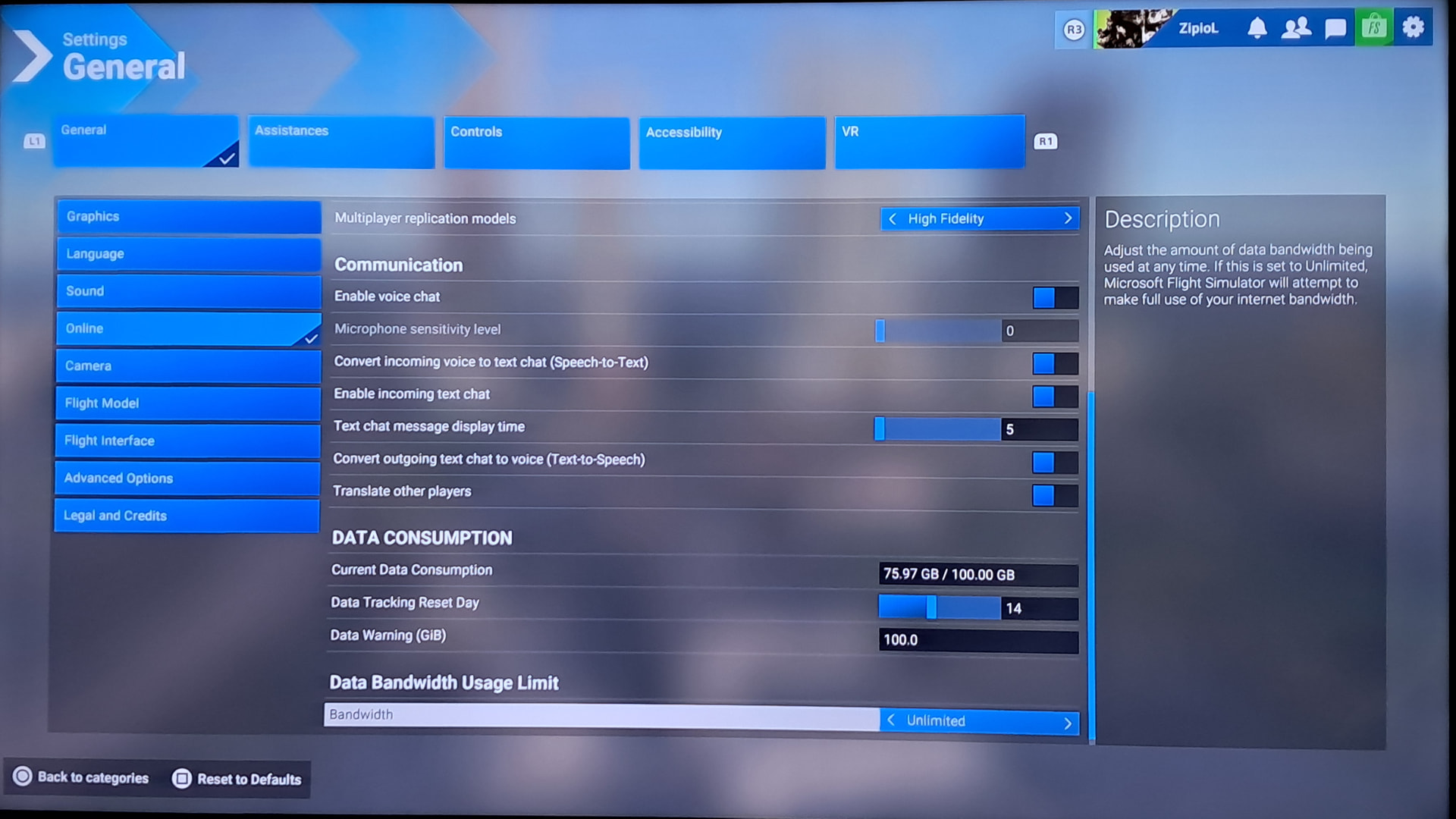
The PS5 doesn’t have a traditional rolling cache that we can clear.
wasn’t it cleared after disabling it? that should be the case. we had Rolling Cashe before on PS5 in previous betas..
I can’t recall really
It’s not in the consoles, I’ve looked.
yes, thats what im saying. currently there is not.
but it WAS there on my PS5 just few updated ago.. even on beta last year.
why was it removed? bring it back!