ISSUE DESCRIPTION
Description of the issue:
Since SU6.1 update, I am seeing frame rate drops and FS2024 intro movie frame rate drops and FS UI visual dark dips in brightness happening.
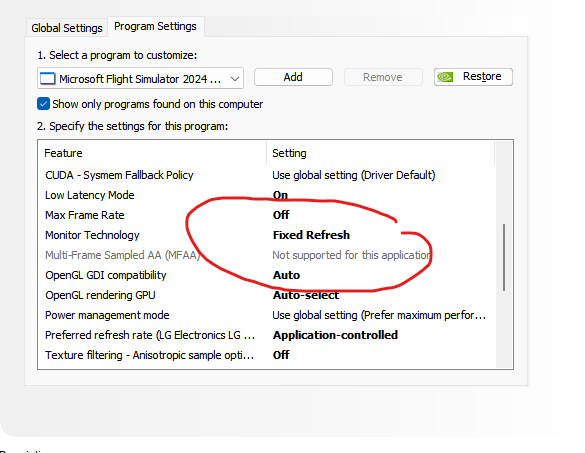
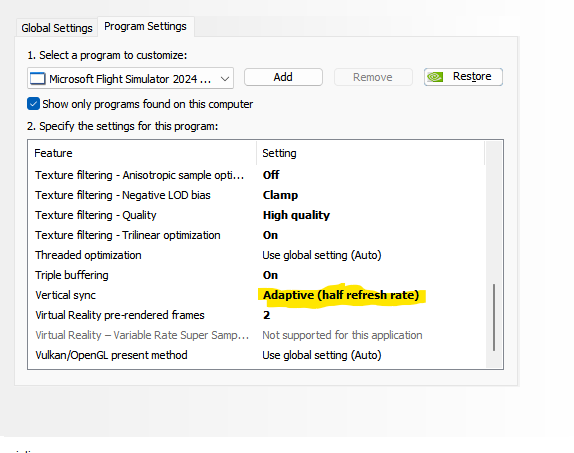
Having tried various things out I have identified that it appears to be related to NVIDIA DLSS Framegen when coupled with VSYNC. If I turn NVidia DLSS Framegen off things return to normal.I have VSYNC ON at 1/3 RR and NVIDIA DLSS ON at 2X. This combination was working fine in SU6, which (from memory) introduced the ability to run framegen with VSYNC
Now with SU6.1 this combination seems to be causing these big frame rate drops and visual brightness dips in the FS2024 UI.
I have also tried installing the latest NVidia driver (616.64), but the same issue is apparent.
FREQUENCY OF ISSUE
How often does this occur for you (Example: Just once, every time on sim load, intermittently)?
Every time I use FS2024 SU6.1. It only installed this morning. But I’ve done several sim reboots and direct x shader cache clears etc.
REPRODUCTION STEPS
Please list clear steps you took in order to help our test team reproduce the same issue:
-
Install FS2024 SU6.1
-
Turn VSYNC on to 1/3 or 1/2 of your monitor refresh rate
-
Turn on Nvidia DLSS Framegen x2
-
In dev mode turn on FPS counter, check for frame rate issues
-
Go back to world map and check for frame rate drops
-
Watch for UI brightness dips
-
Turn off NVIDIA frame gen, watch for normal frame rates
YOUR SETTINGS
If the issue still occurs with no mods and add-ons, please continue to report your issue. If not, please move this post to the User Support Hub.
What peripherals are you using:
[PC Only] Are you using Developer Mode or have you made any changes to it? NO, only to turn on FPS counter
[PC, MSFS 2020 Only] Are you using DX11 or DX12? N/A
[PC Only] What GPU (Graphics Card) do you use? 5090
[PC Only] What other relevant PC specs can you share? 9800X3D, 64GB RAM, Win 11 Home
MEDIA
Please add a screenshot or video of the issue occurring.
VSYNC 1/2, NVidia DLSS Frame Gen : OFF

VSYNC 1/2, NVidia DLSS Framegen : ON