Correct, no need for a new one, will be moving this to the main Bug Reporting section soon while it is being worked on.
3 Likes
Wonder if this is a resolution issue?
Seeing streamers on 1080p not having the issue.
Anyone on 1920x1080 can confirm its ok or not ok?
Reading through the thread I see 4k reports, Im on 5120x1440. Cant see any 1080p reports…
Remember ms2020 had a light bug in its early days: lights dragged horizontally on (ultra-)widescreens.
Just a theory 
I’m beyond disappointed they did not fix such a significant issue which was introduced in SU2_beta itself. 
2 Likes
It’s a complete joke that we have these massive regressions.
Regressions that are reported and then just get left in for the live build. How long do we now have to wait for SU3 to fix things like this that have been broken by an update.
The whole MSFS 2024 is a farce.
There are so many things that are worse in 2024 than 2020, what’s the point doing a new sim and then updates in the new sim if it isn’t better?
3rd party devs now aren’t releasing things for 2020, so if we want to use 3rd party products, which frankly we need to given the state of the default aircraft and airports in the sim, we are basically forced to use 2024 going forward which in so many ways is worse than 2020.
It’s extremely irritating and most disappointing.
2 Likes
Just adding this here as it seems like a good example of what we might like to see. Just check out those centre line lights.
Hi @PHSepp796
Out of curiosity, I tried changing the AMD FidelityFX sharpening value on my PC to see what happened. This is at Perth (YPPH) on SU2 v1.4.20.0
Results for value = 50, 150 & 200:
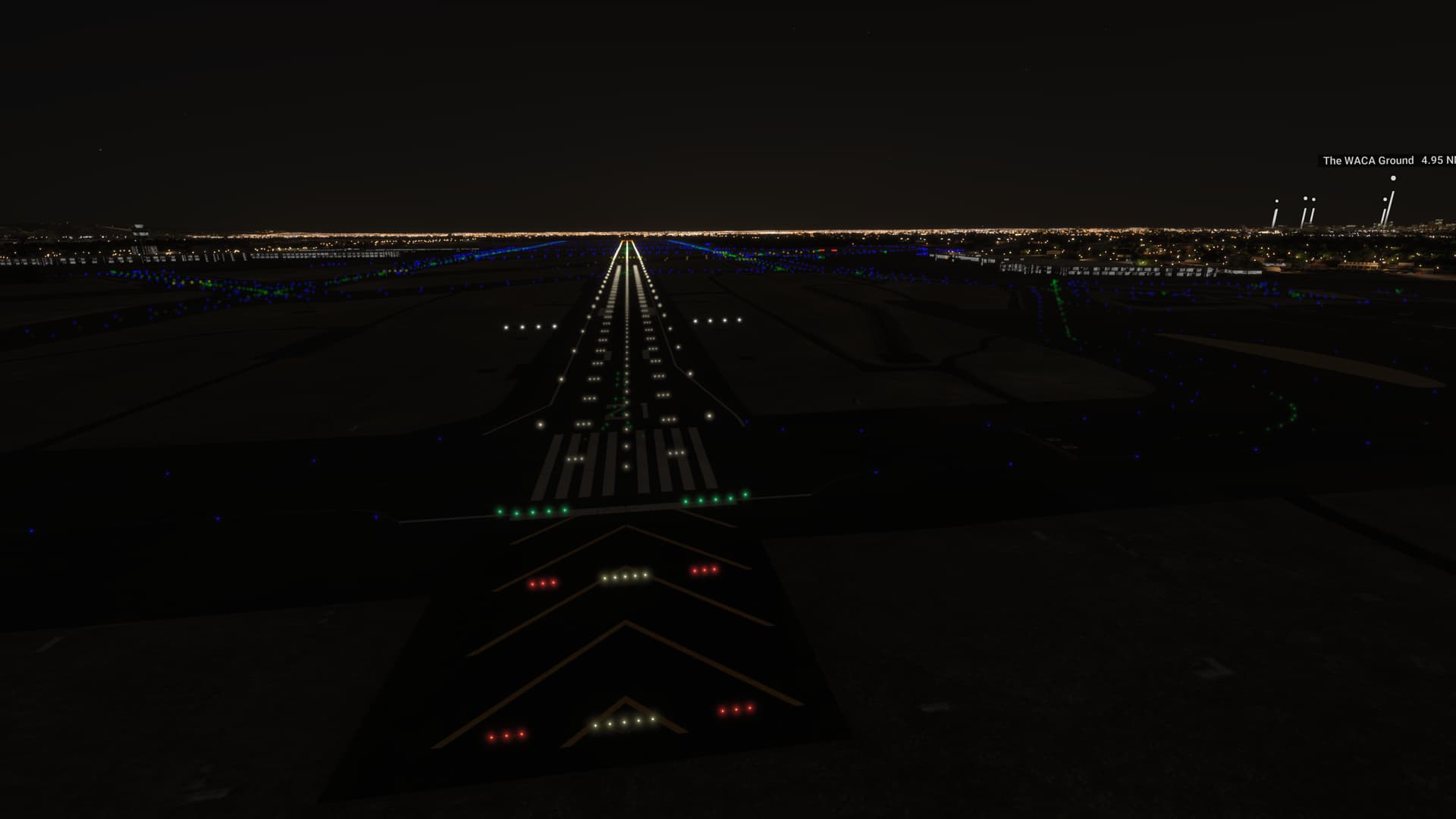
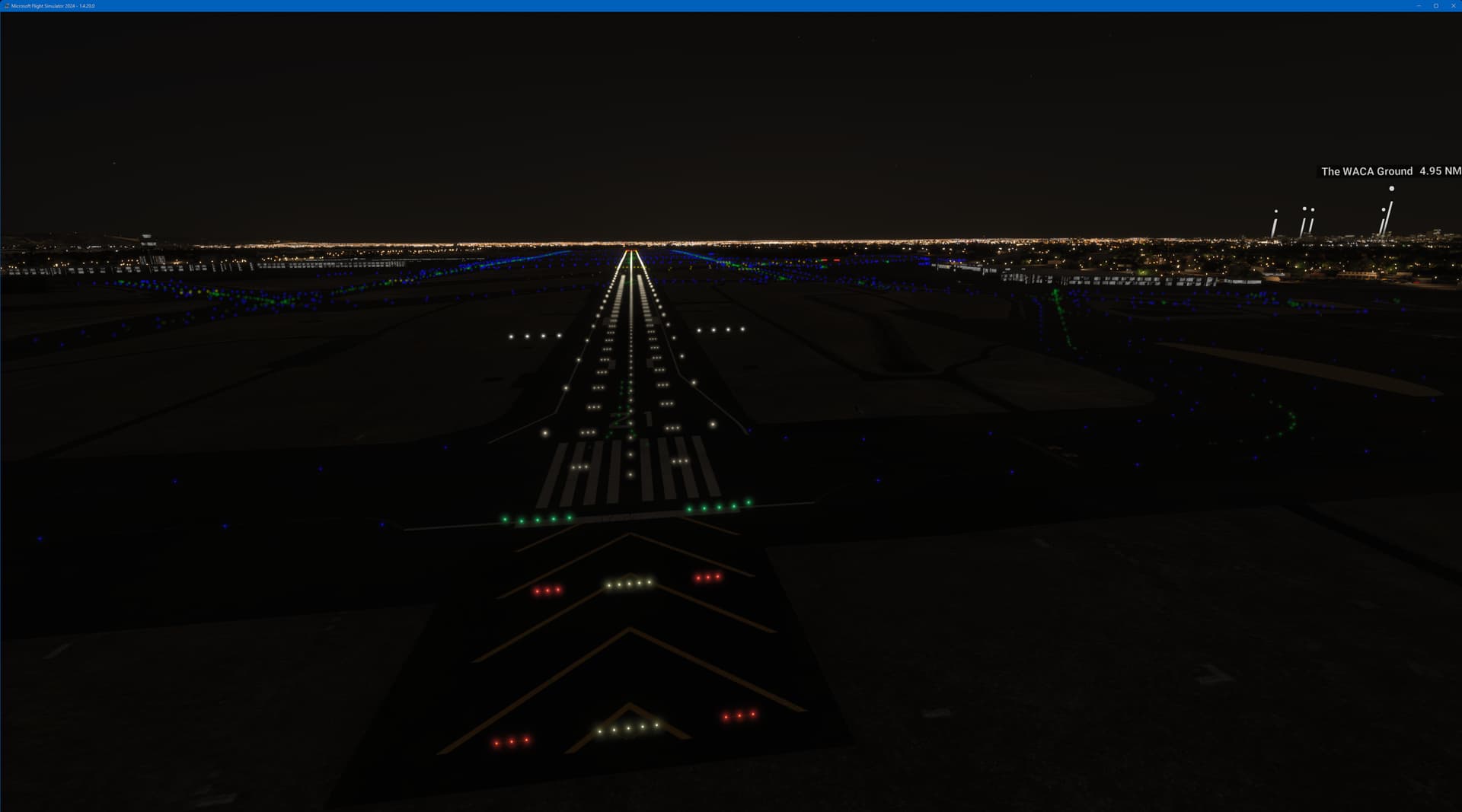

I do not see any change, unfortunately.
Expand to see my basic PC specs:
| Item | Setting |
|---|---|
| CPU | i7-12700K (no overclocking or undervolting) |
| RAM | 32 GB 5200 MHz DDR5 CL40 RAM |
| GPU | Intel Arc 770 (16GB, v32.0.101.6314) |
| Peripherals | Microsoft USB Natural Keyboard, Microsoft USB Wireless Intellimouse Explorer, Xbox 360 Wired Controller, Logitech Extreme 3D Pro |
| OS | Windows 11 Pro 24 H2 v26100.3194 + all OS updates. |
| MSFS 2024 Edition | MS Store Premium Deluxe + all WUs & CUs |
| Build Version | SU2 v1.4.20.0 |
| 3rd-Party & Community Addons | None |
No performance-improving applications are installed (e.g. for CPU or GPU improvements).
Neither the Intel Arc Control Service or Arc Control App is running.
Expand to see my graphics settings
| Item | Setting |
|---|---|
| Display Mode | Full Screen |
| HDR10 | On |
| Full Screen Res | 3840 x 2160 |
| Anti-Aliasing | TAA |
| Render scaling | 65 (Resolution: 2496 x 1404) |
| Frame Generation | AMD FSR 3 |
| Framerate Multiplier | 2x |
| AMD FidelityFX Sharpening | 150 |
| Exposure Compensation EV | -1 |
| VSync | Off (N/A) |
| Frame Rate Limit | 100% MRR (N/A) |
| Dynamic Settings | On |
| Frame Rate Target | 60 |
| - | - |
| Global Rendering Quality | Custom |
| Terrain LOD | 400 |
| Off Screen Terrain Pre-Cache | Ultra |
| Displacement Mapping | On |
| Buildings | High |
| Trees | Medium |
| Plants | Medium |
| Rocks | High |
| Grass | Medium |
| Object LOD | 200 |
| Volumetric Clouds | Ultra |
| Texture Resolution | Medium |
| Anisotropic Filtering | 4x |
| Water Waves | Medium |
| Raytraced Shadows | On |
| Shadow Maps | 2048 |
| Terrain Shadows | 512 |
| Contact Shadows | High |
| Windshield Effects | High |
| Ambient Occulsion | High |
| Cubemap Reflections | 256 |
| Raymarched Reflections | Medium |
| Light Shafts | High |
| Depth of Field | Off |
| Motion Blur | Off |
| Glass Cockpit Refresh Rate | High |
| Characters Quality | Medium |
| Traffic Airport Quality | Medium |
| Air Traffic | Medium |
| Road Traffic | Medium |
| Sea Traffic | Medium |
| Fauna | High |
Expand to see my other settings
| Item | Setting |
|---|---|
| Online Tab | |
| Photogrammetry | On |
| Aircraft Traffic Type | AI Offline |
| Live Weather | On |
| Multiplayer | On |
| Multiplayer Servers | West USA |
| Show MP aircraft in close proximity | On |
| Rolling Cache | On @ 16GB |
| Bandwidth | Unlimited |
| Advanced Options | |
| Developer Mode | Off |
It’s a neat effect, but there shouldn’t be that much glare on the pavement. Even the approach lights have a ton of glare and they’re elevated several feet at minimum. Most of those lights are angled upward quite a bit irl. Yes, there will be some intersection with the pavement on the flush-mount lights, and you might see it more if it’s wet, but either way it should be a lot less than that.
4 Likes
Goodday to you @SmotheryVase665 and offcourse fellow simmers
I think you have misread, for in my post i talked about the combination
Of the FX sharpening together with Exposure compensation EV
Than for sure there is a difference.
Also i like to mention this,
Also notice that windows of some if not all airplanes do have some hazy-ness looks
You will able to tell if you use Ir headtracking and overstretch the lean forward to position your view on the outside of the airplane.where image seems much clearer so this means to me this may have to do with the blurriness of texture and what may called regression to me.
Maybe you can verify this
Sincere
Sebastiaan
Just to take this back to the original post. This is an approach to EGNJ (Humberside) by FlyTampa at midnight, live weather (mostly CAVOK). The runway lights are to be perfectly honest total garbage. As you can see from this series of pictures from a distance they are nice and bright and a sensible size etc. You may also notice they look in place with other lights in the scene. As you get closer the runway lights turn in balls of lights growing in relative size. The blue and green lights of the taxiways don’t suffer from this problem and neither do other lights, it’s just the white/red/orange runway lights and any other buildings those specific light models have been used on, like the radio mast to the left hand side of the runway.
I am using an AMD RX6800XT with frame generation turned on which causes some additional bloom, but these are paused images and so better than the moving image and FG is not a factor. I don’t really want to mess about with too many settings because every other bit of lighting apart from the runway lights I’m happy with.

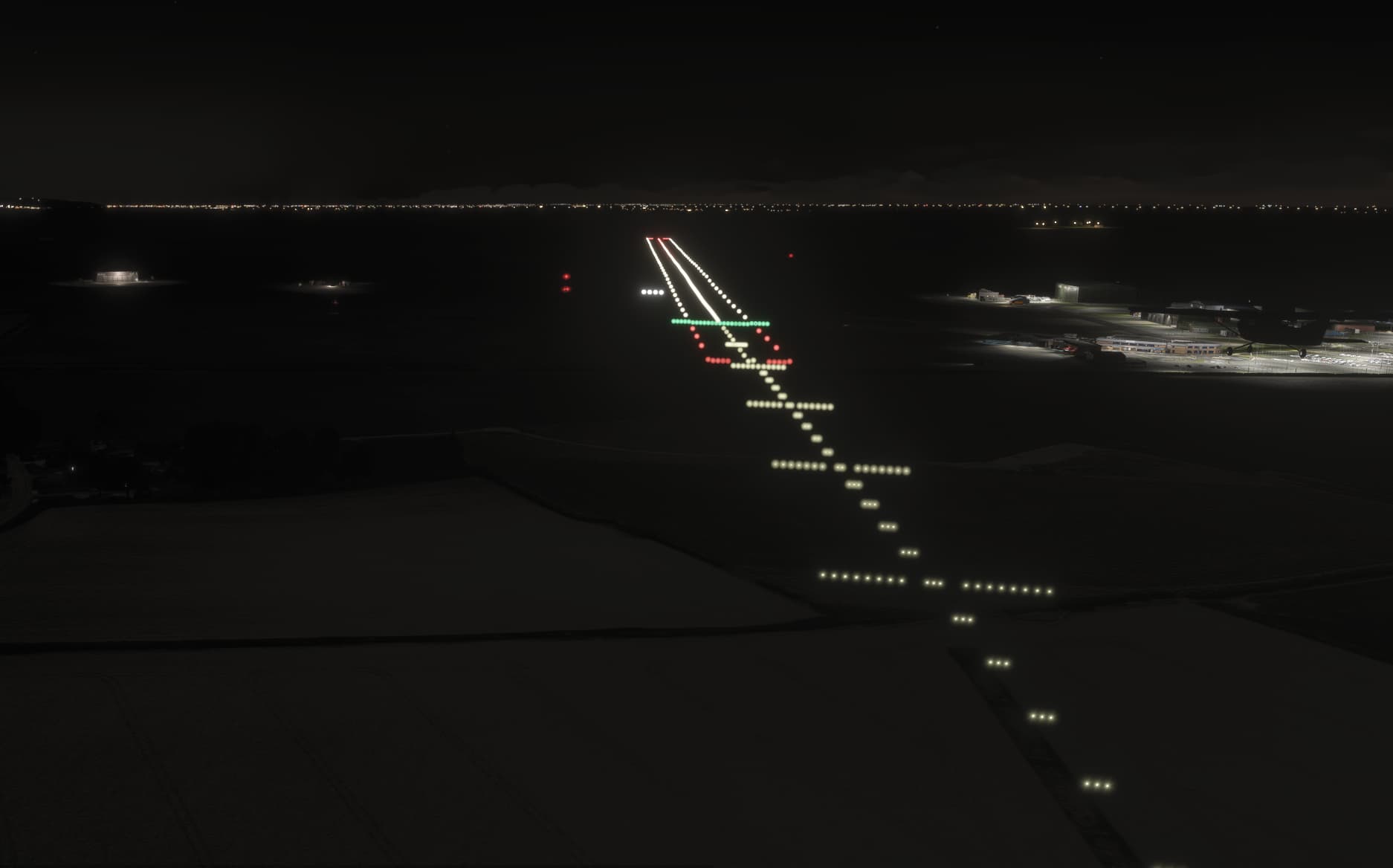
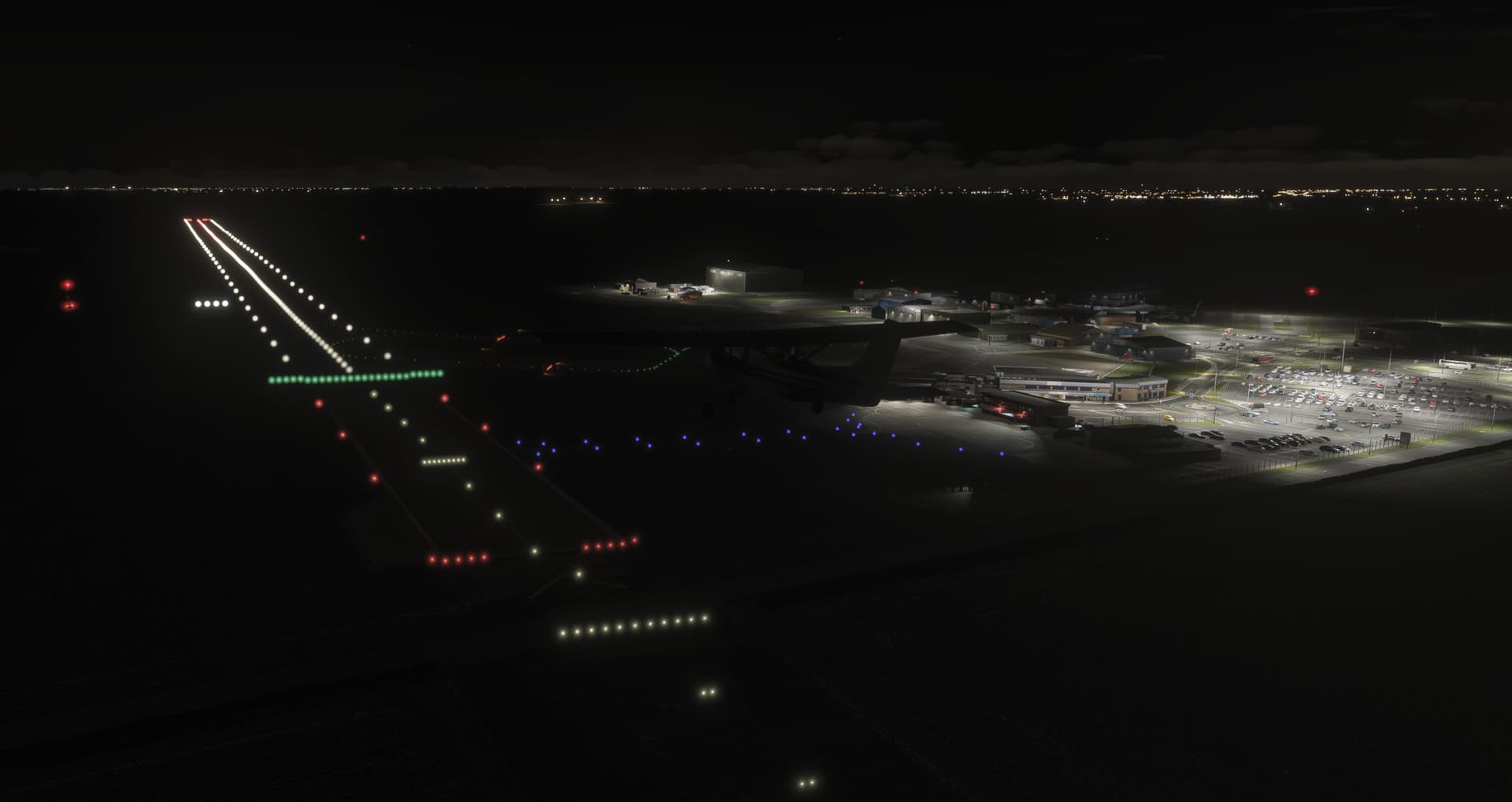
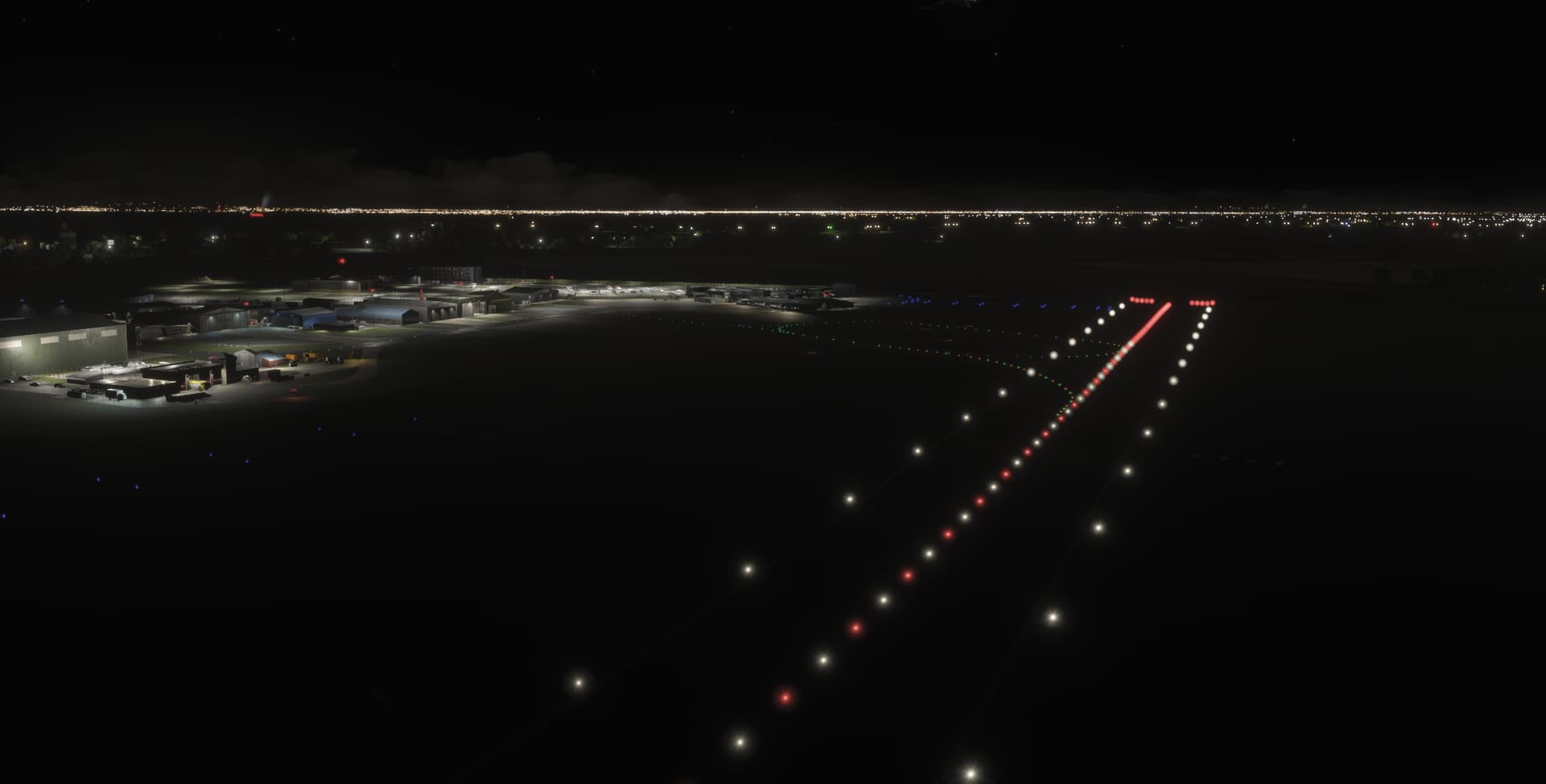
These are static images, so look better than they do when moving as runway lights become a blur of bright circles, very unrealistic.
1 Like
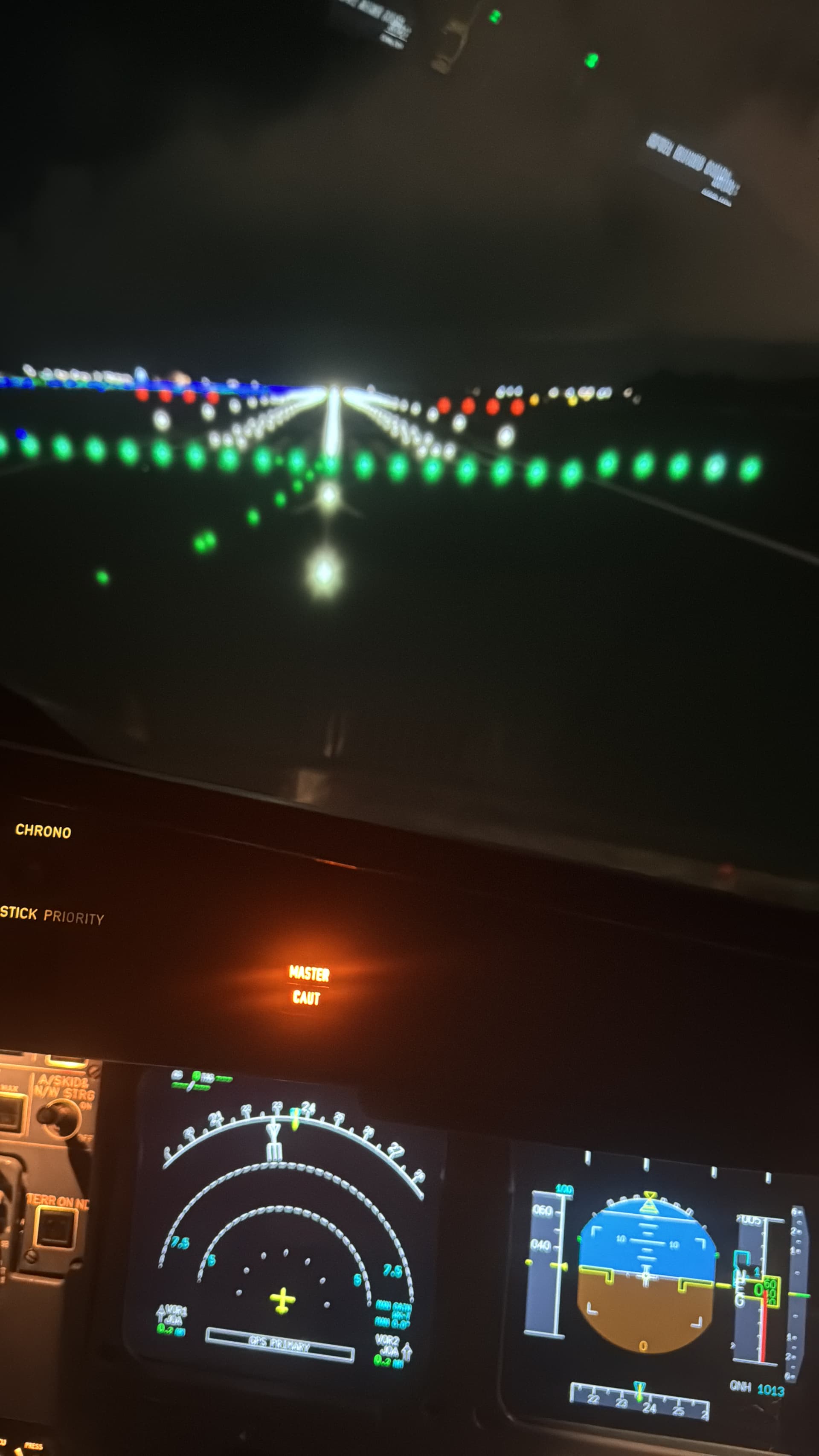
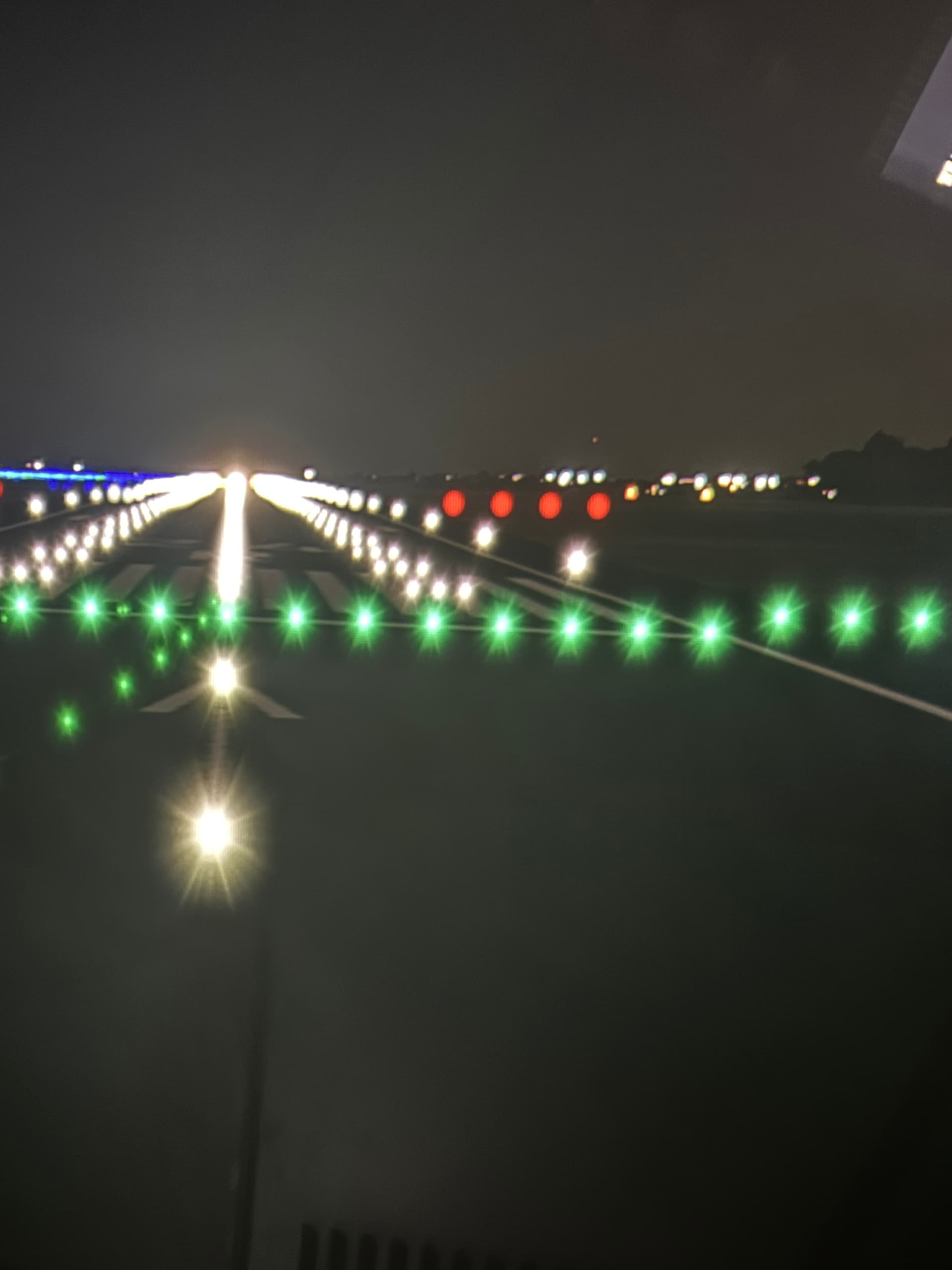
I’m on an Xbox with 1080p resolution, and this problem definitely exist there as well.
Ok, tnx! 
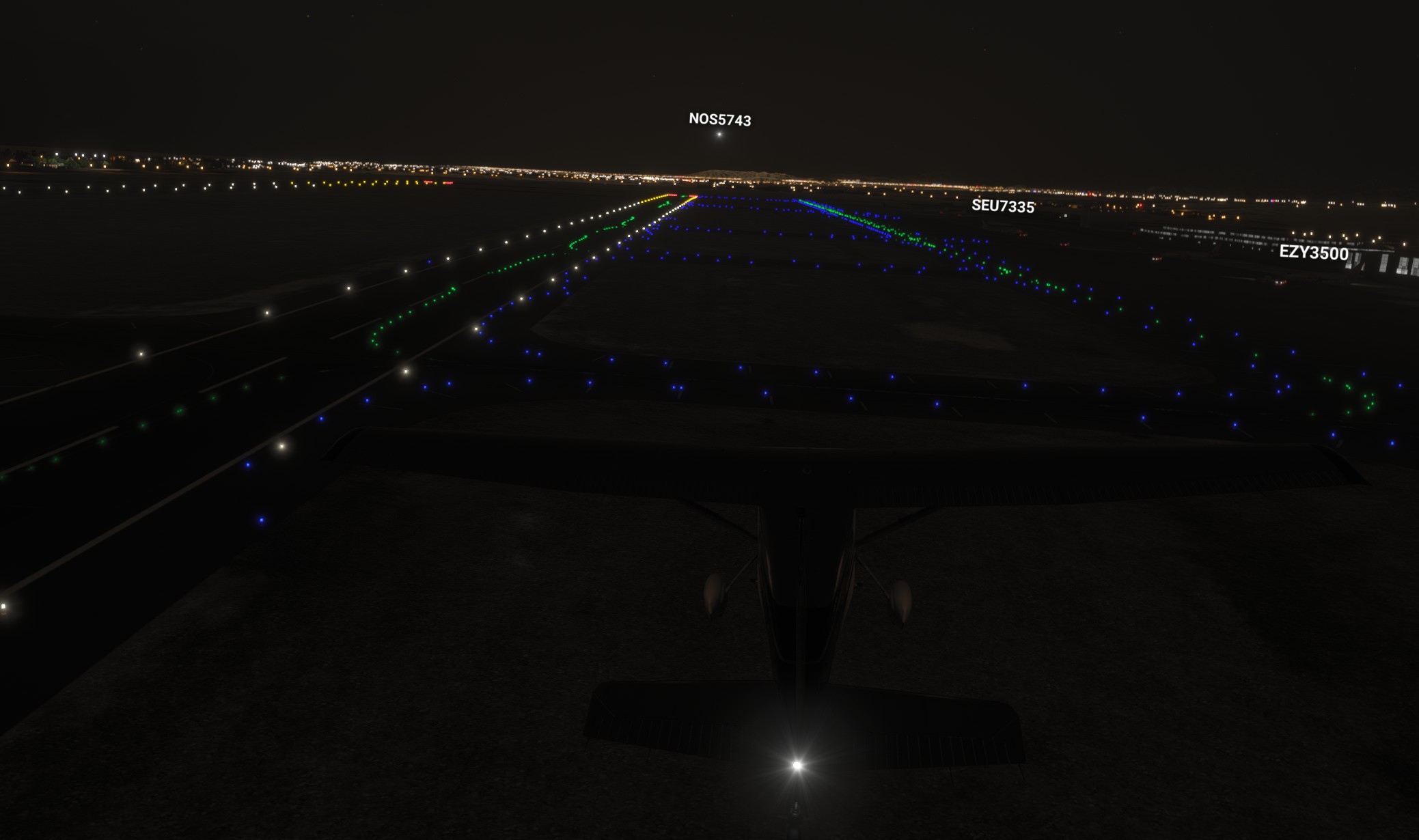
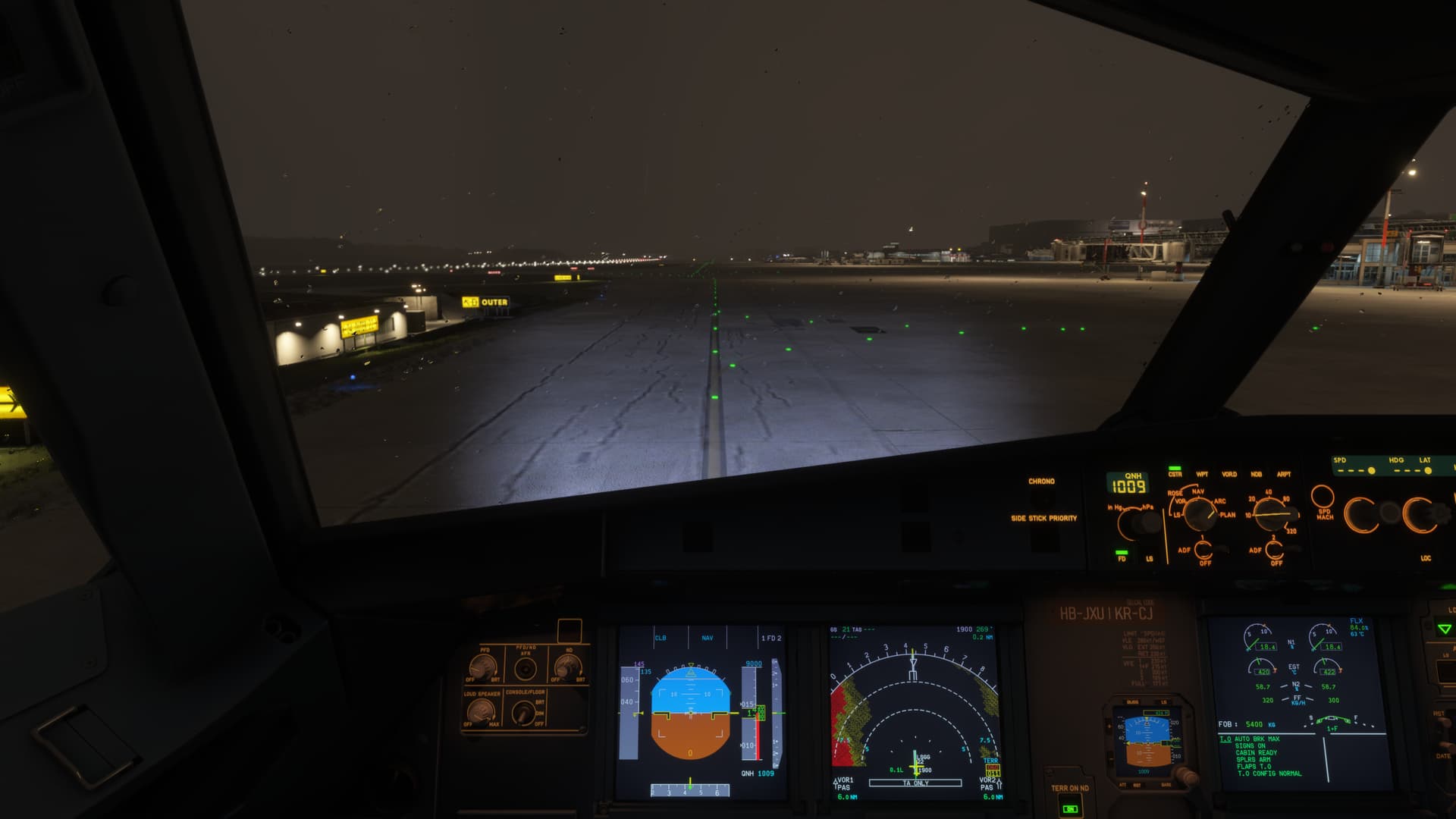
SU3 beta 1.5.1 has definitely improved on the blurry airport lights issue.
(but what the heck is that rear nav light of the 185  )
)
3 Likes
I can’t recall which setting minimized the blurring of airport lights, but seems that SU2 just forcedly brought this annoying effect back. The good thing is that MSFS2024 seems to simulate astigmatism precisely. The bad thing? It looks ugly. See the difference between SU1 and SU2 (The one taken outside is SU2, one inside cockpit SU1)

2 Likes
Yes, the “out-of-focus” runway / taxi light blobs are definitely fixed in the SU3 beta!
But still no explanation for the almost comical glow-in-the-dark mountains and pale-brown color balance, looks nothing like IRL…

3 Likes
That issue is reported here: Sepia mask & light bloom at night still not fixed. Unrealistic ground effects still present. Unrealistic glow at night
1 Like
That was much better, su3, GJ Asobo 
Also noticed you could see AI A/C lights miles away now. Much improved.
We still need lights on other AC during daytime!
+better contrails of other AC.
And airport lights during daytime/IMC conditions. Were there not lights at airports durling daylight in 2020?
Also think the sepia masks looked darker at areas where there are no lights (?). Looked generally better to me…
Good start on su3 imho 
1 Like
It doesn’t make sense to me to launch SU2 with such a big regression as the airport ground lighting, and then fix it in the beta the next day. Many people totally understandably don’t want to be in the beta, so they have to use the sim for months with a massive regression like this when the fix was clearly available.
Maybe I’m being dumb here, but I just can’t understand why they wouldn’t have put this fix into the final SU2 build. Or if they really only worked on all those changes for SU3 today, why they didn’t not release SU2 with such regressions until they had fixed it.
I think they have done a lot more in SU3, than just fix the blurry lights. I used to get a lot of flickering airport lights, PAPI, taxiway, all over. In addition to The blurry lights. In SU3 all airport lights seem really good, no flickering at all, just very solid.
1 Like
Just FYI, I I agree taxi and runway lights are much better in SU3 Beta.
Possibly because the fix coincided with other fixes in Su3 beta. I understand people are weary of betas. But it’s easy to go back and takes much less time than 2020 did. I am seeing so many improvements with SU3 Beta I can’t go back to SU2.
1 Like