ISSUE DESCRIPTION
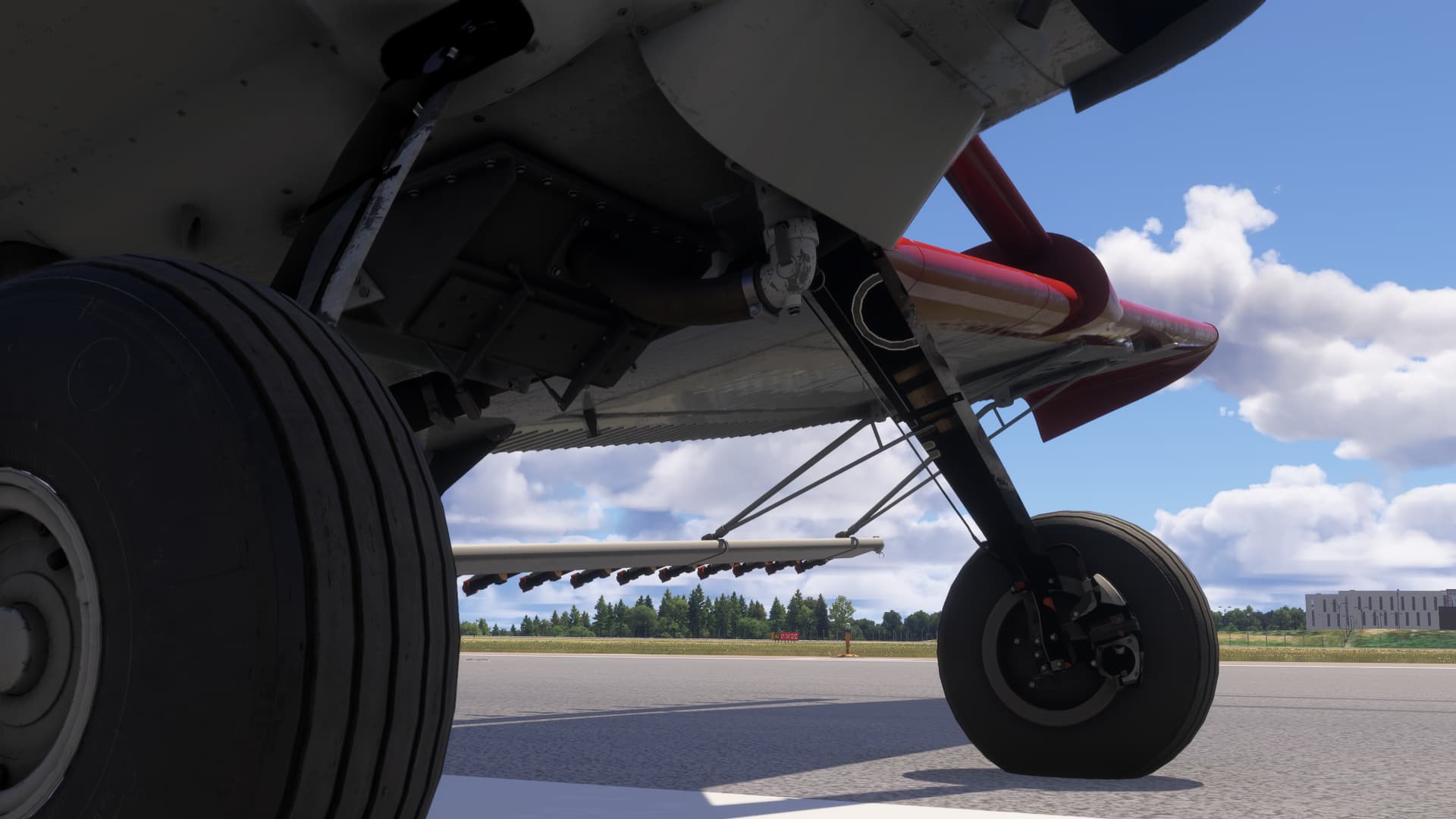
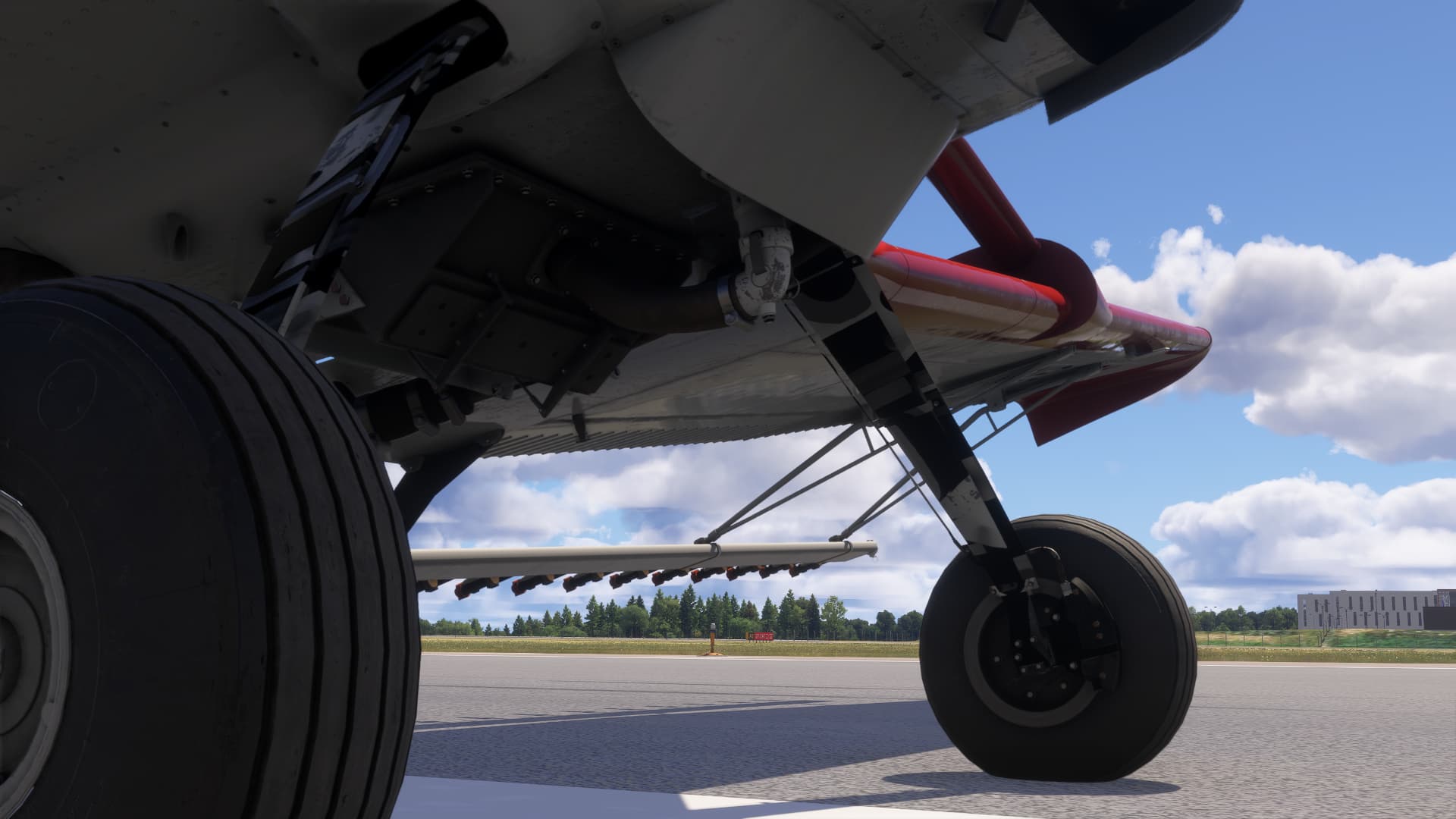
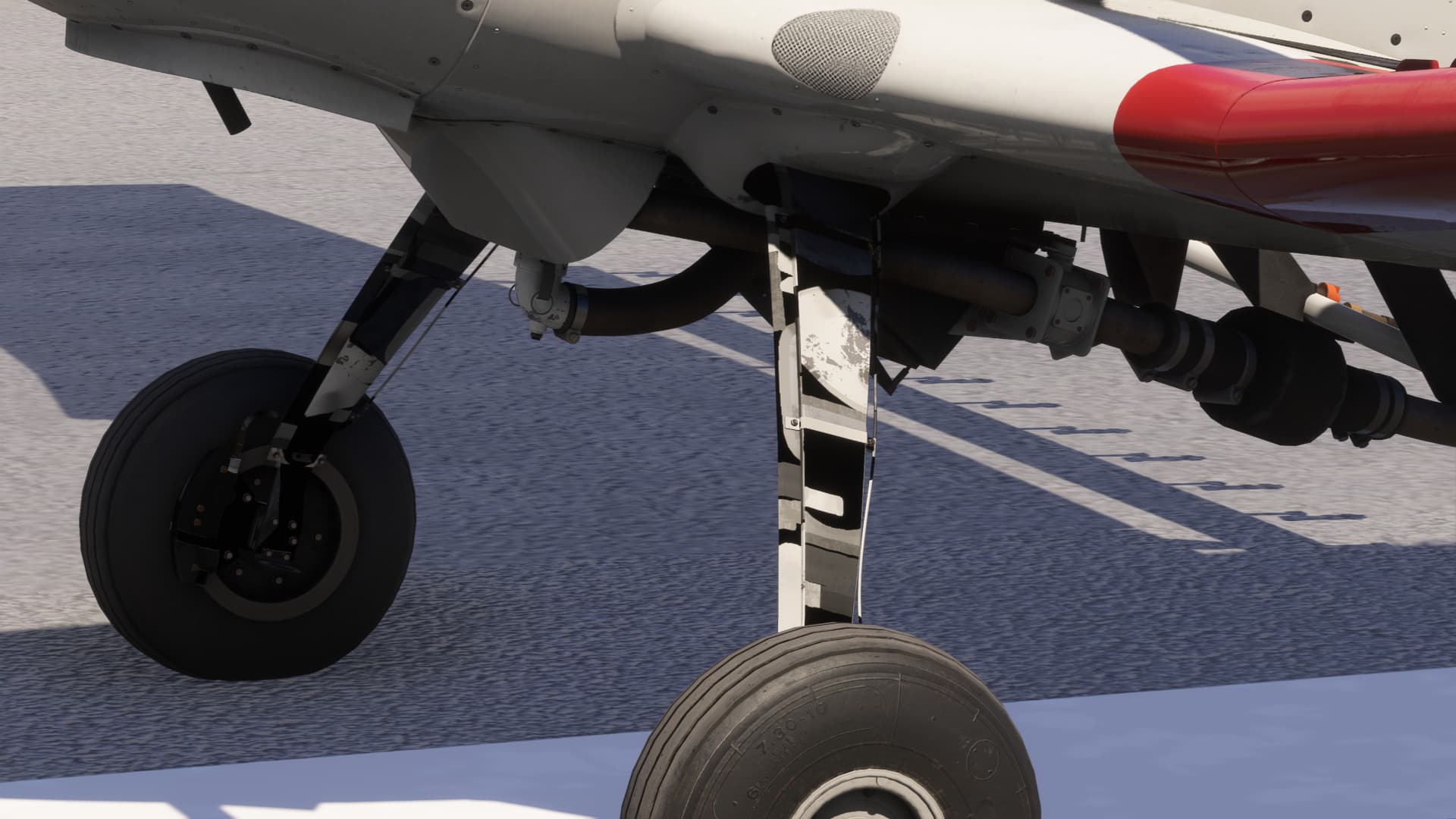
Description of the issue: The default Cessna 188 has a texture bug with the landing gear on the aircraft model, where the texture appears to ‘slide off’ the gear, and moves and flickers whenever the aircraft is taxied or the wheels are turning.
This issue is very similar to that on the Cessna 404 Titan landing gear, that I reported here - https://forums.flightsimulator.com/t/cessna-404-titan-new-texture-sound-and-model-bugs-after-su1-update
If applicable, which aircraft is experiencing this issue:
Cessna 188 AgTruck
[PC Only] Did you remove all your community mods/add-ons? If yes, are you still experiencing the issue?
Not removed community mods. No mods linked to this aircraft however (eg. liveries).
FREQUENCY OF ISSUE
How often does this occur for you (Example: Just once, every time on sim load, intermittently)?
Every time the aircraft is flown.
REPRODUCTION STEPS
Please list clear steps you took in order to help our test team reproduce the same issue:
1.Load the sim as normal
2.Select the Cessna 188 AgTruck
3.Move or taxi the aircraft and observe the texture movement
YOUR SETTINGS
If the issue still occurs with no mods and add-ons, please continue to report your issue. If not, please move this post to the User Support Hub.
What peripherals are you using, if relevant:
TCA throttle 1-4 and sidestick, Tobii Eye Tracker 5, generic mouse/keyboard
[PC Only] Are you using Developer Mode or have you made any changes to it?
Not using developer mode.
[PC, MSFS 2020 Only] Are you using DX11 or DX12?
DX12
[PC Only] What GPU (Graphics Card) do you use?
Nvidia GeForce RTX 4090
[PC Only] What other relevant PC specs can you share?
Intel i9-13900K, Corsair 64GB DDR4, ASRock Z790 PG Lightning D4
MEDIA
Please add a screenshot or video of the issue occurring.
A selection of screenshots while slowly moving the aircraft showing the different parts of the texture moving around on the gear.
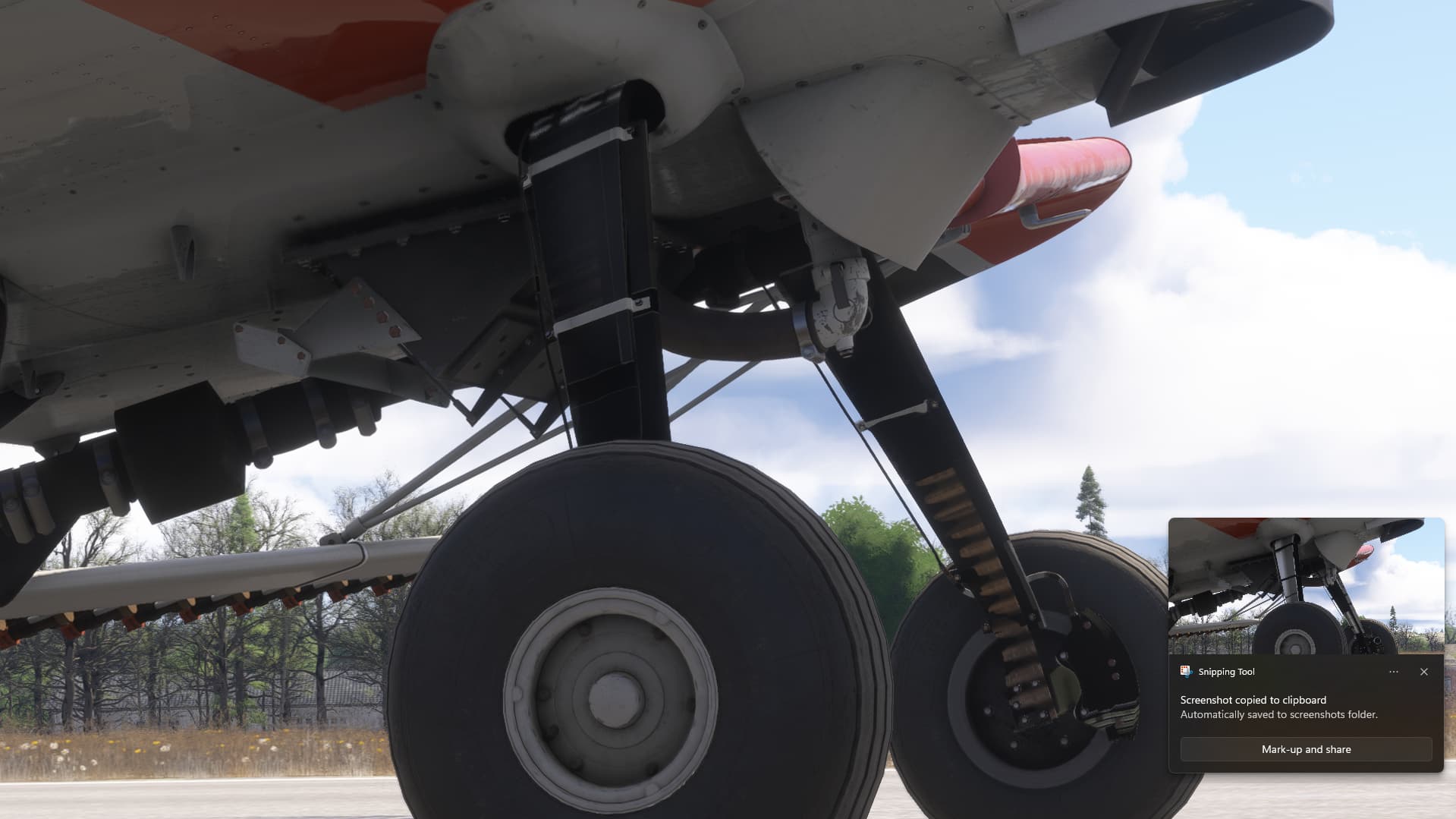
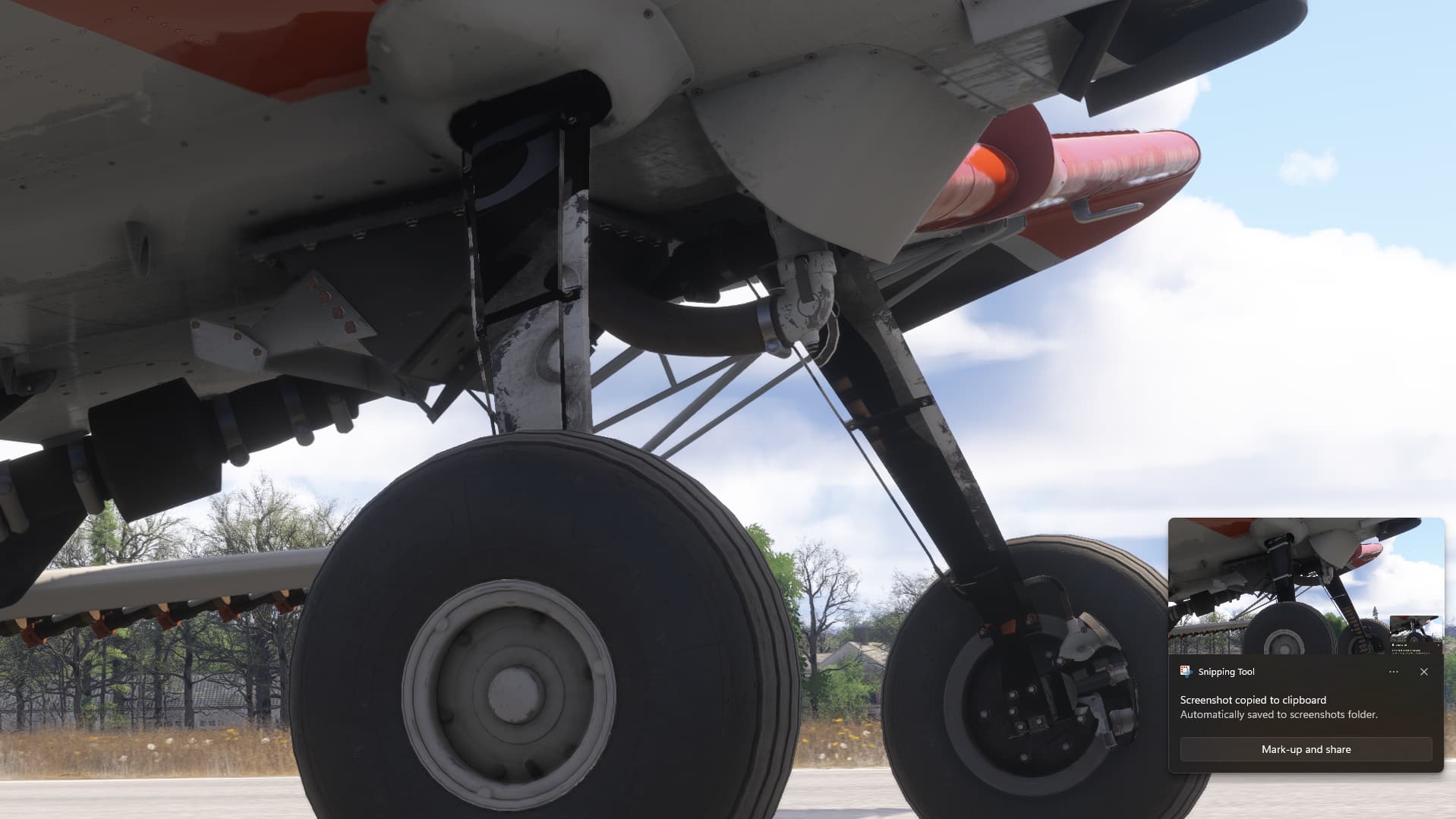
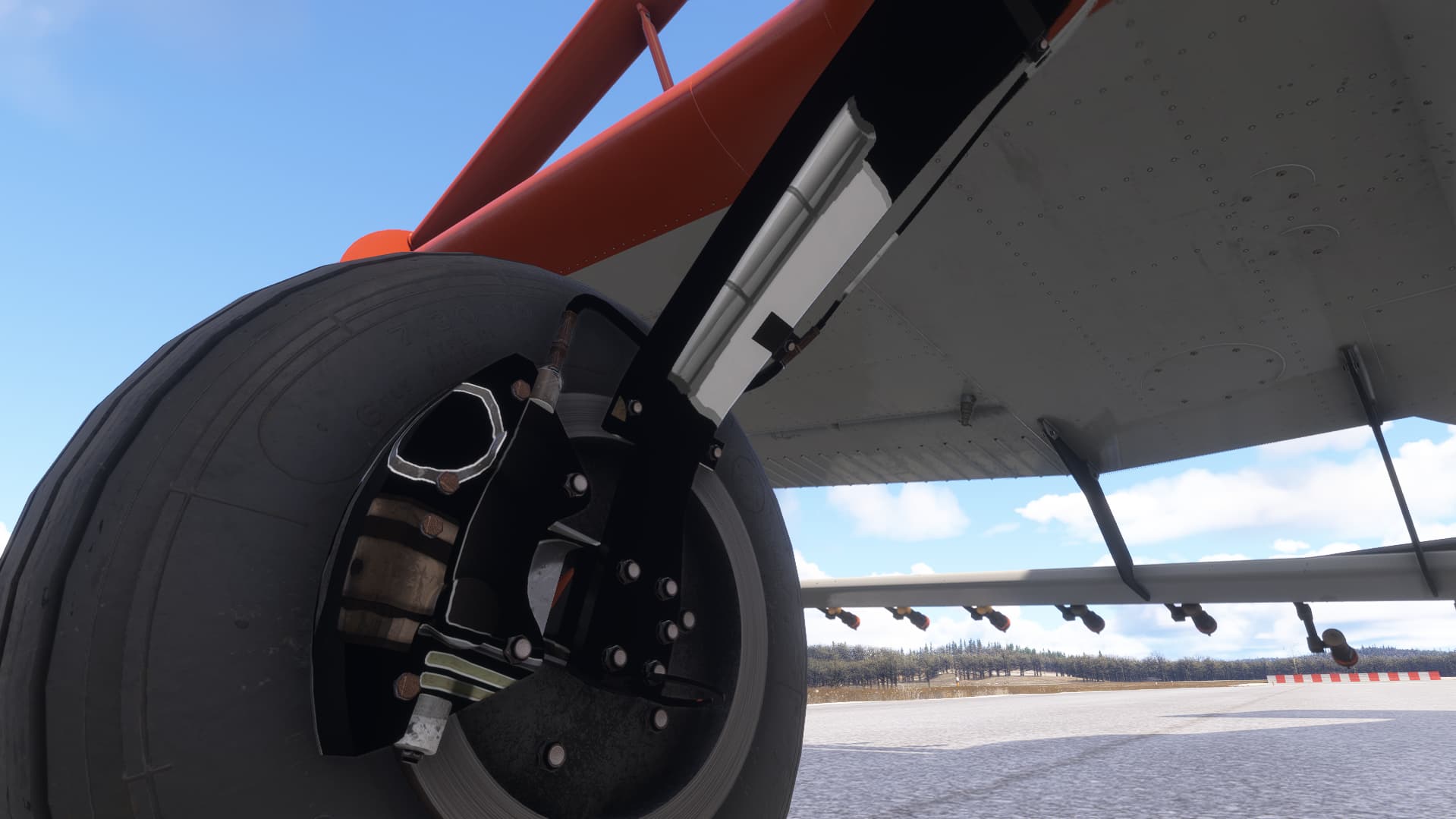
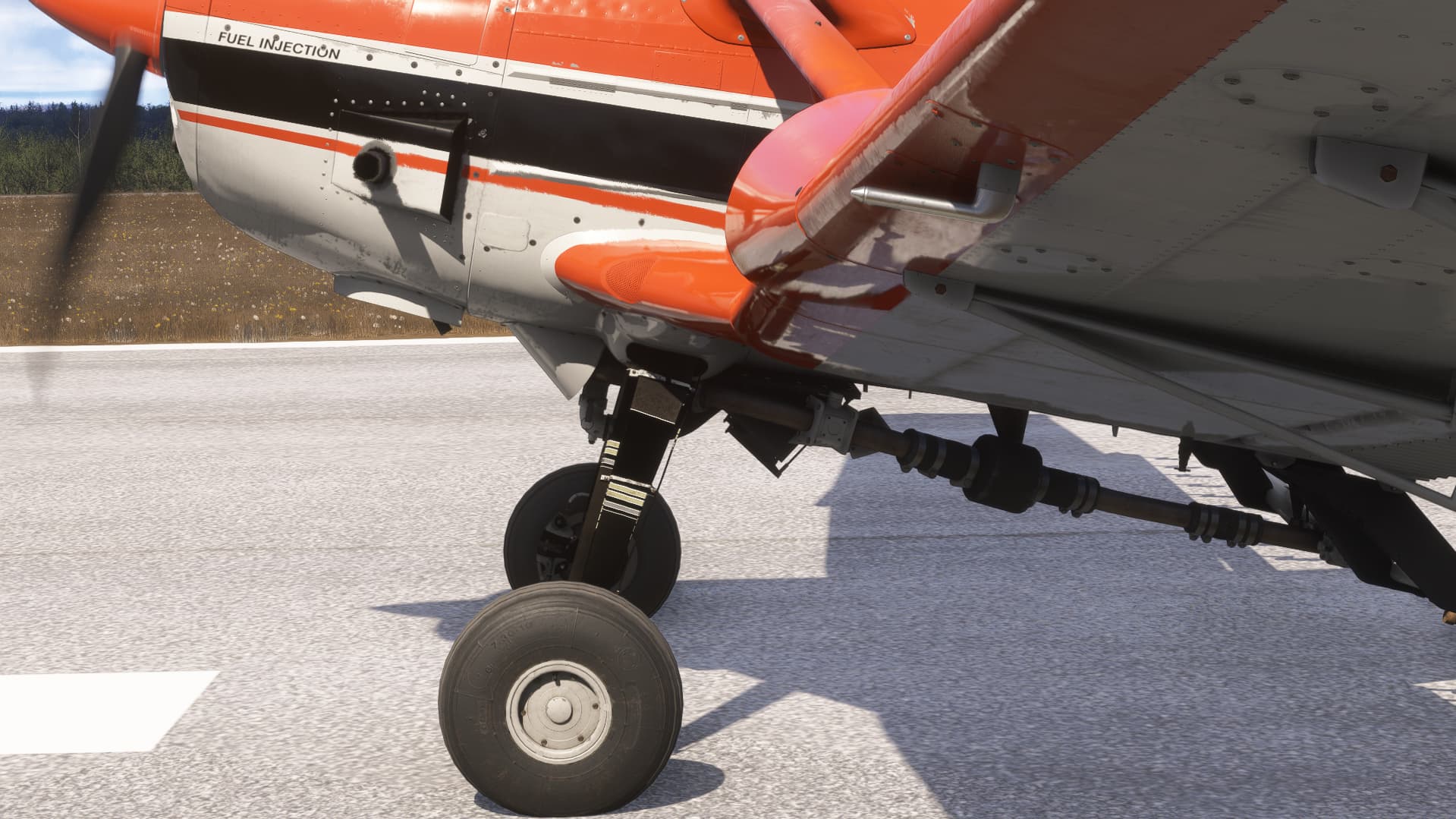
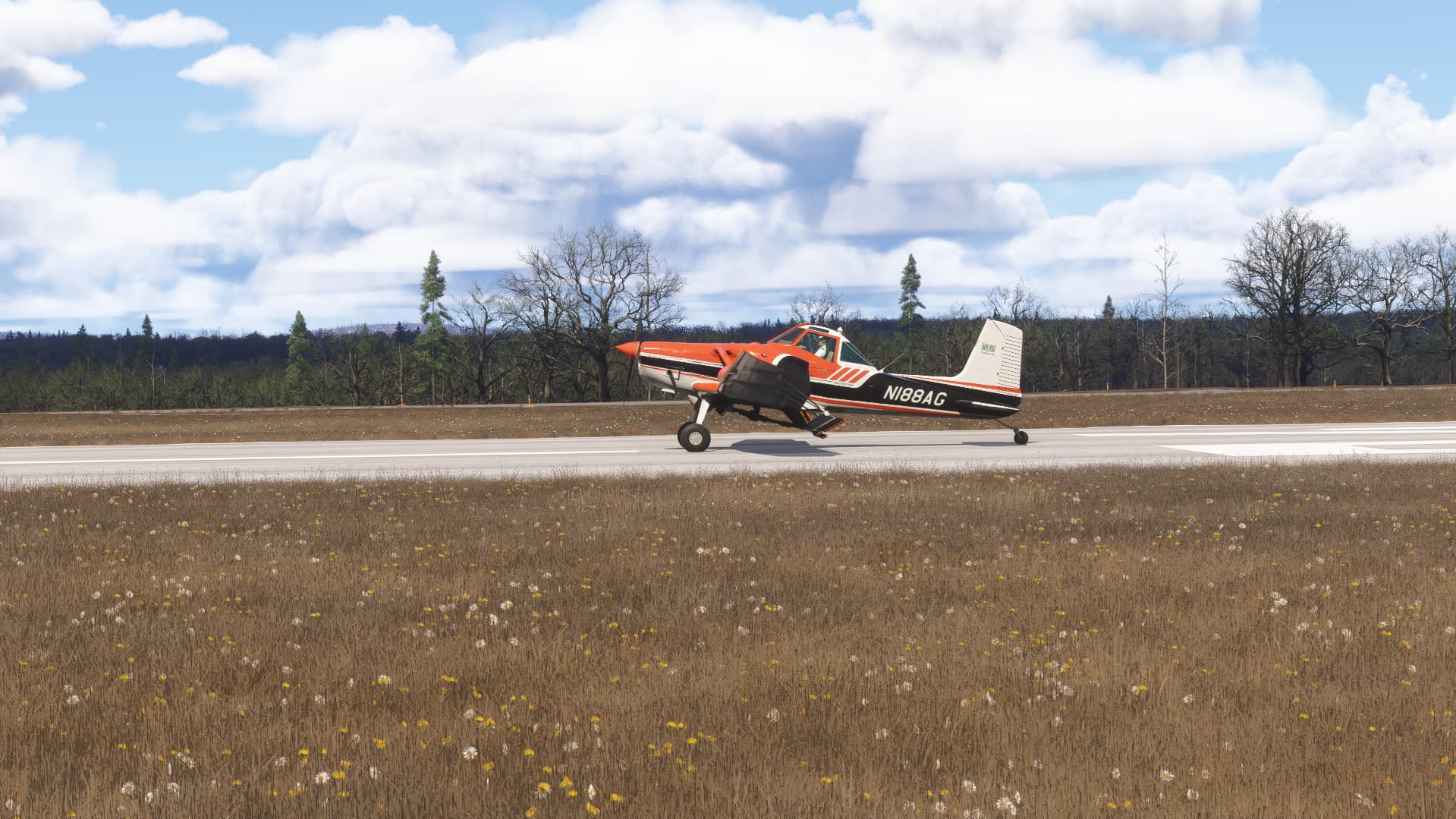
Move the camera away from the aircraft far enough and the landing gear goes back to its normal state, properly textured.
[END OF FIRST USER REPORT]
 For anyone who wants to contribute on this issue, Click on the button below to use this template:
Do you have the same issue if you follow the OP’s steps to reproduce it?
•
Provide extra information to complete the original description of the issue:
•
If relevant, provide additional screenshots/video:
•