ISSUE DESCRIPTION
Description of the issue:
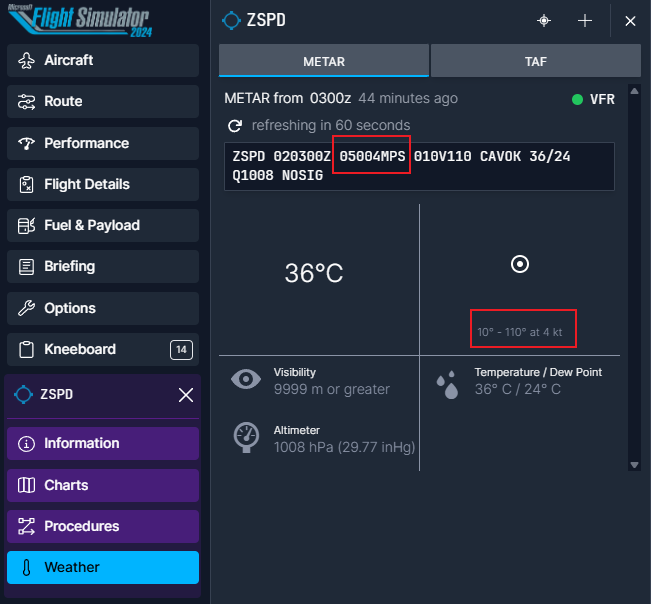
The wind speed information on the planner.flightsimulator.com website is incorrect for regions that use meters per second (m/s) as the unit. In regions using m/s (e.g., Mainland China), METAR reports use the format 05004MPS to report wind speed in meters per second. The website ignores the unit in the METAR report and incorrectly converts the reported value directly into knots. This results in the displayed wind speed being lower than the actual wind speed; the actual wind speed is approximately double the displayed value.
Weather:
N/A (Data parsing issue)
FREQUENCY OF ISSUE
How often does this occur for you (Example: Just once, every time on sim load, intermittently)?
every time
REPRODUCTION STEPS
Please list clear steps you took in order to help our test team reproduce the same issue:
-
Open the planner.flightsimulator.com website.
-
Select any airport located in a region that uses meters per second (m/s) as the wind speed unit.
-
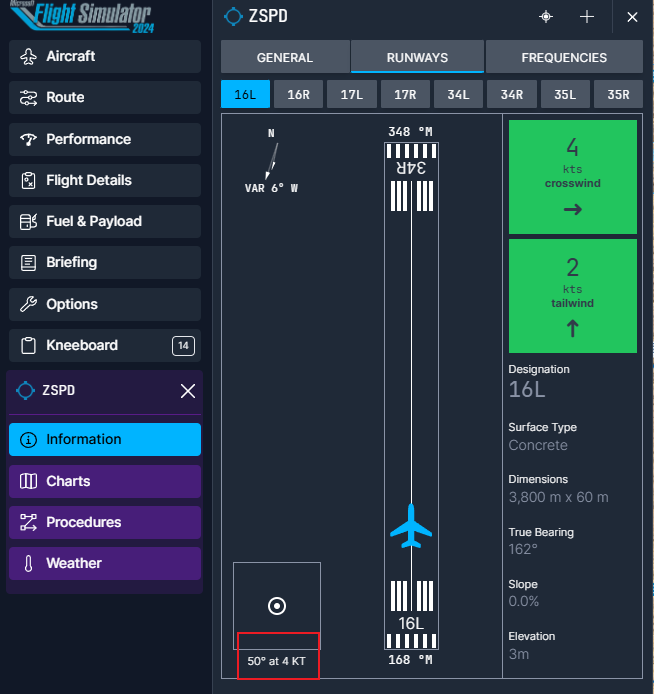
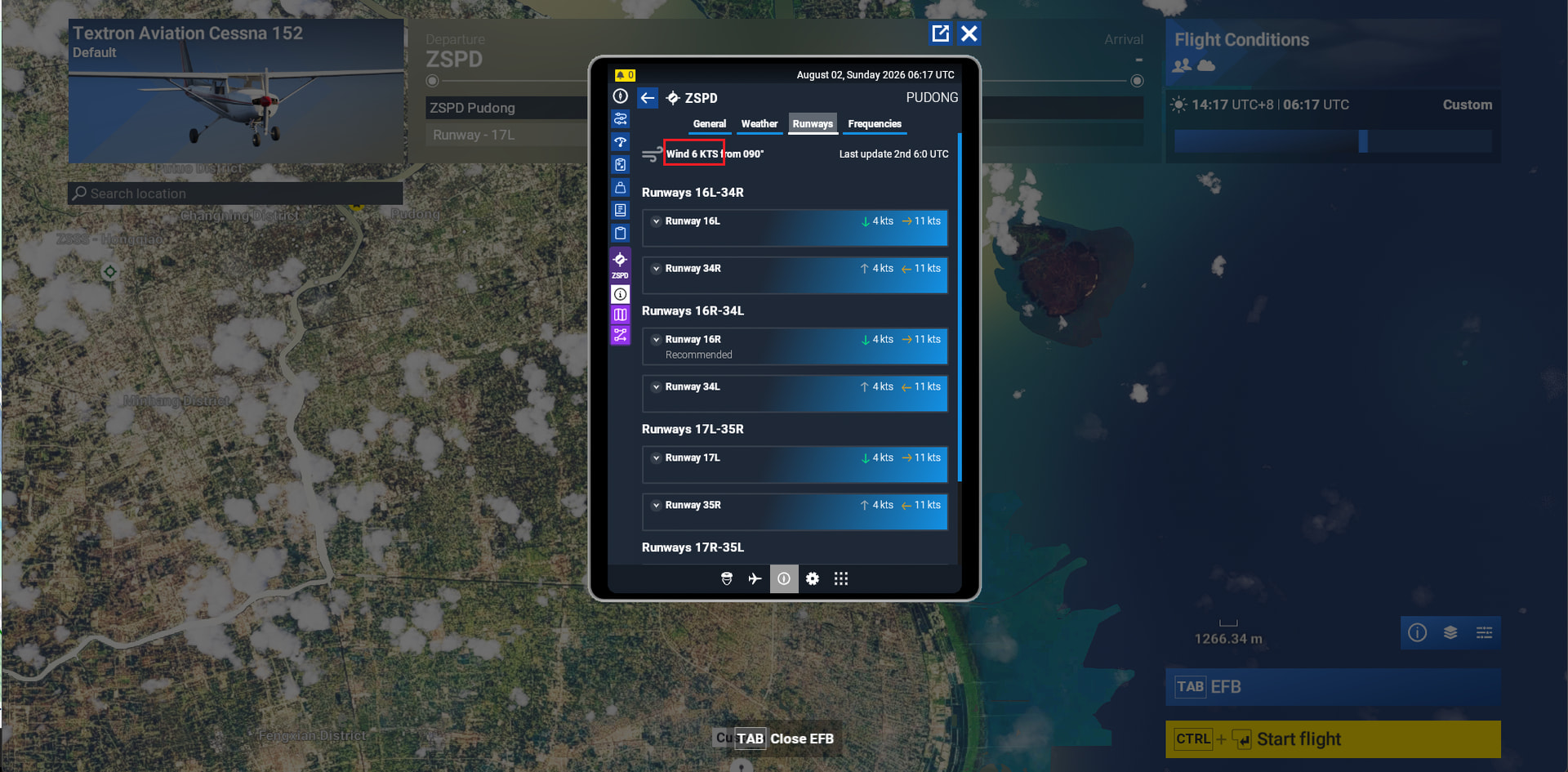
Go to the “Weather” and “Information” tabs and compare the wind speed reported in the METAR text with the wind speed displayed by the website.
YOUR SETTINGS
If the issue still occurs with no mods and add-ons, please continue to report your issue. If not, please move this post to the User Support Hub.
What peripherals are you using:
[PC Only] Are you using Developer Mode or have you made any changes to it?
[PC, MSFS 2020 Only] Are you using DX11 or DX12?
[PC Only] What GPU (Graphics Card) do you use?
[PC Only] What other relevant PC specs can you share?
Not applicable
MEDIA
For example, at Shanghai Pudong International Airport, the METAR reports a wind speed of 050 degrees at 4 meters per second, which should be converted to approximately 8 knots. However, the Information menu actually displays a wind speed of only 4 knots.