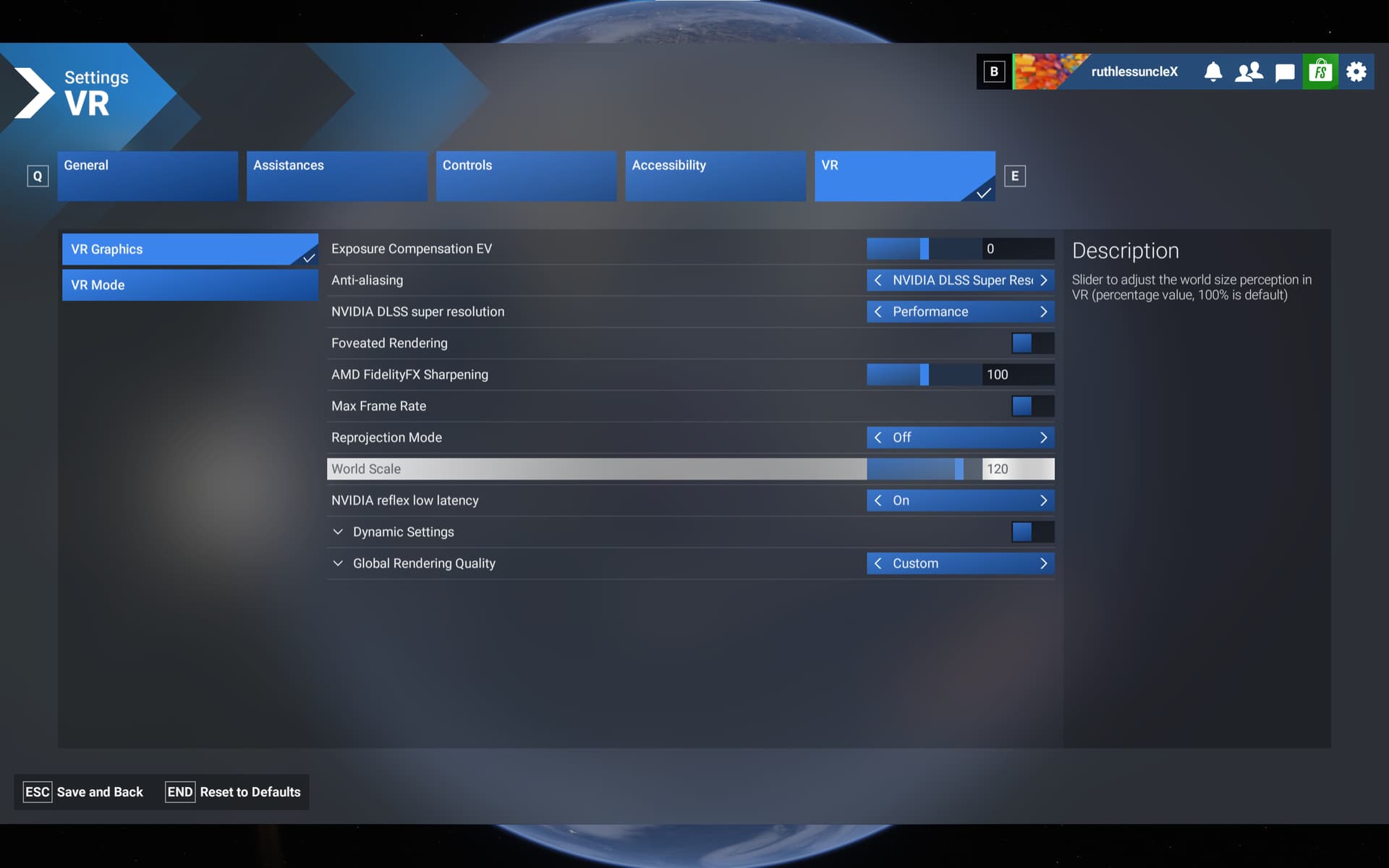
The world scale under the VR settings resets to 100 each time the sim closes.
Yes, I noticed that too. Its reseting every time the sim closes.
I use 115 and compared to 100 everything looks smaller
3 Likes
I use 85 and everything looks big 
Ive also noticed that it doesnt save anything aircraft specific on the TBM850 and A2A Commanche (settings in the tablet). I know the Commanche isnt supported in 2024 yet, but in SU3 all the settings was saved and its not in SU4
Yes, also in the Asobo airbus the thrust lever calibration its also lost every time the sim closes.
Yep this is annoying. Please fix! I guess a workaround is to use the OXRTK world scale setting (or steamVR).
ISSUE DESCRIPTION
VR World Scale (like 120) not remebered between sessions. After the session (sim restart) World Scale returns to default 100.
FREQUENCY OF ISSUE
Always, after sim restart.
REPRODUCTION STEPS
Please list clear steps you took in order to help our test team reproduce the same issue:
-
Enter VR Graphics Settings
-
Change World Scale to any value other than default 100.
-
Fly.
-
End flight, quit the sim.
-
Restart sim, enter VR Graphics Settings. World Scale will be 100.
YOUR SETTINGS
What VR headset and peripherals are you using: Pimax Crystal OG
[PC Only] Are you using Developer Mode or have you made any changes to it? No
[PC Only] What GPU (Graphics Card) do you use? 4090
[PC Only] What other relevant PC specs can you share? 9800x3D, 64GB RAM
2 Likes
Thank you for the bug report.
We have created an internal ticket to see if our team already has this logged, and if not they will attempt to reproduce the issue and create a new bug report. This item is now marked as feedback-logged. If there is an existing bug report or one is created, we will move this thread to bug-logged.
1 Like
I can confirm the same issue with the current SU4 beta 1.6.5.0 build.
Edit: Still an issue in 1.6.7.0 as well.
1 Like
One for platform (ms-store, steam, xbox)
ISSUE DESCRIPTION
Description of the issue: The World Scale setting is not persistent.
FREQUENCY OF ISSUE
Always
REPRODUCTION STEPS
-
Set the World Scale to value different then 100.
-
Restart the sim.
-
The World Scale is back at 100 (NOK).
YOUR SETTINGS
No mods.
What VR headset and peripherals are you using:
HP Reverb G2
[PC Only] Are you using Developer Mode or have you made any changes to it?
No Developer Mode
[PC Only] What GPU (Graphics Card) do you use?
Nvidia RTX 3090
MEDIA
1 Like
1 tag is required - add them in the tag section next to the title above:
-
One for aircraft if related (start typing in your aircraft name in the tag section and pick correct option)
Feel free to delete this quote section after adding your appropriate tags.
ISSUE DESCRIPTION
Description of the issue: Am I the only one that notices that changes to world scale is not saved between sessions.
FREQUENCY OF ISSUE
How often does this occur for you (Example: Just once, every time on sim load, intermittently)?
REPRODUCTION STEPS
Please list clear steps you took in order to help our test team reproduce the same issue:
YOUR SETTINGS
If the issue still occurs with no mods and add-ons, please continue to report your issue. If not, please move this post to the User Support Hub.
What VR headset and peripherals are you using:Crystal light
[PC Only] Are you using Developer Mode or have you made any changes to it? No developer mode
[PC Only] What GPU (Graphics Card) do you use? Nvidia 3080 Ti
[PC Only] What other relevant PC specs can you share? 64 gig memory
1 Like
This is still the case in version 1.6.22.0 and it is not even logged as a bug.
There is a workaround with the OpenXR Toolkit, but this one is no longer supported and might stop working one day.
1 Like
Yeah, how long will it take to fix this, Asobo?
Every time we start the sim, we have to go to the settings and change it…
Because we are not the customers here but the beta testers, we can always go back to stable release.
1 Like
Oh. I wasn’t aware of the option in OpenXR Toolkit  Thank you!
Still not fixed in ver. 1.6.31.0 
2 Likes
Can confirm, still not fixed…
ISSUE DESCRIPTION
Description of the issue: Just curious to know if the world scale setting is now saved between simulator sessions.
Not for me in VR.
No. Very annoying in VR
I know this is not a fix but a workaround but you can alter it in your usercfg.opt.
It should also be said that if you are worried about messing the file up whilst editing it then take a backup copy first.