The 4090 has 24Gb ram on board if google is not telling me lies. That could be why going from 32Gb to 64Gb is eliminating the stutter for you.
I have a 3060 with 12Gb on a 32Gb RAM system and haven’t had stutter, but I run on medium preset in game.
The 4090 has 24Gb ram on board if google is not telling me lies. That could be why going from 32Gb to 64Gb is eliminating the stutter for you.
I have a 3060 with 12Gb on a 32Gb RAM system and haven’t had stutter, but I run on medium preset in game.
Depending on your settings of course .
With all on ultra mine peaked at 45.
Still I don’t see any noticeable difference after upgrading to 64.
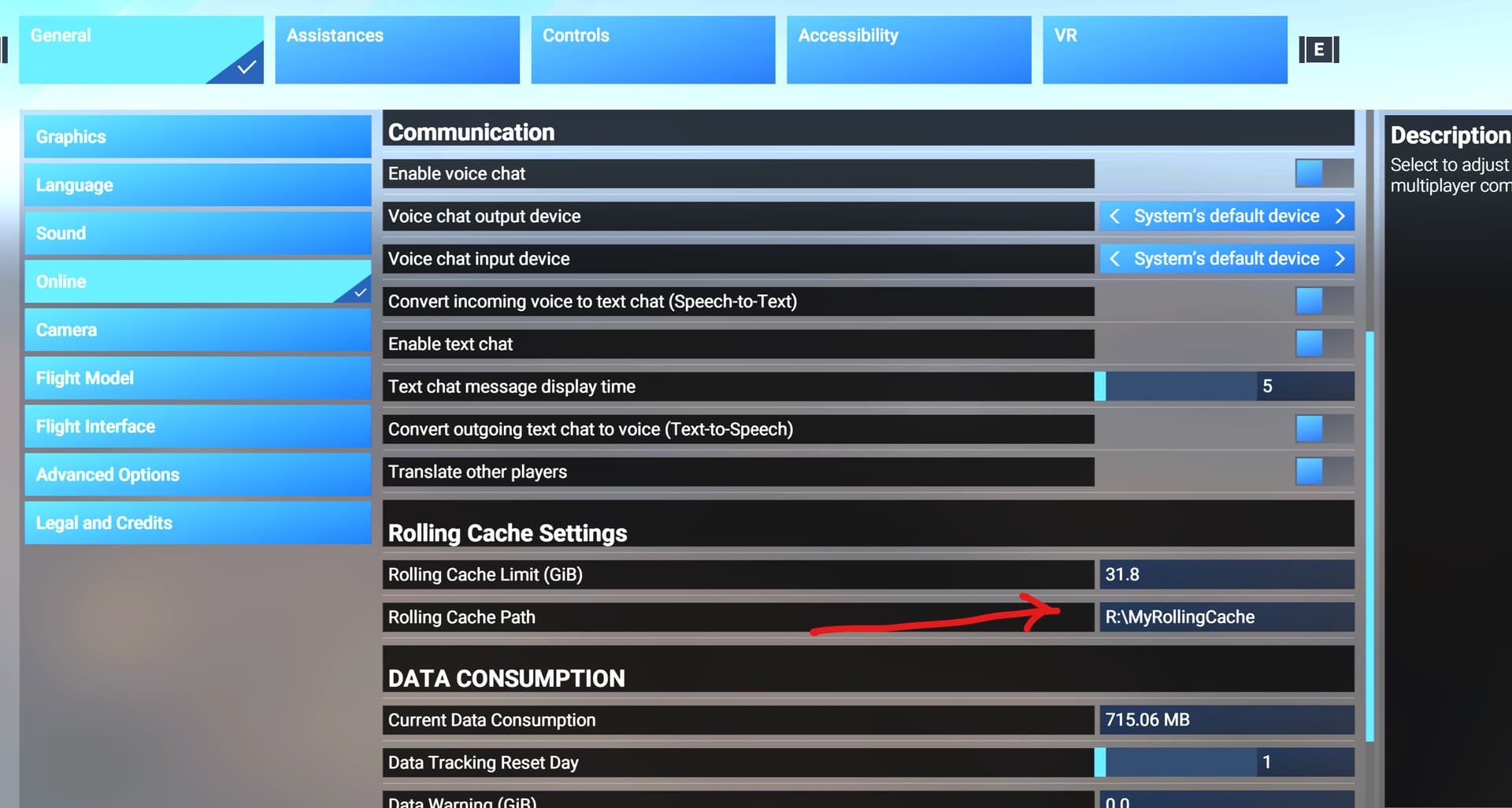
I set my rolling cache to 128Gb, the old Flight Simulator install used to take up 400gb so I thought what the hell, let’s set the new game to have 128Gb to store the downloading.
What I didn’t know is that it doesn’t let you lower the rolling cache, you can only increase, so I am stuck on 128Gb now.
Heh did the exact same thing. Can’t delete it or even really FIND it.  Only took me 20 minutes to install I guess I could always reinstall it.
Yea if you click on the default location the folder opens up but no rolling cache file or ‘.ccc’ shows up in that folder.
On File Exploror:
click This PC
on the upper right search bo enter rollingcache.ccc
hit enter
Or if you have a default install, search the C: drive
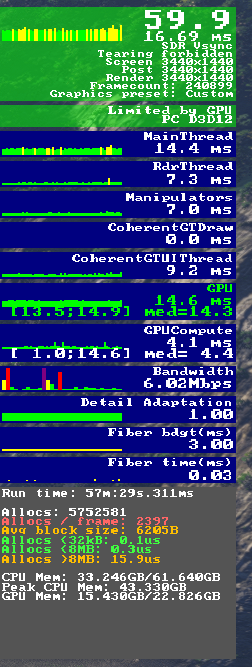
I am very happy i upgraded my RAM to 64GB, just made a MSFS2024 flight in DHC-2 twin otter over NZA Simulations nzmf milford-sound, and my ram has peaked at 43 GB.
See provided screenshots.
All default Ultra settings except terrain LOD = 300.
So get that RAM…
Smooth as butter FPS, 9800x3d was a pretty great upgrade to, very happy with this rig. Also beginning to love MSFS2024, but there is room for improvement 
VR is also butter smooth, 100% render scale, default high-end settings and DLSS auto (Pimax Crystal Light)
Ryzen 9800x3d, 64GB (6000mhz), RTX 4090, Asus TUF B650 Wifi, Corsair 1000w psu, Asus 35" 3440*1440.
Great to hear! How is your FPS in VR?
What fps are you getting in the Crystal and at what resolution?
Ok, did a VR ( Pimax Crystal Light) test in MSFS2024 flight in the defailt DHC-2 twin otter over NZA Simulations nzmf milford-sound.
I am only doing BUSH flying, so I don´t care about big airports and big city´s and havent testet that, sorry.
Used open xr toolkit to measure VR FPS during flight in the area. But all default settings in the toolkit, so no tweaking used here.
Average FPS 31. (feels just butter smooth)
Low 27 FPS
MAX 34 FPS.
Nvidia game ready driver 566.36, clean install, no tweaking
Windows 11 24H2, all updates applied, no tweaking.
Pimax play settings.(Pimax play varsion 1.35.01.01)
Refresh rate: 90hz
Render quality: high (100%)
Fixed foveated rendering: off
Smart smooting: on
Lock to half framerate: off
MSFS2024 VR settings.
DLSS - Auto
AMD fidelity sharpening: 180
Reprojection: off
World scale: 105
Nvidia low latency: on
Dynamic settings: on
Global render quality: High-End (default no tweaking)
See the provided screen shots.
Ryzen 9800x3d, 64GB (6000mhz), RTX 4090, Asus TUF B650 Wifi, Corsair 1000w psu, Asus 35" 3440*1440, Pimax Crystal Light.
i switched from 32 to 65gig RAM today (4070ti, 7800x3d)…WORLD of a difference. truly unbelievable. 50 FPS on the ground on near ultra settings in a ORD…i was getting 20-30 before.
It was probably the extra 1GB that made all the difference. 
I went from 32 to 64 this morning and did a before/after compare. Loading the Cirrus Vision at KBED default ultra settings I went to 34gb RAM and “over budget cpu memory”. After I was around 36gb RAM without the over budget (for obvious reasons).
Getting kicked up to making the system start swapping is always bad.
Here is an interesting article by Nick Evanson on the PC Gamer website: “Microsoft says 64 GB is the ‘ideal spec’ for Flight Simulator 2024 but I’ve tested it with 96 GB, and it makes a big difference”
Interesting.
I have 64 GB of RAM but use 32 GB of it as a Ram Drive
for the FS2024 Rolling Cache.
Should I leave the 64 GB intact and not use the Ram Drive?
I have a 1995 packard bell pc with 1MB RAM and I can’t run msfs2024 like wtf!!!
Write to Packard Bell, they might give you a refund.
On a more serious note I recently bumped from 32GB to 64GB and found that, for running 4K ultra at least, it doesn’t make a huge difference (eg in fps) but it does feel a tad smoother.
The working set for the sim process is usually well under 32GB but this means I have an extra 32GB of disk cache – which should improve the performance of anything that’s loaded and re-loaded from locally downloaded files or the rolling cache as you fly around and encounter different aircraft, locations etc.
If it’s not a cost burden and your system can take an upgrade, consider it.
I think I know what I’m going to ask my wife for the new year