Do you have the same issue if you follow the OP’s steps to reproduce it?
• Yes
Provide extra information to complete the original description of the issue:
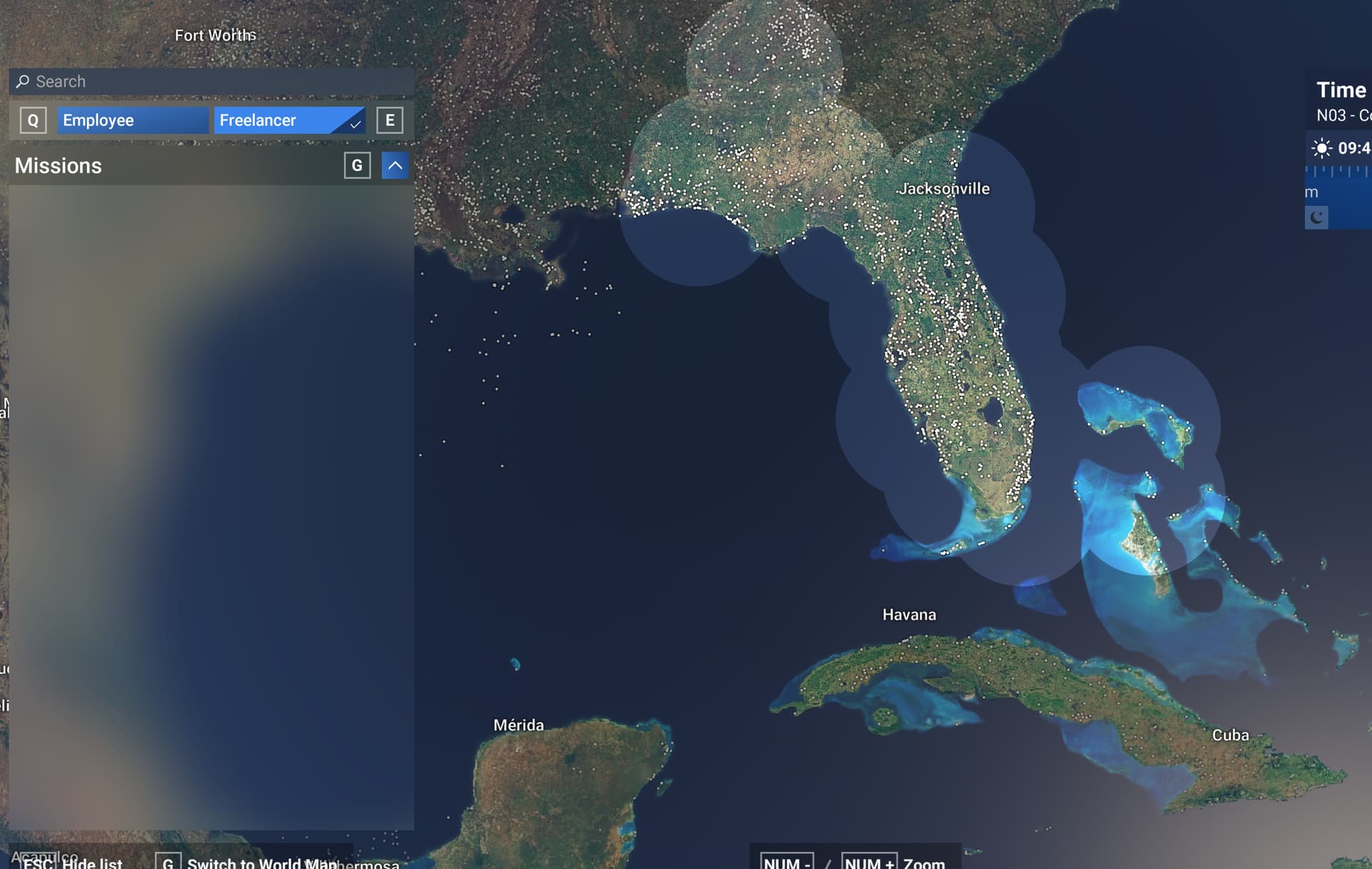
• MSFS2024, a couple of days ago I had a full list of career missions under both Employee and Freelancer modes. Logged into career mode last night on 31 December 2024 around 10pm (central time zone). Under Employee mode, only have Ferryflight and Skydive aviations as the only mission choices available. Under Freelancer, I have absolutely no jobs available across the entire map. Logged out of my account and back in multiple times, restarted my PC, issue continues 20 hours later.
If relevant, provide additional screenshots/video:
• Can provide screen shot if requested, but am seeing exact same screen as trouble ticket creator for this forum.
Do you have the same issue if you follow the OP’s steps to reproduce it?
• yes
Provide extra information to complete the original description of the issue:
• I just started the game on Xbox. career mode after earning my private pilot license it says I don’t have the correct certifications even for the first mission.
If relevant, provide additional screenshots/video:
•
so, as i told before, after completing training and PPL examination, no first flight appears on the map, hence there is no way to keep playing carreer mode.
i tried many things among which uninstall and reinstall, nothing helped.
So I followed this procedure:
Enable offline mode:
Open the Microsoft Store and click your profile image.
Go to Settings and turn Offline Permissions to ON.
Launch the game once to ensure it’s set up to run offline. Step 2: Disconnect and Remove Cloud Data
Disconnect your PC from the internet.
Locate and delete the cloud save files.
For MS Store users, these files are typically located in: C:\Users\<username>\AppData\Local\Packages\Microsoft.Limitless_8wekyb3d8bbwe\SystemAppData\wgs
For Steam users, the folder (if it exists) should be in a similar location under: C:\Users\<username>\AppData\Roaming\Microsoft Flight Simulator 2024\
and possibly \SystemAppData\wgs
Delete all the contents in the respective folder. Step 3: Reconnect and Launch the Game
Launch the game while still offline. It should prompt you that an internet connection is required.
At this point, reconnect your internet.
The game should now restart and take you back to the initial setup screen.
That’s what we’re doing. Not really any other option. Unfortunately, who knows when they’ll even get around to reading the report. You’d think that a global corporation worth 2 trillion (with a T) USD would stand behind their live service product 24/7 – 365, but it seems like that’s not the case.
o you have the same issue if you follow the OP’s steps to reproduce it?
• Yes
Provide extra information to complete the original description of the issue:
• logged in and can only see a handful of Cargo missions - no missions for my VIP Charter company
Just want to add that this is the final straw and is by far the worst experience I have ever had with a new product in 30 years! Will be uninstalling this beta program and going back to 2020. Very frustrating.
If relevant, provide additional screenshots/video:
• Can provide screen shot if requested, but am seeing exact same screen as trouble ticket creator for this forum.
thank you, I honestly didn’t get if i missed something and i could fix it by doing something or it is a general issue.
And yes, i would expect a better service…
Do you have the same issue if you follow the OP’s steps to reproduce it?
• Yes
Provide extra information to complete the original description of the issue:
• it happened to me when I uninstalled and then reinstalled the game (msfs 2024)
If relevant, provide additional screenshots/video:
•
This problem had been there for weeks, just at a low level, and it was fixed by moving your company plane to another location (in my case, that’s how it was fixed). But now, even doing that doesn’t fix it. I hope they fix it soon.
the issue described by the OP started at 00:00 (exactly midnight UTC, New Years) and wiped out missions for everyone that were previously working
All Flightseeing missions are now gone
All First Flight Missions are now gone
All T1 charter missions are now gone.
All Medevac Missions are now gone.
Majority of all employer missions are gone.
And the missions which currently work are
T1 Cargo
T2 Cargo
Firefighting
Passenger Airlines ( 737 )
the current bug appears to be some kind of date related bug due to how the very instant 2025 started - all of those missions suddenly stopped appearing.
Do you have the same issue if you follow the OP’s steps to reproduce it?
• Yes
Provide extra information to complete the original description of the issue:
• I have no first flight missions to pick from, and I need to complete 2 of them to progress. I only have a few other mission types as stated in this thread.
If relevant, provide additional screenshots/video:
•
Do you have the same issue if you follow the OP’s steps to reproduce it?
•
Provide extra information to complete the original description of the issue:
•
If relevant, provide additional screenshots/video:
• all jobs are gone on career mode on xbox. Ive uninstalled and restarted my career. Nothing is working
Do you have the same issue if you follow the OP’s steps to reproduce it?
•
Provide extra information to complete the original description of the issue:
• I noticed the missions disappeared after completing my CPL. there were plenty of missions available before the test but none after the test.
If relevant, provide additional screenshots/video:
•