I had seen it but had figured it out.
I Had the same problem. Just stared to try and test this new a320v2 aircraft today. I was facing the same problem. ( I use XBOX S ) The nose wheel is not turning as it should be. But now I Got the solution.
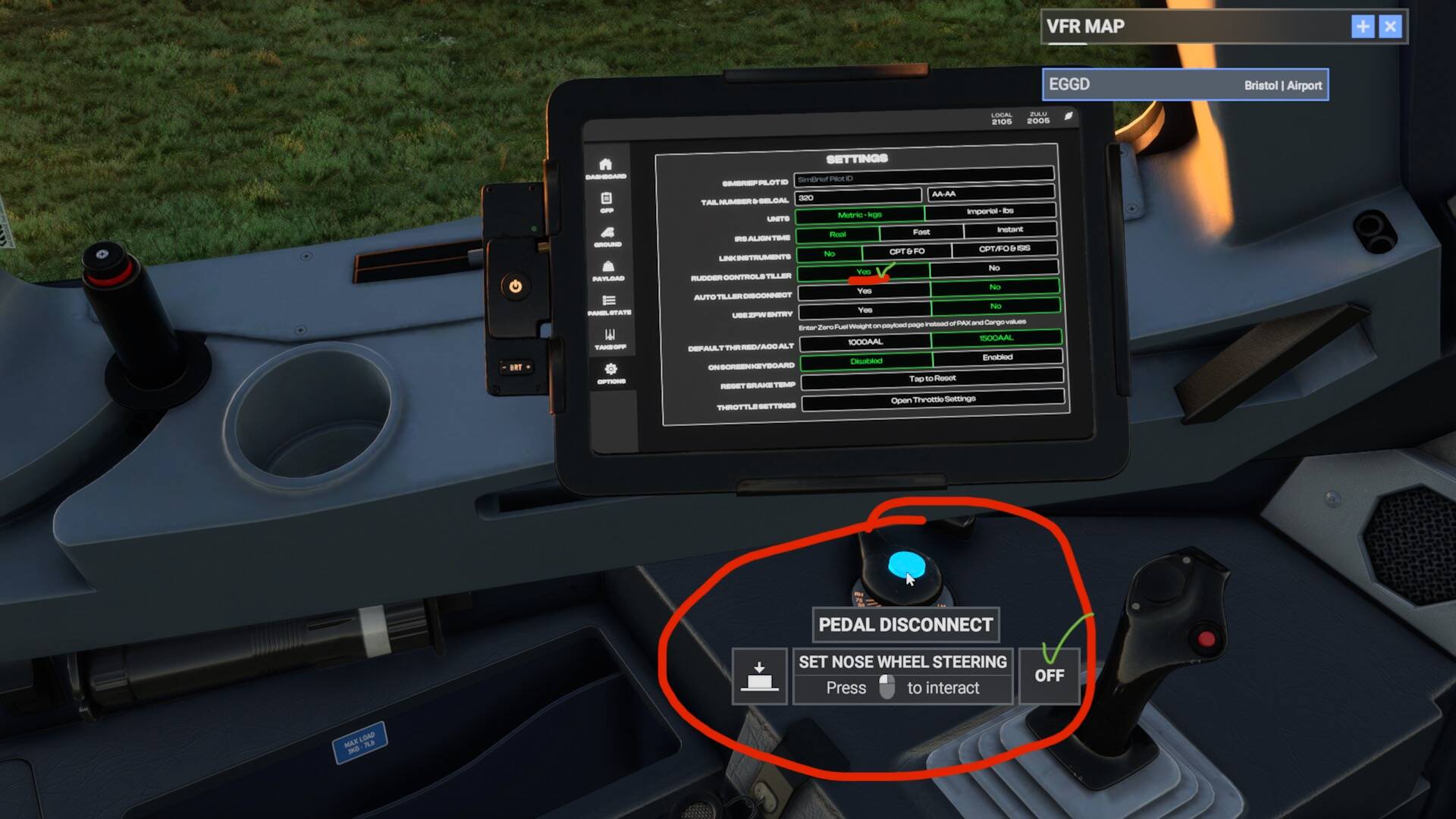
I tried that pedal disconnect switch straight away. It didn’t make any difference for me.
Nose wheel steering with XBOX Controller:-
EFB- Setting- Rudder Controls Tiller - YES
Peddle Disconnect- YES
Man! I have the same problem too!
Taxing by keyboard is impossible on this airplane! Very sad…
I found a solution although it isn’t perfect.
For taxiing on the ground, I obviously leaves the tiller connected to the rudder. But, I do 2 things:
- I ignore the “5” on the numeric keyboard which in my case is the key to center the front wheel. This doesn’t work with this aircraft. If I want to center the front wheel, I turn it in the opposite direction until the plane steers straight.
- every adjustment has to be done very slowsly, very gently. I noticed that long-pressing keys to turn is what leads the aircraft to oversteer. So I press multiple times the keys to turn the aircraft, slowly, gently.
After doing this and a little bit of practice, steering the aircraft on the ground has become manageable. It’s not great, and the immense majority of the other aircraft are handling it much, much better. But it’s manageable.
Don’t take me wrong please but… Why using a keyboard??
Controllers (i.e. Xbox) are cheap and accessible these days!
Thank you! I’ll try it
Thank you for finding a real fix. Rudder Control Tiller [ (yes) / no ] setting in the EFB worked for me.
I Kinda felt like this was a problem but had only flew the plane once prior to right now and decided to see if there was a fix for it.
First time I flew it, I forgot it was inverted upon landing and the second I was wheels down I steered right off into the scenery lol
I can now enjoy flying at A320 V2.
Thanks again!
2 Likes
This topic was automatically closed 365 days after the last reply. New replies are no longer allowed.