Flight Simulator 2020 - Full MCDU/FMS Tutorial - Airbus A320neo | Full Flight With MCDU - YouTube
Was that Youtube link posted in reply to my last query?
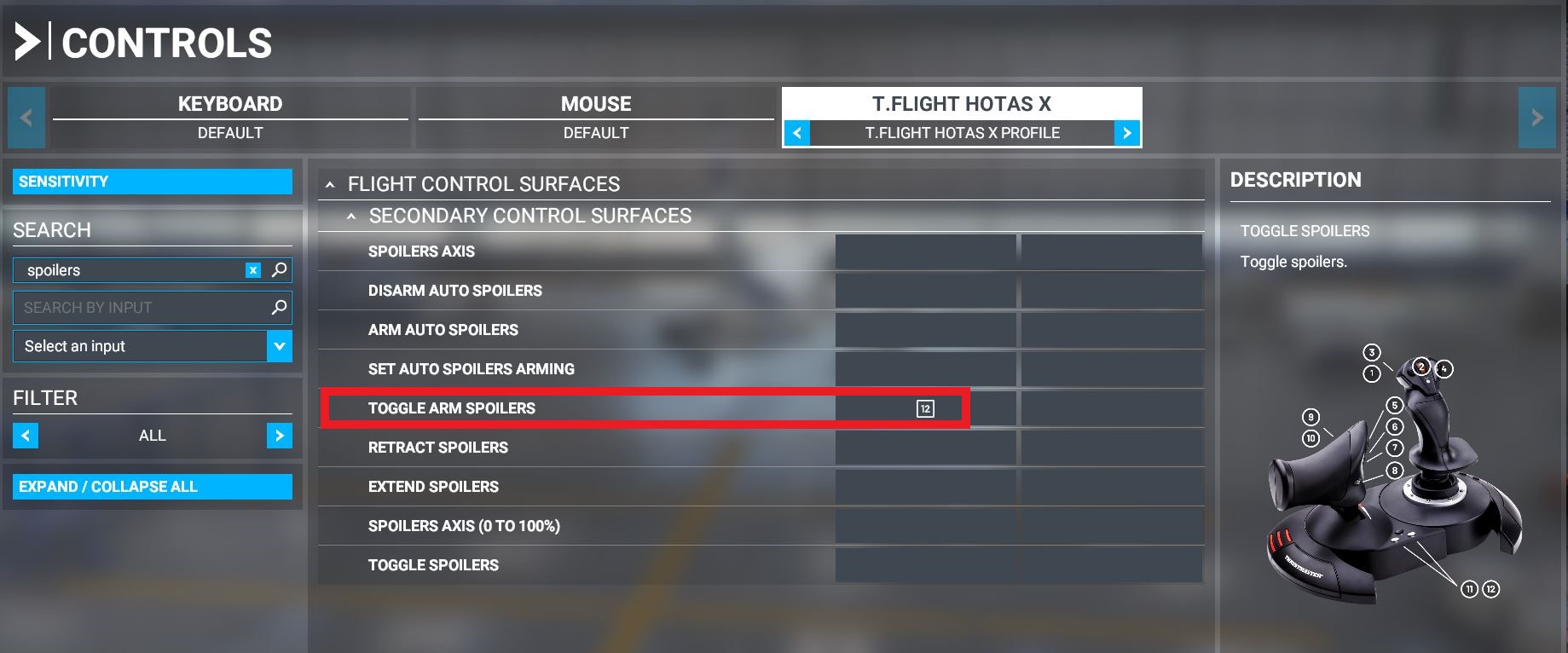
Anyway, moving on, can anyone tell me if I need anything more than the “Toggle Arm Spoilers” function for the a320? (Current binding I have set up is as per below screenshot).
This flicks the spoiler lever vertically up and down when in the forward (retracted) position.
When toggled to the “armed” (raised) position, I assume that is all I need for the spoilers to auto-deploy on landing?
I’m just curious what the “Arm/Disarm Auto Spoliers” & “Set Auto Spoilers Arming” functions do?
Arm Auto Spoilers and Disarm autospoilers is designed if you want to use if with 2 buttons. Button 1 for Arming the Autospoilers, Button 2 for disarming. So when you push Button 1 it will always arm the autospoilers, and pressing button 1 again will not disarm it since it’s stays armed. Only when you press Button 2 will it get disarmed. Good for switches that have 2 active virtual buttons, one for UP position, and one for DOWN position.
Set auto spoilers arming is used for when you have a switch that only has 1 active virtual buttons. In other words, things like a slider where if you slide it on, the joystick will “hold” that button active. And when you slide it off, the joystick releases that same button, into neutral input. which means it only has either persistent “ON” or it releases that button without any input. Useful for sliders or switches that hold its position.
Toggle positions Arm spoilers are for alternating states using the same button. So if the first position is OFF, pressing it will turn in ON, then if you press it again, it will be OFF.
These terms don’t just apply to the spoilers, but to everything else in the controls.
Here’s the explanation in greater detail:
2 Likes
Thanks very much for taking the time to give me that extremely detailed reply.
Seems like “Toggle Arm Spoilers” will do for me. Hit Button 12 they’re armed. Hit it again they’re disarmed.
I did notice it playing up slightly and instead of button 12 arming/disarming the spoilers (vertical motion of the lever at the retracted position), it was instead moving the lever horizontally - fully extending the speed brakes and then fully retracting them.
Maybe a gremlin, I’ll re-bind it and see what happens.
Thanks again.
Has anyone else seen or noted this little(?) nugget in Fly By Wire’s “FlyByWire Installter” program?
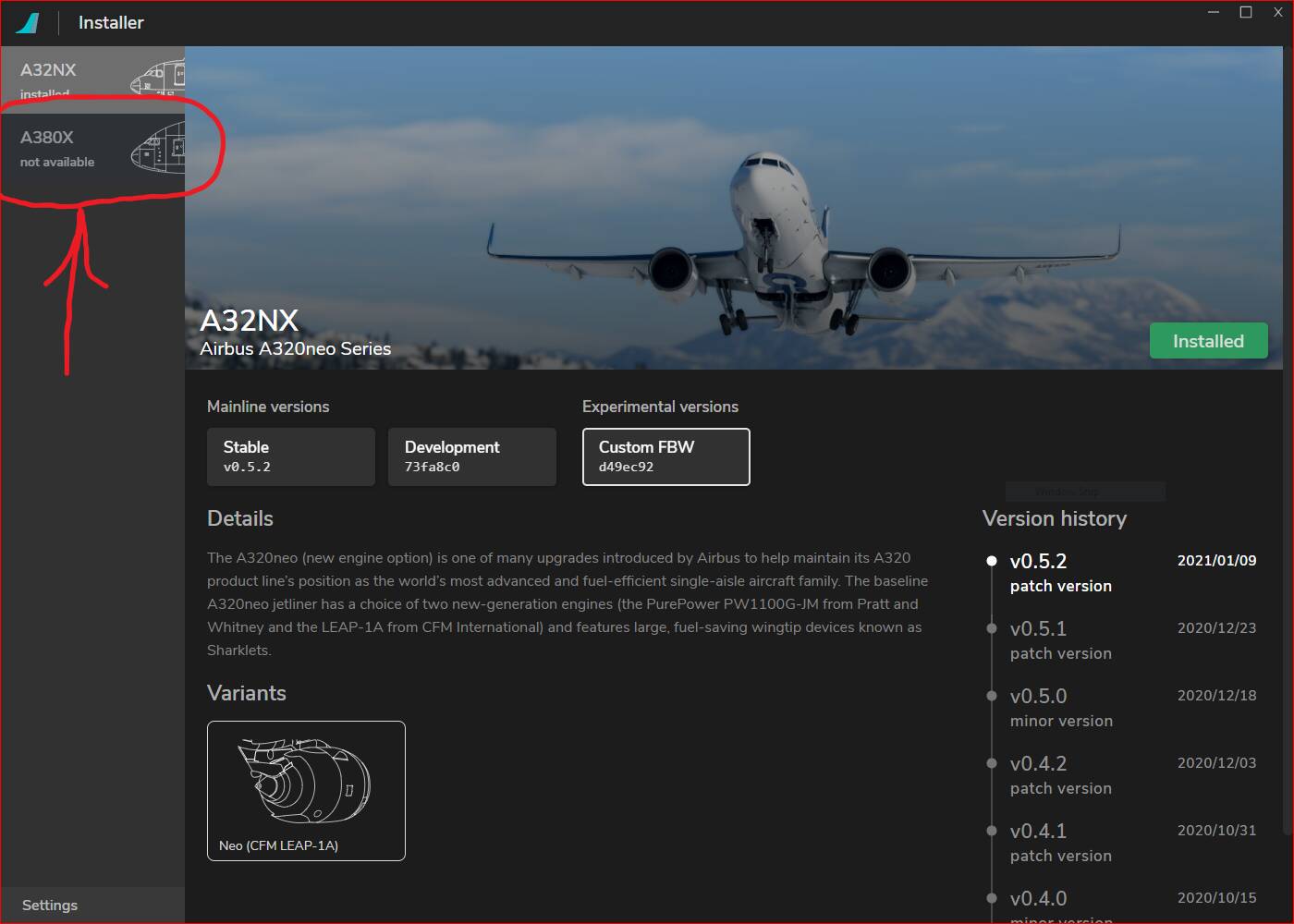
I can’t say this is a tip nor is it a trick, but it is truly interesting… looks like there may be a “Heavy” in the future of our Airbus hangers.
Yes, they’ve already announced that they’re currently working on the A380. They’ve started with announcing some work in progress cockpit panel models and they’re doing well. So the plane will be delivered through the same installer platform.
1 Like
You know, now that you mention it, I did see those cockpit panel models in some screen grabs on reddit.
I’d forgotten about them… mea culpa.
I can remove my post if you feel it’s redundant… please advise.
Hello everyone
I’m rather new to the A320 and playing with the FlyByWire mod.
What I don’t understand is how I can change what the navigation display shows.
I can only see the planed waypoints… but what I also would like to see is terrain or weather.
See this screenshot I have taken from a youtube video.
On the left display you can see the terrain (I guess) and on the right one (with a lot of red) the weather.
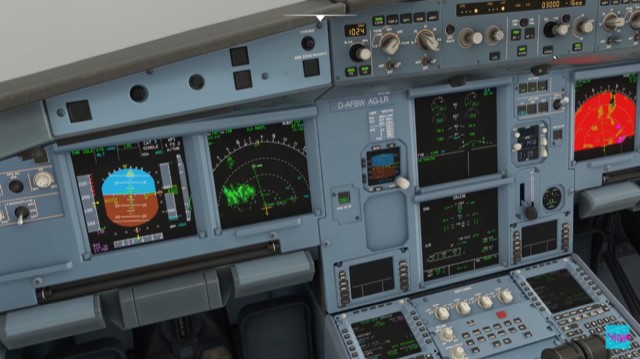
How can I make that visible? Where are the buttons for the navigation display to change what it shows and to make terrain or weather visible? 
Thanks a lot
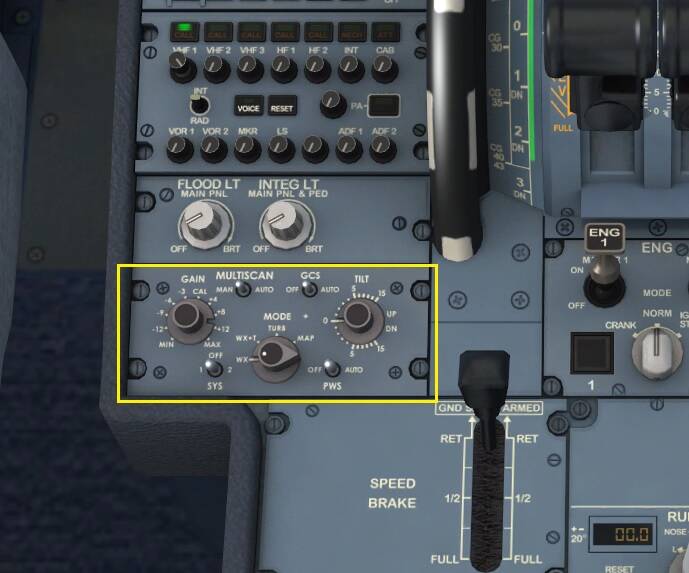
Go to your weather radar panel, it’s just below the cockpit side radio stack in the middle pedestal.
Change the knob to WX+T, then Sys to 1, and PWS to AUTO. And you should see the weather radar.
2 Likes
ah nice, thanks @Neo4316 .
How can I show different things thogh on the display of the captain and the display of the copilot?
When you look at my screenshot above… the left one does show something different (terrain?) than the right one…
Split display doesn’t work in the default A320. You need to download and install the A32NX mod from FlyByWire team.
I do have that  (version 0.5.2)
Then you should be able to manage the different displays separately. See those knobs next to the altimeter (displaying the number 1024). That’s your Navigation Display controls. You can change the range of the radar, the Rose type and which filters you want for the pilot side. Your co-pilot side has the same controls. So changing them will change the co-pilot side navigation display.
Then there’s the lone TERR button, on the pilot side is the sole button between the ND and the mini ISA attitude display. Pushing this button will activate the terrain radar for the pilot side. Then there’s a similar button next to the chronometer clocks for the co-pilot side.
So setting these two differently will show you different displays between the two.
3 Likes
Thank you, it worked :))
I’ve seen this alluded to in more than one post on these boards…
Can you please elaborate and/or show which screw you are referring to? I see more than one–unless I’m looking in the wrong place.
Thank you.
This is the screw they referred to shown here with green arrow.
But I usually line up with the red line shown here to know where my nose pointed at. As long as you lined up with the red line here. You’re straight.
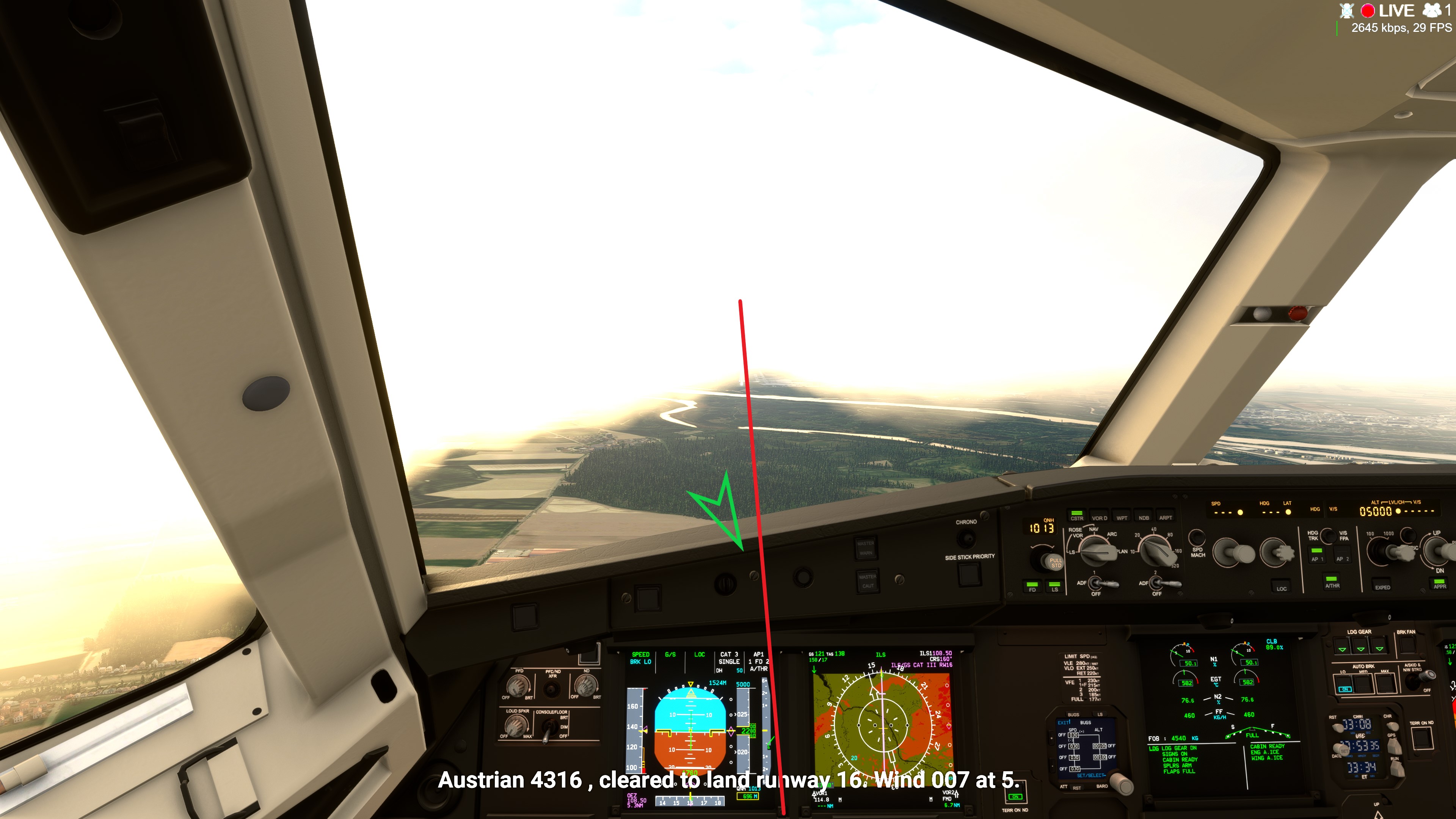
3 Likes
Okay, thank you.
This is a great site to learn about the symbology on the A320 PFD. Why stop at V speeds? There’s so much to know on the Airbus PFD and the FMA is critical to understanding exactly what the A320 is doing.
http://www.a320dp.com/A320_DP/flight-instruments/sys-8.3.0.html
3 Likes
Yes, as @Neo4316 pointed out for Wx radar. For Terrain, look on the center panel to the right of the ND and you’ll see a pushbutton labeled “Terrain on ND”. Note you can only have one source on at a time so its either WX or Terrain.
1 Like
Yes, this site is a must! Should be a reference to anyone in an A320
1 Like