You don’t need necesseraly separate profiles to use FBW’s tiller properly.
As you do not need the mixture levers for a jet, you can easely assign mixture 4 additional to the mixture 1 lever. (I use TQ6 and have only two mixture levers.)
So you have two functions on this lever. If you don’t use PMDG’s DC6, it is fine.
I can use the Beech B58 without problems and the A320 tiller worls very good and precise.
I just submitted to Zendesk the idea of saving Controls per specific aircraft as the competition simulator does.
This way we do not need to remember switching manually for every controller the specific profile every time we use a different aircraft (Addon or Default)
I also use individual profiles for each aircraft. I have been a LONG time user of Spad.neXt and LOVE it’s ability to auto-detect the aircraft in use and change to that profile. Unfortunately, MSFS has been designed and built in a way that a large number of Events/Variables cannot be accessed by third-party software. If these could be read/controlled /manipulated by third-party software (Spad.neXt, AxisandOhs, FSUIPC, etc) then all would be fine. However, because they are not we have to use the clumsy Profile system within MSFS (don’t get me wrong! I LOVE MSFS despite its frustrations!) so it would be really helpful if they/you could sort out the ability to auto-detect and change profiles.
It might be. However, it does not work as in P3D, FSX or even FS9! I mean, some aircraft (as the PMDG DC-6 and the FBW A320) need a very specific setting of throttles, and FSUIPC can´t manage them completely as it used to be in previous sims.
I am currently using Spad.next exactly for that.
Plus I can use the X_Touch Mini from Behringer
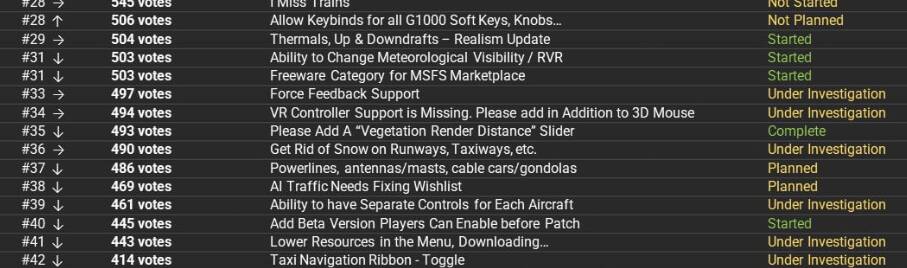
It would be nice if we could have a different joystick setting for each plane.
I use the same hardware for all planes, as well as rotorcraft.
What makes sense in the F/A-18 does not make sense in the Cub, or the Cessna 172.
And in the H135 helicopter, I use my TM Warthog throttle in a pull back to increase the collective manner (yes I get that the H135 is not an MS official addon) whereas in planes, I use the throttle traditionally; push to increase.
In DCS, each plane has it’s own joystick config file. Changes to one aircraft config does not effect any other aircraft’s settings.
Spad looks cool. But I’m not paying someone else for a feature that should be built into the sim by default.
It’s worth far more than all the hassle it solves, less than the cost of an add-on.
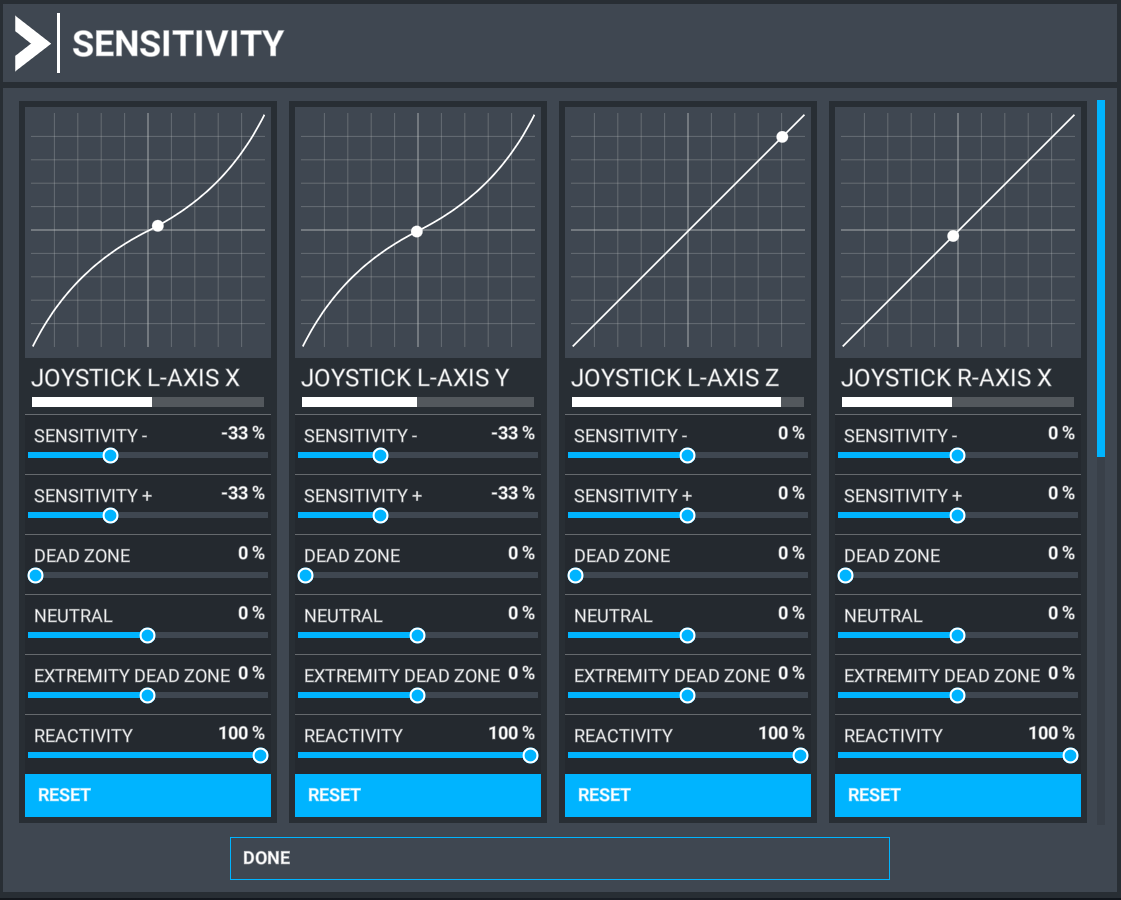
Please change the control sensitivity settings so that they are not only saved with the controller, but also with the airplane. In other words, a given controller with a given airplane, will have user controllable sensitivity settings. Different aircraft have different sensitivities. Some have way over sensitive elevators for example, while others do not (some are not modelled correctly). Of course a given controller will have an affect on sensitivity, but by only saving the settings with the controller, the pilot has to change the settings every time they fly an airplane that is incorrectly set up. Of course the correct fix would be for the model to be set up correctly, but that’s jousting at windmills.
I suspect that somewhere in the bowels of the models configuration files is a control sensitivity setting that could be edited. If that is true, I would be happy to know which file to edit.
In MSFS “sensitivity” is a combination of exponential (called “sensitivity”) with the affect of stick movement, which MSFS calls “reactivity”. With RC airplanes, this combination is configured in the computerized controller/transmitter with “exponential” and “end point/travel” settings. It is saved per airplane. So changing to a different plane gives you different preferred control sensitivity/reaction. This works good. So given the choice of having the MSFS settings saved with controller or with airplane, I would choose airplane, as chances are you would always use the same controller for a given airplane.
Yes please please please add this functionality Asobo. It’s a basic feature that makes it so much easier to jump around a ton of planes. I do this in x-plane and it’s lovely, but in MSFS (my favorite game/sim period) I have a LOT more planes I fly regularly so I really need this in MSFS. Thank you!!
This is an important feature that we need to.
Not a complicated one: With the ever expanding mix of aircraft and peripherals available and the importance of using custom profiles to get the best out of peripherals, it would be great if aircraft types could be linked to custom controller profiles and these control profiles automatically activated when a new aircraft is selected in the hanger.
(I’d be surprised if this hasn’t been suggested before, but a forum search didn’t yeild anything)
This is realy needed. Don’t fly the 3 or 3 engine planes atm because I’m too lazy to change the profile everytime 
Then try again. This has been called out as a deficit since the alpha stages. Asobo are just not listening. There have been so many examples of other ‘real’ sims being cited that recognise you need to make the switch between different aircraft/types/engine configurations linked to individual aircraft.
I did. It was merged into this thread!
Granted. But, you have not seen everything on this topic. Regardless, it needs to be fixed,
Very annoying indeed.

Oh god this is so badly needed
this is really really needed. its so and clunky to try and slog through left, left, left, left, left, left, only realizing the plane i wanted was closer if i had clicked to the right right right .lol.
In desperation I have bought spad next but have no idea how to set it up with all my current profiles. i fear I have to re-set them all up for all my planes again??