It’s a pity that due to incorrect advice you had to reinstall Microsoft Flight Simulator from scratch. If I had seen your post earlier I would have added a link that could have shown you how to move MSFS to a new drive without any issues and without unnecessary disk cloning.
https://forums.flightsimulator.com/t/new-ssd-m-2-nvme/570593/4
In your case, my advice would have looked a bit different.
1 Format new SSD 2TB
2 Create new folder named for example MSFS
3 Copy folders Official and Community and paste into D:\MSFS
4 Uninstall MSFS
5 Important - via xbox app Install MSFS launcher (2GB) on C > xbox games
6 Launch MSFS
7 Once you reach the installation manager screen select the install Package Path

Select the folder you created earlier for example: D:\MSFS
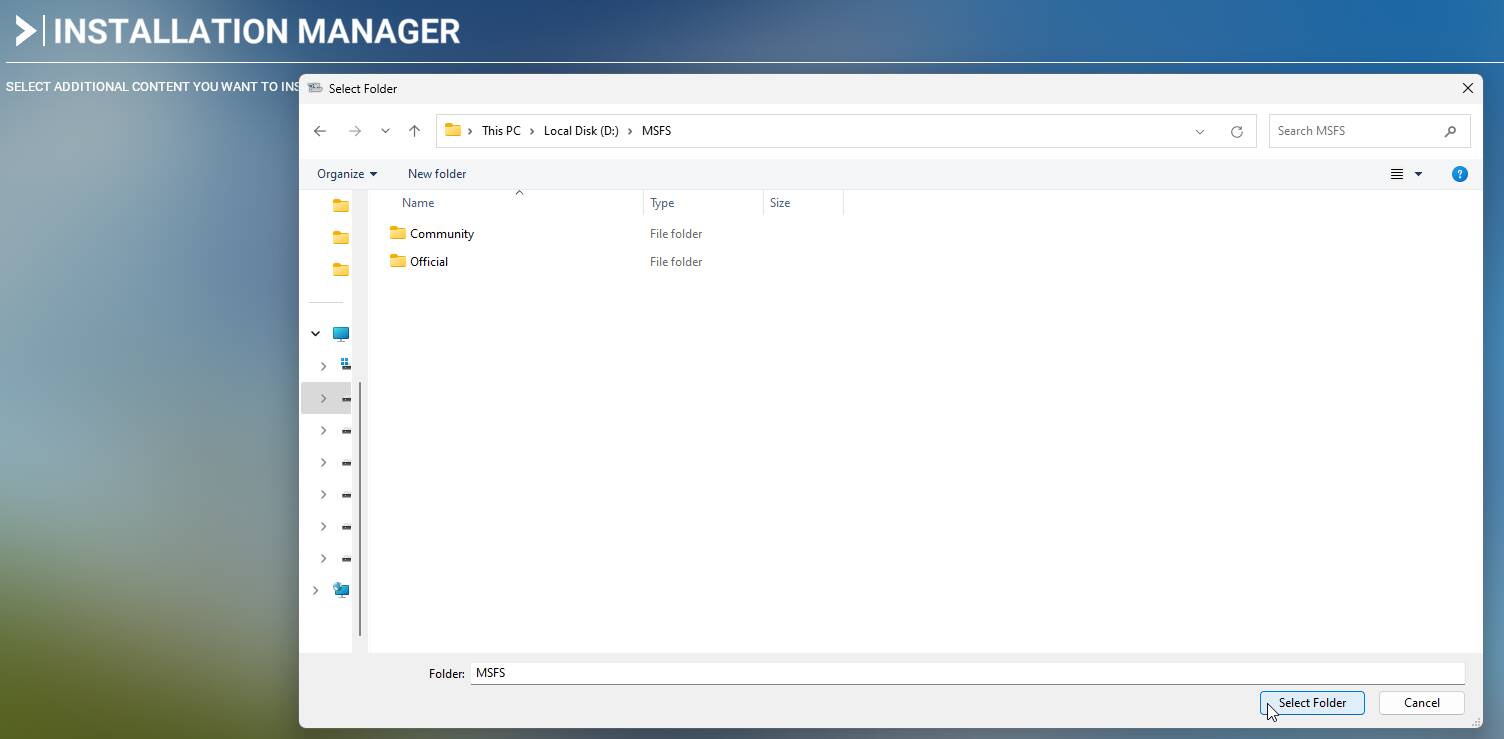
and let the installation manager scan the existing files.
I decided to write “how to move MSFS to a new drive” because it might be helpful to someone in the future.
The entire process of moving Microsoft Flight Simulator to a new drive would take about 10 minutes - depending on the speed of the drives.
Could you please edit the system registry to adjust the 260-character path limit? This setting controls the maximum length for file paths in Windows and increasing it can help resolve issues related to long file paths.
How to Make Windows 10 Accept File Paths Over 260 Characters (howtogeek.com)