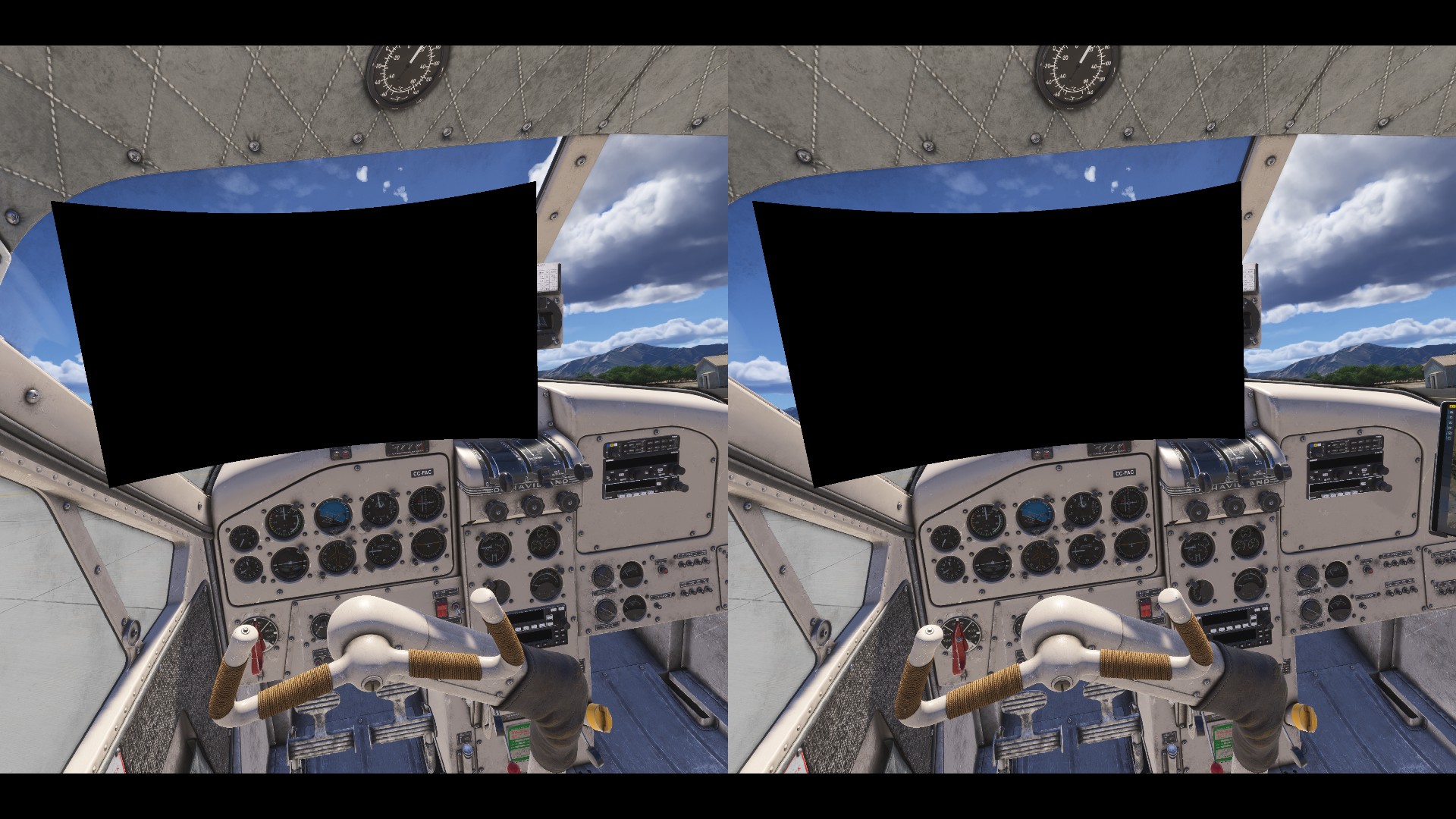
Do you have the same issue if you follow the OP’s steps to reproduce it?
• yes
Provide extra information to complete the original description of the issue:
• Escape and return and solution
If relevant, provide additional screenshots/video:
•
This is a major bummer. I just bought a FlightSimBuilder G1000 panel display hoping to use passthru to show the whole G1000 in VR for real. As soon as I switch to VR the PFD Popout goes black and the whole setup is useless 
I signed up for the Forum specifically for this topic. I seem to be fortunate enough to not have many issues with 2024 or the issues I have had I have found workarounds or just lived with them until they get resolved with an update.
However, this one is definitely a show stopper for those of us building Mixed Reality sim rigs so I hope it’s added to SU1 or at the bare minimum SU2. I can live with just having a VR sim for the moment, but the sooner the better for this fix- especially since it was an early issue and then quickly fixed in MS2020. I definitely appreciate that this has been added to the ticket system @Jummivana so please keep us posted if there’s anything we can do to help testing
I’m in the same boat as NWCanuck. Yeah, sure, MSFS24 has some issues, but overall I prefer it over MSFS2020. I prefer to use VR, and specifically Mixed Reality. The situational awareness and depth perception far exceed what can be achieved with 2D displays in my opinion (even 270 degree wrap-around flat panels).
The inability for MSFS2024 to stream the glass instrument graphics to other displays (like X-Plane can) is almost a deal breaker for me. I’m seriously considering switching to X-Plane because of this one issue. I haven’t used X-Plane since 2019, but this has got me considering going back.
Over the years I’ve spent a lot of money, time, and energy building my simpit, and I want to be able to have the VR/MR experience while also being able to interact with the avionics in my simpit.
Realistically, will this ever get fixed? I have to make purchasing decisions. Any update?
I think we’re all crossing our fingers for SU2.
@Jummivana is there a number for this bug to watch out for in updates?
Looking at March 6th, 2025 Development Update - Microsoft Flight Simulator
not finding it. Maybe it’s not shown there yet?
Thanks for the help.
 yeah, I got my answer.
Come on Asobo, please fix it.
swing and a miss for SU2 
Yeah Whomp Whomp. Though I will say that VR on my rig is noticeably smoother. Can’t have everything I guess.
Yes, no fix in SU2. They don’t want to make a flightsim, they want to make an Arcade Game for XBOX.
Where is this listed?
I will only see it when I believe it (yes in that order  )
)
IT WORKS! It ■■■■■ works. I used Popout manager in VR and did a few patterns around my home airport and the ■■■■ thing works now.
May I ask you to share some details please. What version of sim 2020/2024? Did you click Right ALT + the panel to pop it out and then enter VR and it wasn’t stuck/black? Thx
It’s still not working for me
MSFS 2024, SU3 second beta it is currently working
Confirmed, this is fixed for MSFS 2024 SU3
Thank you Asobo!!!
Now let’s get that fixed in 2020 pretty please
Hey there, were you using popout panel manager with SU3 beta? Or with just SU2? I desperately want to use this, but don’t really want to bother with using beta versions. If it works with SU2 and POPM, did you do any specific steps?
Sadly no, it is only currently working with the SU3 beta tests, so expect it to be working when that goes live later.