Yes, the distance from brake release to 160 kts should already be longer, followed by a longer braking distance. So it should work double, not only affect the accelerate stop.
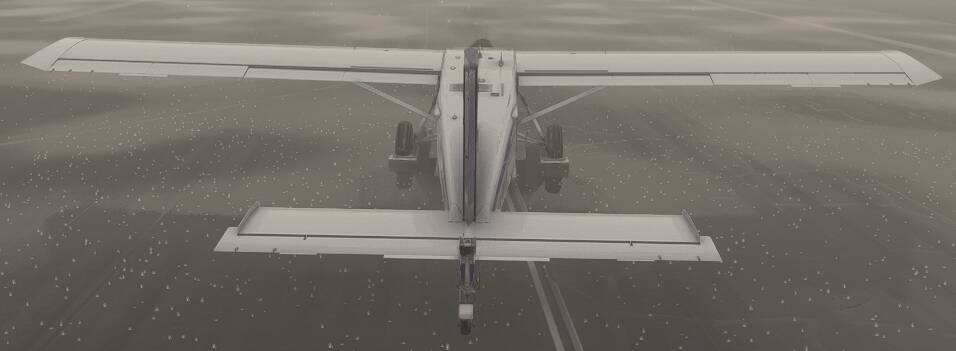
Yeah, they don’t visually model it correctly in that case. Runways are usually chemically treated so having a wet runway in the winter in snowy conditions, especially around 0C is not unrealistic. Ice patches should be a no go for take-off.
I don’t think there is an accurate way of knowing the runway conditions unfortunately in MSFS, would be nice to have a runway condition report in ATIS.
It would be nice if someone from the development team could come here and enlighten us with data from the simulator. But it’s clear that something is off here. In fact, I spoke some time ago with one of the developers of the A350 about the BTV Contam, and he mentioned that although they had included it, there was no way to make it realistic because the friction values in MSFS didn’t match those of the real world at all. And these tests prove it.
I’d like to propose a significant enhancement to MSFS2024 that would greatly improve realism, especially during adverse weather operations: the implementation of accurate runway, taxiway, and apron contamination simulation, based on proper Runway Condition Codes (RWYCC), dynamic weather data, and realistic physics behavior.
Overview of Suggested System
The simulator currently lacks proper modeling of surface contamination due to snow, ice, slush, or standing water, which are essential factors in real-world flight operations. Incorporating this system would not only increase realism but also allow for more immersive and training-relevant scenarios.
Runway Condition Codes (RWYCC)
Implement surface physics logic according to the following ICAO/FAA-based RWYCC table:
RWYCC
Surface Condition
6
Dry runway
5
Wet runway, light snow or slush
4
Compacted snow
3
Higher levels of dry or wet snow
2
Slush or standing water
0
Ice
Use this code to dynamically affect:
Braking performance
Takeoff/landing distance
Aircraft behavior (slip, skidding, acceleration)
How to Determine RWYCC in the Simulator
Implement a tiered logic system using the following sources:
1. Real-World Data Integration (Preferred)
Fetch declared RWYCC from real-world sources such as:
SNOWTAMs (via ICAO)
FAA Field Condition (FICON) reports
ATIS reports (when available via data partners) Optional: Use VATSIM/IVAO ATIS
Apply exact runway codes, contaminant types, and braking action to the airport environment in real-time.
2. Fallback to METAR Parsing
If direct runway condition data is unavailable:
Infer contamination using METAR descriptors:
+SN, SN, FZRA → snow/ice accumulation
+RA, RA, TSRA → standing water/slush
Combine with temperature (T) and precipitation:
Snow + <0°C = Persistent snow on surface
3. Historical METAR Trend Analysis
Look at previous METARs in the last 3–6 hours:
If earlier snow/rain was reported but current METAR is clear, retain contamination based on time elapsed, surface temperature, and solar radiation.
This prevents unrealistic scenarios where heavy snowfall instantly disappears.
Taxiway and Apron Contamination Modeling
Implement non-uniform, randomized contamination for apron and taxiways during winter/precipitation:
Some areas fully cleared, others partially covered or icy.
Visually represented with patches, tire tracks, snowbanks, icy sheens, etc.
User and Developer Control
Provide editable controls via:
Weather Menu: Allow users to manually override RWYCC or surface contamination levels.
API/SDK: Let developers assign default RWYCCs or define surface clearing logic (e.g., taxiway Bravo always cleared last).
SimVar exposure: Expose RWYCC and contamination data as variables for Aircraft developers or third-party tools.
Visual & Physical Simulation
Match surface visuals (wet sheen, snow texture, slush trails) to the contamination level.
Adjust rolling resistance, wheel braking, and directional control dynamically based on:
RWYCC level
Surface (runways vs taxiways/aprons)
Why This Matters
Enables realistic takeoff and landing performance decisions.
Crucial for simulating real-world airline procedures during winter operations.
Creates deeper immersion for sim pilots.
Conclusion
Adding RWYCC-based surface simulation backed by METAR/SNOWTAM/weather logic and realistic physics would be a groundbreaking step for Microsoft Flight Simulator. It would set a new benchmark for environmental realism, offering challenge for users flying in adverse weather.
I like almost all of this. You’re going to have to modify the persistent snow coverage delineation, though. It depends on so many conditions and other variables (how long has it been snowing, what have the surface temperatures been recently to name a few), but snow right at 0°C might produce a wet or slushy runway rather than snow-covered. If it gets very cold, it might be grainy and fail to melt and/or stick and if it’s windy, be more of the blowing snow variety.
One suggested addition – You refer to the effect on rolling resistance (which is normally ignored in transport airplane performance/controllability work), wheel braking, and directional control, but there is also an affect on airplane acceleration/deceleration from “loose” contaminants like dry snow, wet snow, slush, and water, where the depth of these contaminants is greater than 1/8 inch (3 mm). This effect comes from both displacement of the contaminant by the airplane tires (so the effect would depend on the number of “uncovered” tires) and impingement on the airframe (so would be dependent on the airframe size and configuration).
Runway Condition Codes (RWYCC) are only good for landing, those consider friction but ignore contaminant drag. Which is ok for landing but not for take-off or accelerate stop. Better to take type - depth and extend of contaminant from the SNOWTAM, the runway condition codes are not all that useful.
Also 0 degrees OAT with precipitation does not mean the runway is contaminated with snow, slush, ice. Surface temperature could be higher, runway could be chemically treated, how long time ago has the runway been cleared?
SNOWTAMs would hold most of the required info, smaller airports without SNOWTAM will be tricky.
The runway condition codes are very useful. They should be enhanced, if possible, not replaced by the type and depth of contaminant. As you noted, the runway condition codes (RwyCCs) are used for landing. The landing performance data provided to pilots/operators are in terms of RwyCCs, which makes them the correct basis for modeling landing performance under different runway surface conditions in a simulator.
For takeoff, as you note, it is important to also have the contaminant type and depth, if available for the reasons you note. However, RwyCCs are also useful for takeoffs in conditions where the condition code has been downgraded from the code that would normally be associated with the contaminant type and depth. In other words, where the runway surface is more slippery than would be inferred from the contaminant type and depth.
I am not very optimistic that this will ever be implemented in MSFS. Even if there was some interaction between the weather and/or reported runway surface conditions and the simulation (both visually and effect on airplane performance), the rolling/braking friction levels currently used within MSFS are not consistent with those used in transport airplane category performance work. And MS/Asobo appear to not want to provide developers with the capability to define their own rolling/braking friction levels.
Ahh, but that would come for “free” if they implemented RwyCCs for friction and contaminant type/depth for contaminant drag. The RwyCC reported on ATIS, METAR, FICON, or SNOWTAM would simply be a more slippery value (i.e., a lower number) than that which would normally be associated with the contaminant type/depth through the runway condition assessment matrix. No additional work for Asobo in that respect.
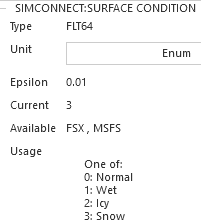
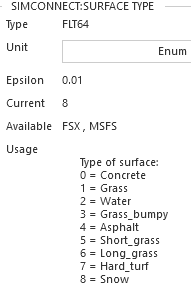
Now I slew across to the grass near the runway, and the surface type has changed to 1, indicating Grass. and Condition remains 1 for Wet:
Now I lower the temperature, and adjust the snow depth. Surface condition changes from Wet to Snow, or 3, and Condition changes from Grass to Snow or 8:
Can plane developers not read these values, and then adjust their braking effectiveness accordingly? Braking effectiveness is 100 on dry asphalt, but if those simvars detect something else then reduce it by some predertermined amount based on surface type, and conditions.
It’s pretty coarse, either dry, wet, or snowy, and I don’t think it can determine how much snow there is, for example, but its something.
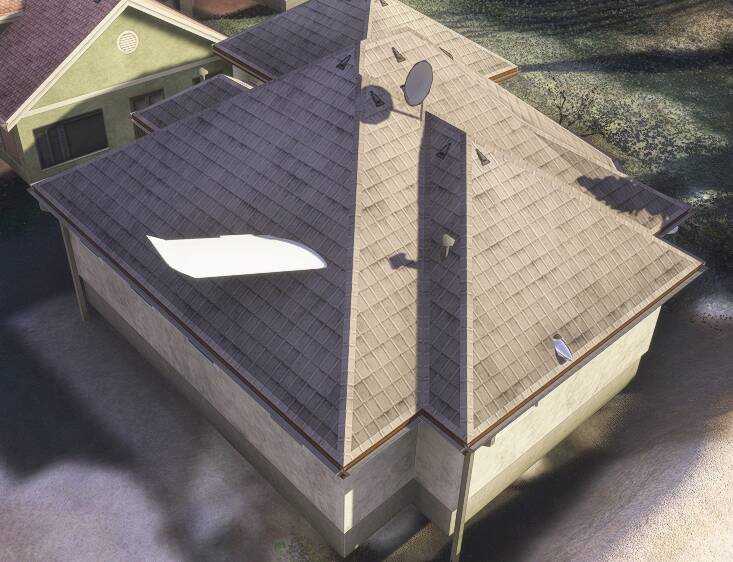
I also found the undocumented surface type of 10, which appears to be someone’s living room!
Nice find! There should probably be additional depth to those, like grooved concrete, compacted snow/ice (versus fresh), but as you said this should be enough to get some basic functionality.
Yes, this information would be very useful to airplane developers. The issue is that this information is not provided, or is incorrect when using live weather. The surface info valid simvar is always false when using live weather, indicating that the surface condition value is invalid. Asobo acknowledged this issue a year and a half ago and added it to their backlog. I am unaware of any movement forward on it. It isn’t an easy nut to crack in that to do it correctly means integrating information from their live weather provider with the (if available to them) applicable SNOWTAM/FICON/ATIS/METAR reports.
In the absence of anything, and being faced with currently nothing, I think something cobbled together would be interesting to play with in the meantime.
I never tested those conditions in live weather, only custom at the same location, so I may take another look at various places around the world to see how live weather performs, and is expressed in those simvars.
Looking at the already defined RwyCC’s, we don’t have a way of defining anything close to this level of detail:
RWYCC 6: Indicates a dry runway, which provides optimal conditions for both takeoff and landing.
RWYCC 5: Represents a wet runway or one with light snow or slush.
RWYCC 4: Refers to compacted snow, which can slightly degrade performance.
RWYCC 3: Indicates higher levels of dry or wet snow, requiring extra caution.
RWYCC 2: Is used when there is slush or standing water on the runway.
RWYCC 0: Represents ice, posing significant challenges for any aircraft operation.
We essentially have Dry, Wet, or Snow. I couldn’t get “Ice” to be detected.
What we might need to settle for would be 6 for Dry, 5 for Wet, then 4-0 for snow, unless somewhere in the world Ice really is detectable, then that would be 0.
What you might do is further break this down based on the surface, like Wet grass as opposed to wet asphalt. It seemed like when the Snow was sufficiently thick it was no longer detected as Grass, Dirt or Concrete but just became Snow at that point.
Then some agreed upon malus to braking effectiveness based on terrain. I’m not sure if it would be possible to model locked up wheels, though I think there are “skidding” simvars available. Snow/ice plus full braking could lead to much lower traction. I’ve played around with that before in a 172, and I set tyre friction to 0, and you can do pretty effective drifts like that.
 .
.