It’s also in 2020 the regular version.
I tried your suggestion and now the screen flickers like crazy when moving the camera around. Very choppy and much worse, CTD. I think this sim just has a long way to go to finally be usable. I am dumping it and going back to 2020 for another few months. Thanks for the suggestion and maybe there is another fix out there. I have a 4K LG monitor 144hz ref rate.
It does not help unfortunately, at least in my experience.
1 Like
That’s crazy! I didn’t have that issue at all. Sorry it didn’t work for you. I’ve been able to minimize the horrid stuttering by doing so, still get the occasional mini pauses most likely due to ai batc traffic. Yea it’s the loading of objects when taking off or landing that causes these stutters. I do hope they figure it out soon.
It happens on default scenery with default aircraft. Did not happen before. Hope they fixe it, i am sure they will they are fixing bunch of things (fingera crossed)
3 Likes
I almost expected that…
Hi everyone,
There’s still one thing I don’t understand… I’ve seen many posts on Facebook where users with even worse PCs are running SU2 or SU3 with incredible FPS at airports like EGLL or KLAX. Meanwhile, I’m getting a maximum of 5 FPS at those airports on LOW settings, even with an i7-14700 and an RTX 4090… So what’s the difference?
1 Like
Yes, it’s a big question.
It seems like some people experience performance issues, while others don’t.
What it depends on - I honestly don’t know.
It’s definitely not the CPU: both Intel and AMD users report the same problem.
It’s definitely not the GPU: both NVIDIA and Radeon users are affected.
I’ve spent more than 10 days investigating this.
Ran stress tests on all my hardware - CPU, GPU, RAM, SSD -everything checks out fine.
Monitored CPU, GPU, RAM, SSD usage by third-party processes—nothing unusual.
Whatever’s happening is going on inside the MSFS engine itself, and it’s what’s causing these issues.
1 Like
Thanks for replay @Usefff154734. Also, funny is, that I am able to flight OMDB - LOWW only with FPS more than 50 on ground  Other airports ( even default) 3-5 fps max…
1 Like
I’ve had the exact same issue as here in the full SU2 release using multiple different aircraft (Fenix A320, Fenix A321 and ini A350) and at different airports - FSDT Charlotte, ini Dubai and Heathrow Premium and Orbx Splity. Running a 5090 and 9800X3D so really wouldn’t expect issues like this. Fine through the flight, get down to short final and the stutters are almost unflyable
4 Likes
Its crazy with such rig…Otherwise, at airports where I have 5fps (even default), after pressing ALT+1 my view goes underground and I see an extremely large number of textures under the surface, these textures are absolutely unrelated to the airport (cars, buildings, airport cars, etc.)…the paradox is that at airports where there is no problem with FPS, this does not happen…
6 Likes
So I just tried a return flight from Split (Orbx) to Vienna (Gaya) having cleared shader cache and turned both rocks and fauna off and had my smoothest approach in SU2 - all fps with Nvidia DLSS 2x frame gen on:
- 120-140ish fps in descent
- 100-120ish fps on approach
- 95-100fps on short final
- 80-90fps on touchdown
BUT… once on rollout there was significant fluctation of frame rate (anything from 40-70) and then when vacating muliple, very noticable stutters down to 50fps range. The taxi into stand was back up at 70-80fps. I should also say all of this was running 4K resolution and max OLOD and TLOD so I suspect some of this could be overcome by compromising slightly on settings.
I’m not at all technical enough to know why I suddenly have far better performance by turning off what I did but wanted to share in case it will help anyone else. And if MS or Asobo are looking at this thread, hopefully some useful intel as well.
1 Like
That could be a key point for the Microsoft/Asobo dev team!
Heeey, dear Asobo developers — please take a closer look at this!
How did you turn rocks off?
Graphics settings - Global Rendering Quality.
1 Like
You know, I’ve never noticed that it said ‘rocks’ there before. 
Have I mentioned how I wish they allowed user defined graphics presets. I’d have one set for GA/helis and one for airliners with rocks and fauna turned off.
I have found that I get stutters and freezes, which sometimes last for 10 seconds or more, when ATC clears me to my transition when descending. I’m wondering if it’s the in built ATC in the SIM that’s causing the stutters. I will try a flight without using it and see what happens.
This could explain why some people get the stutters, and some don’t, as not everyone uses the ATC in the SIM.
I do not use the ATC on the SIM… And I’m experiencing those stutters… Killing my flights when landing…
1 Like
Well sadly it’s not 'rocks or ‘displacement mapping’ (both turned off here). Really nice flight over from LEMG (MK STUDIOS, streamed) to LEMD (Gaya, default FS2024, streamed). Apart from touching down it was all going very smoothly.

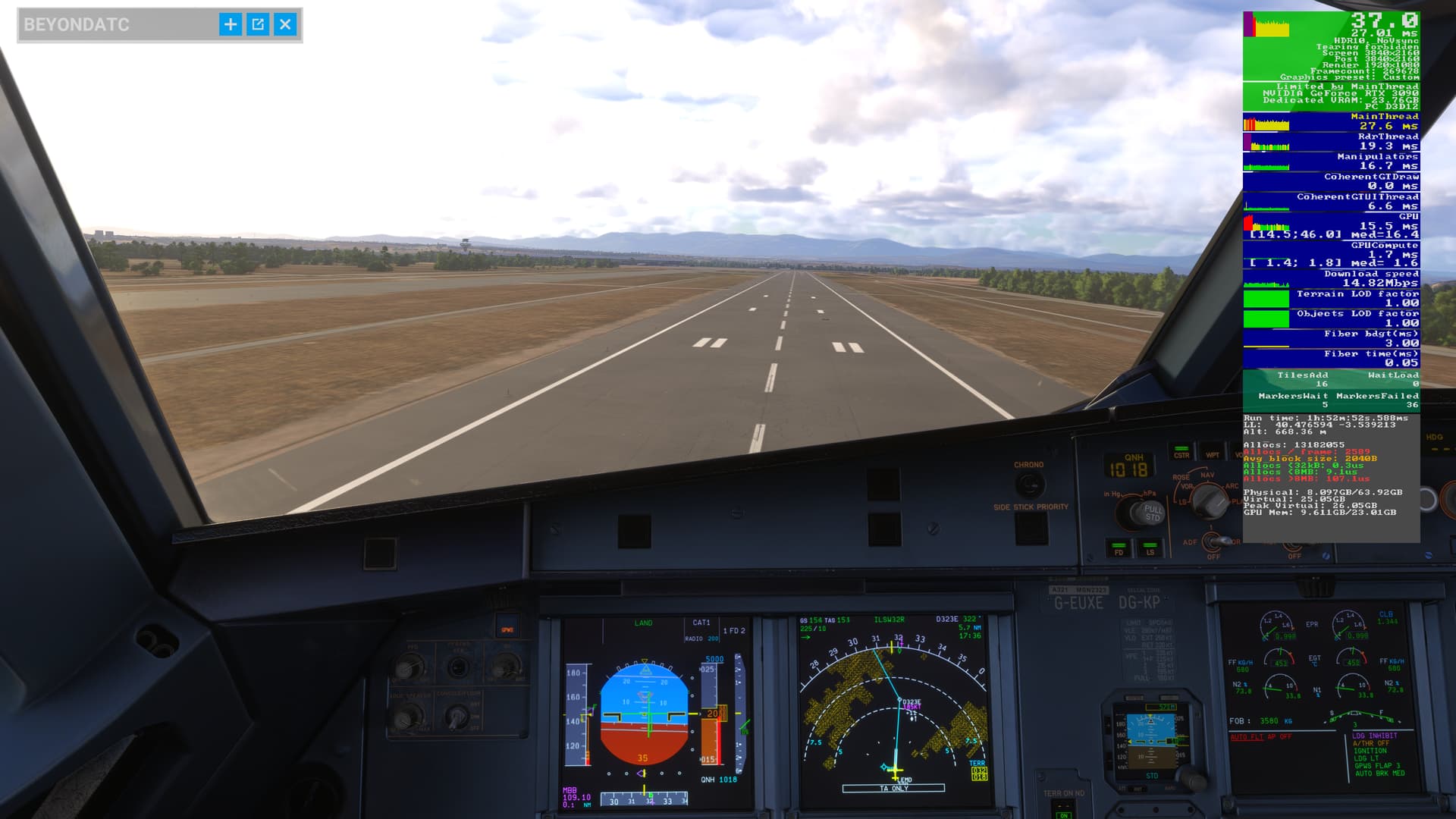
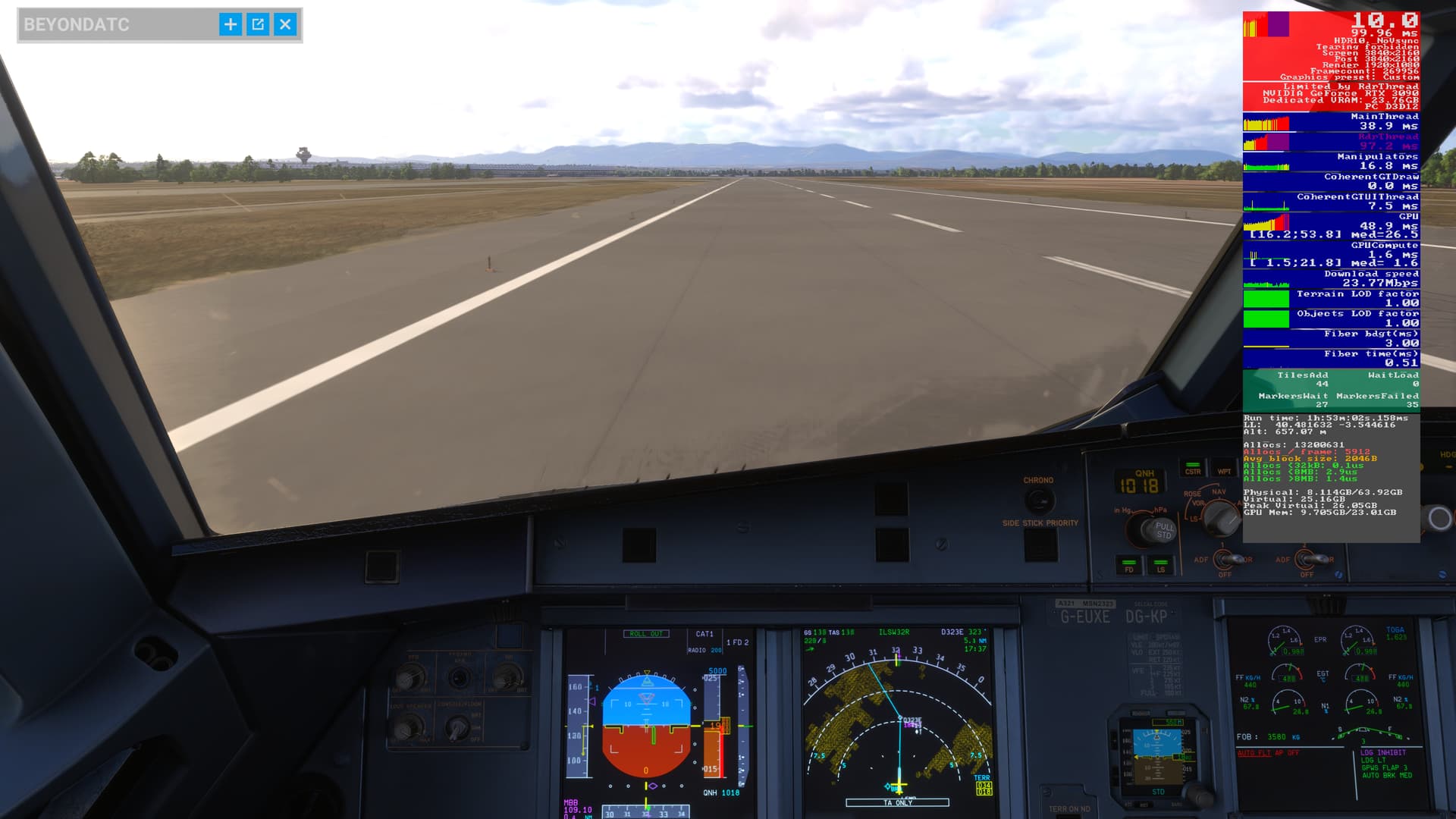
3 Likes
Aaand again.
“Limited by RDRThread” - THIS IS A point to investigate Asobo Team.
Please - hear us.
7 Likes