Hi. Apart from the Logitech driver you have already installed, go down to the Logitech drivers page and download and install the driver for the panel FIP (64bits, and the date if I remember is from 2017). You need to have installed the two drivers not only the main one.
i have three FIP panels working great in Msfs2020.
Cheers
1 Like
I cannot find the driver you are referring to
spad next works with the panels I am told but I was on the website and there is no mention of the instrument panels being supported.
Afaik it does (and I just ordered a Logitech FIP to use with spad next), you can even use other virtual gauges from fipgauges.com with it.
Dirk
1 Like
after installing the two drivers everything will work great in Msfs2020:
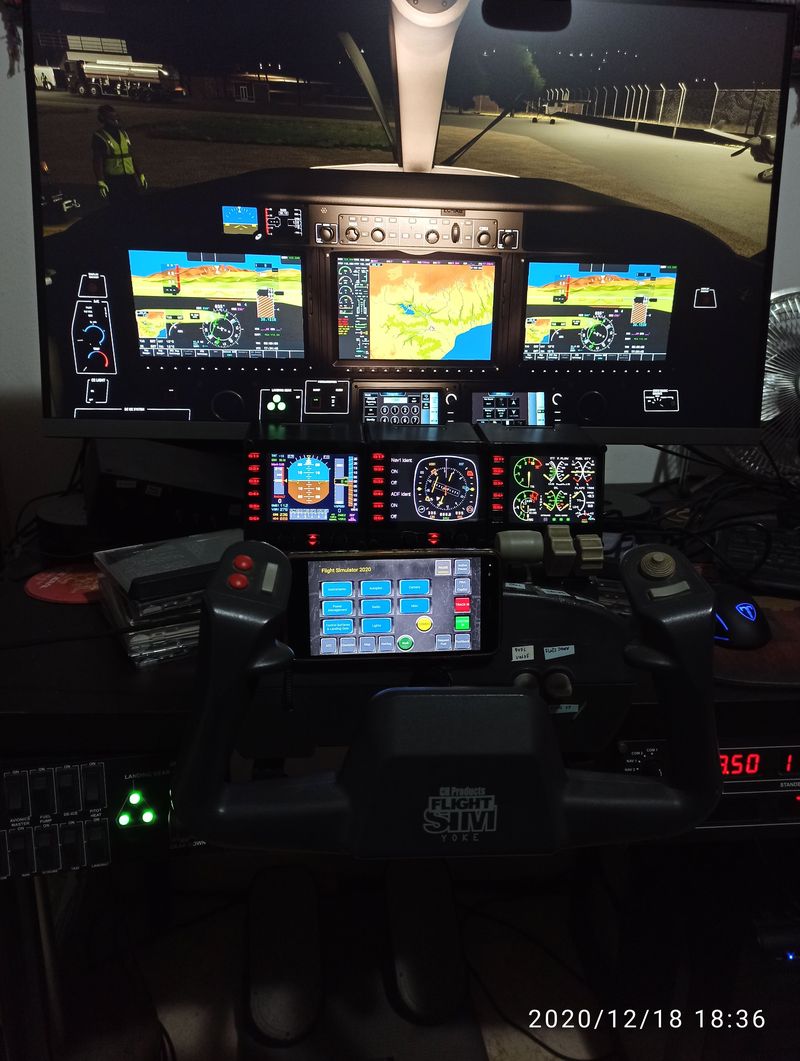
Apart ftom all these panels from the picture I also have the throttle quadrant and trim and everything works great.
1 Like
I could cry! I have picture! Thank you! Wow that simulator is amazing! I would love to see a few close up shots. I am have a panel that came up looking like advertising. I am going to try MSFS now!
You rock!
It works! That link didnt show up on logitech site. Can ypu tell me how to use S buttons on the side? Nothing happens when i press them
Thank you! It works! Can you tell me how to use side buttons? Nothing happens when I push them