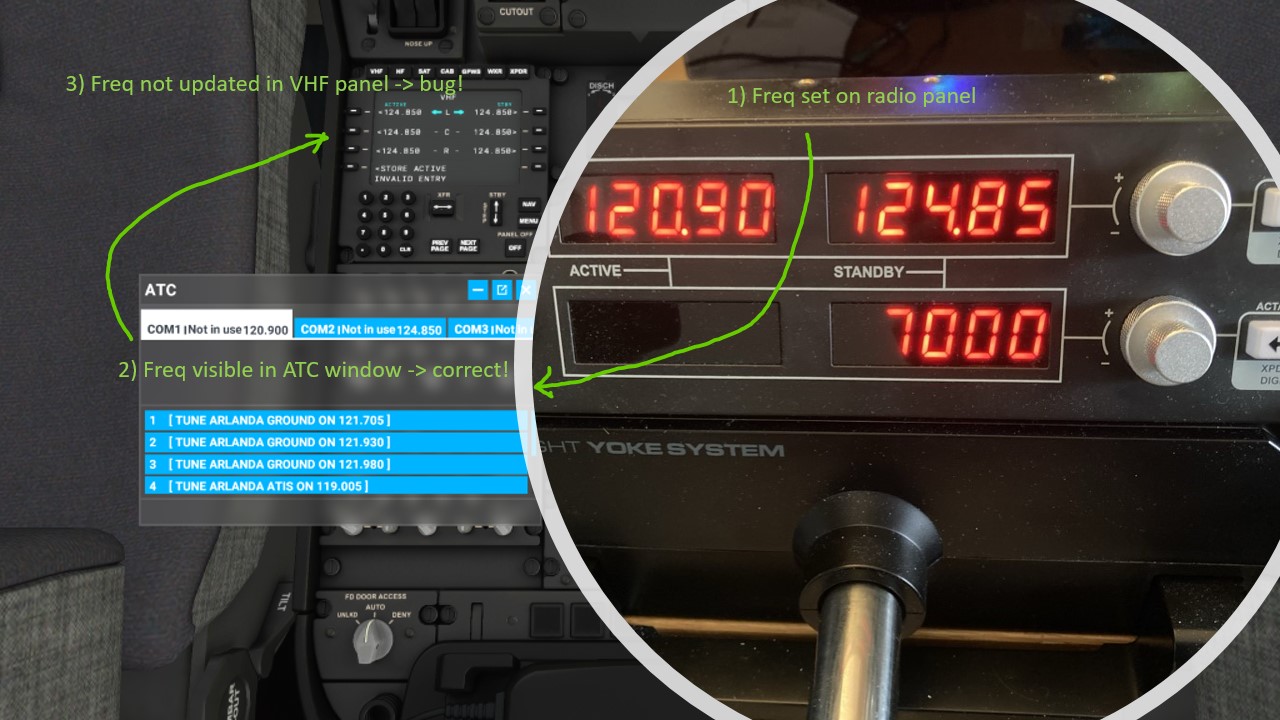
Hi again, Thanks to other forum members such as @FlipperJeans470 @DecMoonFR and others (see thread A320 Bug with radio panel hardware (non-functional from cold and dark) - #14 by FlipperJeans470) the current situation is as such:
-
There is bug when using the logitech radio panel with the airliners that changing frequency on the logitech radio panel will not be visible on the aircraft’s VHF monitor. But changing the frequency on the aircraft VHF monitor will change the logitech radio panel. Despite this, the frequency is changed in the simulator as can be viewed using the ATC window. See screen shot further below.
-
In order to activate the radio panel when starting the airliner cold and dark, assign a keyboard key to the functions “Avionics Master 1 ON” and “Avionics Master 2 ON”. Once you have the aircraft’s external power or APU up and running, pressing the key will light up the logitech radio panel. Works with both A320 and B787.