Do you have the same issue if you follow the OP’s steps to reproduce it?
Yes
Provide extra information to complete the original description of the issue:
Started noticing this during the SU11 beta. MSFS “closes” after quit, but the process hangs and has to be killed via Task Manager to exit completely. Can reproduce even if running in safe mode with no add-ons active.
If relevant, provide additional screenshots/video:
N/A
2 Likes
I’m having the exact same issue, but I’ve also disabled every addon except for my PMDG products and the FBW A320. I also agree that I shouldn’t have to uninstall anything for it to shut down properly.
Best quote and very true:.
There are plenty of people looking for jobs. Hire some full-time testers. I fly daily and I’d be honored to do it.
1 Like
Same here, I had it running for about 5mins after it was closed and I did not even see it, to begin with until I enter the Task Manager.
I had to force it to close and the worse part about it it’s eating up my CPU. I have seen my CPU maxed out to 100% and MSFS2020.exe is using 60% if not more.
I think that’s my answer to the other night when my PC freezer and then a black screen then rebooted up. I was streaming also and closing down MSFS2020 then my system want down, guessing CPU maxed out and overloaded.
MSFS2020 is making my system to reboot now - NOT GOOD
1 Like
I have this as well. I use the Fenix A320 addon and when i exit to desktop it hangs until I open the Task Manager and close the Fenix App manually then MSFS closes properly.
1 Like
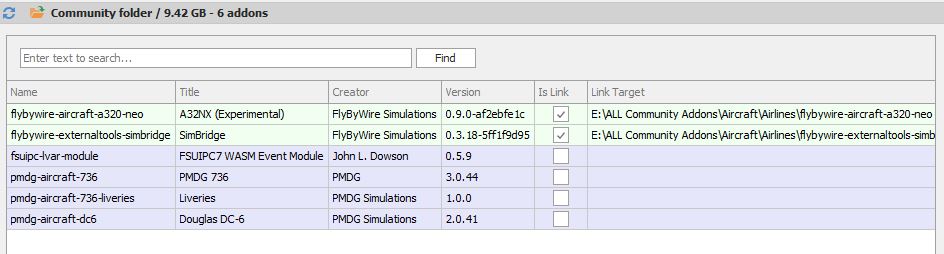
I removed the 2 items from my Community folder and tried again but no change. I don’t know which process(s) could be the culprit. This never occurred before midway through the SU11 beta. I had previously posted as https://forums.flightsimulator.com/t/your-other-xbox-console-is-taking-a-long-time-to-sync-to-the-cloud/553736.
For me, this issue is still present in 1.29.29.0.
This problem is still happening.
Happens to me also after SU11.
Do you have the same issue if you follow the OP’s steps to reproduce it?
YES
Provide extra information to complete the original description of the issue:
Every time when I quit to desktop process stucks and I have to kill process from task manager
If relevant, provide additional screenshots/video:
I think it’s caused by an addon or combination of addons. When I load the sim without any addons it shuts down normally. With addons - it’s quicker to restart the computer than waiting for MSFS to quit as the PC is not responding for several minutes.
On Steam I can stop the process via Steam in case the game hangs. And yes, the game hangs randomly (about 70% of cases for me) quite often and may hang “forever” and without addons as well.
It could be random, but I get the issue when using Fenix A320, but not with FBW A320.
Having the same issue with or without addons enabled. Sometimes a clean exit, other times a hang with 100% CPU usage until I kill flightsimulator.exe in Task Manager. I have not been able to identify any particular set of conditions that causes the hang.
Did anyone find a solution for this issue ?
Same here just noticed that recently. I fly Kodiak and 737-8 right now. Need to kill the process in TM or it hangs forever.
Hey guys, I had the same problem going back a few months ago. I do realize that 3rd party addons can cause this, I tried the emptying of the community folder and that didn’t work for me. I also couldn’t load into a flight…just hung on the " New Activities screen". My MB has wifi. So I unplugged the ethernet cable and turned on wifi and it worked. No more hang ups. I’m not saying this will fix the problem, but it might fix it for a few.
Take care guys.
It’s april 2024 and I still have the same issue.
Happened on my older PC, now happens on the new one.
No mods installed whatsoever.
1 Like
Been happening to me for the last 6 months or so. Empty community folder does not help.
Team unable to reproduce this issue.