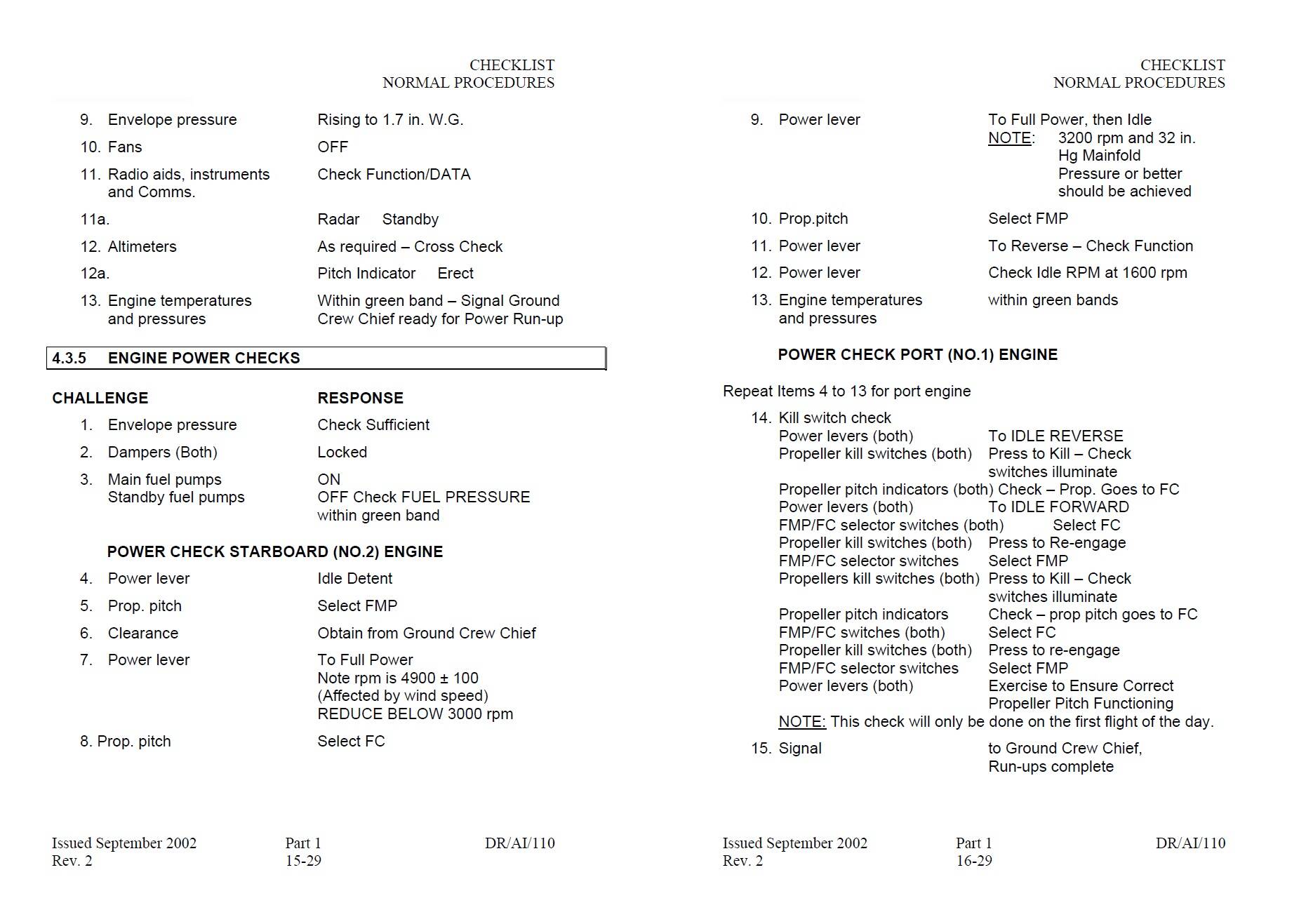
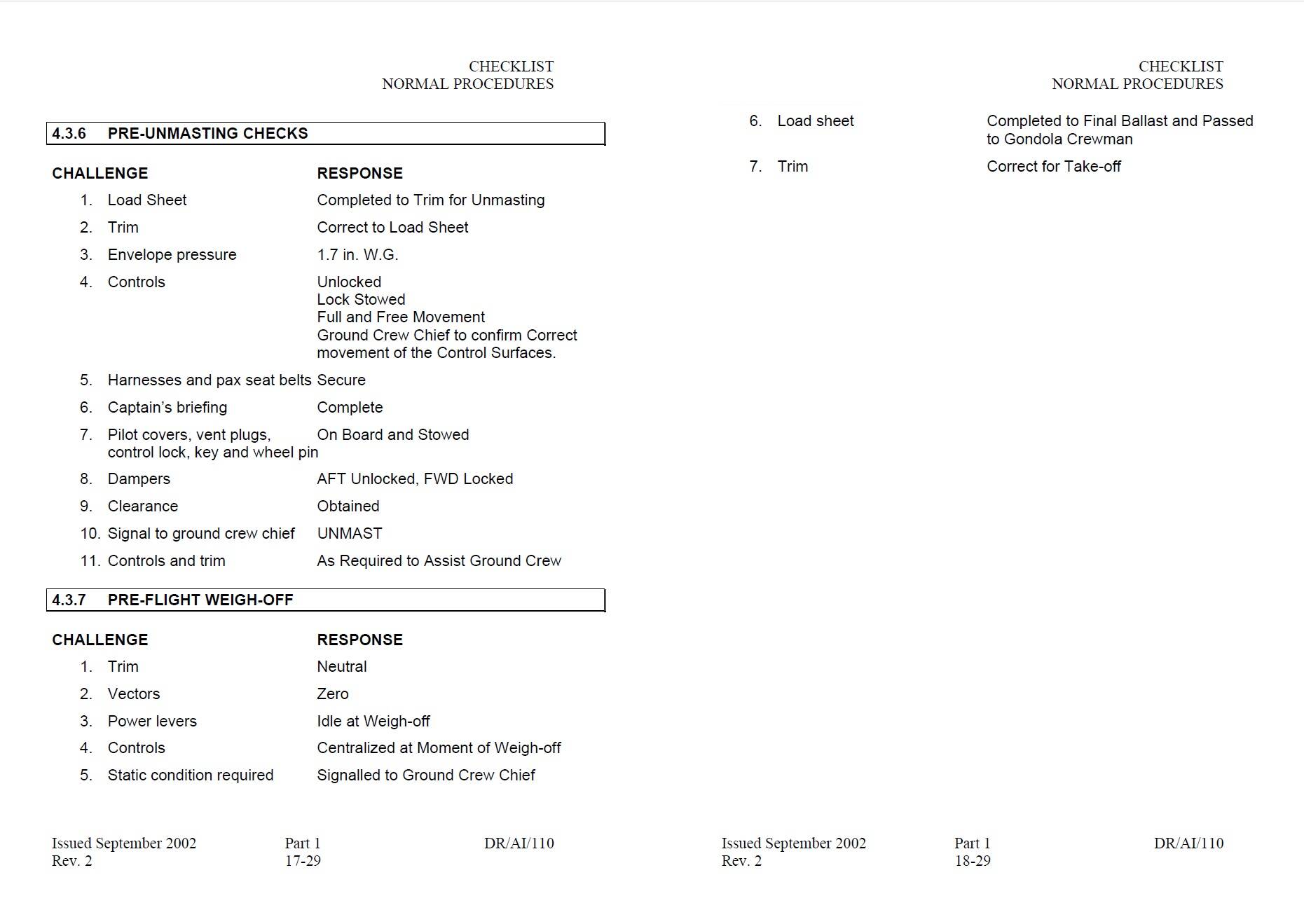
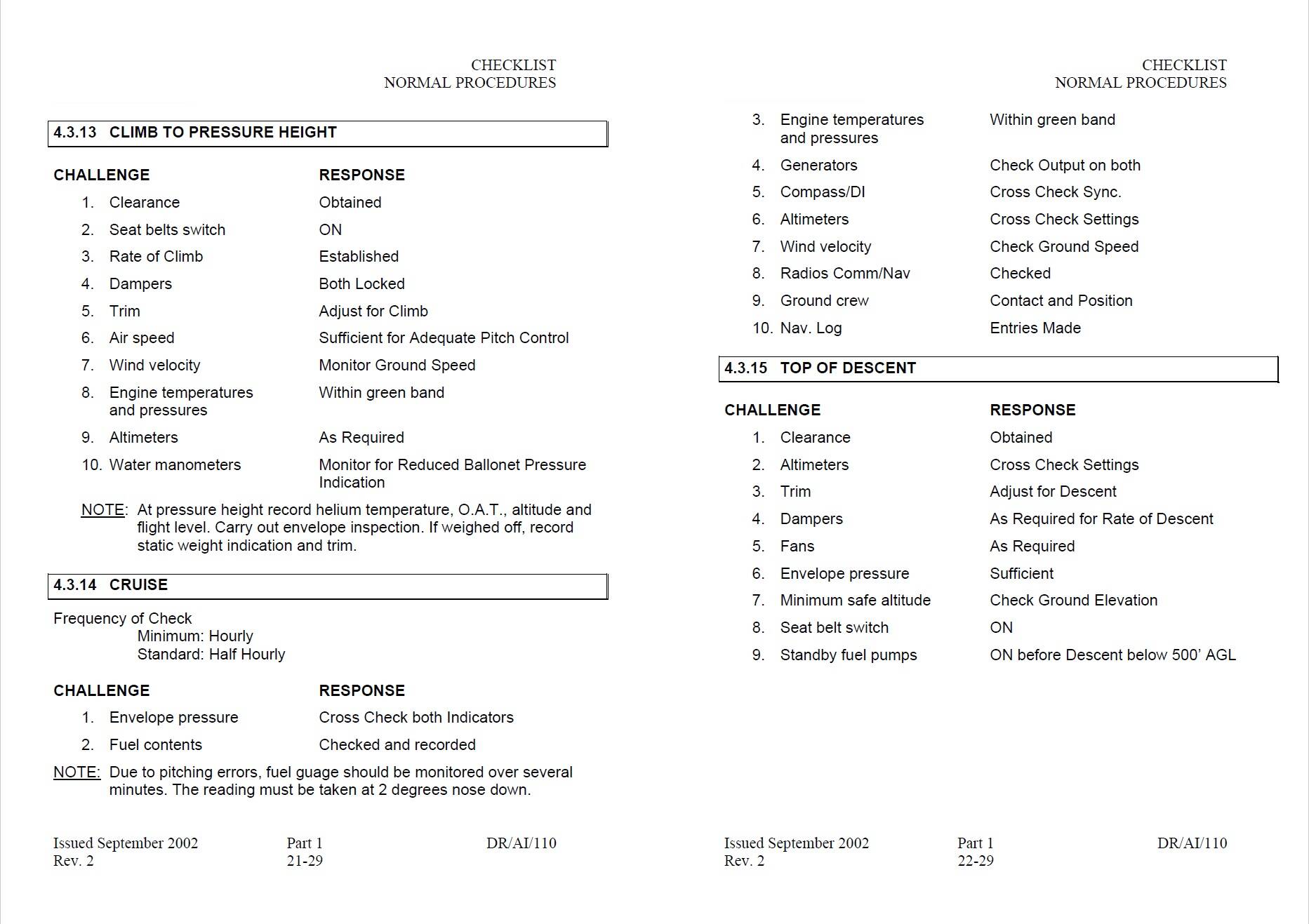
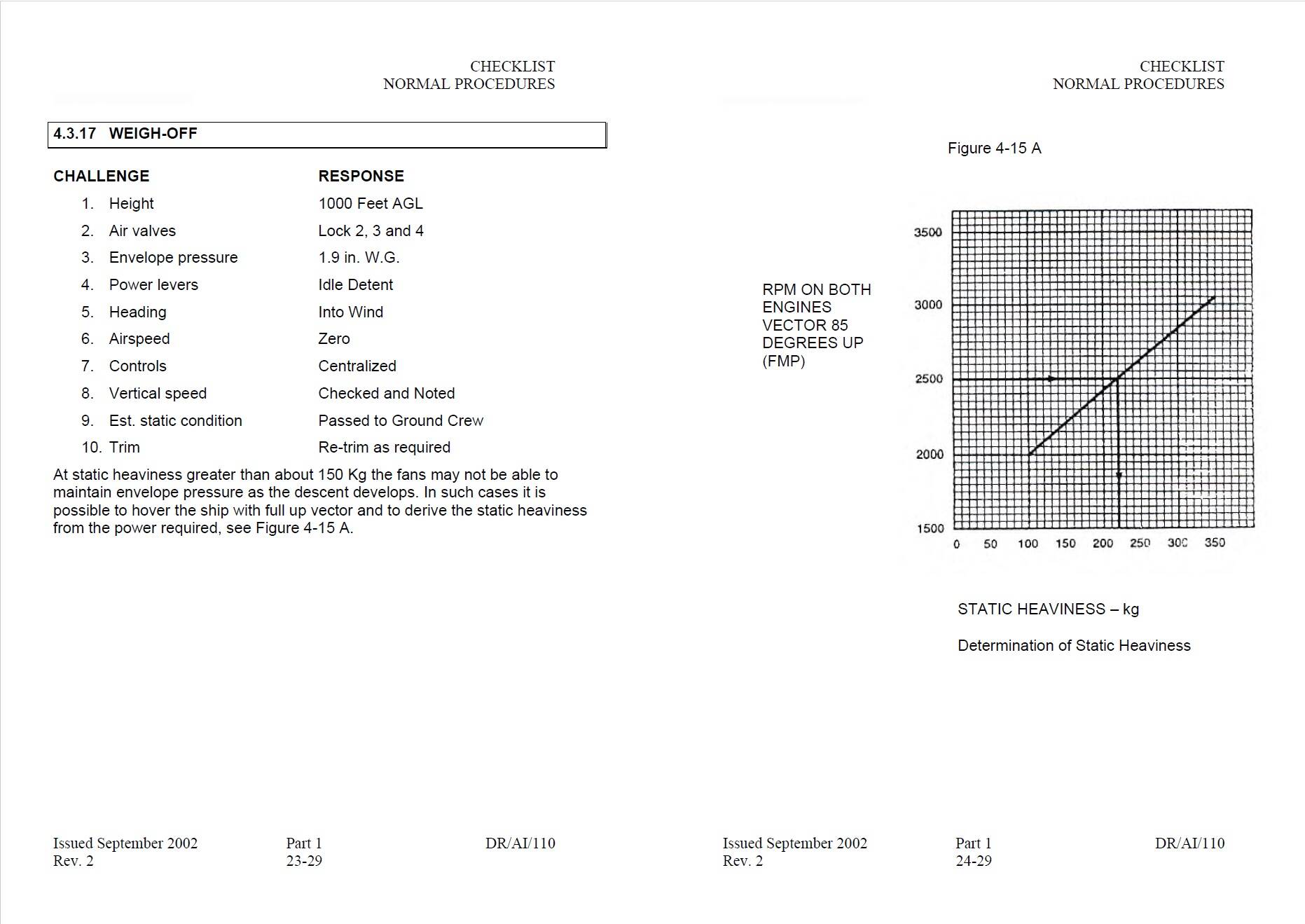
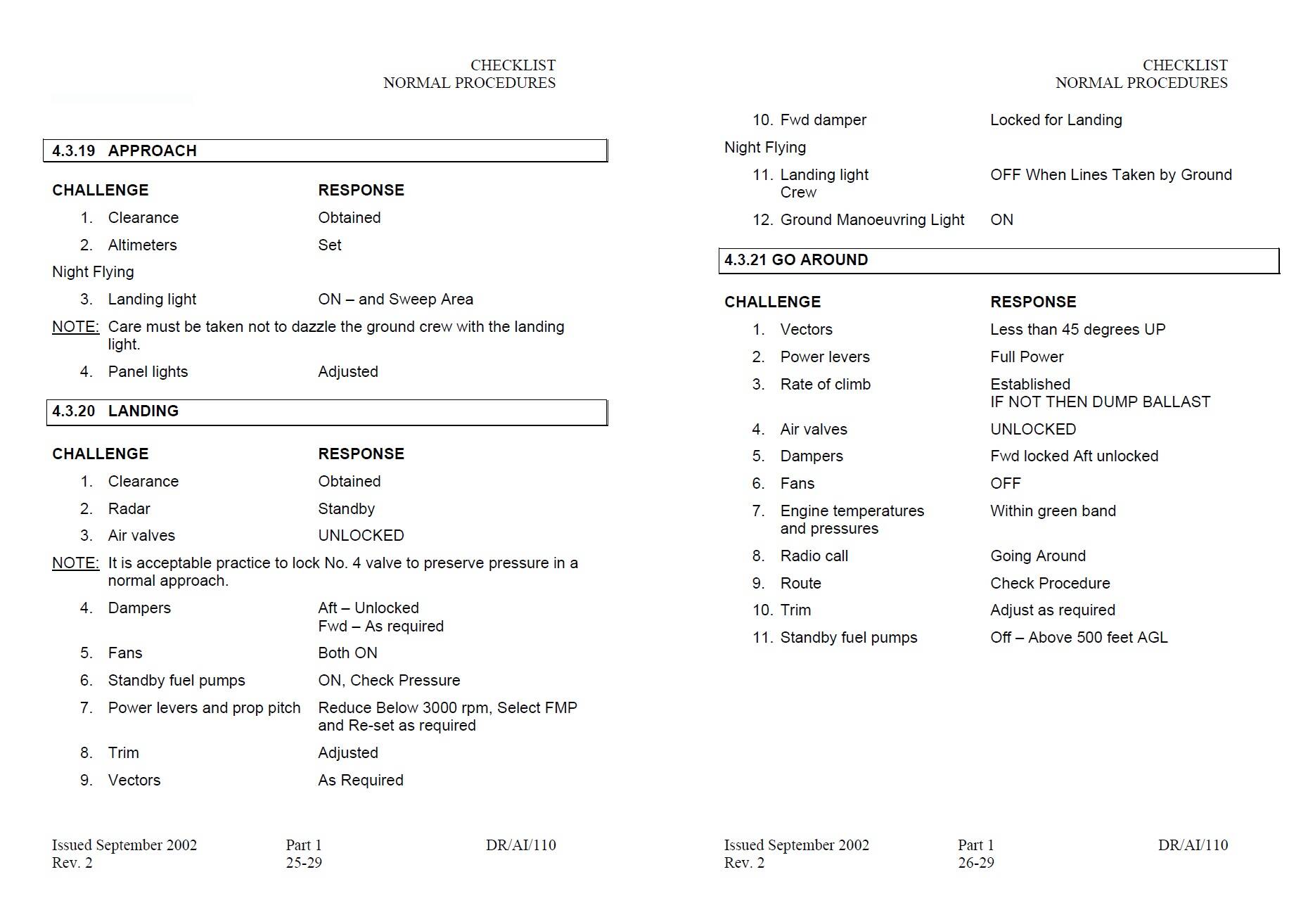
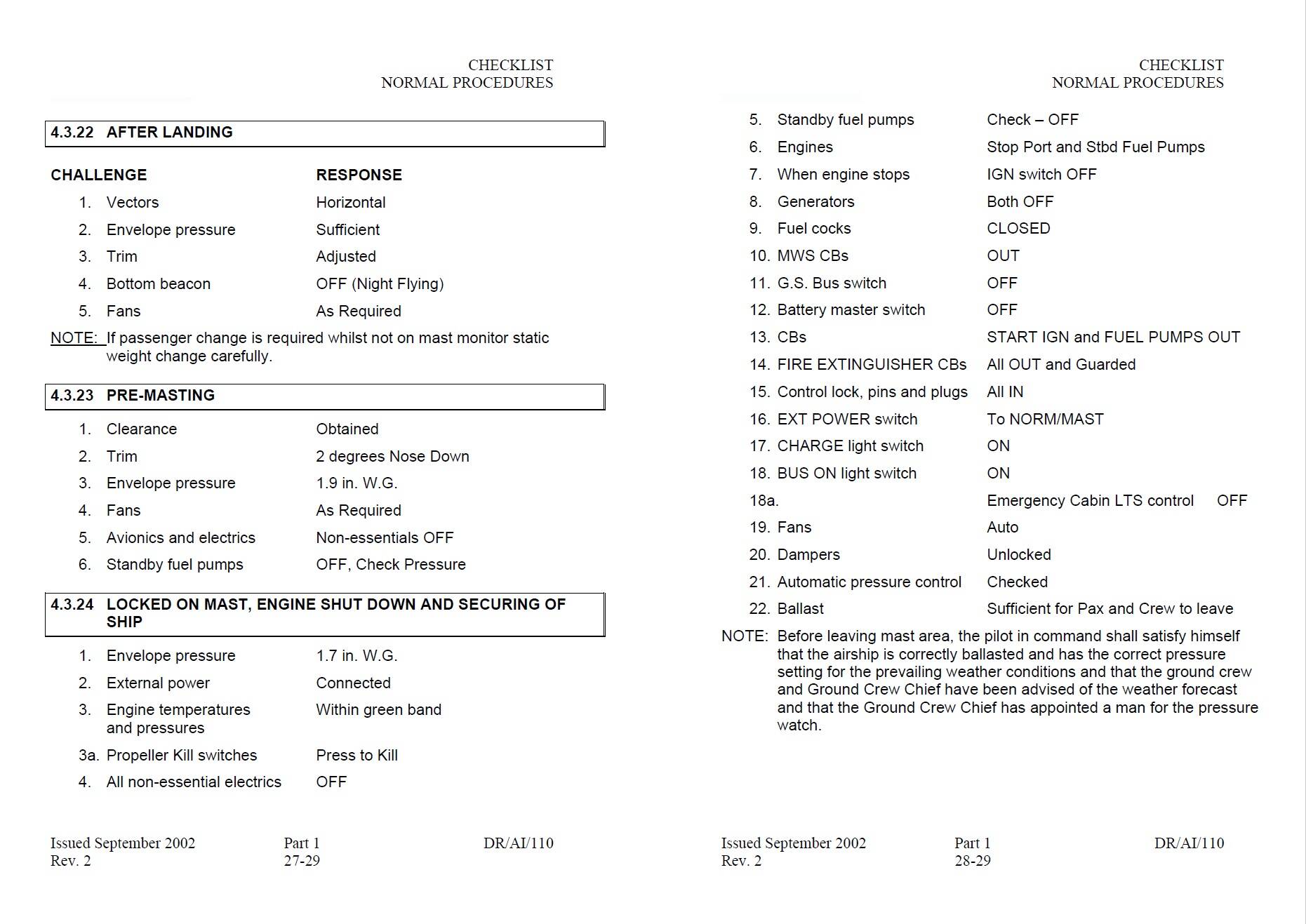
This guy did a pretty good job working around some of the bugs and had a decent flight. Helped me finally get to fly it.
This guy did a pretty good job working around some of the bugs and had a decent flight. Helped me finally get to fly it.
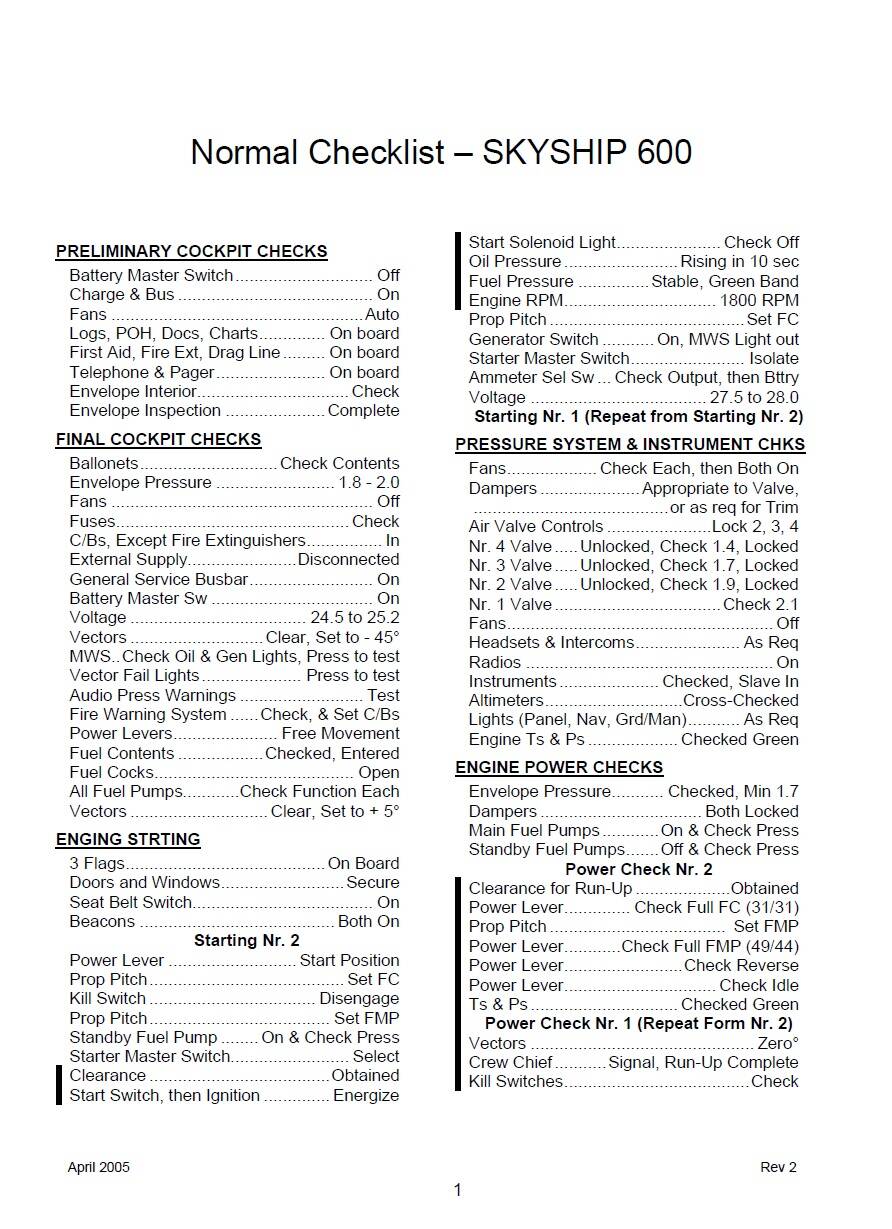
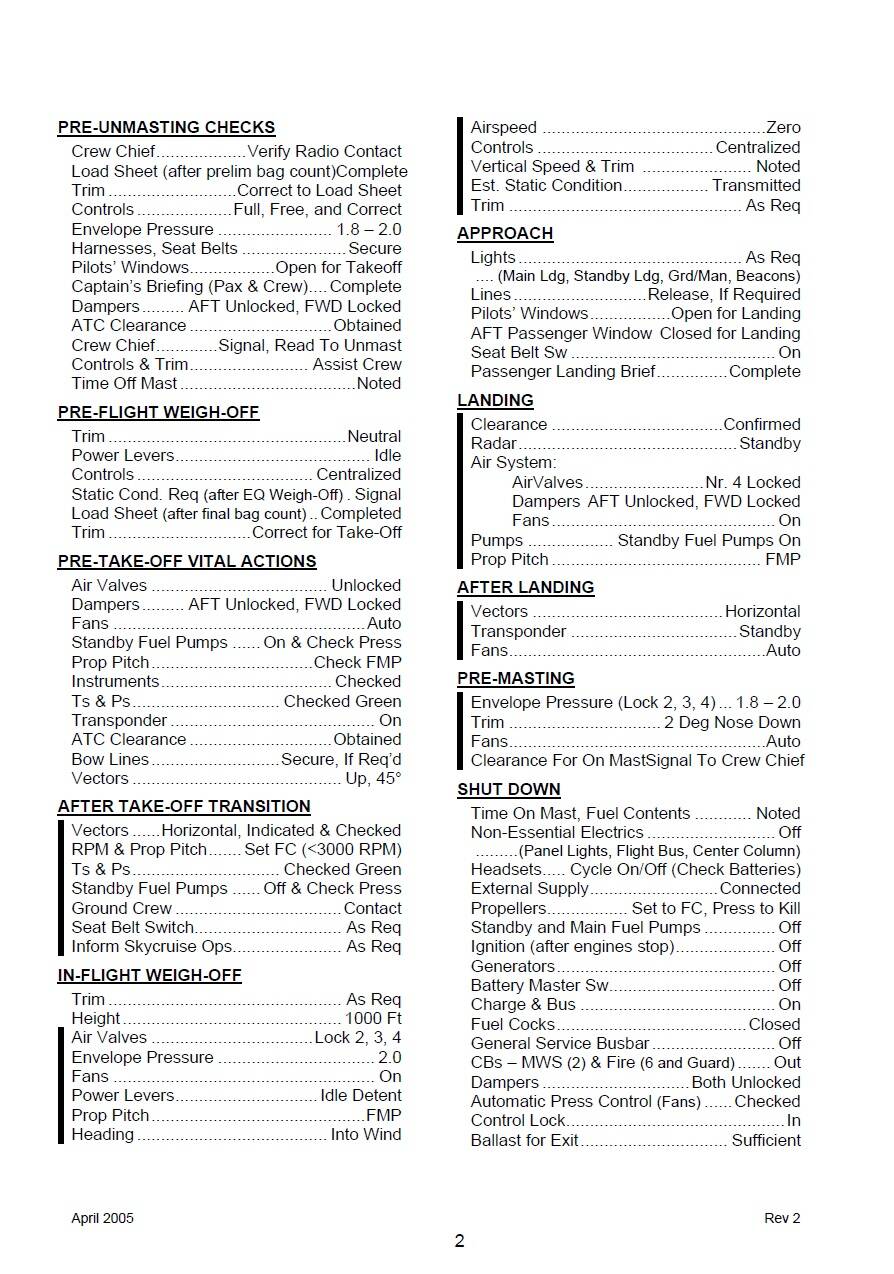
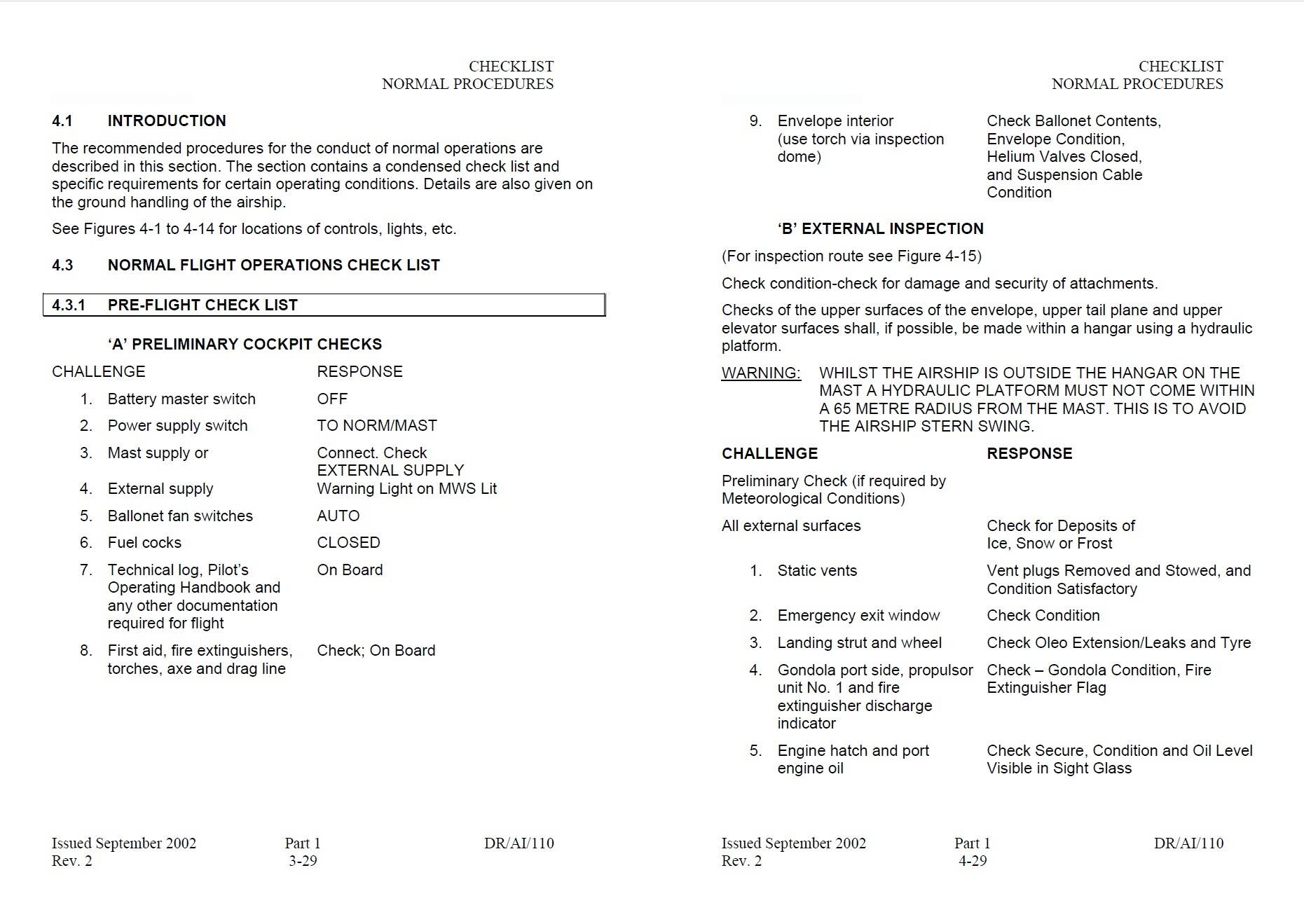
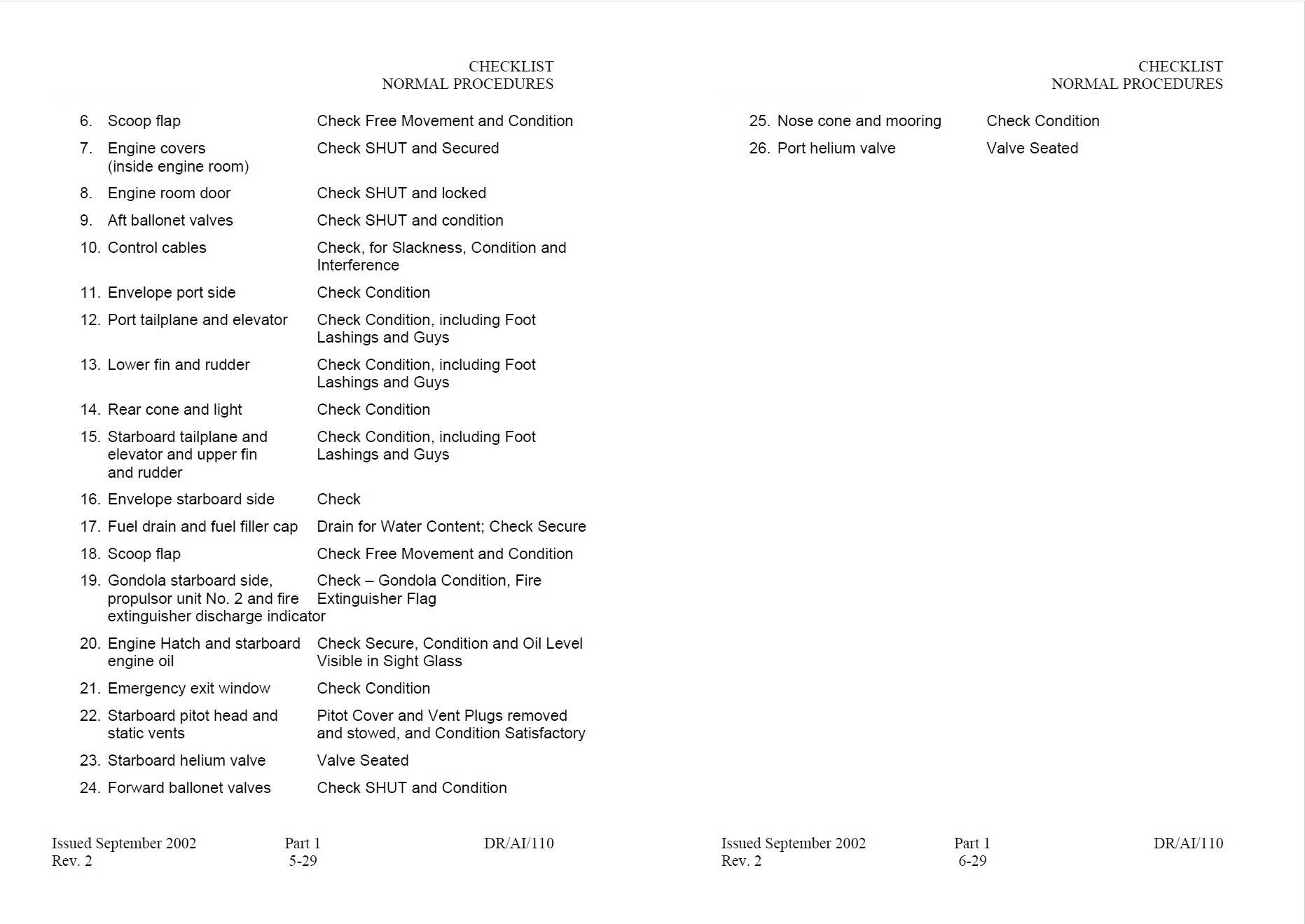
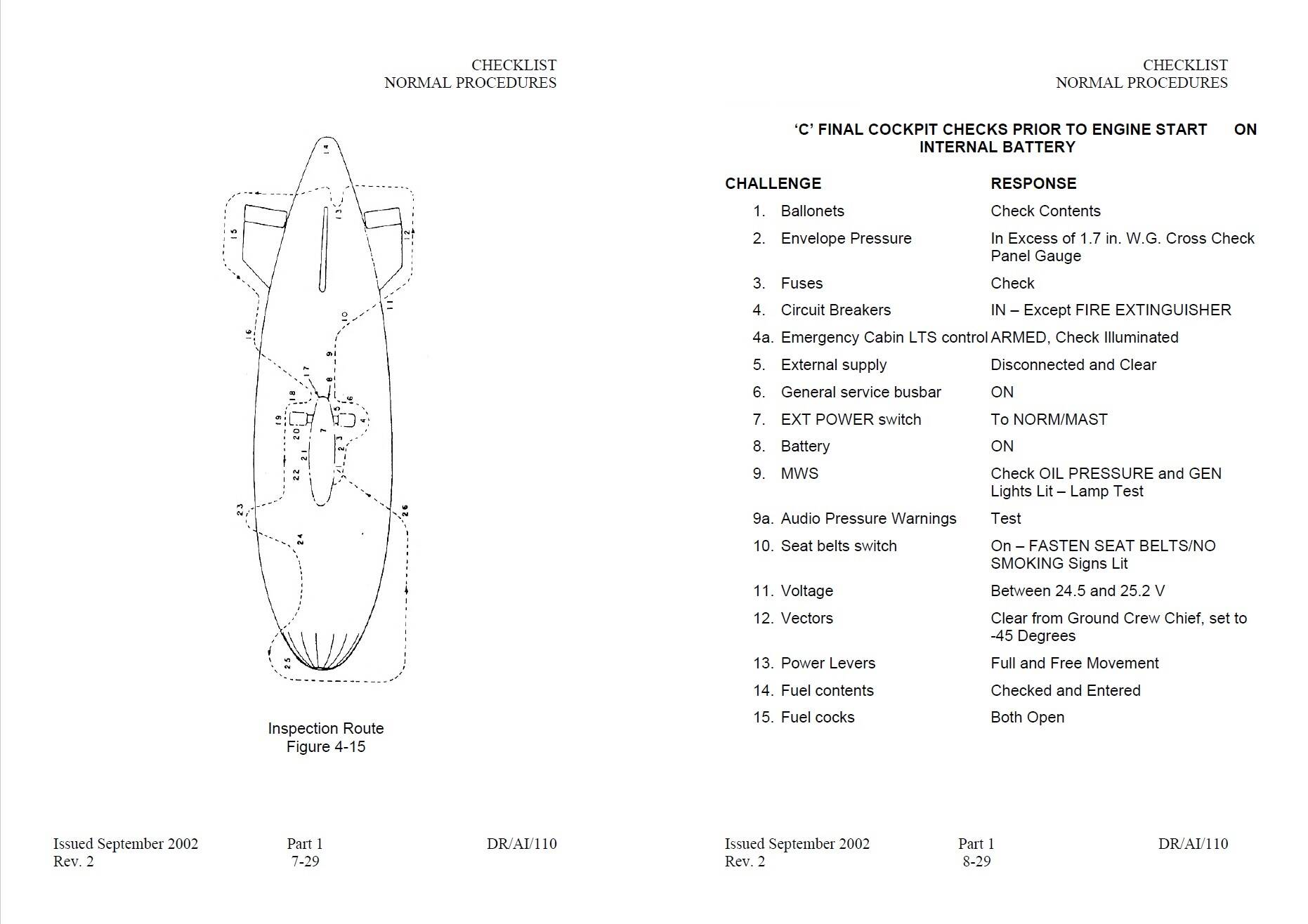
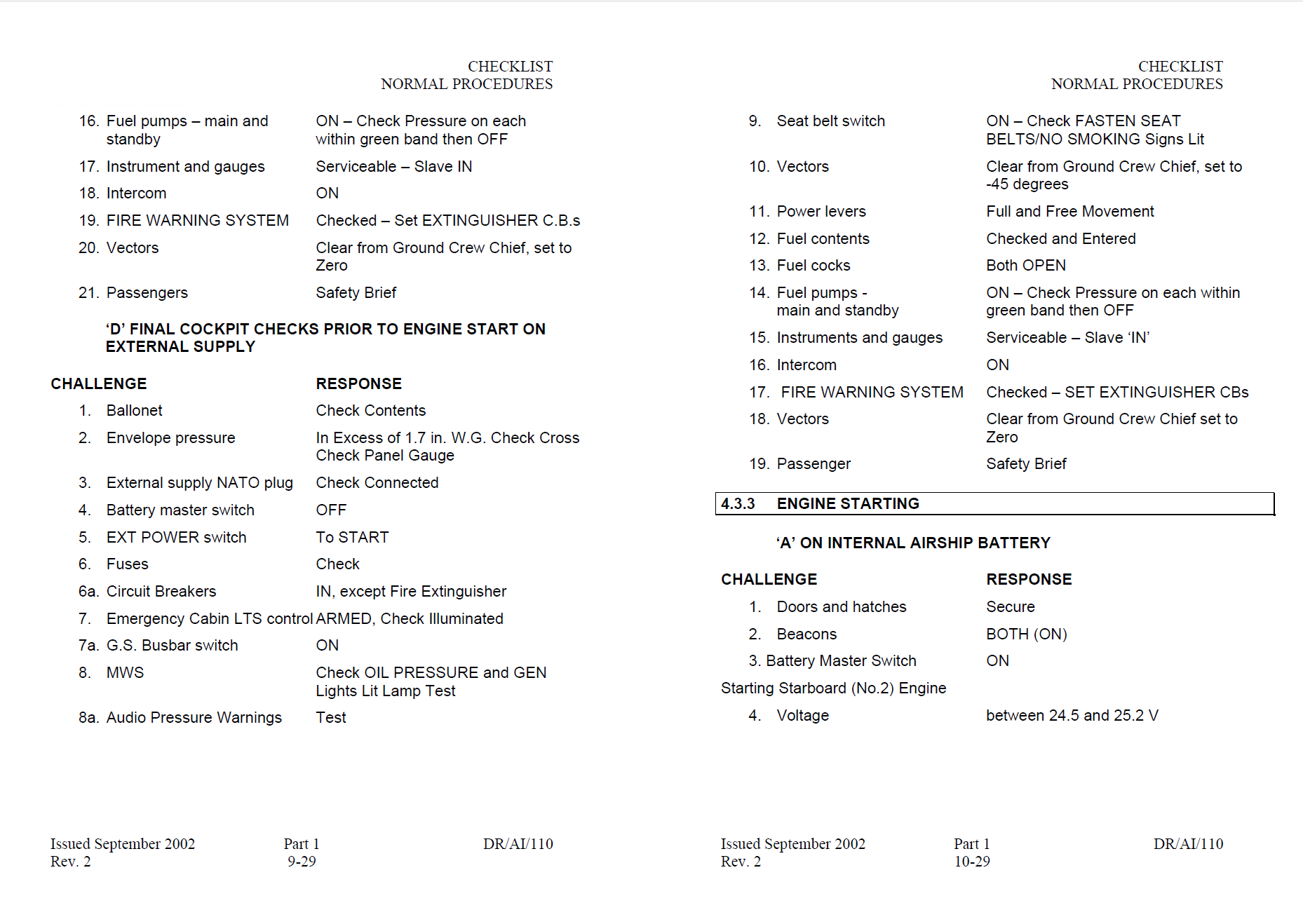
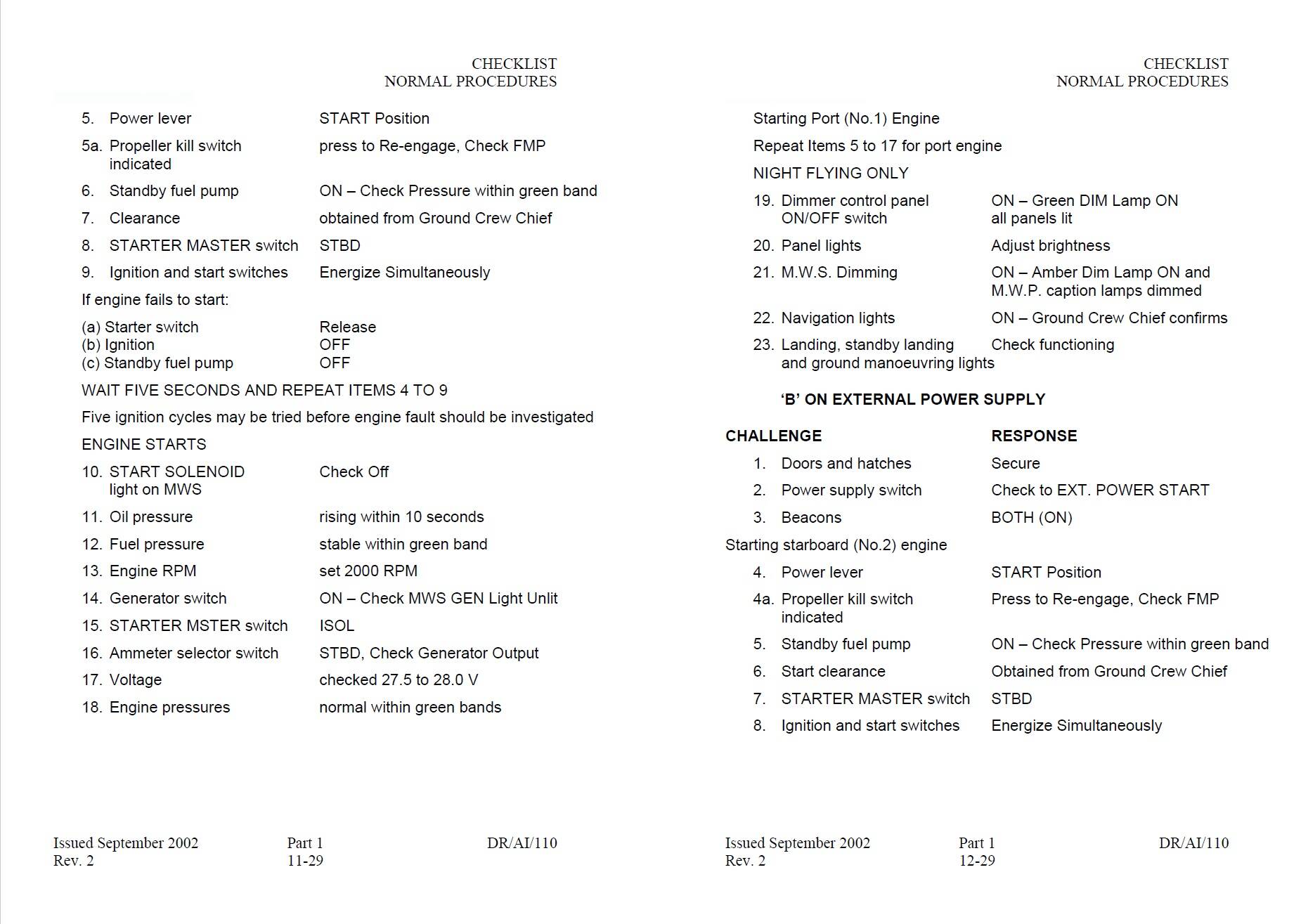
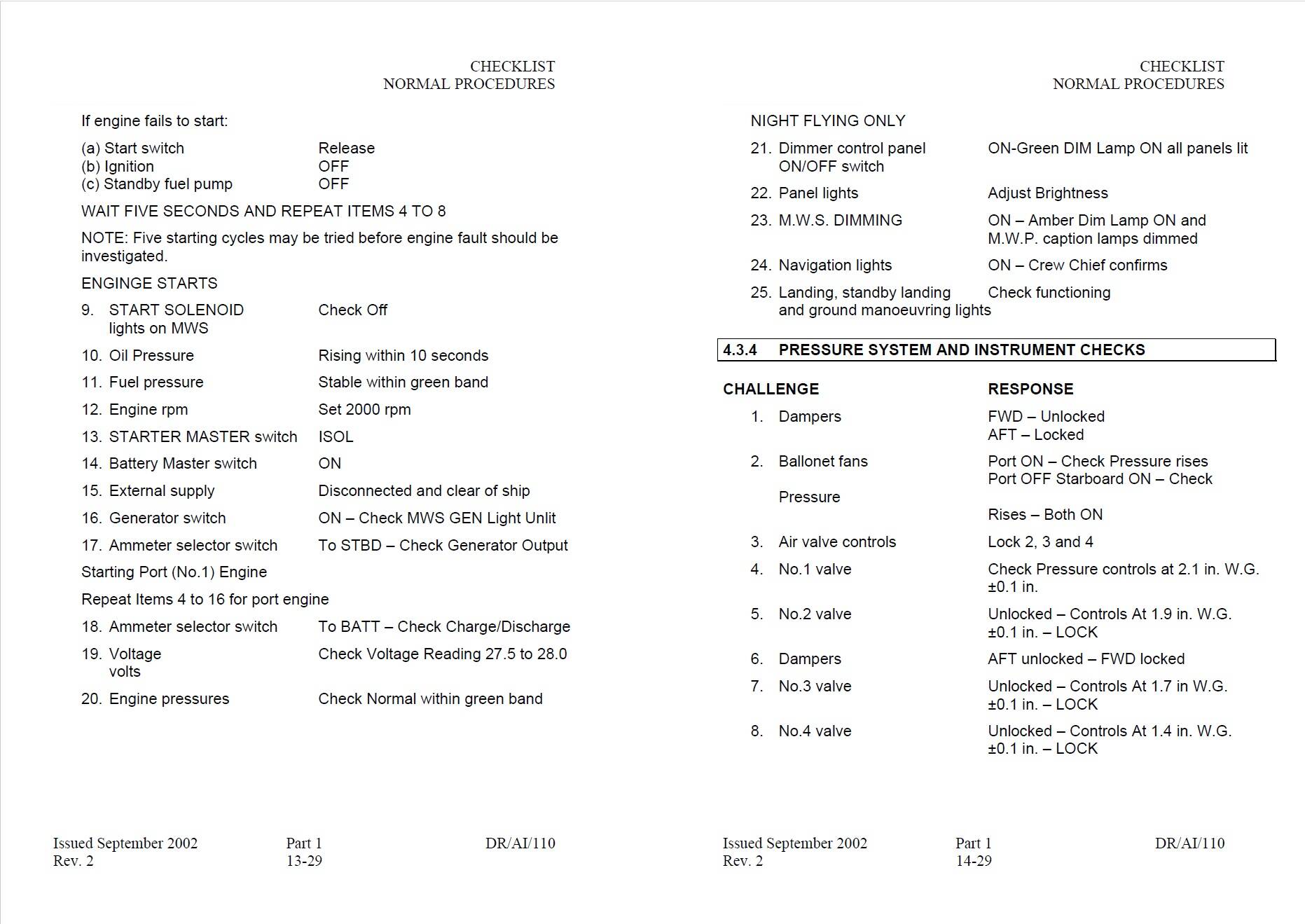
I was able to contact a company that still operates the Skyship 600 and while he couldn’t get me the entire POH he gave me a checklist!
Unfortunately I cant upload them here. 
bug: control mapping “airship valve 1 .. 4” are shifted by +1 so valve 1 controled by mapping of valve 2 and etc.
Hello everyone,
I am an active airship pilot. Although I don’t have experience with the Skyship 600, I’d still like to share my impressions of the sim version.
First of all: Airships are complex and far from intuitive. They represent a completely different way of flying — but once you understand how they work, it’s incredibly fun.
For me, it’s the most beautiful way to fly and I’m excited that we have airships in the sim now!
Air System:
While airspeed plays the biggest role in airplanes and helicopters, helium pressure is the critical factor for airships.
It’s essential to maintain helium pressure within a precisely defined range. For the Skyship 600, this range is between 1.1 and 2.65 inWG. Unfortunately, the helium pressure and ballonet indicators currently don’t seem to work correctly in the sim.
Additionally, the system reacts too quickly to changes. Depending on the settings, helium pressure often drops to 0 inWG instantly, which is highly unrealistic. Ballonet fans, dampers, and valves can only move a specific amount of air per minute in real life — not within seconds.
As currently implemented, the airship cannot be operated realistically.
Weight & Balance / Aerostatics:
Modern airships operate within a range of 350 kg heavy to 200 kg light. Ideally, you fly at 200-300 kg heavy for optimal handling.
To achieve this, buoyancy must be calculated, considering factors such as air pressure, air temperature, helium temperature, helium volume, and purity.
Fun fact: When an airship is pulled out of the hangar and stands in the sun for half an hour, its helium can heat up by 10-11°C above ambient temperature. The reduced helium density then generates significantly more static lift. Depending on the envelope volume, the airship becomes 300-350 kg lighter and must be loaded with more ballast accordingly.
It’s also crucial to calculate the center of gravity accurately and distribute ballast accordingly. Passengers, water, and lead bags need to be arranged so the airship stays in trim throughout the flight.
Trimming an airship solely by adjusting air in the ballonets is not possible — especially when flying so high that the ballonets are entirely empty (pressure height).
Overall, this is quite a complex topic. Currently, it’s unclear how all this is implemented in the sim. At least I haven’t found any airship-specific calculations in the EFB so far.
Flight Dynamics:
Airships respond somewhat delayed to control inputs but are maneuverable due to their large control surfaces. Applying full rudder at around 35 knots can result in a turn rate of 7-10° per second.
Overall, the Skyship seems to lack rudder authority in the sim. However, the general feeling, including stability and light swaying, seems quite realistic.
By the way, it’s not unusual to fly airships with full rudder deflection.
Ground Handling:
Unfortunately, the sim currently lacks a ground crew, making realistic airship operations impossible.
Landings, in particular, are incredibly exciting with blimps. A minimum speed must be maintained for the control surfaces to remain effective. At the same time, the airship must not fly too fast, as the ground crew needs to catch and slow it down.
Throughout the approach, the airship must be guided slowly and carefully toward the ground. On windy or thermally active days, this can be a real challenge!
Let’s hope a functional ground crew gets added soon!
Overall:
Important aspects of airship handling still need plenty of work. For the time being, it is not possible to operate the Skyship in a realistic manner. Let’s hope that future updates will bring changes here!
I’m glad you brought up the turning rate. I knew it seemed way too excessive in FS24.
Also its too fast. The Skyship has a maximum speed of 55 knots at 4000RPM. The one in the simulator can almost go 80 knots.
So it turns too slowly and its top speed is too high. Basically.
Hey everyone.
It’s your real life airship pilot again. Having tested the Skyship a bit more I have identified the following bugs:
ENVELOPE & AIR SYSTEM
AIRSHIP HANDLING, BALLASTING
LIGHTS, ELECTRICAL , AVIONICS
ENGINES, FUEL
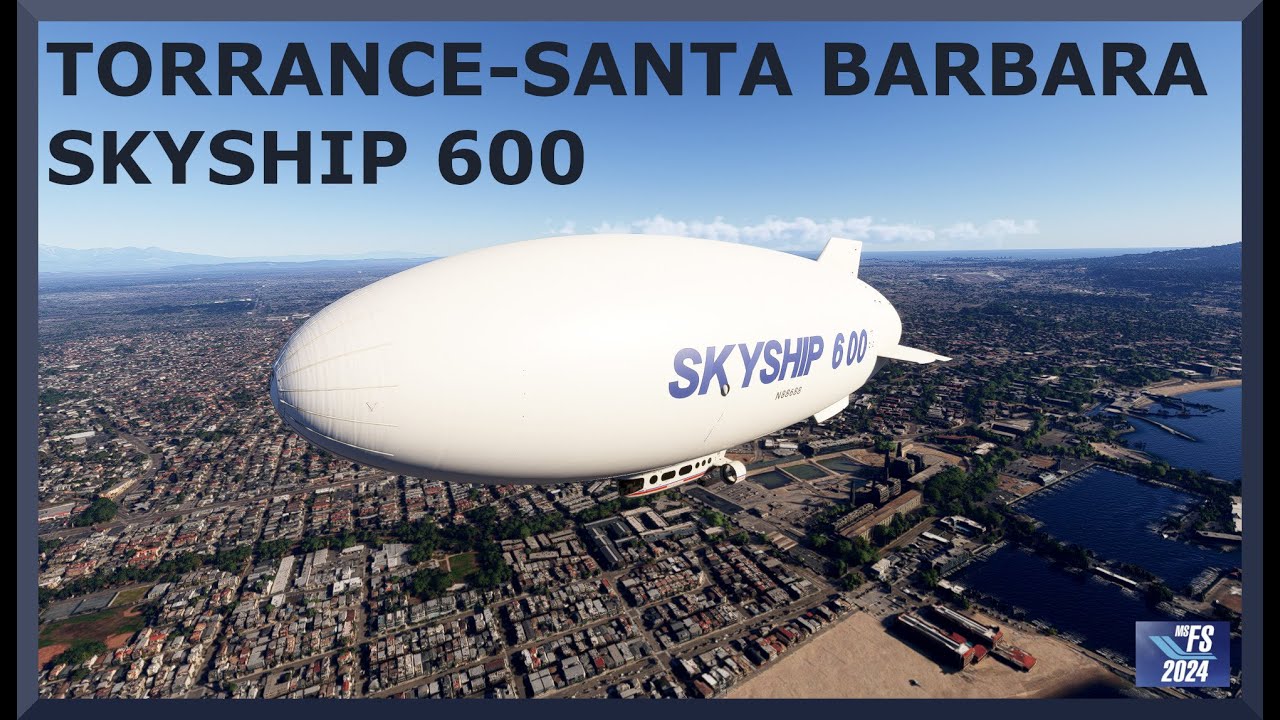
This is a flight I made recently, it is hard to put it down without ground crew but I think with practice we can achieve something decent. The rest is fine even with the already mentioned bugs.
Brilliant feedback. Thank you for your expertise, and taking the time to document this.
Dear @Jummivana , is it possible to log the feedback in this thread for the Skyship 600? This is far too much for the bug form. Thanks in advance!
Can you please explain what the function of the dampers is? I think I’ve figured out what every other system is supposed to do, except this one.
Also…Is this the correct labeling of the manometers?
MFB = Fore Ballonet
MH = Helium
MAB = Aft Ballonet?
Hi ur2tall,
I’m happy to help! The bug report is posted in the bugs section - however due to the sheer amount of bugs I have put it all into one post.
To understand the function of the dampers, here’s a quick dive into the air system:
Generally, the air system has the purpose of maintaining envelope differential pressure within a specific range and keeping the airship in trim. The Skyship 600 comes with two ballonets - these are air chambers within the envelope, which can be inflated and deflated as required.
Each ballonet is fitted with two air valves for deflation (releasing air overboard). Additionally each ballonet is connected to a system of scoops, fans, ducts and valves, called the trunking system. The trunking system inflates the ballonets (supplies them with air).
Unfortunately I don’t have access to a Skyship 600 manual. My understanding of the dampers is as follows:
Air at a slight overpressure is collected behind the propellers though scoops. It enters the trunking systems and travels to the dampers. These are doors (valves) that can be operated to be either locked (closed), unlocked (open) or automatic. When in automatic mode, they open with positive air pressure.
When there is enough air pressure in the trunking system and the damper valve is open, air flows into the respective ballonet and inflates it.
When there is not enough air pressure from the prop wash or forward airspeed, ballonet fans (blowers) can be switched on to supply the trunking system with air pressure. The ballonet fans are located next to the scoops and they feed the same duct.
Takeoff / climb
When the airship is on ground, the ballonets are filled with air. Once it takes off and climbs, atmospheric pressure steadily decreases. This causes the envelope differential pressure to increase. Once a threshold envelope pressure is reached, the air valves automatically open and allow air to escape the ballonets.
The ballonets deflate, which allows the helium to expand and pressure to stay within limits. The damper doors should usually stay closed during climb, so as to not increase envelope pressure any further.
Cruise
During cruise, one damper is usually set to auto mode. This allows for a steady flow of air into and out of the ballonet and keeps pressure steady even when there are slight changes in altitude.
Descend / landing
Once descent is started, atmospheric pressure starts to rise again. As the envelope differential pressure drops, the air valves close automatically. If set to “auto”, the damper doors will now open and supply the ballonets with air at a slight overpressure. This inflates the ballonets and keeps envelope pressure within limits.
As soon as the airship is coming in for landing, air pressure from the scoops may not be enough to inflate the ballonets further. For this reason, the ballonet fans are switched on.
As for the manometers:
Yes, they are the pressure indicators for the forward ballonet, envelope pressure (helium pressure) and aft ballonet.
The higher the ballonet pressure, the more it is filled with air. The indications that we now get in the sim are unrealistic.
I noted this earlier, thank you for confirming it. I can fly the Skyship using the information in this thread. With regard to trimming the ballonets, you have to disregard the manometers and do it by feel.
Thanks for the info.
Hello,
many thanks for the informations here, without them I wheren’t not able to fly it.
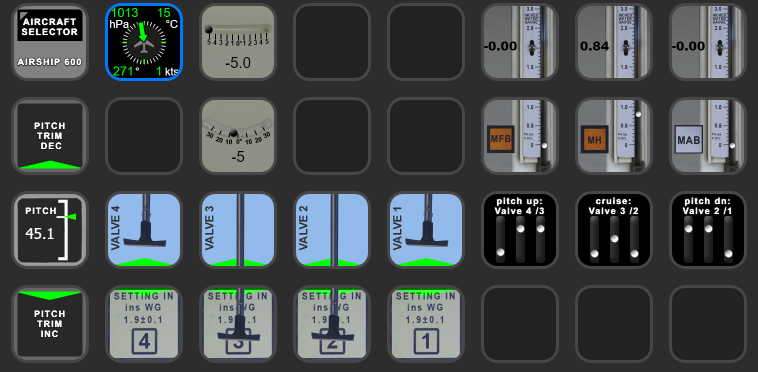
I made a streamDeck profile (you need AxisAndOHs (AAO) for it)
Airship Skyship 600 StreamDeck XL profile for Microsoft Flight Simulator | MSFS
hope you enjoy it.
Merry Xmas
I have managed to use the vertical thrust commands to turn the engines “upside down” with a breaking and downward pushing effect 
Can this not be started C&D in a parking space on a ramp?
Every time I try to do this, I am at the end of a runway.
What’s up with that?
Same issue.
Shame, seems the Skyship is the only aircraft not getting any improvements this patch.
Is anyone else having issues with this post SU1? I cannot for the life of me control pitch trim via ballonets.
Yah after the last update the Skyship is practically unflyable. I’m not sure what the issue is. Feels very heavy and the ballonet pitch control seems to not work at all anymore.
There are a lot of fixes for it in SU2 planned for it so hopefully that makes it better.