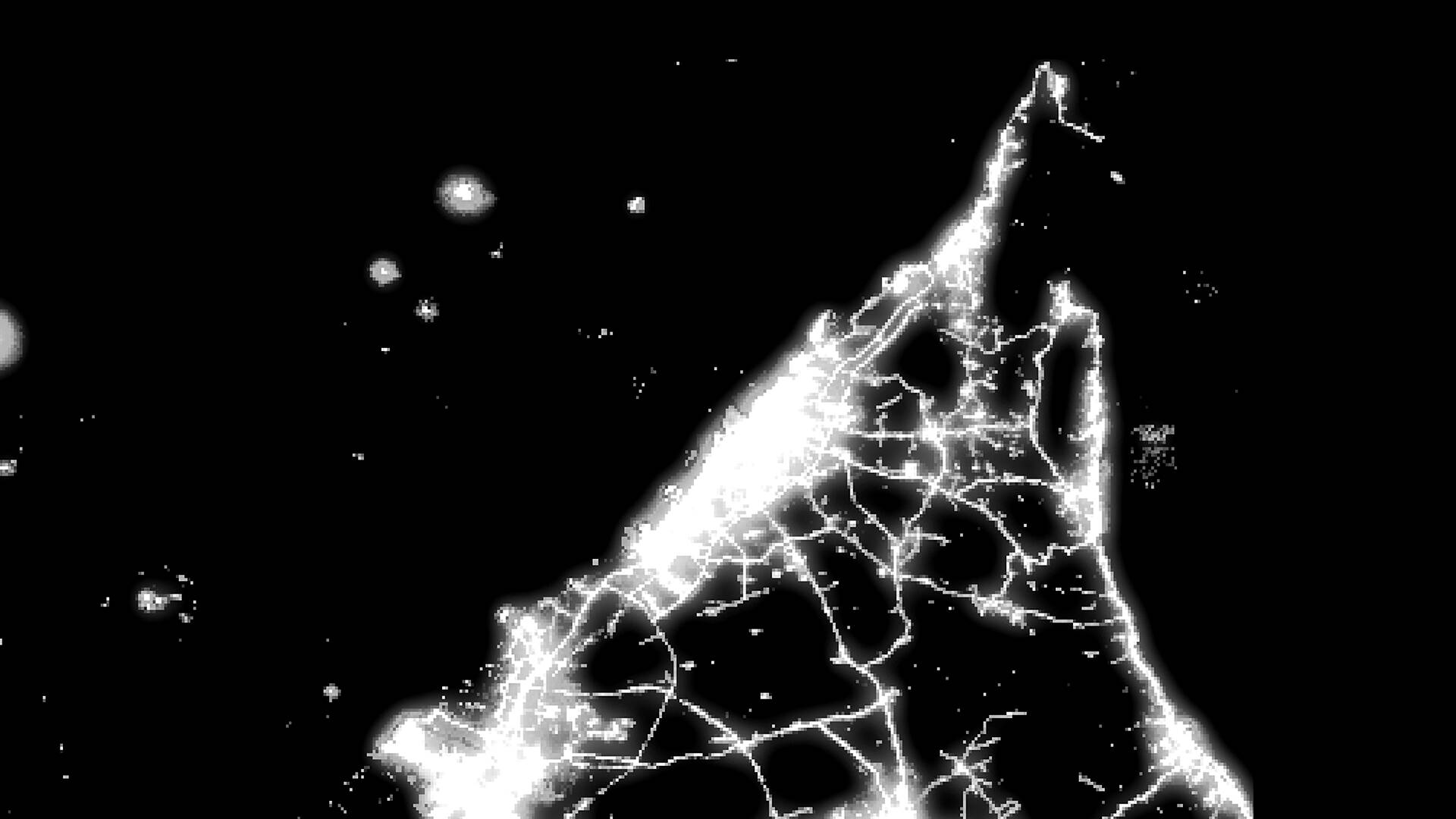
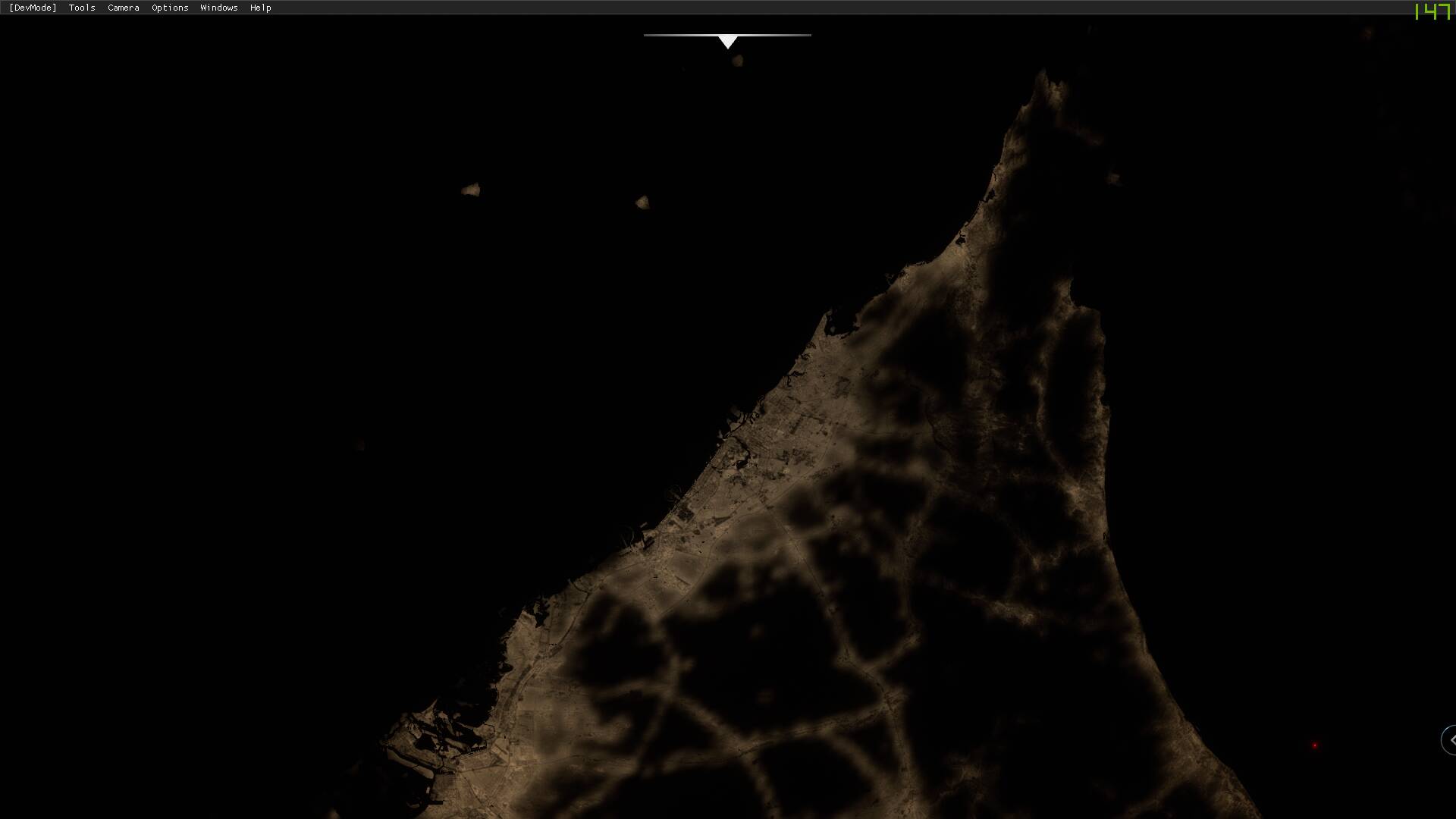
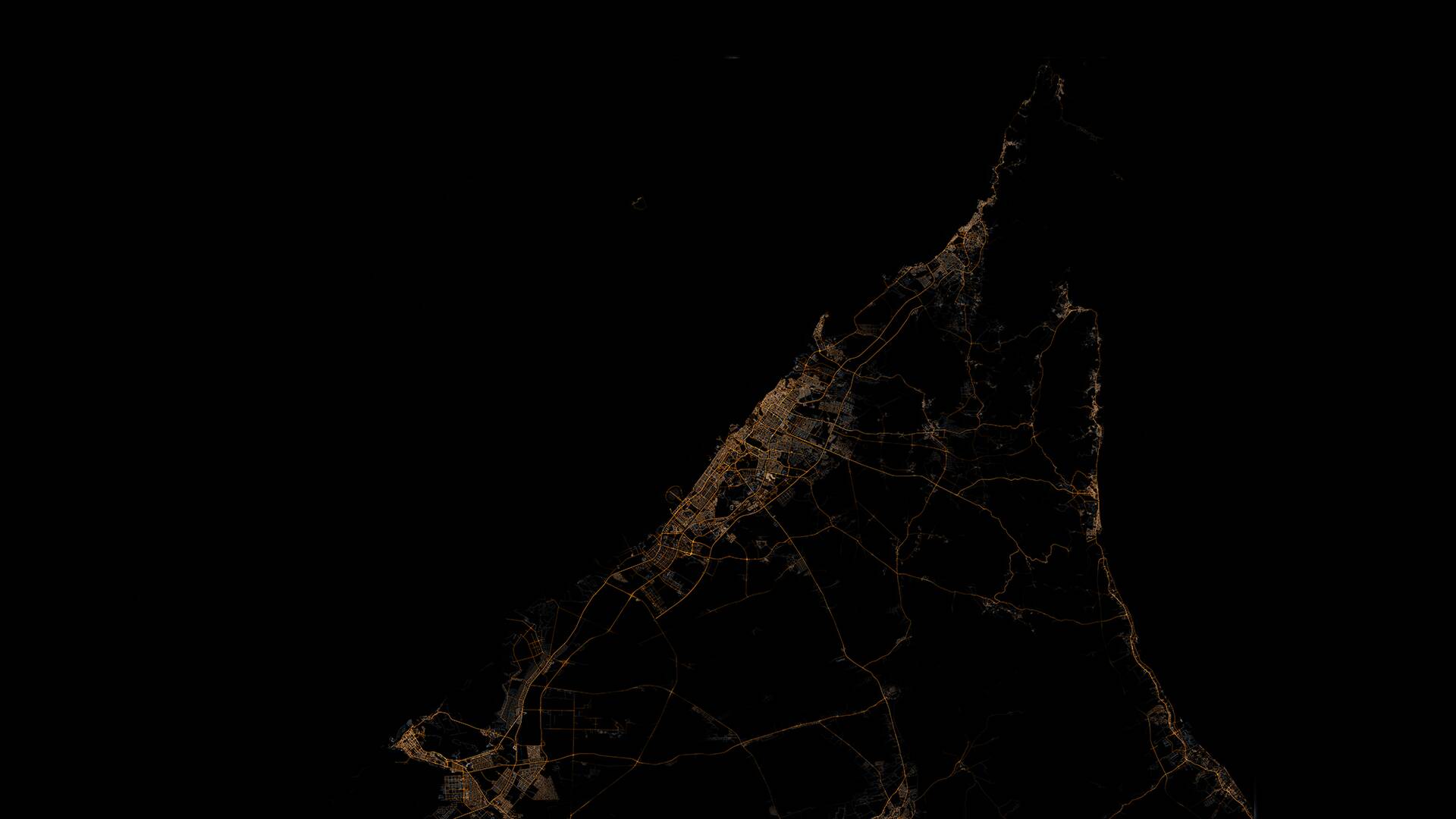
Realistic night lighting doesn’t need any Bing map day textures at all, at least not for long/medium distances.
This has been done even back in the days of FSX addons, by procedurally generating a “light splash texture” as night-map.
Take a look at Dubai in MSFS here… It makes it quite obvious what’s wrong with the previous versions reliance on the “Sepia Mask” / Nasa Black Marble illumination mask.
Compare it to a lightsplash-texture I generated using OSM vector data.
I masked the lamp-generation using the Nasa Black Marble data, restricting lamps only to be generated if within an illuminated area. Random brightness / slight variation in placement could quite easily be introduced as well.
Compare these two and you’ll see what the sepia mask does, and why it’s not realistic for anything else than far away distant horizon. (disclaimer for “not what the eye sees” arguments: This is to illustrate WHAT emits light in the real world. Roads do. Deserts do not. The MSFS in this area is pretty much the opposite of reality.)
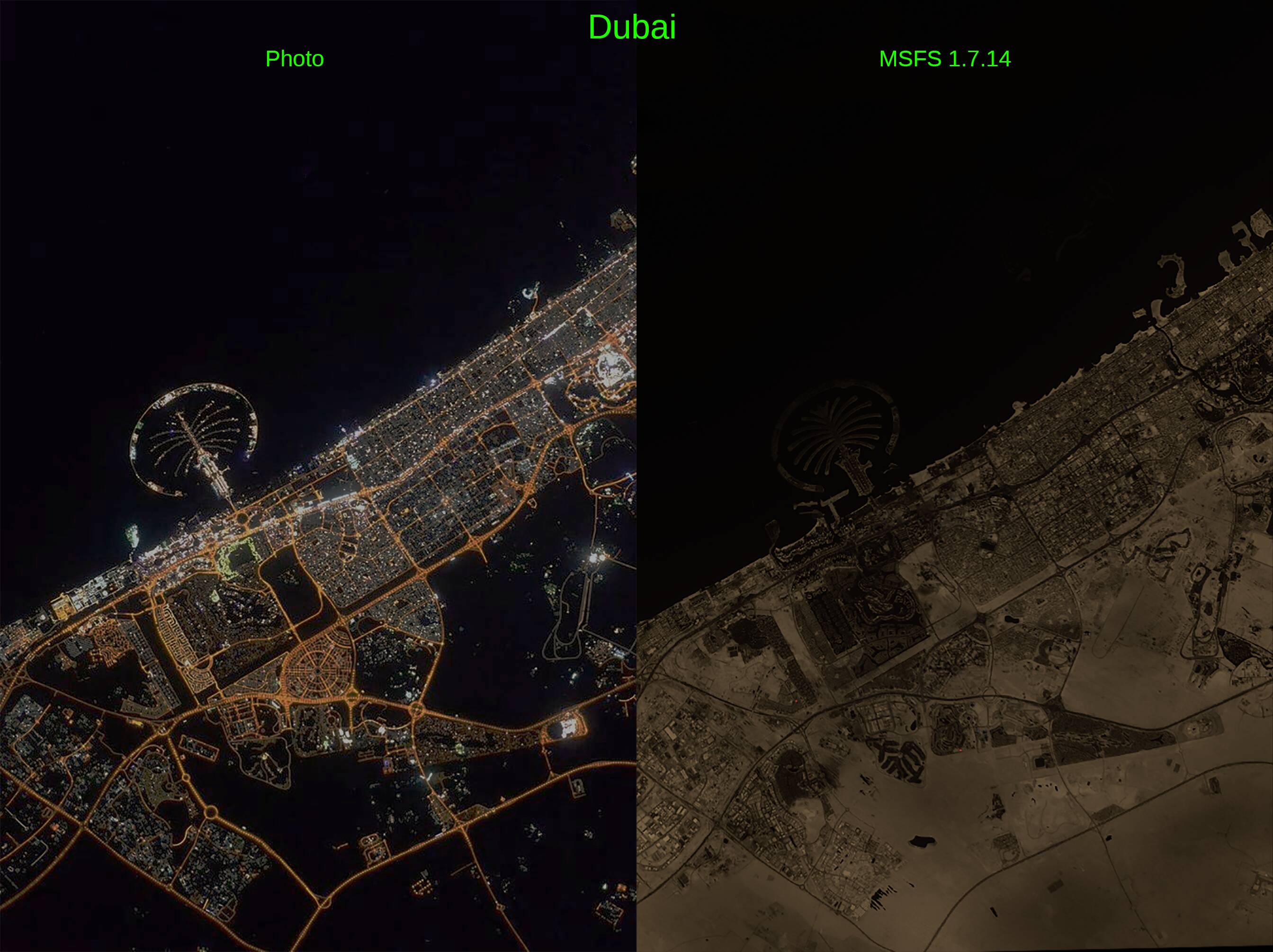
So here’s one of the things I propose.
Restrict Sepia Mask to distant +100km diffuse amber-glowing cities in the horizon seen from altitude. Looks very good for that purpose.
For long/medium distances, use a procedurally generated light-map as the one I’ve made below, based on the sims lamp locations (pretty straightforward since categorizing and placing those lamps is the hardest and most time-consuming part), and for medium distance, use 2d “always face camera” lightbulb-textures.
And for closer distances within the LOD distance for houses/vegetation, fade away lightsplash-texture and use “normal” sim lights which illuminates the ground.
(Somewhat simplified explanation to keep post at a readable length)
Three pics:
First, the Nasa Black Marble data.
Second, MSFS moonless night
Third, lamps placed along OSM vector data and light-splash texture generated, masked using the Nasa data to prevent unlit rural roads getting “highway-lamps”.