Worked for me. I initially tried just “quitting” the game and rebooting but that didn’t work. Did it again, but also restarted the xbox. That worked for me.
please boot the vram too low warning. i hate these pop up warnings intruding in my sim, as a sim is supposed to be immersive duh
5 Likes
I really, really don’t understand what is stopping them from unlocking the Heavy Airliner Rating?? I see the A310 and 747 now listed under passenger airliners, but they’re impossible to fly with the Heavy Rating still locked. Would really, really love to hear what is going on with this rating? It’s not like the game just released- we’re almost into June and this game came out back in November!
4 Likes
I’ll go and cook myself some dinner and try later. Have tried restarting PC as well as that has sometimes helped in the past. 
1 Like
I’ve found Heathrow (from 2020 premium deluxe) to be really bad performance even on 9800x3d and 5090 - but I don’t think this is just SU2
Now I’ll keep my fingers crossed we will get some nice new surprises in marketplace later
Hey, they updated the online flight planner too
1 Like
Updated fine, but I cant comment on SU2 experience because it crashes on loading every time. Removed the community folder, no difference.
Control settings went from around 18 seconds of spinning disk while switching between controllers/aircraft/profiles to an agonizing 45 seconds every time I click the mouse to look at a setting. Congrats MS/Asobo, you actually did what we expected this time and made it worse. Thank you.
7 Likes
Definitely not stable. CTD selecting default A320Neo. Not sure if I should reinstall.
1 Like
There is still circle instead of a plane icon on the MFD map in Cessna 400 and 408. Is this joke or something ?
4 Likes
Well, just loaded in a flight and apparently the mouse look is broken again . It works but it’s very very slow and I cannot find any setting to adjust the sensitivity for mouse look (Xbox)
2 Likes
Got the update OK. Sadly, first thing I check was if condition levers now can be mapped to my Bravo in the C-408 and the SAAB 340. Still not working. Update notes even said, for the C408, it was fixed. Perhaps I misunderstood. Could not even get the condition levers to work with keyboard presses for low idle, high idle, and cut-off.
I was really hoping they would be fixed by Carenado.
Other issue was longer delays when switching controller profiles between my profiles.
I created a topic about that during the beta here. Hopefully this will be able to get some more votes now that it has been released still broken.
1 Like
I am not getting the update…and my personal settings are LOST AGAIN !
Here is what I see for the Update Process.
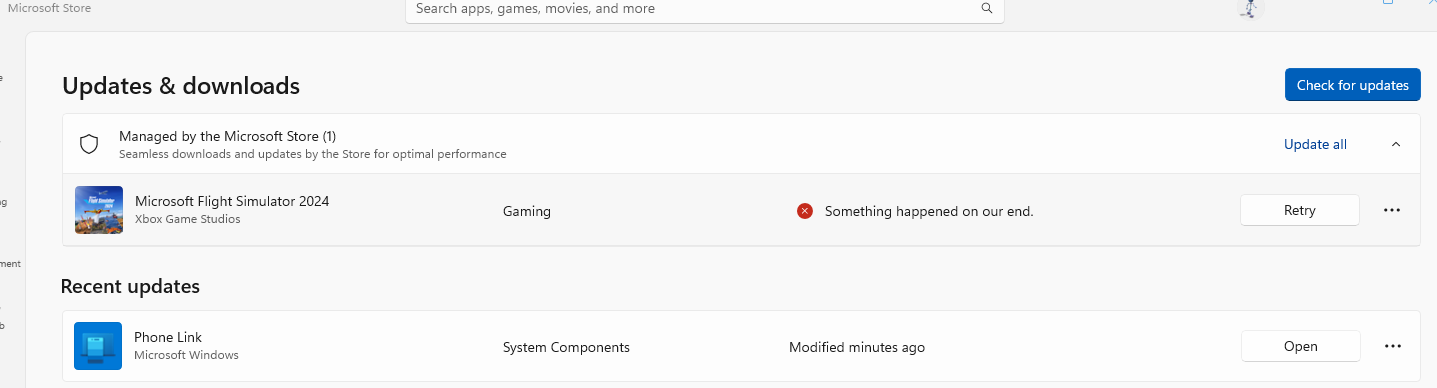
O well… Loosing my hard earned personal settings is just plane “Disrespectful” !
1 Like
Check Event Viewer? Loads fine on my end.
1 Like
If you have not already done so, try rebooting before anything more extreme. This sim has a long history of needing a reboot after updates and add ons for things to settle down.
2 Likes
Not been home to try the update yet, but anyone know if the A330 is available for heavy cargo yet? Also what about the longitude in career? Looked the notes and they have fixed bugs for them in career. Here’s hoping
1 Like
Same or worst performance than before Sim Update 2. Slow menu, slow marketplace, always loading like in slow motion.
Still no Vsync on 4K on Xbox… full of stuttering on airports, gaugues out blured for a few seconds each time you return to the cockpit. The same washed-out textures on regions like the alps…
This simulator is a bad joke
8 Likes
Not only has the time increased but a new treat for me is that you get the same spinning disc even when changing between the presets. just spent a joyful 25 minutes just to set the presets for an aircraft. Quick flight after work not going to happen. Cool.
5 Likes