So after I crashed it respawned right in front of the curb which then flattened out in front of my eyes as everything loaded in - the bump is not there as long as everything has adequately loaded.
Is there anybody who knows for sure whether are those tiles loaded from local files or streamed by servers?
No, I don’t use VR. Normal screen.
It’s been a work in progress since msfs5.1. 30 years I guess?? 
2 Likes
Check it anyway.
1 Like
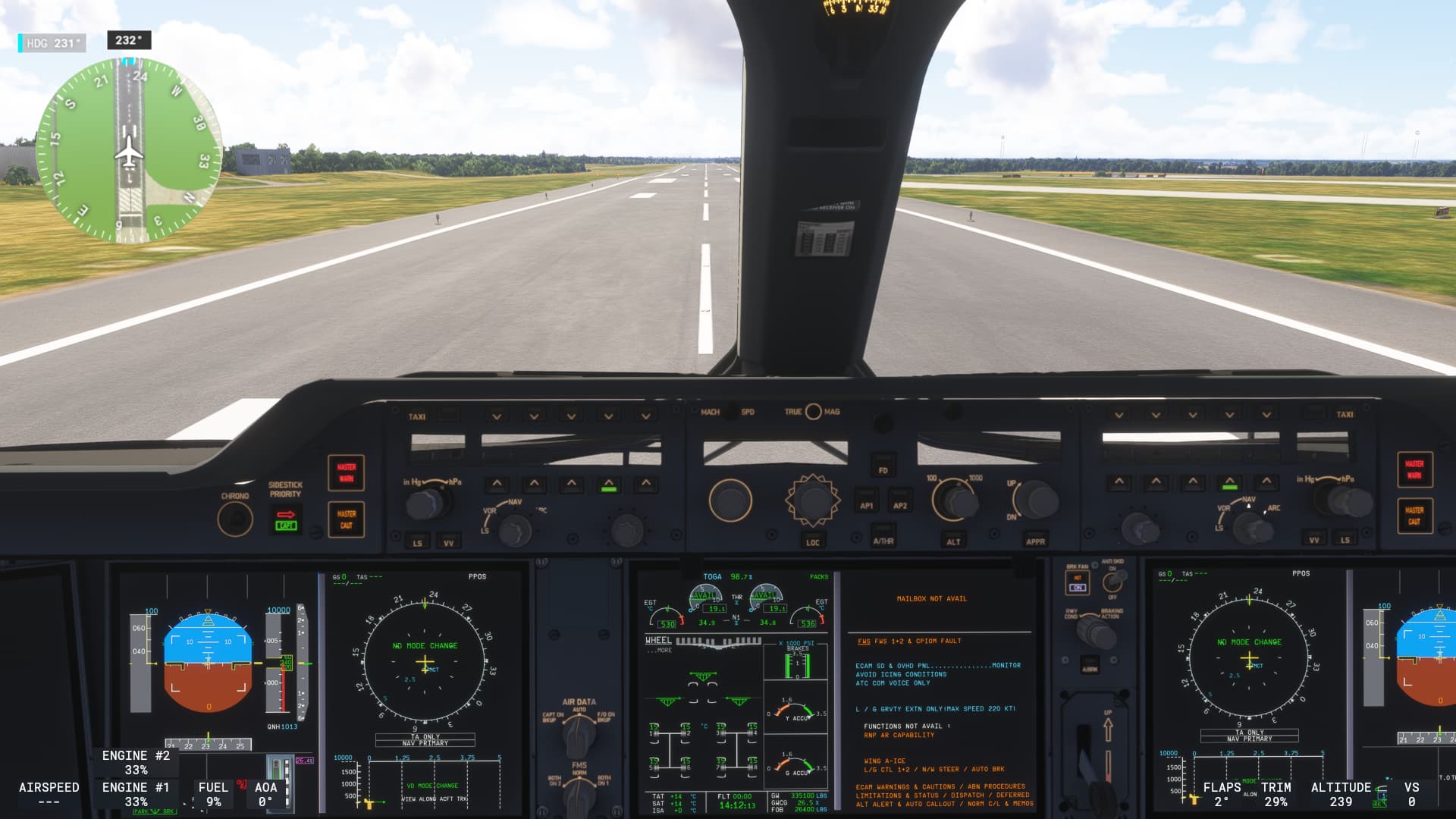
The approach / landing stutters that made SU3 beta completely unusable really seem to have crept back in for me these past few days. Managed to achieve about 5fps on landing into cologne on the XSX.
1 Like
Can I ask whether the airport you flew into was-
- Streamed, stored locally on main SSD or peripheral USB SSD but linked into community?
- Whether this was the first time you had visited this airport
- What your broadband speed is
I’ve seen a lot of this, but I’m not seeing it now on local assets or assets I’ve now moved off my USB and stored directly in community.
For streamed airports there are some enahnced ones that are not optimised and does this every time for me. They are also not donwloadable as they are in base sim. LEBB springs to mind. I did note that there were lots of default enhanced airports with their LOD’s having been modified by Gaya updated in SU3. I shoudl also note that it’s usually streamed/enhanced airports that are doing this. One work around it is to go pay your arrival airport a visit (start on the runway), and just leave it for a minute to all load in to cache. It will then be fine when you fly in to land there later. It’s not ideal to ahve to do this, bu tit works. Lots of default non enhanced airports are fine though and don’t show this late runway texture load in.
This was a default autogen airport (KPIT) so it was streamed (as there’s no way to download autogen airports in advance of which I’m aware) and I had not visited it recently (likely last time I did was prior to resetting rolling cache at some point). Typical speeds are between 100-150Mbps - I’ll get higher than that outside the sim but looking at the FPS display that’s about the max I usually get from the MS CDNs.
This is unusual for me. autogen with default runway textures are usaully fine. But there is something weird about streamed airports and the order in which runway textures and topography is loaded in last.
I have a 30MBit/sec ADSL so you have 4-5x faster broadband than me! It’s strange that only a subset of users are seeing this happen though. Many don’t see it or maybe have fast enough connections that they don’t see it. I was seeing it on locally stored airports too the first time I loaded into one of them after deleting my rolling cache file, but it’s not happening now I’ve moved them locally directly into community. Having a large cach seems to help too. I have mine set at 128GB.
1 Like
Having finally made a full switch from Xbox to PC, and flown in MSFS 2024 on PC now for the first time successfully, there is one thing that stands out to me.
It’s the way that the Sim jutters when it suddenly needs to load something new. It’s evident for me even in the opening “video” when you launch MSFS each time. I know that as the video is playing it is loading the “world” in the background, but why does it still stutter every time? It indicates to me that loading things like this should be more graceful somehow - buffered, or more intelligent pre-fetching…
If they can figure out what causes the stuttering loading of the initial world during the intro, I bet the same fix would apply and help with normal flight.
4 Likes
I experience the same but just to say this has existed since Nov 24 for me anyway. I will add that it has got worse since SU3. I used to only get it when the crop spraying scene was on but now get it in most cut scenes. It even hesitates at the desert rescue scene for a sec or 2.
The last week I have been flying the longitude on series x. Had all settings to low or off, PG on, air traffic off. I have only used the efb at parking to plan flight. After each session I have unplugged console for 30 seconds. Kept away from major cities. Each flight has been ultra smooth. Planned a flight this morning from China to Denmark so decided to introduce airport traffic to medium from low. Spawned on runway in China,not a major airport, stutters, stutters on climb. It smoothed out at cruise. LOD wasn’t the best throughout flight. Coming into kastrup and the stutters began, nothing major and was able to land comfortably. So went back into settings,turned airport traffic back to low, turned off console and unplugged. Plugged back in, spawned at Manchester, runway detail perfect in a second. Ultra smooth in cockpit and taking off, LOD perfect. Gonna start using efb in flight tomorrow and see what happens
After SU3 its no longer possible to go outside my helicopter using the Y button on my Quest 3 controller in VR. Probably a bug introduced with SU3..
2 Likes
It’s not a bug. SU3 changed the bindings for the Quest controllers. Y is now the button for quick response in career missions. The one for leaving the aircraft is now Trigger 2 (the one for the middle finger on the right controller) + A.
I only found out about that because you get that info when you play career missions
2 Likes
Speaking of stutters, sometimes I get audio stutters when flying over high-density areas like Los Angeles, but video is smooth. No such symptoms over normal terrain, etc. What can that mean?
1 Like
Wow so here we go again, the sim is not loading properly and performing like pants
Main menu Career mode tile avatar won’t load at all whatsoever - major red flag
Stutters in the map, map taking an age to do things
Audio stutters in the menu and on the tarmac
Load into flight stutters galore, poor LOD
Yesterday I had flawless session
I have done nothing on my side, so this one’s on you Asobo, you really need to take a look at your servers because the inconsistency is driving us away
5 Likes
Today on two occasions with “new LOD curve” and without I was able to establish repeatedly that the new / default LOD curve seems to be responsible for my loss of TLOD / runway textures on approach. After switching this off in dev mode I was able to land twice with the runway textures intact. The game still feels very beta. Night lighting needs a lot of improvement although sometimes it’s great I’d say overall it’s much too bright. Flying the fenix sometimes I had flood lights and sometimes they didn’t render? Landing lights are visible in the flightdeck at certain angles? My takeoff was very smooth. Landing (I’ve focused more on texture loading…) had a few stutters. Seems the game is in need of another update.
2 Likes
Really sad that we cant run this sim smooth without FG etc.
3 Likes
So at the launch of sim update 3 (v27 - final) I continued to have bad stutters especially at North America North East airports. Career mode. The stutters were evident from mission start and opening the EFB flightplan, or worse - editing the flight plan was a near assurance of poor performance for the flight.
But - on a whim I looked at the Insider Programme app. It indicated I was still enrolled in the beta for 2024 and 2020. I unregistered from both.
Immediately thereafter and to this point, the stutters have been much less. Not gone, but greatly reduced, particularly at mission start.
I also continue to do all the things many Xbox simmers have been doing - clear reserved space - launch game - turn all graphic options to low/off - set preferred RC size (32Gb) - fly - avoid EFB unless absolutely needed - repeat. Attempts at a second flight without this rigamarole start stuttery and degrade over time.
XSX, 1gbs, hotas, keyb, mouse, everything wired