I spent a little bit of time using the PIX graphics debugger to try to explain how the quad views rendering works in SU2.
(While I’m not allowed to talk about some of the details I discussed with the devs, I consider my findings with the PIX debugger “publicly available”, since anyone with the tool and the game can go and do it).
Tl;dr is at the bottom of the post
But technical details below for those interested.
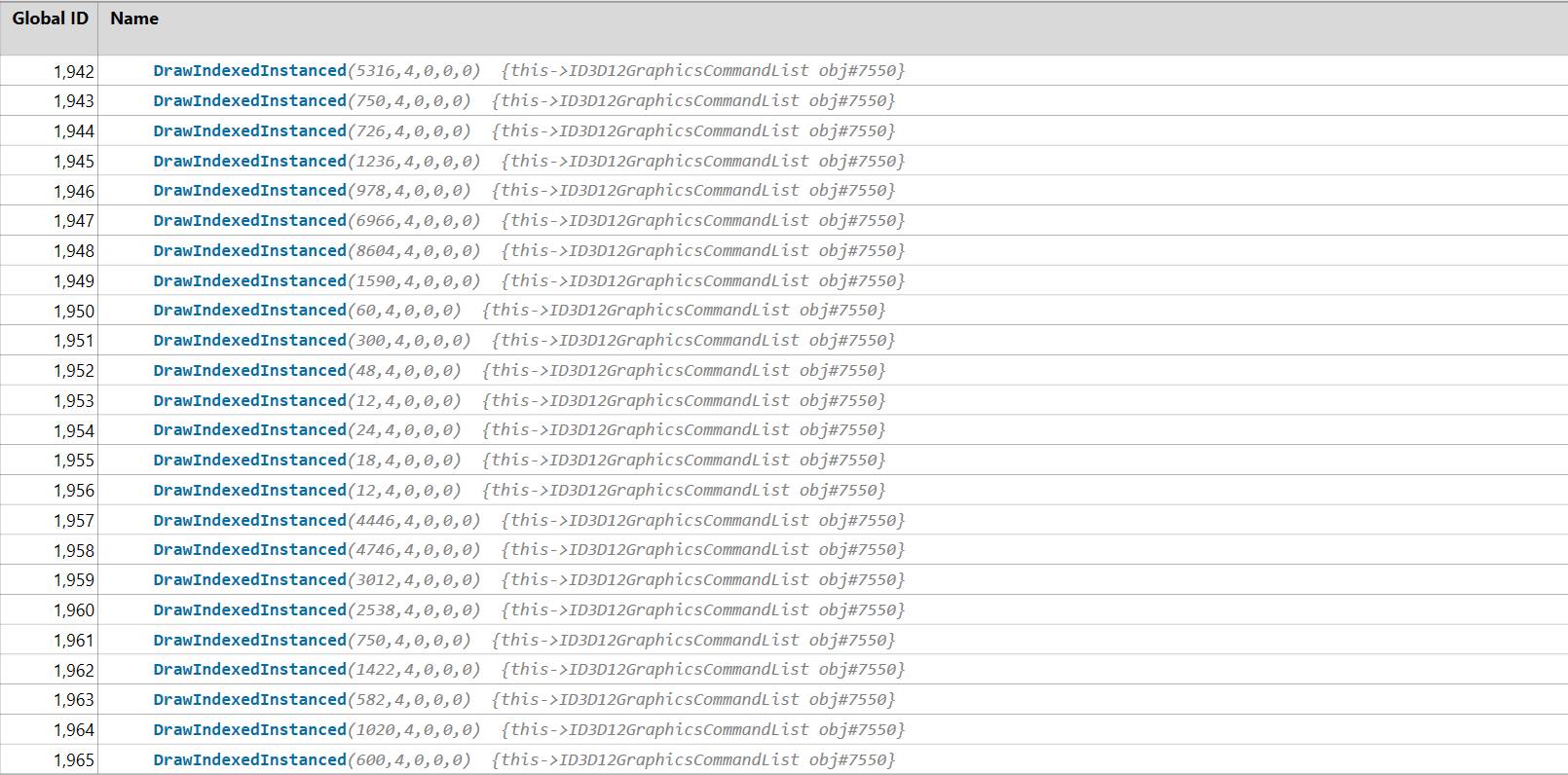
First we see a whole bunch of draw operation, and the cool thing about them is that they are instanced with a count=4, which means that the game engine submits the geometry once for all 4 views. That’s a significant achievement in terms of reducing CPU overhead (but read further, this isn’t entirely optimized). Here is an example of a few calls:
(this 2nd number, which is 4 for all of them, is the instance count, aka draw the same geometry 4 times).
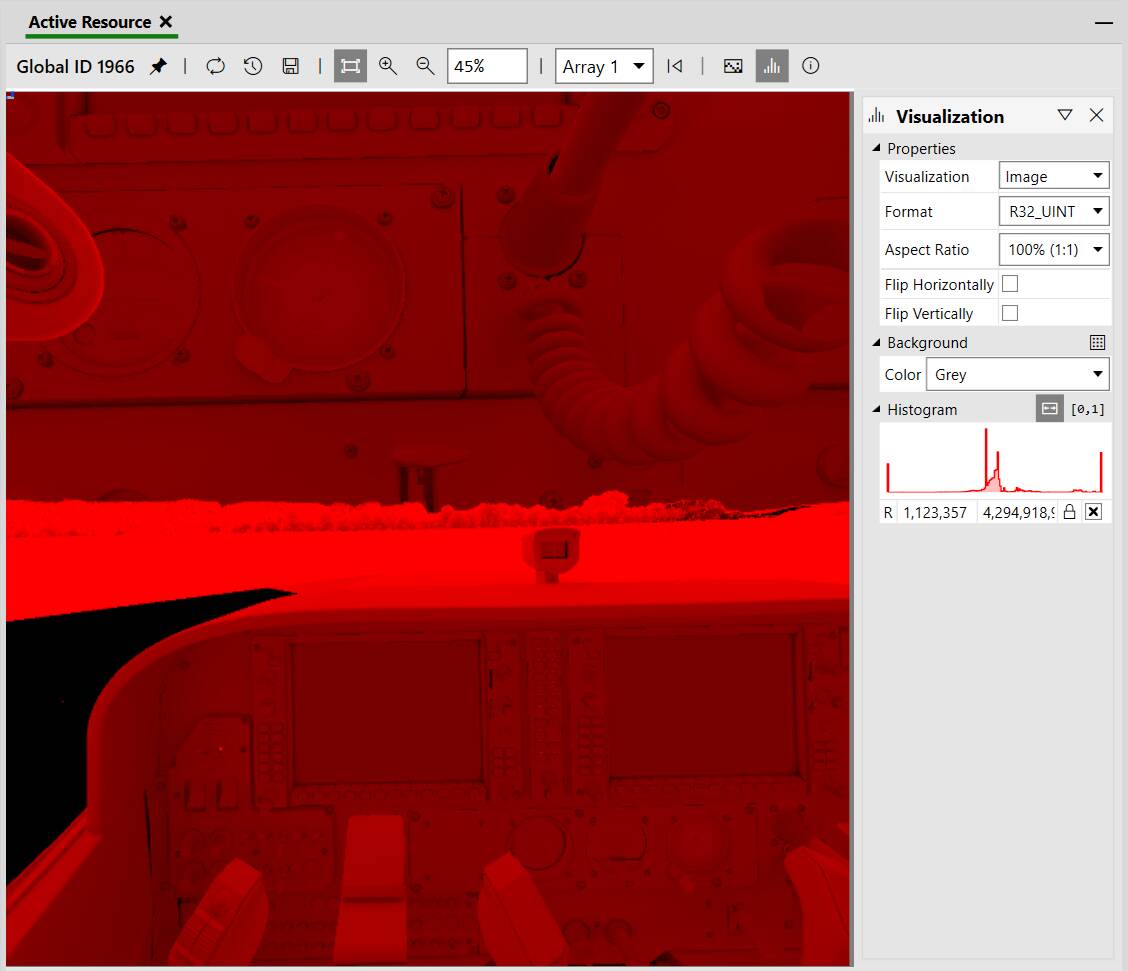
Now let’s look at the output of one of these calls. Because the game uses deferred rendering, you can’t really see the “colored” image until the end (the “resolve pass” which combines the outcome of all intermediate stages). So my screenshots below are “red-ish”, that is because in Direct3D, a single-component texture is considered to encode Red.
We see a “texture array” of size=4, which is basically a collection textures of the same size (this is an important detail we will talk about again below), and each texture will correspond to one of the instance being rendered (a view).
Looking at the first two “slices” of the array:
These are the full FOV left and right eye views.
(We note that there is some sort of bug with the hidden area mesh, aka the stencil that should be preventing rendering of the pixels that are not visible in the headset - while the left view appears to properly cull the unnecessary pixels as seen on the 4 corners of the first image - the right view seems to ignore the stencil and renders a bunch of unnecessary pixels. This is unrelated to foveated rendering, just a more general rendering bug it appears).
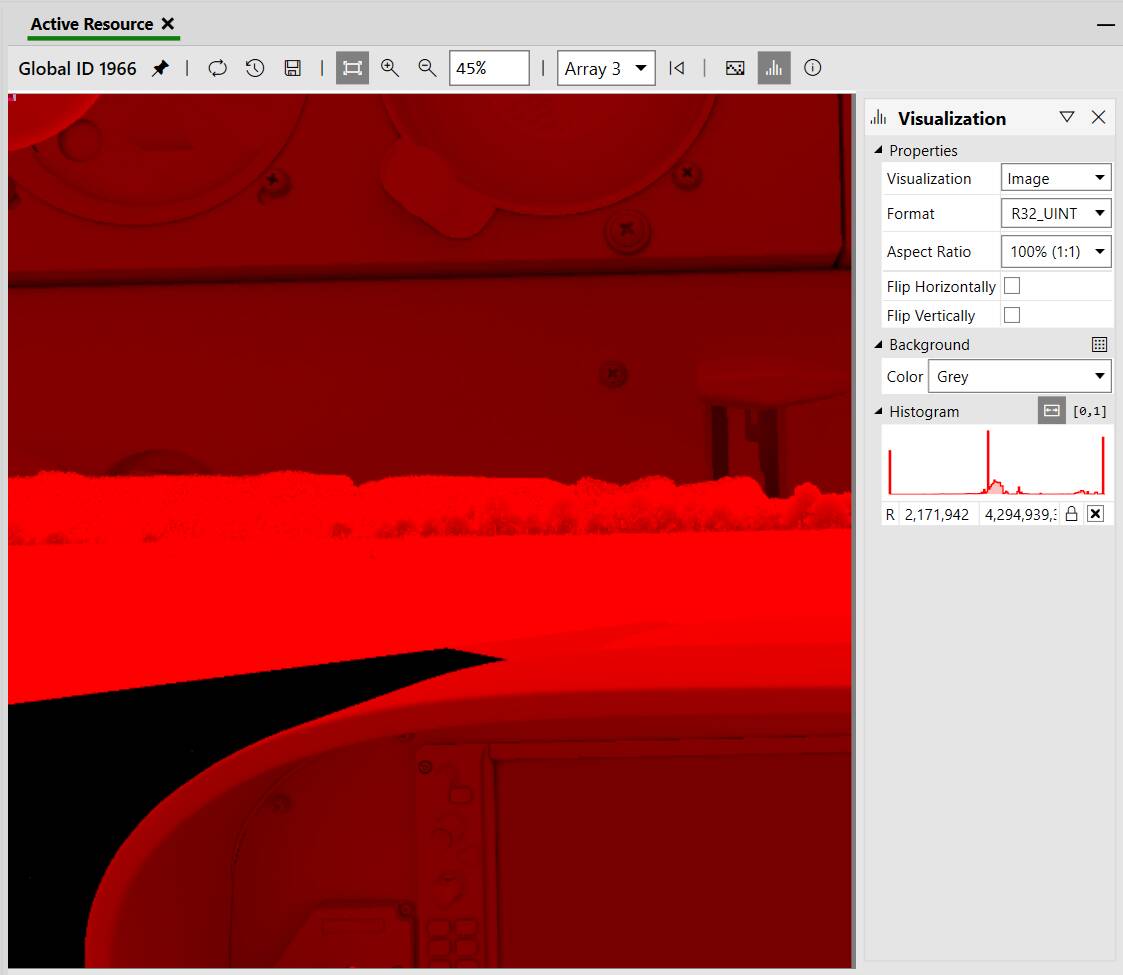
And the next two slices:
These are the “inner” (aka the foveated) regions for the left and right eye views.
We learned something very very important here:
Both the full view and inner views are rendered at the same resolution.
We know that because all 4 images above are fully covered in pixels (no black bands on each side) and the images are part of a texture array, which by definition is images of the same resolution.
Now let’s do some math. This capture is taken on my Quest 2 with VDXR. I can’t recall what setting I use, but the VDXR log tells me the resolution:
2025-03-28 21:51:27 -0700: Using D3D12 on adapter: NVIDIA GeForce RTX 4070
2025-03-28 21:51:27 -0700: Recommended resolution: 2496x2592
In the game, my settings are TAA with 100% render scale. That is 2*2496*2592 ~= 13 million pixels when using stereo rendering.
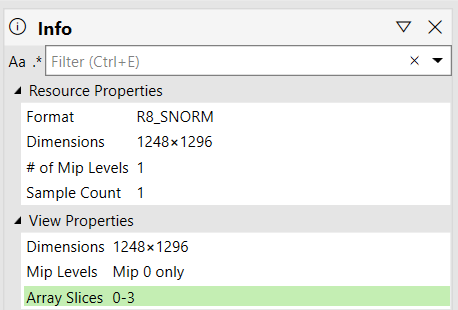
Now here with quad views, we see the game rendering to a texture array with these properties:
With quad views in the current configuration, we are down to 4*1248*1296 ~= 6.5 million pixels, aka 50% of the number of pixels it would have taken to render stereo.
So this is the target in the game engine, the value you cannot change - render half of the total pixel count when using foveated rendering.
The unknown at this point is the pixel density of the full FOV and inner viewports. These are normally baked in the projection matrices which are passed in “opaque” buffers to the pixel shader. I cannot look at them without the source code. So let’s try to infer them instead.
In order to do that, we are going to try to overlay the two images and line them up together. No magic here, I literally opened PowerPoint, pasted the two images, and then manually resized the inner view until I could line it up inside the full FOV view. This is for the left eye:
That looks close enough to me. Now here are the observations.
As you can see, the inner view isn’t centered in the middle of the full FOV view. This is normal, this is because of eye convergence. The inner viewport of the left eye view is towards the right side of the full view, because this is where your eye is naturally looking at. Of course, with eye tracking, this will eventually move all over the place and follow your eye gaze!
Now in term of sizes, what we see (and the measurement confirms) is that the inner view covers 25% of the full view, aka 50% on each axis.
So it looks like Asobo when for rendering 50% of the total pixel count and with a foveated region that is covering 50% of the panel on each axis 
So in terms of pixel density, this is now pretty trivial to answer:
- The foveated region is rendering 50% of the view at 50% resolution, so both 50% cancel each other - the foveated region is rendered with a pixel density of 1.0 (aka full pixel density).
- The full FOV (peripheral region) is rendering 100% of the view at 50% resolution, so this means the pixel density of the peripheral region is 0.25.
For folks who are familiar with my Quad-Views-Foveated API layer, this would be equivalent to the following configuration:
peripheral_multiplier=0.5
focus_multiplier=1
horizontal_focus_section=0.5
vertical_focus_section=0.5
So this is what we learned today
One challenging thing that I see here, is that it is not easy for Asobo to make this configurable easily. Because they are using texture arrays, the only option to reduce the pixel density of the peripheral region below 50% is to use customized viewports, which while not complicated, is particularly tedious to do (they have to update all the shaders to pick the corresponding viewport for each view).
As for changing the size of the foveated region, this is also kinda challenging, because while they can play with the projection matrices to make the inner viewport smaller or bigger, they also need to be able to adapt the resolution to maintain a uniform PPD. So both configurability options require the tedious update of all shaders 
In addition to that - this is not the only (biggest?) problem currently. Out of the 3,700 draw calls used for this scene, only 1,226 were instanced. That means that only one third of the rendering is currently leveraging optimized submission of geometry. This is what results in the CPU increase, and is probably a more limiting factor than any configurability of the foveated parameters.
tl;dr:
- Foveated rendering settings aim to render 50% less pixels than without foveated rendering.
- Foveated region covers 25% of your panel and is rendered at 100% pixel density, while peripheral region is rendered at 25% pixel density.
- While view instancing is used to reduce CPU overhead, it is only used for ~33% of the total rendering (room for improvement)
(Thank you for coming to my TED talk  )
)