2024.12.22 - v1.2.8.0 - Keeping frequently used assets (aircraft) in the cache
In order to confirm the conclusions of my previous tests I tried to investigate the following question:
- Can I prevent assets from getting removed from the cache by “using” them?
- In cases of a “strict” FIFO cache usage logic that would not be the case with my test setup.
For this I performed the following steps:
- I continued using the
RollingCache.cccthat was fill up during the tests of the 15th and 18th. - In every new test (C to F) I tried to trigger a “keep alive” for the same 3 focus aircraft.
- For each aircraft all variants and all liveries have been checked via the “Configure Aircraft” screen.
- The aircraft have already but inside the RC due to prior tests:
- Airbus H225 (v1.0.0) … Test 2 and 3
- Airbus A400M (v2.6.0) … Test 5 and 7
- Vision Jet (v2.6.0) … Test 1 to 9
- I then visit a handmade large international airport in a TIN city and tried to trigger at least 6 GB of writes into the cache.
- In each test I picked one of the 3 aircraft for the flight in a “round robin” order.
- This should ensure that even the high res cockpit and internal data stays in the cache
- … as I used the drone camera to “inspect” every detail inside and outside the aircraft.
- I also took a lot of time to look at all the service vehicles, cars and other handmade details at the airport.
- This should ensure that even the high res cockpit and internal data stays in the cache
- In each test I picked one of the 3 aircraft for the flight in a “round robin” order.
So I was basically spending a lot of time looking at sceneries like the following before flying into the city with the drone cam:
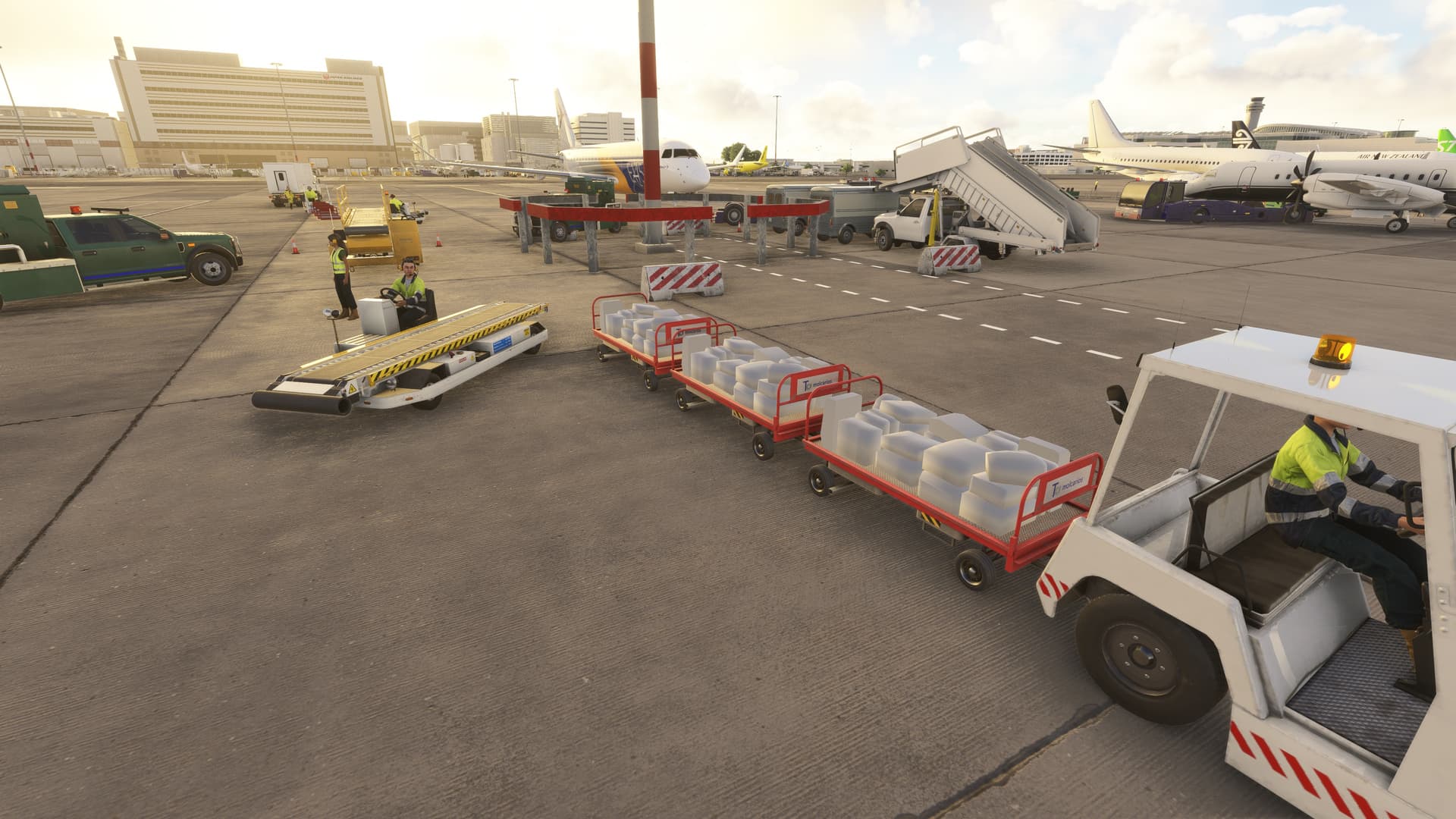
Notice the white baggage. This is just one of countless “interesting” render issues, which are most likely reflecting download and model creation problems.
The following is a quick overview of the 4 tests which were used in this analysis:
- Test C = RJTT and Tokyo
- Launch duration: 3 minutes
- Test D = EDDF and Frankfurt am Main
- Launch duration: 3 minutes
- Test E = KJFK and New York
- Launch duration: 3 minutes
- Test F = LFPG and Paris
- Launch duration: 3 minutes
The launch time for the sim was surprisingly consistent during this day.
As before, the table below contains a summary of the most important metrics, which again have been collecd via Process Monitor recordings:
- Test Nr. … also includes the time (CET) of the test.
- Aircraft … which model was used for the actual “Free Flight”.
- RC MB write … shows the MB which have been written to the
RollingCache.ccc. - IP MB read … shows the MB which have been read from the servers over the TCP-IPv4/6 network connections.
| Test Nr. | Aircraft | RC MB write | IP MB read |
|---|---|---|---|
| C (07.12) | Airbus H225 | 6,170 | 6,730 |
| D (08.07) | Airbus A400M | 9,670 | 12,430 |
| E (10.43) | Vision Jet | 9,690 | 12,040 |
| F (12.37) | Airbus H225 | 10,930 | 12,680 |
| Sum | 36,460 | 43,880 |
There is one “interesting” aspect in this table:
- Besides Test C in all other tests there was a significantly larger (2 to 3 GB) amount of network downloads than RC writes.
- The reason is unclear to me, and the pattern is new.
- I have visited Tokyo in a test prior to Test C … so
- … therefore my best guess at this point is, that it might be a special characteristic of TIN landscape data downloads.
- I might revisit this in the future as it looks interesting. However, I do provide a suggestion at the end of this analysis.
- I have visited Tokyo in a test prior to Test C … so
- The reason is unclear to me, and the pattern is new.
After Test F I painted the two pictures which you can see below. Image (F) contains the content classification which does show the usual features: blue is readable text, white are zeros, and purple is other data.

- There are (still) two big blocks in Test F.
- The first block (a mostly white block of zero) must be a content index block.
- It has a size of a little over 1 GB inside the
RollingCache.cccfile. - The tiny purple line at the beginning continues to grow in length.
- I will need to revisit this purple line in more detail, as it seems to contain the “important” information necessary to really understand the cache.
- It has a size of a little over 1 GB inside the
- The second block (mostly purple) must be a binary data block.
- The white regions indicate places where old data has been deleted. Those white regions are fairly fragmented.
- The BLOBs (Binary Large Objects) most likely are broken up into smaller chunks (which is a common way for data transmission in a CDN universe).
- The “iconic” blue line at the beginning is there since the very first launch of the sim, when the 16 GB RC was created.
- SPOILER ALERT … This line will become important in one of the future tests.
- The white regions indicate places where old data has been deleted. Those white regions are fairly fragmented.
Next I painted Image (F-1) where I compared the content of the cache snapshot from Test F to every snapshot up to Test 1. Think of this as a multi layer delta analysis:

- The longer data has stayed identical to the content of Test F, the darker the color.
- The darkest green area is at the beginning of the binary data block.
- This contains the blue text parts which have been downloaded during the first launch process of Test 1.
- While all Test 1 data is still present … the frist green block is larger than the data of Test 1.
- … as it also contains data which originated from Test 2. This should be the:
- Vision Jet
- The second dark green area mostly originated from Test 2.
- Based on the order in which I looked at the aircraft during that test this must be data from the:
- Airbus H225
- Based on the order in which I looked at the aircraft during that test this must be data from the:
- Some of the later data in the second green area comes from Test 3.
- Based on my aircraft list of that test this can only be data from one of those two aircraft:
- Vision Jet
- Airbus H225
- Perhaps those are textures or 3D data which failed to load completely during the pervious tests.
- Based on my aircraft list of that test this can only be data from one of those two aircraft:
- None of the data of Test F originated during Test 5!
- This is interesting because during Test 5 I had a first look at the:
- Airbus A400M
- Most likely there was a version update of the Airbus A400M between those tests and so that “old” data was not preserved.
- This is interesting because during Test 5 I had a first look at the:
- Most of the green lines below the third green area originated from Test 9.
- In Test 9 I visited KSFO with the Vision Jet. So there might be two likely candidates here:
- This should contain … Vision Jet cockpit details and high LOD internal and external models.
- … and it most likely contains cars and ground vehicles which are used in all FS2024 airports.
- In Test 9 I visited KSFO with the Vision Jet. So there might be two likely candidates here:
- The thrid major green area originates from Test C.
- So this must contain all the details of the:
- Airbus H225
- So this must contain all the details of the:
- The Test D produces many green lines all over the place which are very weak (not old).
- They should contain all the cockpit and internal cargo area details of the:
- Airbus A400M
- They should contain all the cockpit and internal cargo area details of the:
To summerize my findings from this group of tests:
- In total I tried to push around 6 GB of new data into the
RollingCache.cccduring each test.- Around 5 GB of downloads have been triggered by visiting a large handmade international airport.
- A large part are the aircraft … the one I was flying and the static aircraft
- … and vehicles (cars, trucks, busses, …) and common objects (boxes, fences, people, …)
- A large part are the aircraft … the one I was flying and the static aircraft
- 1 GB of TIN landscape of the nearby metropolis will be downloaded fairly quickly … within around 10 minutes.
- Around 5 GB of downloads have been triggered by visiting a large handmade international airport.
- The tests confirmed that the
RollingCache.cccdoes not follow a simplistic FIFO logic- … but it at least seems to imply a Least Recently Used (LRU) cache replacement policy.
- The large 3 GB delta between “IP MB read” and the “RC MB write” might even hint at some SIEVE style logic prior to the LRU policy.
- See: Cache replacement policies - Wikipedia
- … but it at least seems to imply a Least Recently Used (LRU) cache replacement policy.
Cliff hanger: All in all this looks like very good news … however … (to be continued).