2024.12.23 - v1.2.8.0 - Will a “failure” to cache 3D data infect the RC for subsequent flights? No.
While trying to record the results of Test H I, by accident, did record Test G, which is the main witness for this analysis.
Flying east of KLAX with my drone cam, after a while, I was increasingly confronted with this “not so Ultra” TIN landscape:
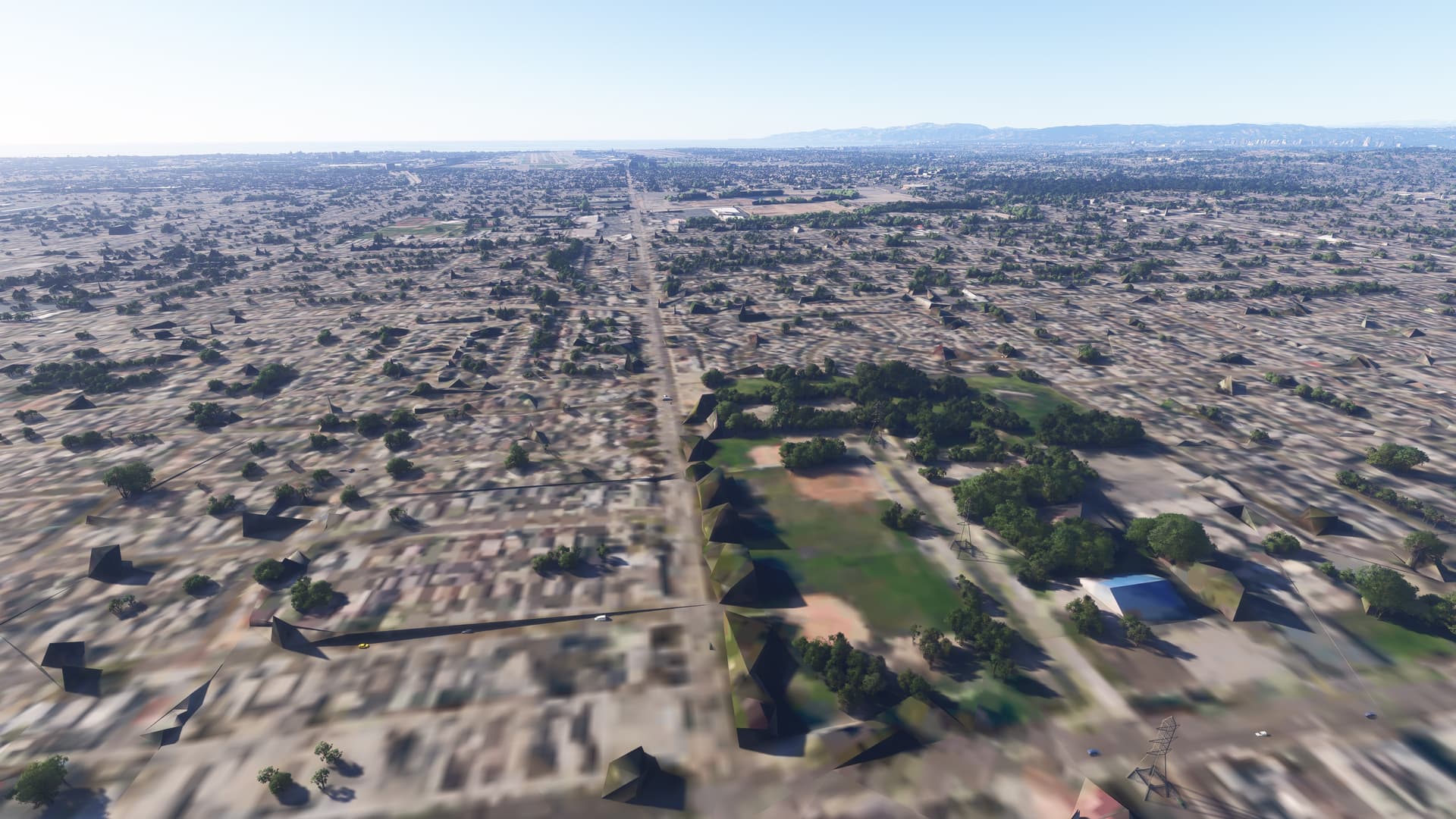
I kept the drone cam in that location for almost 10 minutes … but no “landscape healing” was visible.
This is similar to the following example (and there are countless in my screenshot folders)
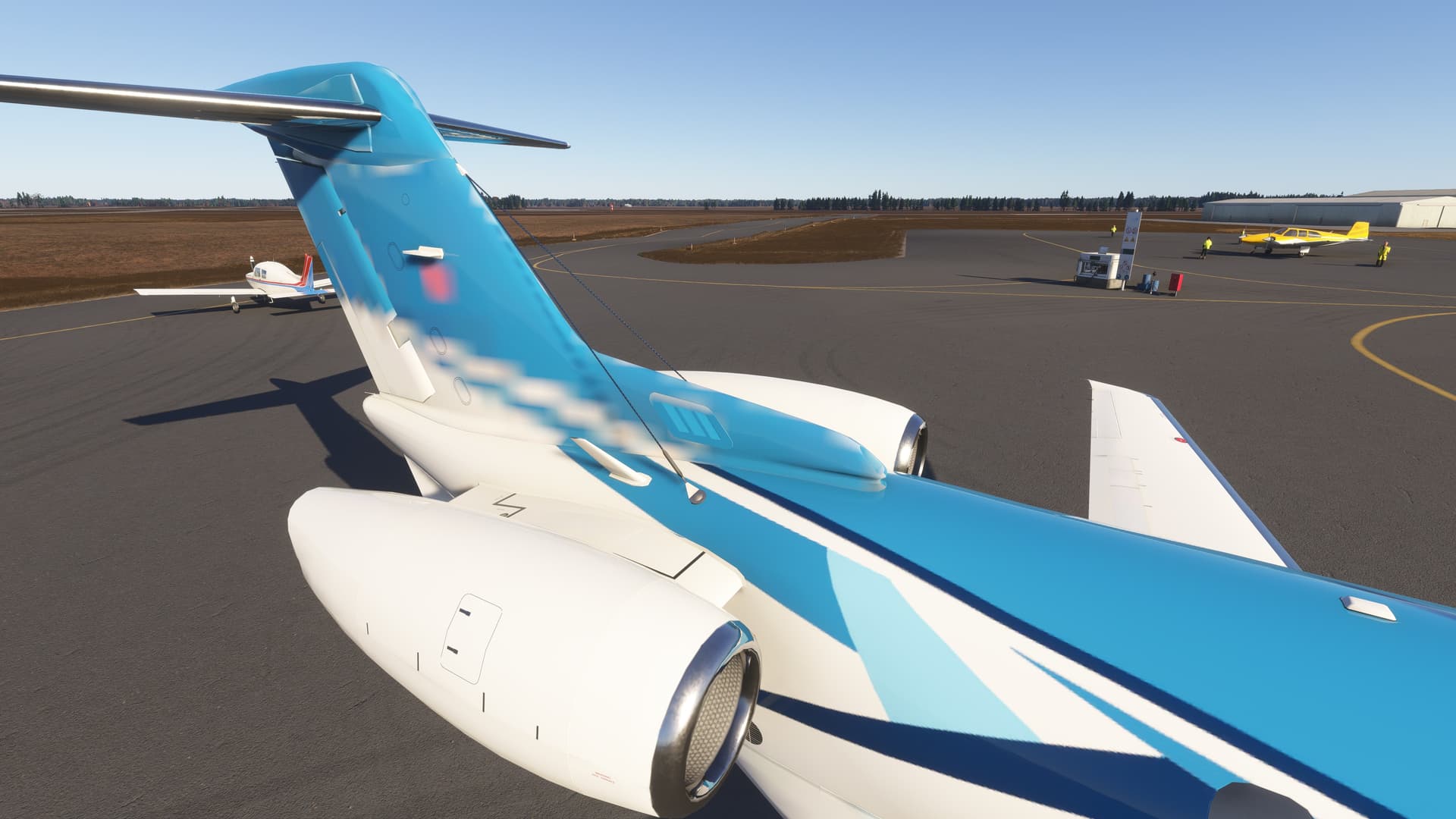
Here a static, parked “Pilatus” aircraft obviously failed to load in a consistent way (due to low bandwidth and stressed server conditions). The texture of the rudder is only available in a far lower LOD than the rest of the aircraft.
Even after 30 minutes of almost idle network connections the rudder texture did not “heal”.
The obvious question which did arise from the “broken” TIN in LA was:
- Will incomplete or failed data remain in the RC
- … and will it “infect” all future flights in that region until the cache is either deleted
- or lots and lots of new data wipes out the cached “infected” 3D objects?
- … and will it “infect” all future flights in that region until the cache is either deleted
From what I have seen it is very hard to say which condition the system has reached:
- F) Some visual data “failures” will not heal, no matter how long the camera stays in place looking at them.
- H) Some visual data “failures” actually will heal, after a long period of time.
I did “bird” watch an example for the H)ealing case in the city of Frankfurt (EDDF). It took 2 minutes to get from the first image to the second image.
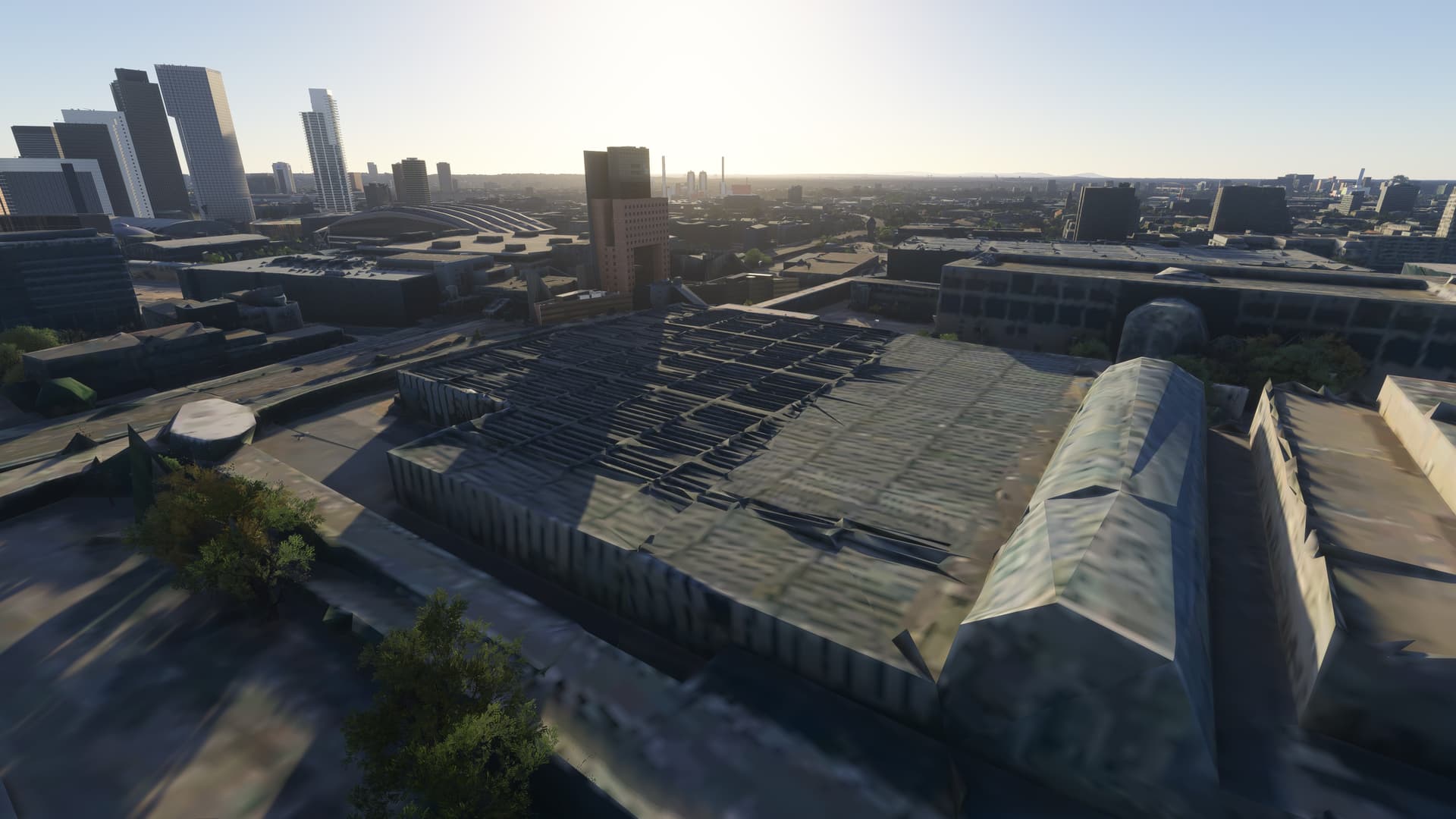
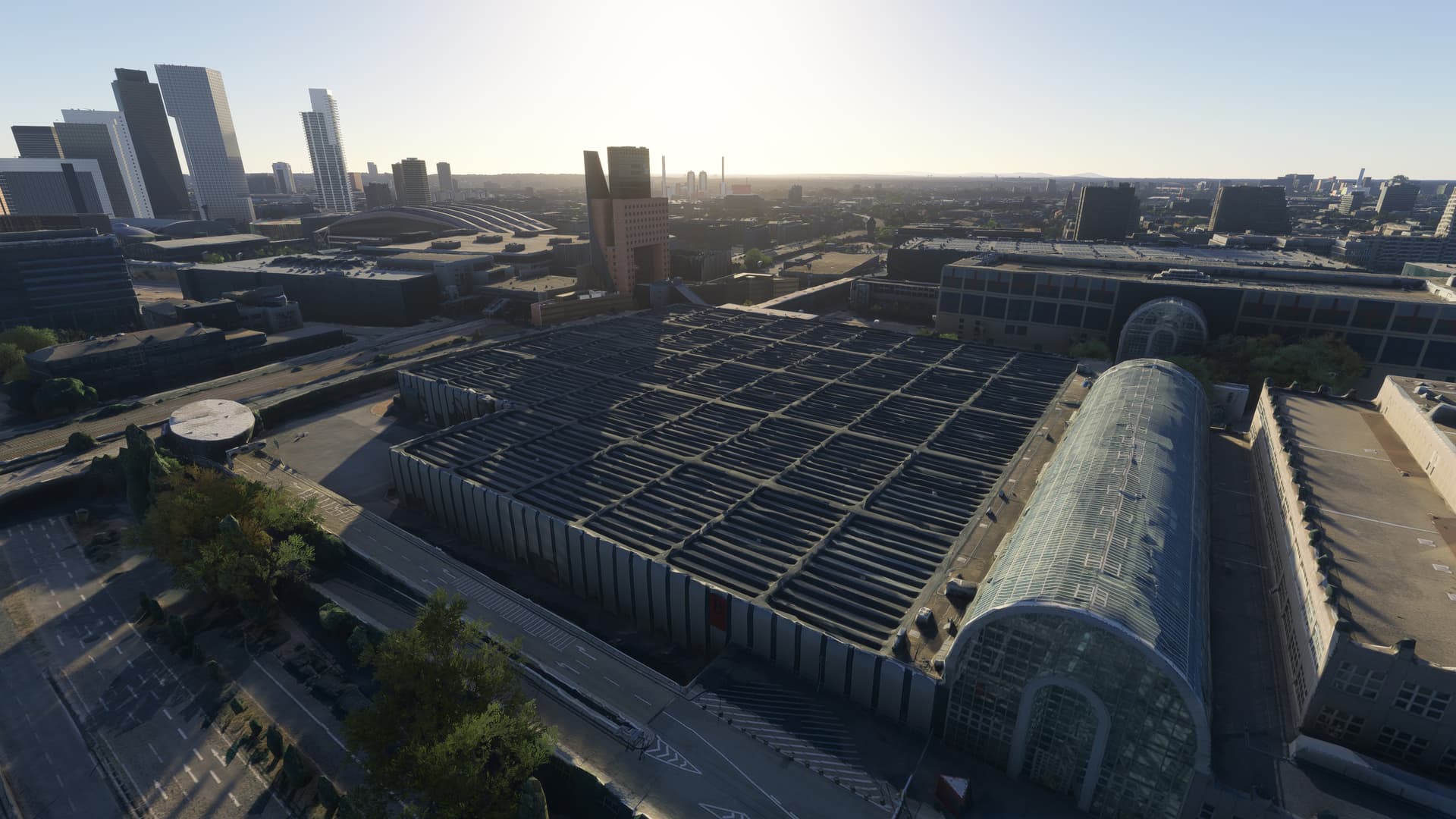
However, the KLAX landscape of Test G was clearly in the F)ailure category; not healing at all.
To find out if that failed landscape did produce an “infected” cache I tried the following:
- I did a normal “quit to desktop” from Test G
- … which did preserve all the (failed) KLAX-LA data inside the RC.
- I waited for a time and day where I hoped for “bored servers” and lots of bandwidth
- … and started a new sim process for Test H.
- Again I took the Airbus A400M to KLAX
- … and then zipped with the drone cam into the LA TIN landscape.
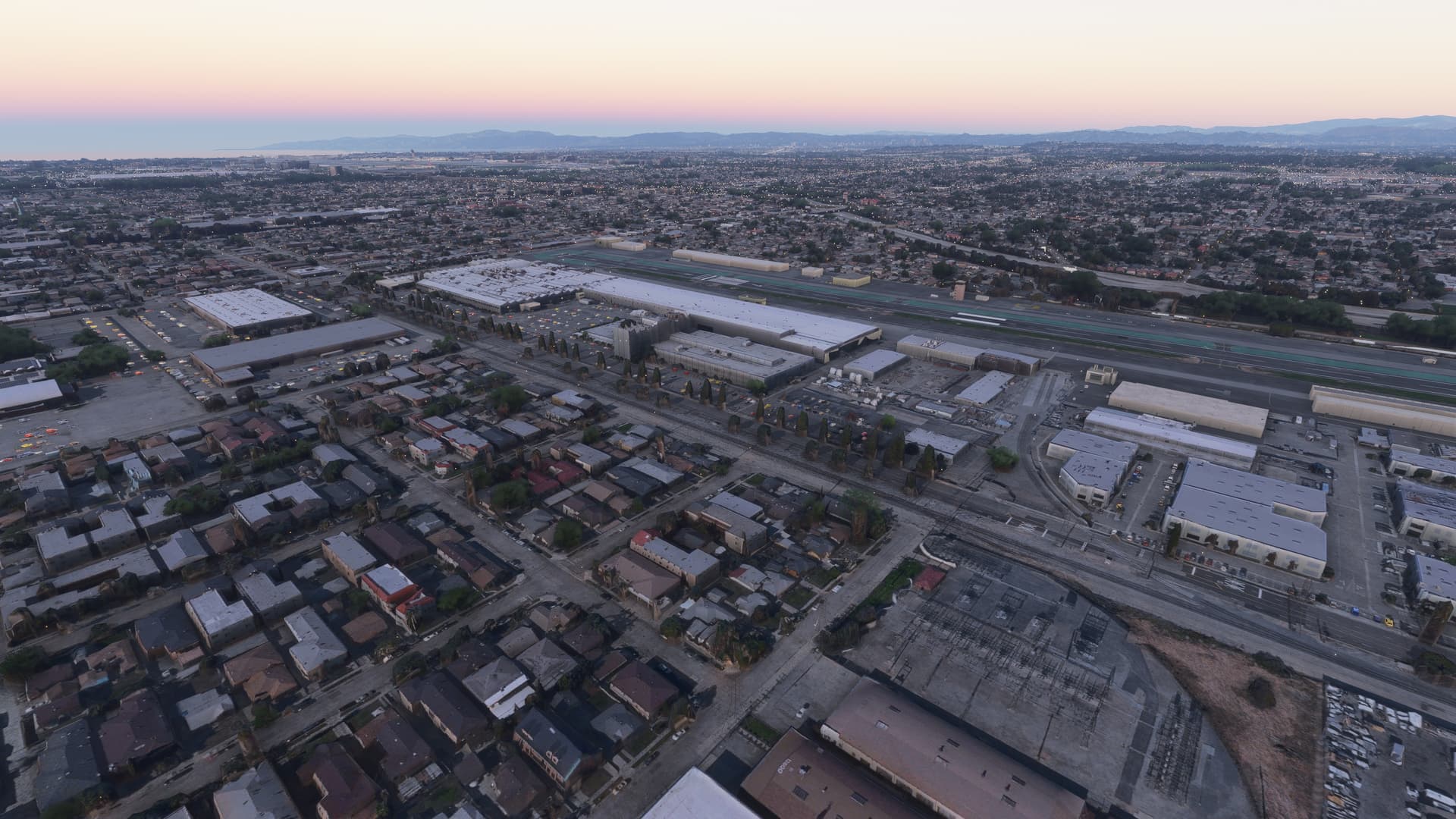
The above actually does look and feel like “Ultra” nice TIN east of KLAX, with the beauty of 50 Mbps.
Sadly, during Test G, I failed to try if a simple “quit flight” and, at a later point in time, a “start new free flight” from the same process would have also retried to download the failed (cached) assets. I need to revisit that in a future test.
To summerize my findings from this test:
- Stressed servers can result in very very very slow or even failed asset downloads.
- Truly “failed” asset downloads will not heal, no matter how long the camera looks at them
- … but since healing can take many minutes it will be hard to distingiush “slow” from “failed” in a normal flight.
- The sim will remember the failed state … and it seems that state is also stored in the RC.
- Most likely the sim does give up “permanently” on “failed” assets at some point.
- This is bad news … especially for a sightseeing goose or the official “World Photographer” mode.
- However after a new launch of the sim, there will be new attempts to load the failed assets
- … and under good conditions the proper 3D planet will become visible.
- So the good news is, that failed assets inside the
RollingCache.cccfile do not result in “permanent” 3D data infections.- It is not necessary to delete the entire RC.