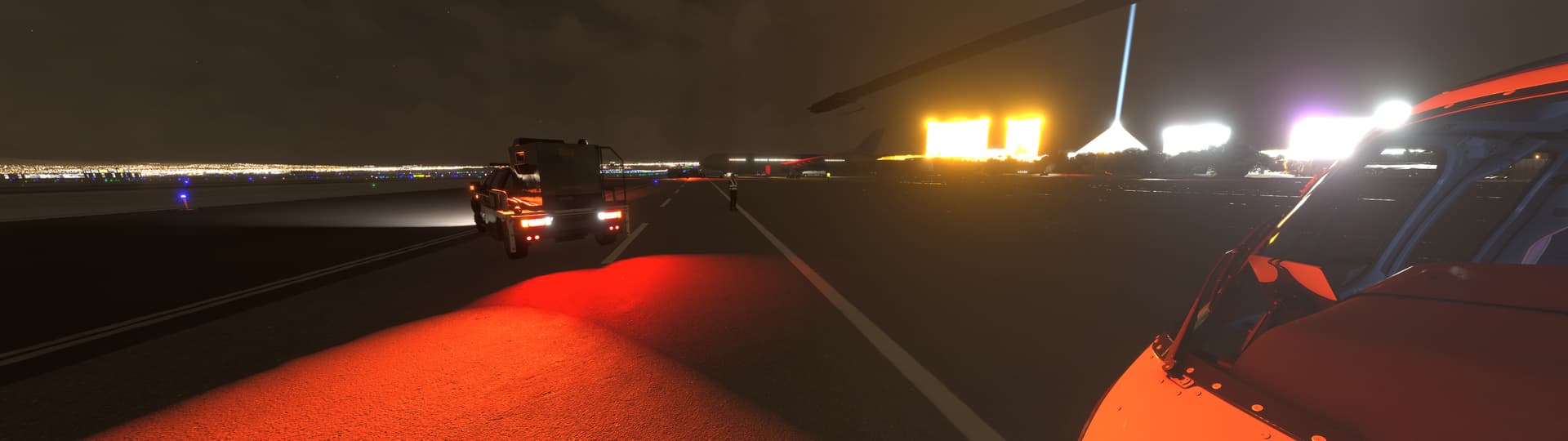
I think it’s worse than 2020. The spill of the lights is just way way way to much.
2 Likes
Unfortunately, this bug was missed in the developers’ bug list.
Is it under progress or already being fixed in the current Beta, can someone confirm?
Thanks.
There were several posts about lighting in 2024 and they all got marked as fixed but the sepia mask is most definitely not fixed. I get that you want to have something there at night but in reality, the world is very black at night and artificial light (especially as LEDs become more wide-spread) is extremely localised
1 Like
I disagree to be honest, I think 2020 night lighting is better and that is saying a lot because 2020 night lighting is still unrealistic as heck. Asobo need a better method on rendering how night lighting is done. It is far from where it needs to be. I remember seeing the first discovery series in MSFS2020 and they had a shot of the sun setting well below the horizon and the night lighting looking amazing. Why can they not revert to that alpha.
It looks like they never even flew during the day with the way the sim is at the moment.
3 Likes
This is true, the auto-exposure eye-adaption is still a mess…
The night-lighting is a mess…
Why they even need to have this sepia mask anyway? There are lights in the sim anyway, have the lights spill the right amount of light and the ground will be lit up the right amount, no need for some completely unrealistic masking that ruins the look and realism.
3 Likes
Agreed on all that, the pre-sepia-mask tech alpha builds handled the distant lights outstandingly well, sad to see 5 years of tweaking to get back from the initial sepia disaster still haven’t gotten us back to the level of night realism we initially had…
And the release of MSFS2024 was a regression from current MSFS2020 in terms of sepia and color balance… No idea what happened there.
5 Likes
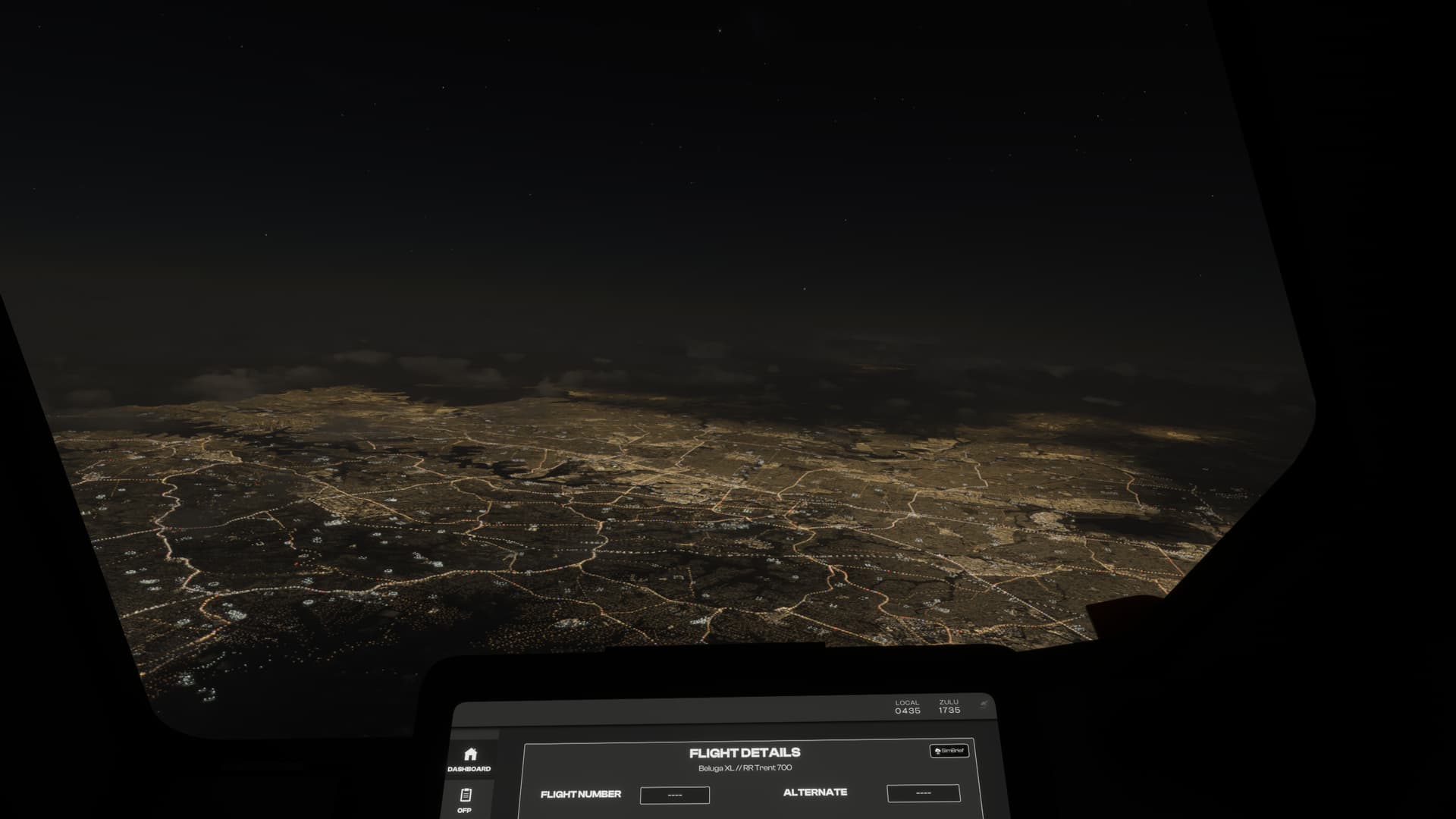
This was my biggest complaint in 2020. I avoided flying at night time entirely, and after the announcement of FS2024, I was really looking forward to seeing improvements.
To my surprise and disappointment, it’s actually worse. I just can’t understand (from a developer’s point of view) how you can look at the night lighting from higher altitudes and think “yeah, this is next generation”.
Due to how unstable FS2024 has been, I decided to reinstall 2020 until 2024 was a bit more ironed out. I was shocked with how good the night lighting is in 2020 in comparison to 2024.
Here’s 2024:
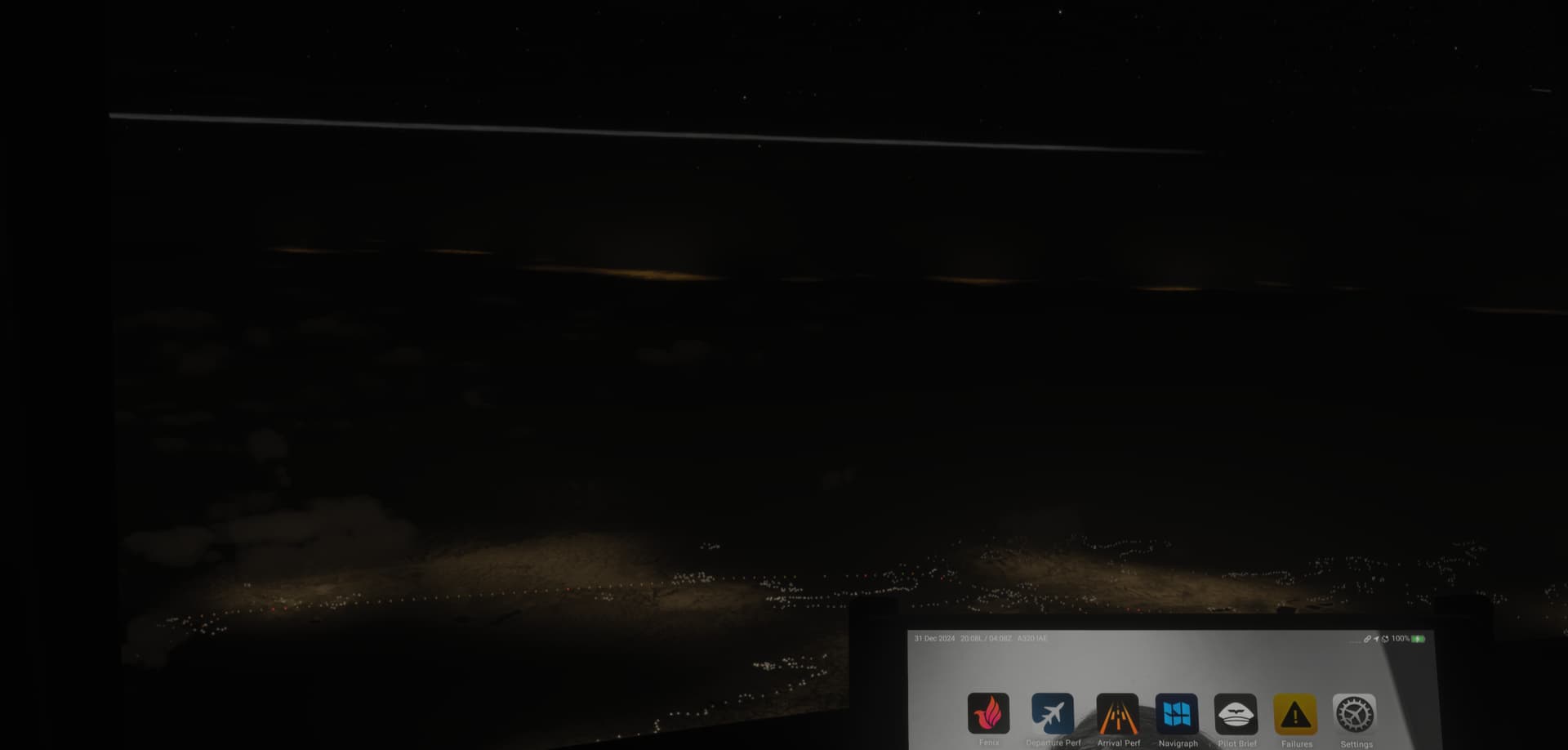
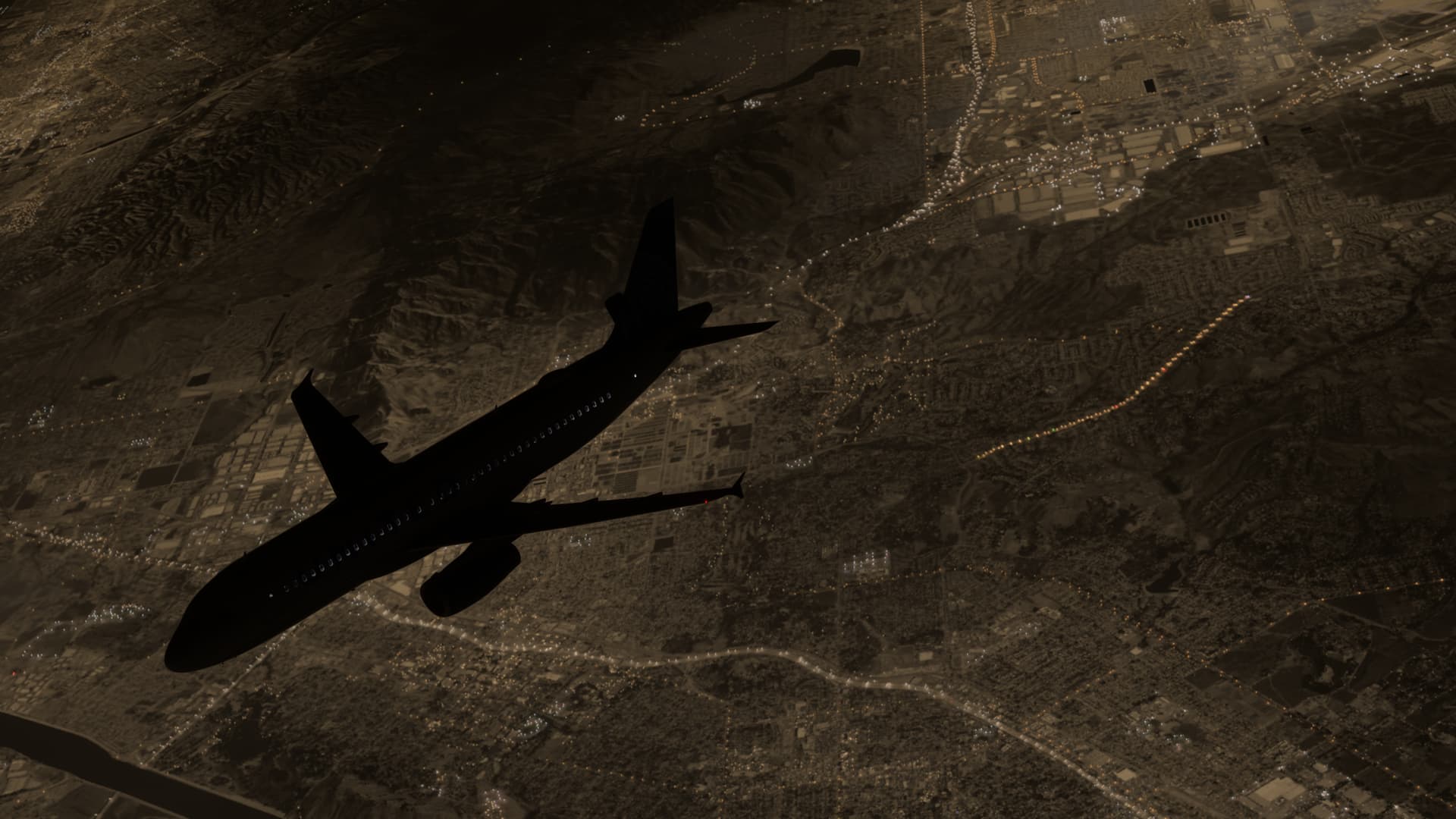
Here’s 2020:
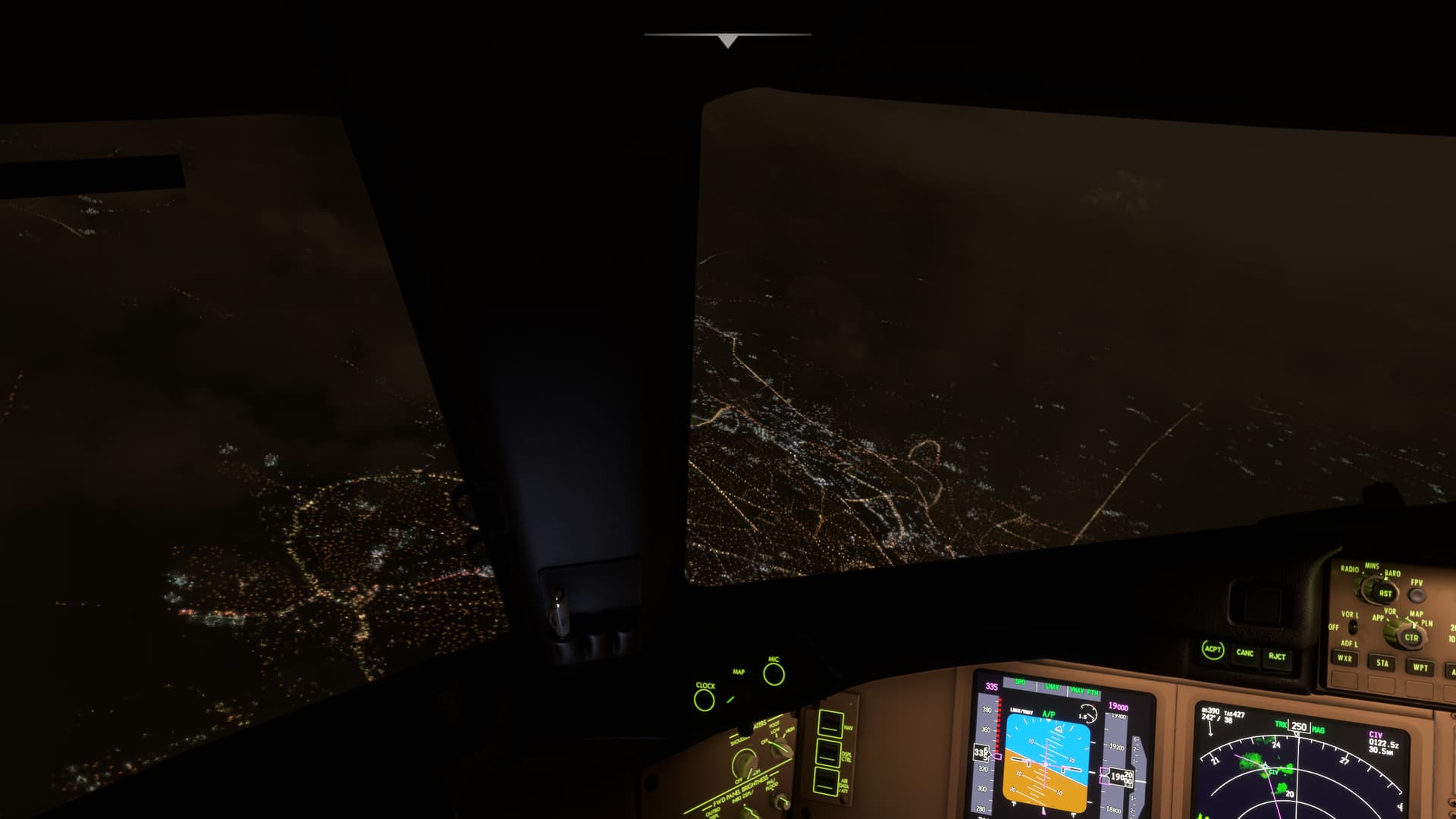
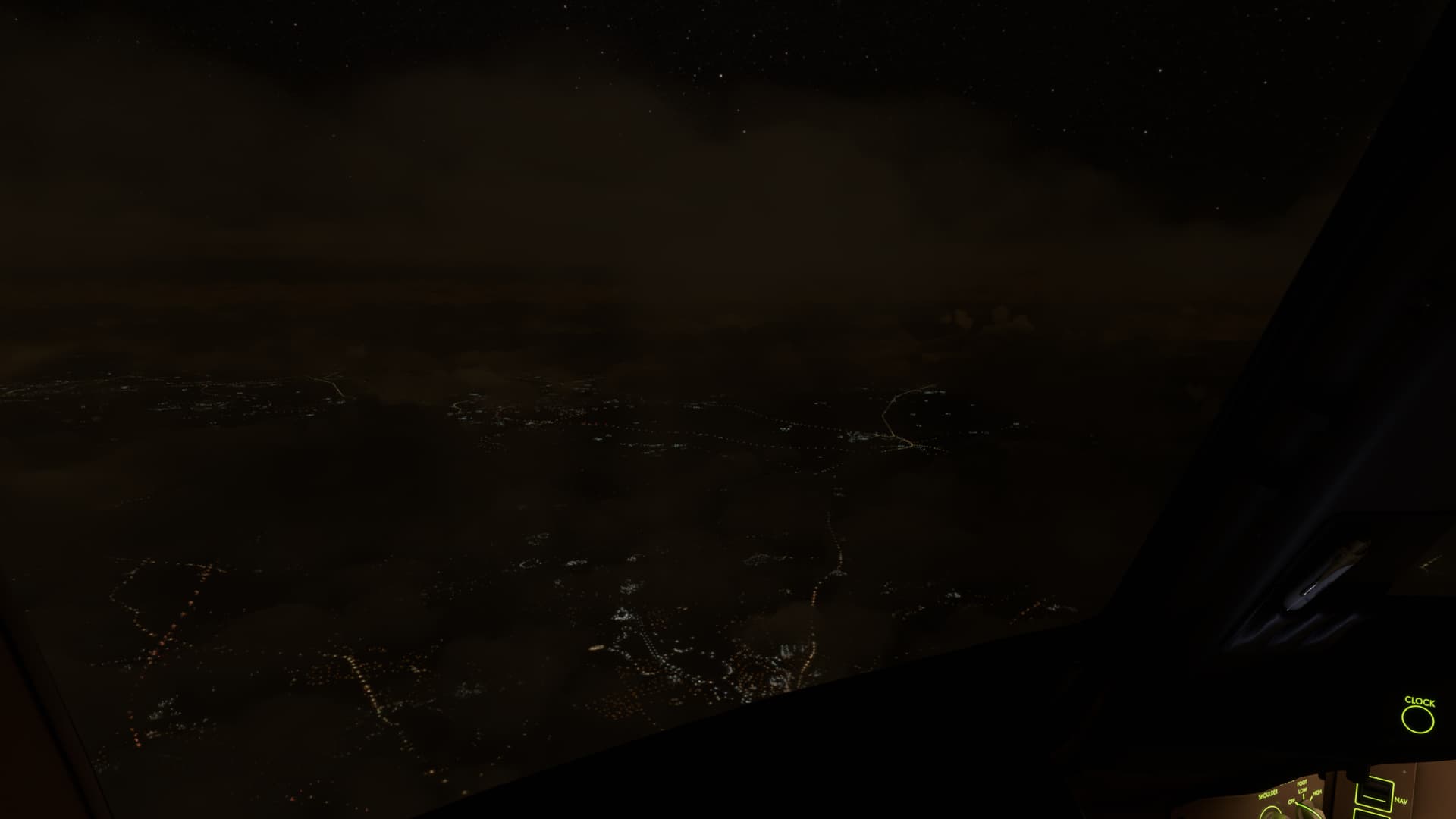
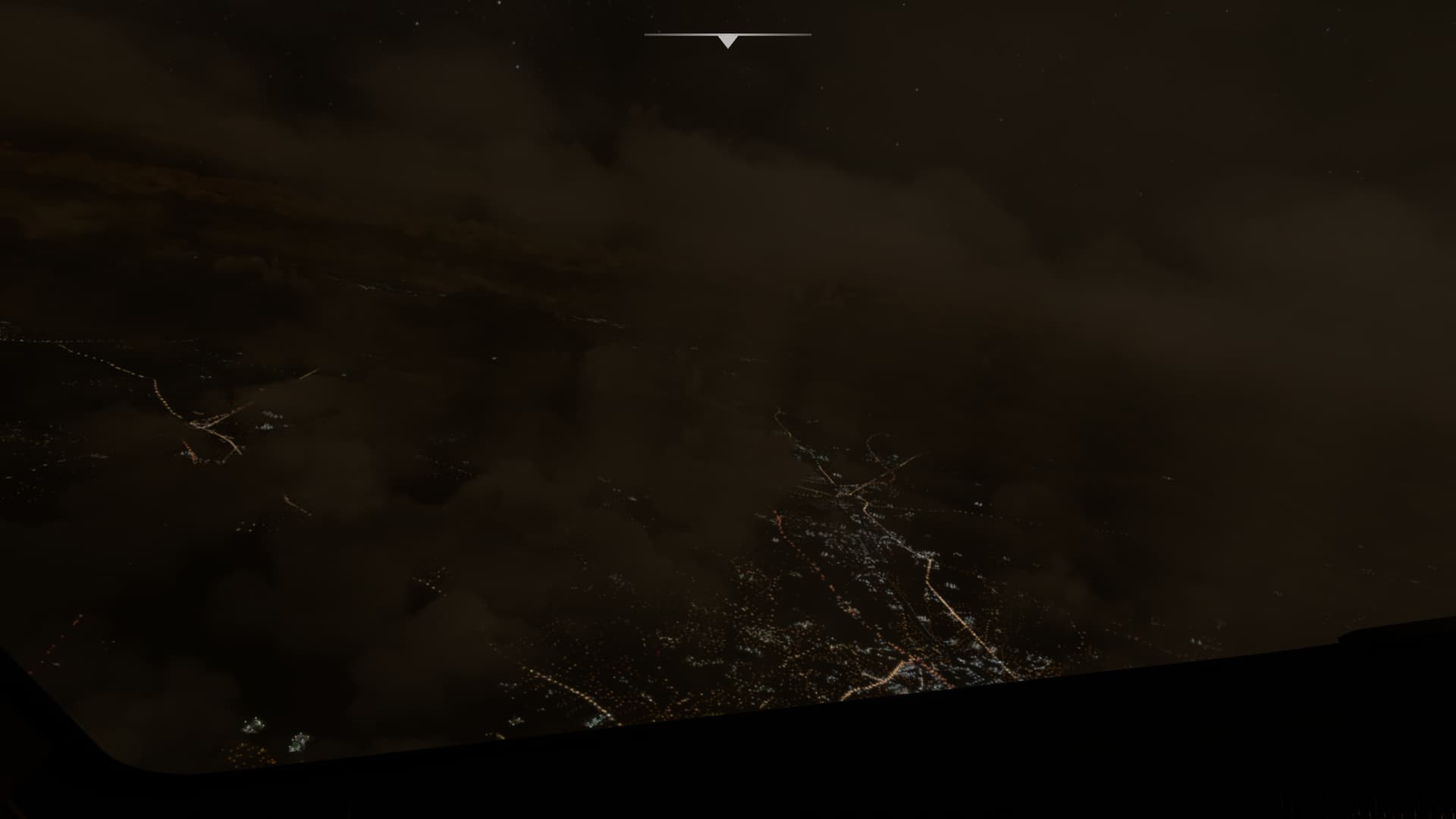
How have we gone backwards?
15 Likes
dont want this topic to die. i dont understand why the devs keep marking this topic as fixed. all you need to do is spawn anywhere in the middle east in the night and the whole desert is glowing. airport lights still look like giant balloons in VR. i dont understand, its been over 5 years since the sim came out, this is just a matter of turning down some brightness. im no programmer but is it that difficult to get right?
8 Likes
What gives me hope is that it’s marked as “under investigation” in their latest development update (6th March).

Why it’s highlighted in yellow I’m not sure, but at least it’s not at the bottom of the list 
1 Like
I can’t help but thinking that removing the sepia mask altogether and leaving the lights would be a major enhancement with very little effort required…
7 Likes
ISSUE DESCRIPTION
Description of the issue:
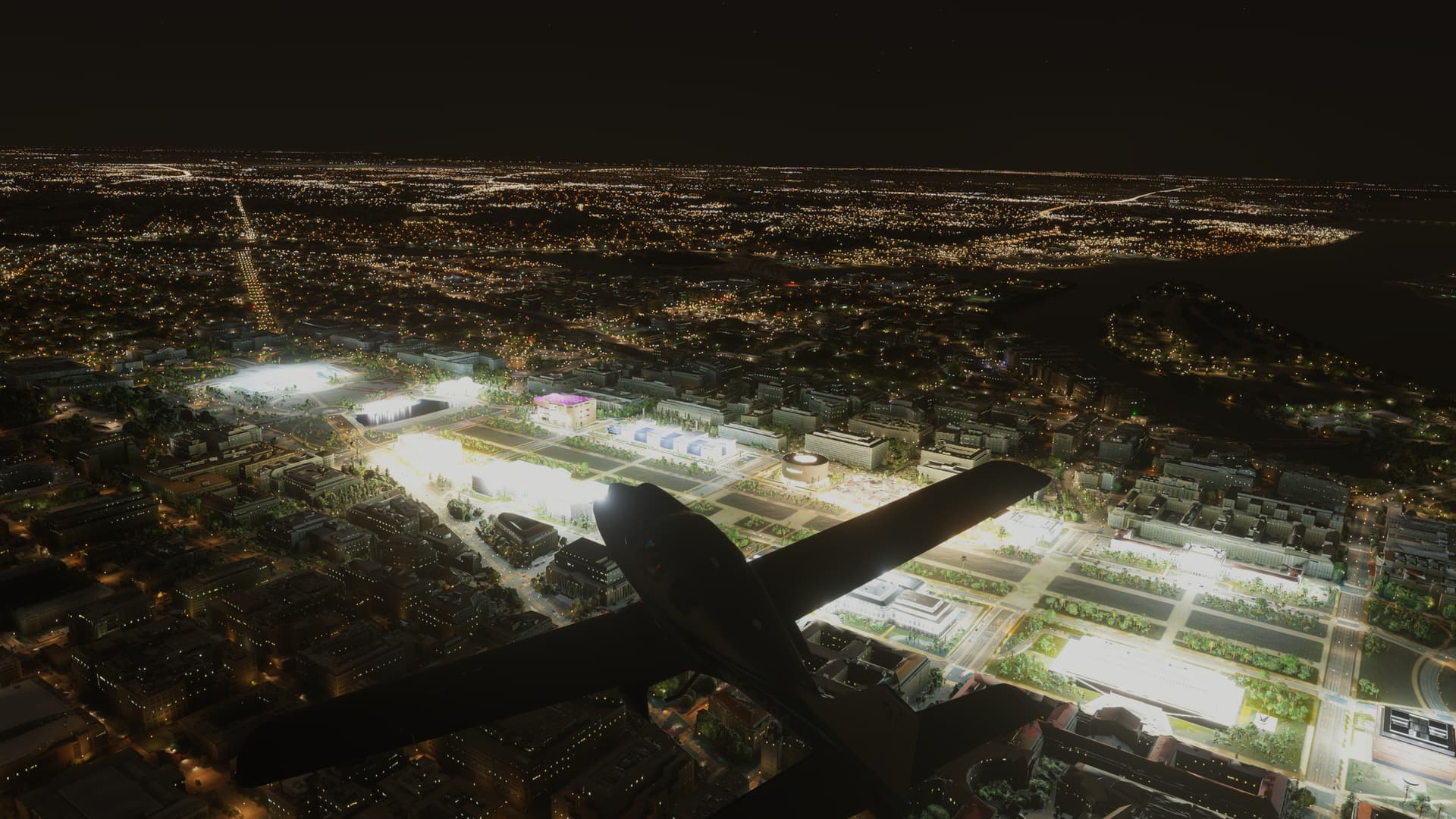
Buildings while flying at night are overexposed with blown highlights. This is particularly noticeable with an HDR display. For example, Washington DC is like this (Capitol Building, Lincoln Memorial, etc.)… This is only applicable to 2024, in MSFS 2020 they do not appear like this.
ICAO, coordinates, or specific location:
Washington, DC but other areas as well such as Las Vegas
[PC Only] Did you remove all your community mods/add-ons? If yes, are you still experiencing the issue?
Yes and Yes
FREQUENCY OF ISSUE
How often does this occur for you (Example: Just once, every time on sim load, intermittently)?
Every time
REPRODUCTION STEPS
Please list clear steps you took in order to help our test team reproduce the same issue:
- Load into Washington DC at night
- Fly over Washington DC
YOUR SETTINGS
Default Ultra Settings. 4K resolution. HDR on.
If the issue still occurs with no mods and add-ons, please continue to report your issue. If not, please move this post to the User Support Hub.
What peripherals are you using, if relevant:
[PC Only] Are you using Developer Mode or have you made any changes to it?
No
[PC, MSFS 2020 Only] Are you using DX11 or DX12?
DX12
[PC Only] What GPU (Graphics Card) do you use?
4090
[PC Only] What other relevant PC specs can you share?
7800X3D
4090 GPU
64 GB RAM
MEDIA
Please add a screenshot or video of the issue occurring.
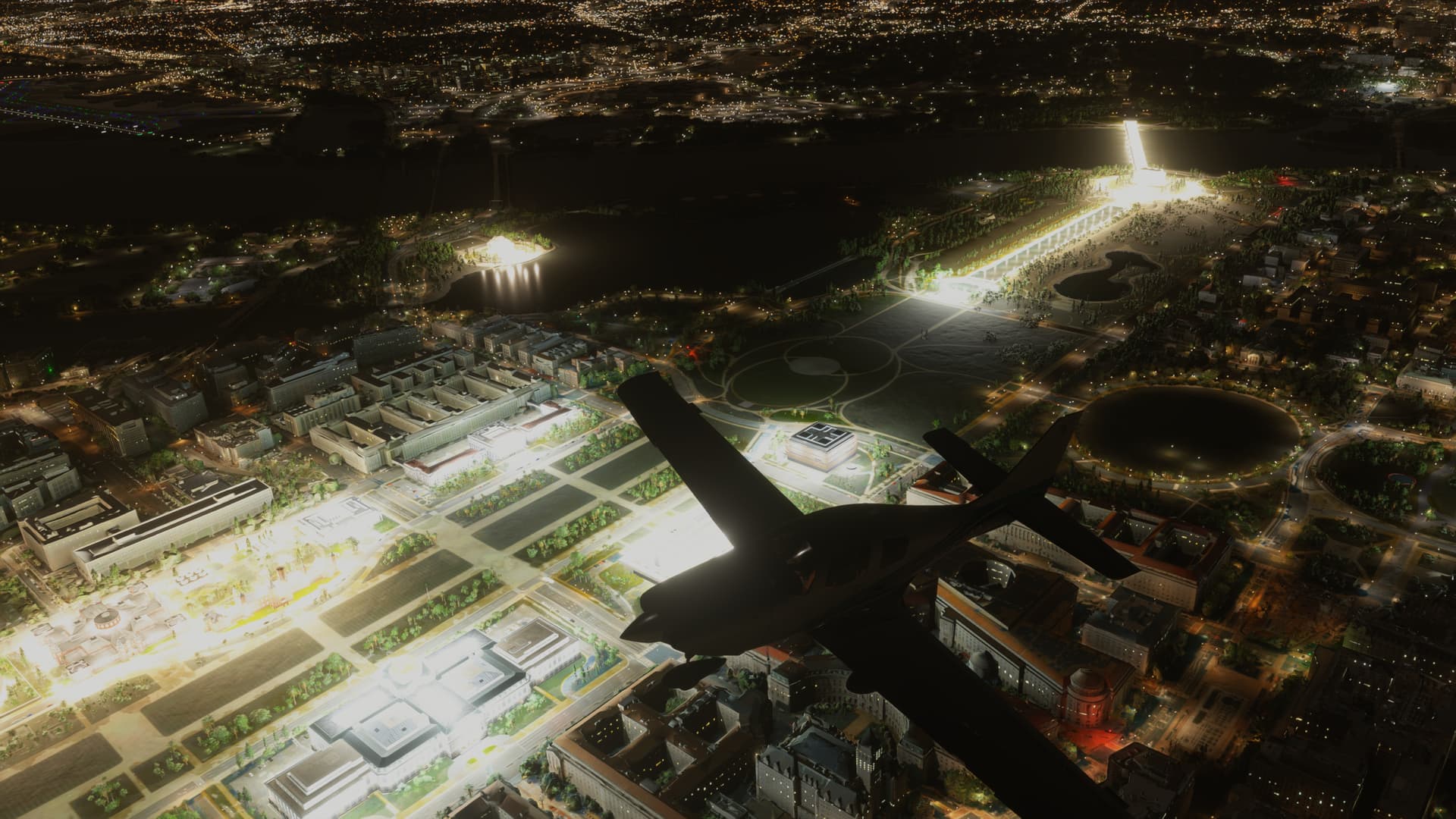
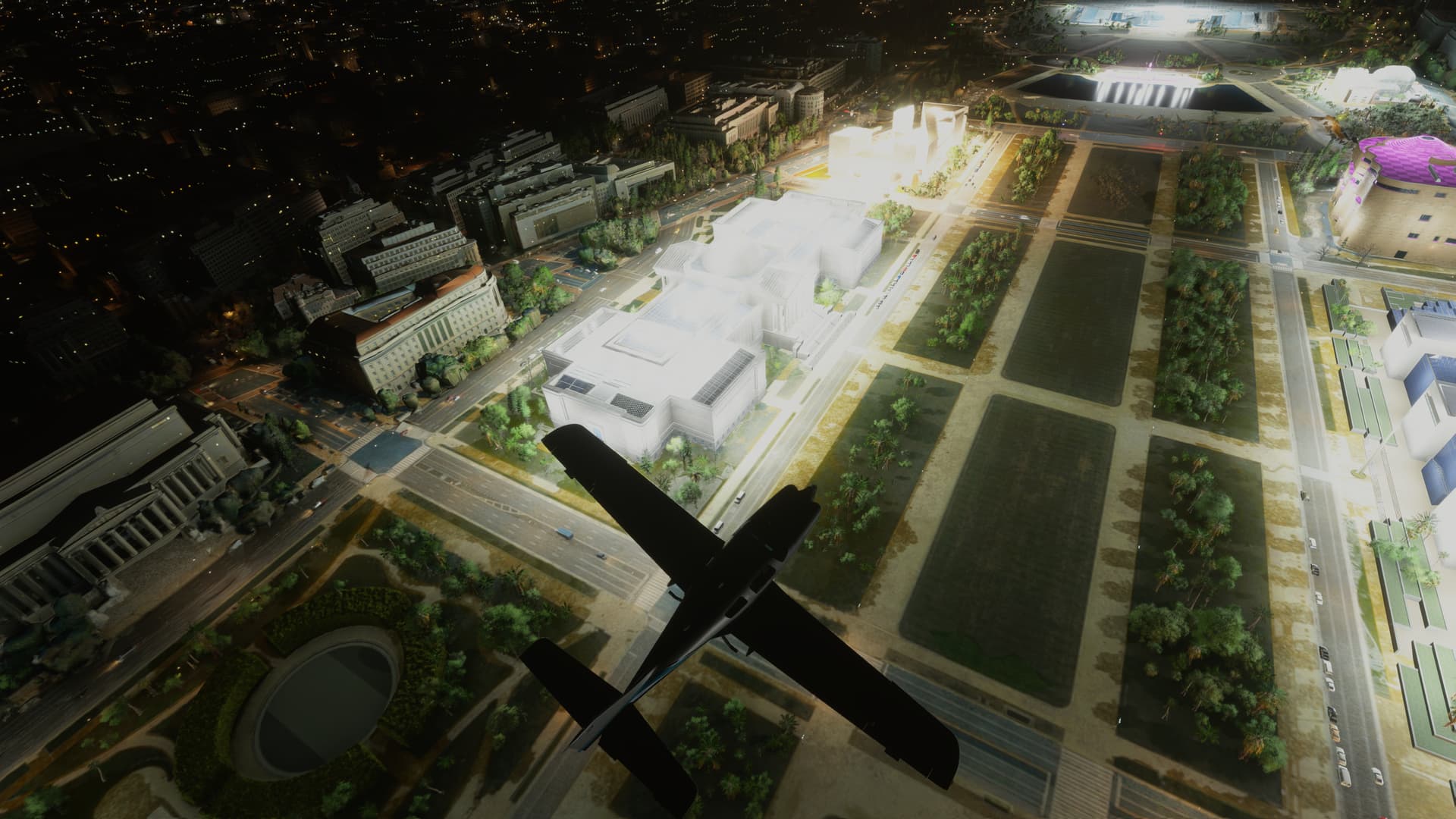
[END OF FIRST USER REPORT]
 For anyone who wants to contribute on this issue, Click on the button below to use this template:
Do you have the same issue if you follow the OP’s steps to reproduce it?
•
Provide extra information to complete the original description of the issue:
•
If relevant, provide additional screenshots/video:
•
Do you have the same issue if you follow the OP’s steps to reproduce it?
• Yes
Provide extra information to complete the original description of the issue:
• My example being Giants stadium outside NYC
If relevant, provide additional screenshots/video:
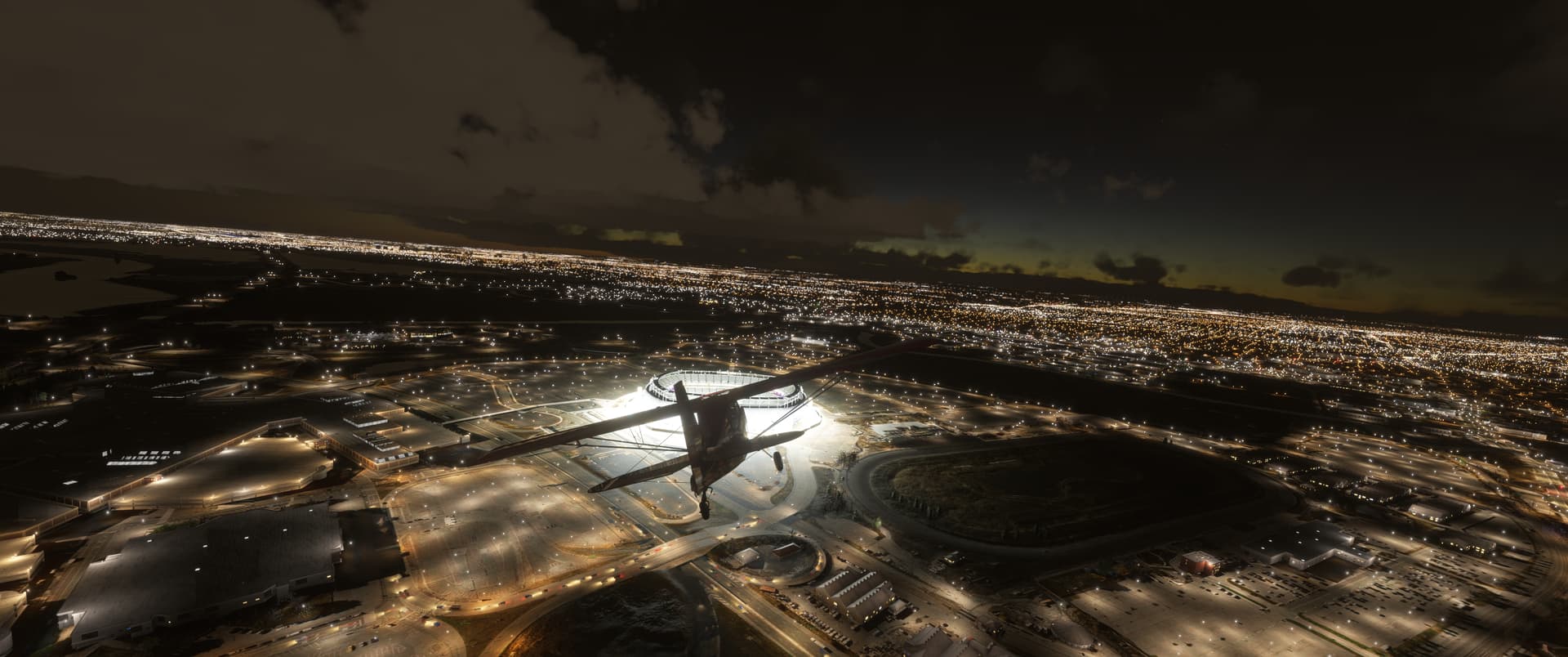
1 Like
I agree, we need to keep this topic alive until it is actually fixed. In fixed I mean looking better than what we had in 2020 and heck even try making it as close as possible to the real world counterpart. I remember them mentioning that they are looking “into baking the night lighting into a texture for the world” according to Seb. If they can do that and actually improve it then it will be awesome. I think they ended it that they will only be “tweaking” and “fine tuning” for the time being until they find the time to actually work on it.
I get it too, the sim still has core issues that need resolving, I think the major one would be to allow the sim to rely on local storage instead of all streaming and fix the performance of the sim as well as the aircraft issues that the default planes have. Other than that, I would still rate the night lighting to be a huge issue as it does obviously not reflect on how the real world actually is depicted at night. I even think X-Plane 12 does the night lighting better, even thought that is not perfect either, but when flying over deserts or nonurban areas, the world is actually dark. I hope they get to this soon as it affects all of us who want to try and enjoy night flying in the sim.
4 Likes
I tried to look for the meaning of the yellow highlight, but found no information anywhere. Probably @DementedCorn327 could help throw some light on this.
1 Like
Do you have the same issue if you follow the OP’s steps to reproduce it?
• Yes, as in my other post https://forums.flightsimulator.com/t/extreme-bright-airport-lights-and-bad-fps-in-lows/709366
Provide extra information to complete the original description of the issue:
• LOWS Airport, also kinda bad FPS in the overexposed area.
If relevant, provide additional screenshots/video:
•
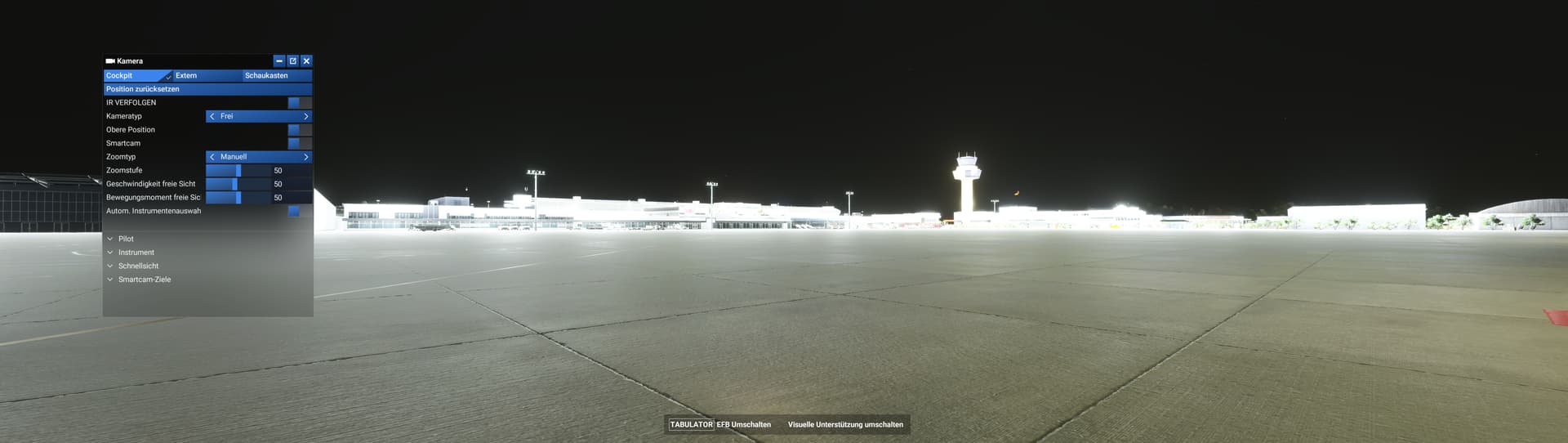
1 Like
How come the votes on the page don’t match the votes here. We need to get this issue to the top. The issues above this are one off fixes on small things. This is an issue that impacts the entire sim. Night flying is just impossible at the moment and I’m always changing the time because of that. I’m seriously considering going back to x plane just for night flying. They’ve done it correctly, why can’t msfs just replicate that?
1 Like
Do you have the same issue if you follow the OP’s steps to reproduce it?
• Yes
Provide extra information to complete the original description of the issue:
• No extra steps required. Load a flight at night.
If relevant, provide additional screenshots/video:
• self-illuminated buildings in Las Vegas too bright.
• ground vehicles lighting unrealistic sharp edged beams - not diffused. Too bright.
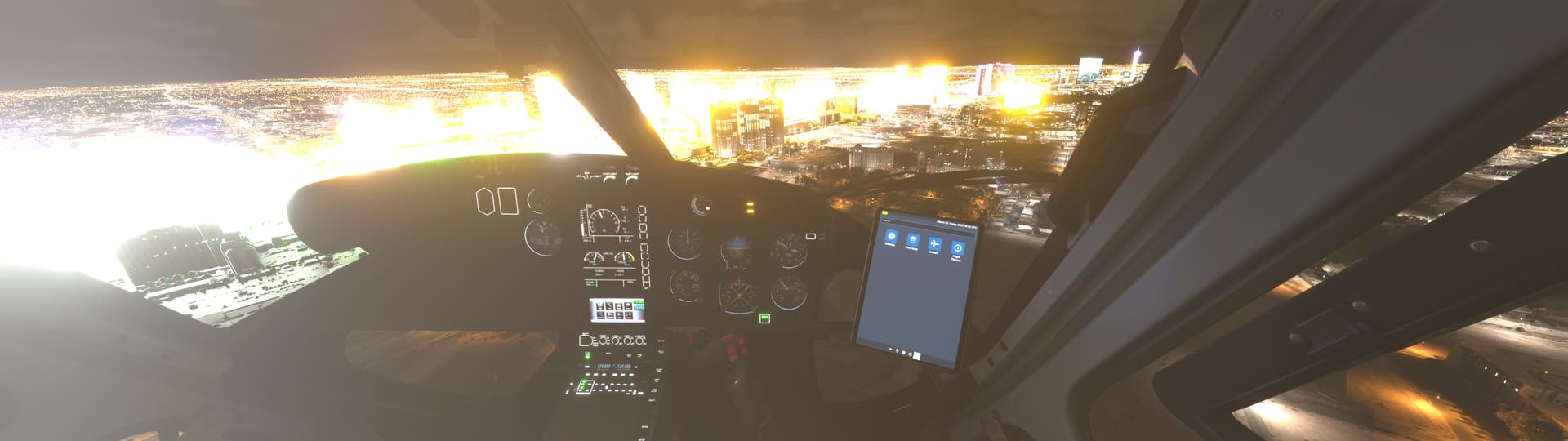
I have mentioned it before, but I am not sure why (for now) they cannot just push the sepia illumination mask out further like it is in 2020. In 2024, it is now directly under you and looks terrible once above 5000’. I am not sure why this was such a regression in 2024 as it was an issue early in 2020 but they at some point finally pushed it out and tied it more to TLOD.
1 Like