Thanks for all the contributions - sure gets more interesting by the day.
Confirmed on my end that using DX11 does not result in a CTD.
1 Like
So we’ve pretty much confirmed it’s the combination of DX12 + something in the WU12 POI elements that causes the South Island CTDs.
DX11 + no WU12 POI = no CTD
DX11 + WU12 POI = no CTD
DX12 + no WU12 POI = no CTD
DX12 + WU12 POI = consistently reproducible CTDs
I have just uncovered an additional data point that makes no sense. I have no CTD with DX12 if TLOD is set to any value of 50 or below. The moment I set it it to any value higher than that, I get the CTD.
1 Like
I´m getting a 100% reproducable CTD trying to start a flight at Omarama.
I´m spawning on the runway, but as soon as i look right the sim crashes to desktop.
This happens with an empty community folder. Deleting the WUXII POI fixed the issue.
We need a hotfix for this issue!
1 Like
Thank you for the bug report.
We have created an internal ticket to see if our team already has this logged, and if not they will attempt to reproduce the issue and create a new bug report. This item is now marked as feedback-logged. If there is an existing bug report or one is created, we will move this thread to bug-logged.
3 Likes
Can you possibly give some instructions as to how to uninstall the POI component from the NZ World Update XII? I am so missing flying in the fabulous South Island scenery. Thanks.
Hi
1/ In MSFS2020 you need to select Profile, Then Content Manager.
2/ In Content Manager Select World Update XII New Zealand
3/ In the far right of the screen there is a symbol 3 dots and 3 dashes. click on this
4/ Then find New Zealand -Points of Interest. and select uninstall (It mat be Delete)
Note the POI uninstall very quickly however as it is almost 6 GB it does take some time to reinstall
Once I uninstalled the POI I no longer get the CTD around the top of NZ South Island. Also Microsoft have advised me that the support team have escalated the issue and it is being investigated by the QA team, however they give no indication re time frame. Also apparently others have eliminated the CTD with POI installed by using DX11 rather that DX12. I am not so keen on the DX11 fix as I would then not be able to use Frame Gen, so for me its no NZ POI until, hopefully Microsoft come up with a fix.
I hope this helps.
Best wishes.
Bob
2 Likes
I can confirm the same, CTD until World Update XII New Zealand POI’s removed, Also on DX12. It would be nice if Asobo ever acknowledged they are the problem instead of always the message that it’s your hardware causing the problem!
1 Like
This thread has been marked as bug-logged and my understanding is that this serves as official acknowledgement from the devs that the issue is being tracked.
2 Likes
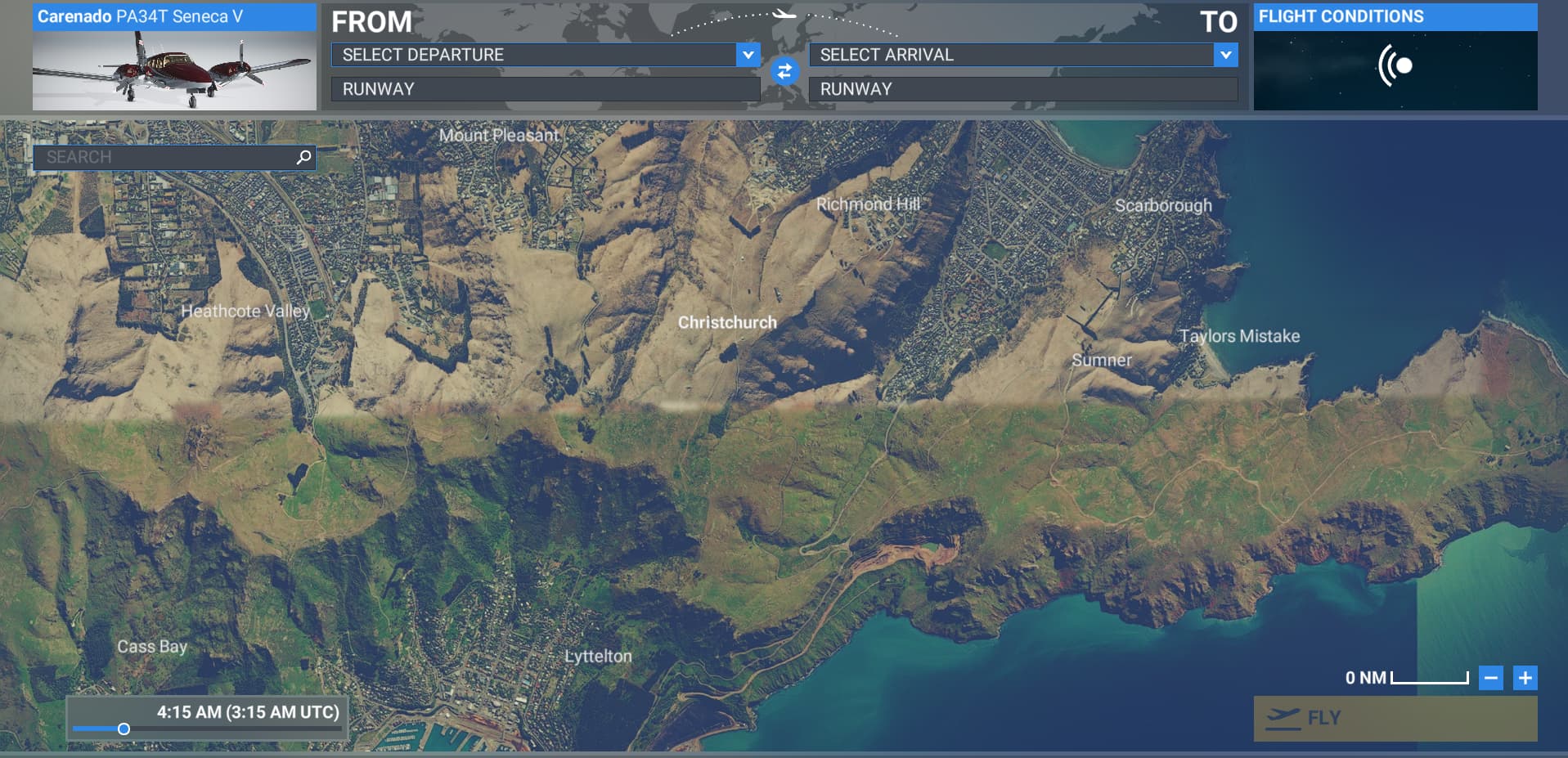
Not sure if it’s related, but I forgot this bug was a thing, and tried to load up a flight out of Christchurch. I saw something that I hadn’t noticed before, and I wonder if it’s related to this CTD or just a coincidence, but on the free flight map (before even loading a flight) once you get to a certain zoom level, you can clearly see a distinct line separating different versions of the aerials. I kicked off the flight to see if the in-sim terrain would show the same distinctions, except because of where I was, this caused an instant CTD.
I can reproduce this as well after SU16. Example:
Spawn at NZTL (Lake Tekapo), Gate 5
Aircraft nose points ~122° (southeast)
Pan camera northeast (~061°)
Sim CTDs instantly with error 0xc0000005 in DX12 with POIs installed
Workarounds:
Uninstalling the WU12 New Zealand POIs package stops the CTD.
Running DX11 also avoids the crash. (But no point in running DX11 with a 4090)
System:
7950X3D | RTX 4090 (580.88, HAGS ON, FG) | 64GB DDR5 | Win11 24H2 | Steam FS2020 build
Also has anyone checked any of the other POIs from the other WUs to see if they cause CTDs
Many thanks for your suggestion. I was finally able to complete a flight from Queenstown to Wellington.
I’d been trying for two days, but the simulator kept crashing even without traffic.
Thanks again.
I get my reproducible CTD simply by selecting Activities, Discovery Flights, Mount Cook New Zealand. MY CTD occurs quickly after flight is started.
Discovery Flights are an excellent way to test POIs. I have tried London and no trouble with all the POIs around that city.
This still exists. Loading into NZCH default airport at stand 27 and within a min i get CTD. Then tried with payware airport and the same thing happened. Please fix what you have broken.
PC, D12, W11, i7-12700, 64gb ddr5 5200 quad channel ram, rtx3080 10gb, 2 x nvme’s.
edit.
I deleted the POI file like others have. It was version 1.1.3 5.74Gb.
I then flew NZCH to NZWN with no issues.
1 Like
Flew in MSFS2020 from NZWN to NZQN last night and CTD occurred at around the start of the South Island, approaching NZCH on climb (Fenix A320). I reset everything and repeated the departure again from NZWN, and an identical CTD occurred at exactly the same point in the flight.
If I delete the POIs suggested above - what scenery items would I expect to disappear, and from where?
I was going crazy removing everything from the Sim, checking my PC for faults, reinstalling & re-verifying…was considering reformatting until I found this thread. COME ON Asobo:
- test your work before you ship it;
- don’t prattle off the usual “must be your hardware or your add-ons causing it” excuse
- FIX THIS!
1 Like
I also have been having CTD issues in NZ, post release of SU 16 and update of all World Updates same day. I had been trying to fly from NZTL Lake Tekapo to NZCH Christchurch. Constant CTDs after spawning into NZTL, either starting to drone around to explore NZTL, or taking off. This was a couple of weeks after the release of SU 16. I tried again today, and CTD when starting to drone around in NZTL scenery. I discovered this thread, and gave it a try. I deleted the WU 12 NZ POI package, exited and restarted the sim, and set up a flight from NZTL to NZCH. I was able to successfully drone and explore NZTL, take off, fly to NZCH, land and park, and drone to explore NZCH, and exit the flight back to main menu, no CTD  . I have the NVIDIA app with RTX 4090, reverting to DX 11 is not an option for me, so I deleted the WU12 NZ POI package, and it solved the problem.