I’m having same problem. Did you ever find solution?
updated DLL Swapper and latest DLL popped up for download and then swap.
I recommend using SU2 beta. It will automatically update the version of DLSS and FG… and use Nvidia APP to force it ( see nvidia website)..
And voila, you are using DLSS 4.
Version 1.2.0.3 is available now by clicking the gear icon on lower left of the app and check for updates at bottom of window. The new update has some useful new features, including the ability to turn on or off the DLSS indicator HUD in game.
Full guide to new version in YouTube video in the link below.
4 Likes
This is a continuation of a post I made in the 580.88 driver thread.
I have FINALLY decided to try frame generation with this driver. I have started suggested changes as per THIS LINK. But I have hit a roadblock:
- I have 580.88 installed.
- I have the latest version of the NVidia App (11.0.4.526)
- Started working through the linked FSElite page to get DLSS 4 up and running
- Downloaded the latest version of DLSS Swapper
- Downloaded the latest DLSS and DLSS Frame gen versions (310.3)
- Selected Preset K. Note this is not described in the bit older instructions!). This is what it looks like in DLSS Swapper:

- Went into the NVidia App and changed DLSS Override - Models preset to "Use same settings for all DLSS technologies, and Latest:
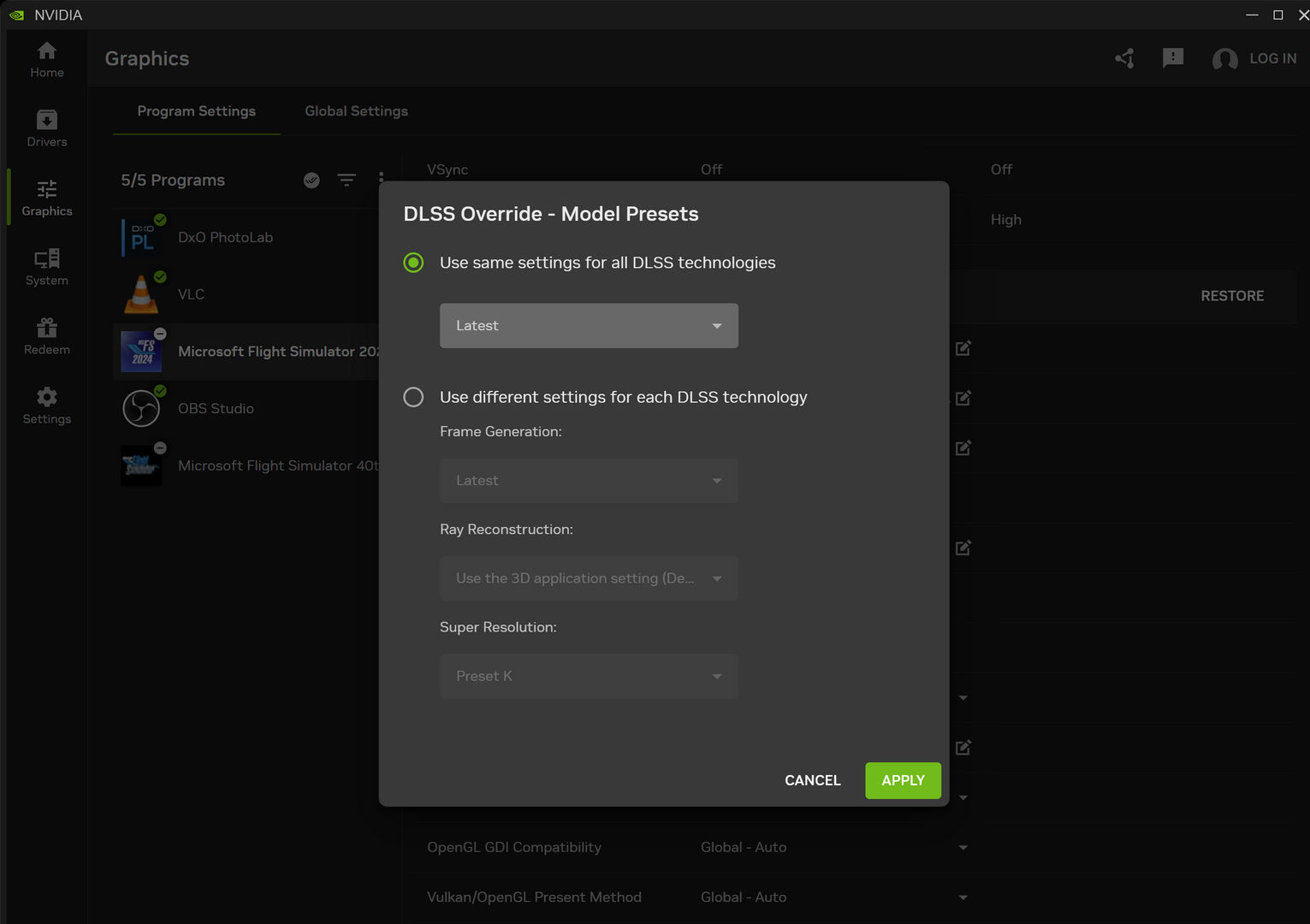
- According to the article I should now have DLSS 4 in the sim. Went into the sim to try and enable frame generation: nope! Only options I get is FSR3 and off. This is what the settings page in MSFS 2024 looks like, not sure if there is anything else I have to change:
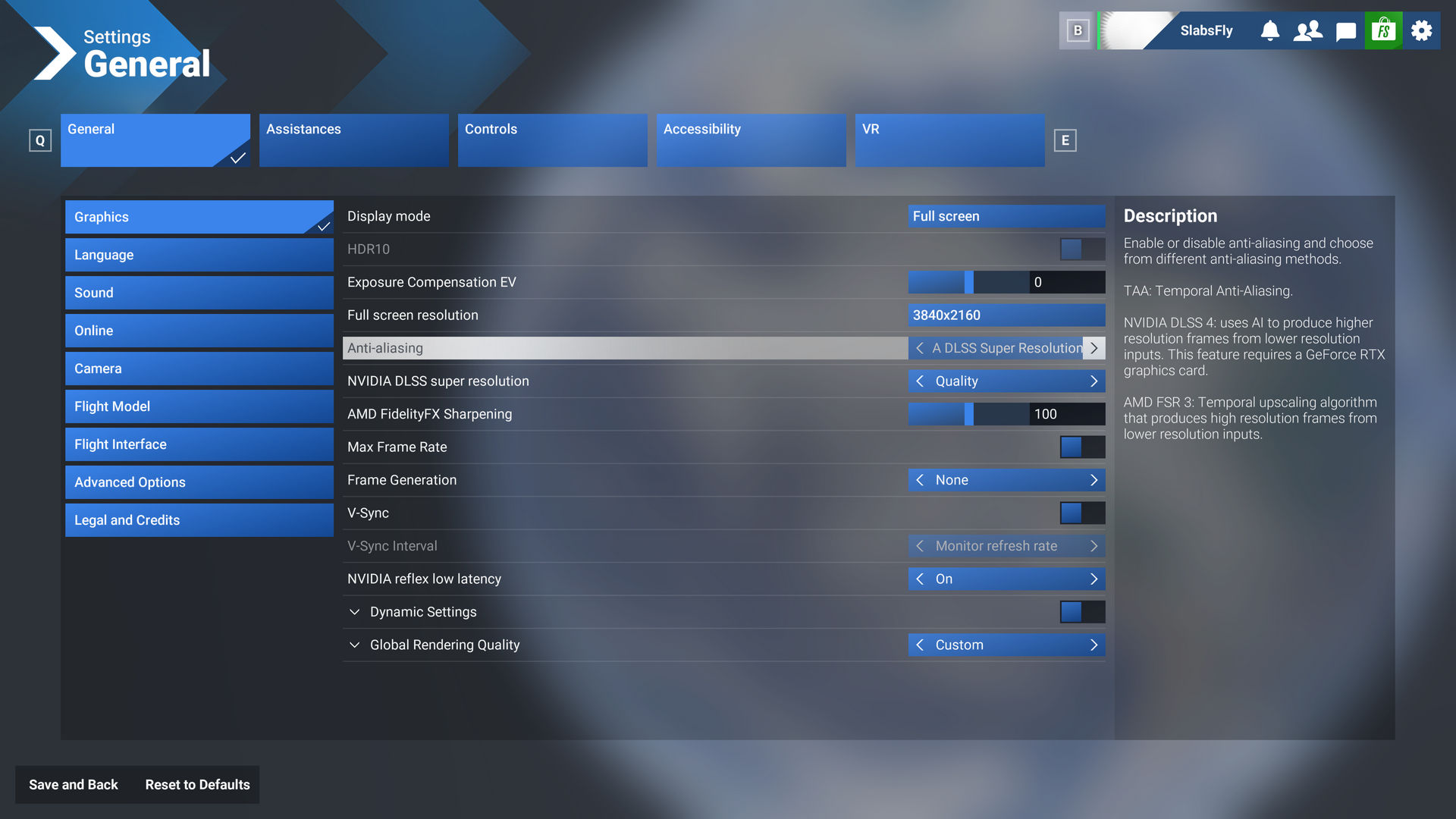
Hoping someone could assist please.
1 Like
In the NVIDIA app, change the override to “Use the 3D applications setting…” which is counterintuitive to me but it is how I got 310.3.0 preset K. While I don’t use it, FG is available to me up to 4x…
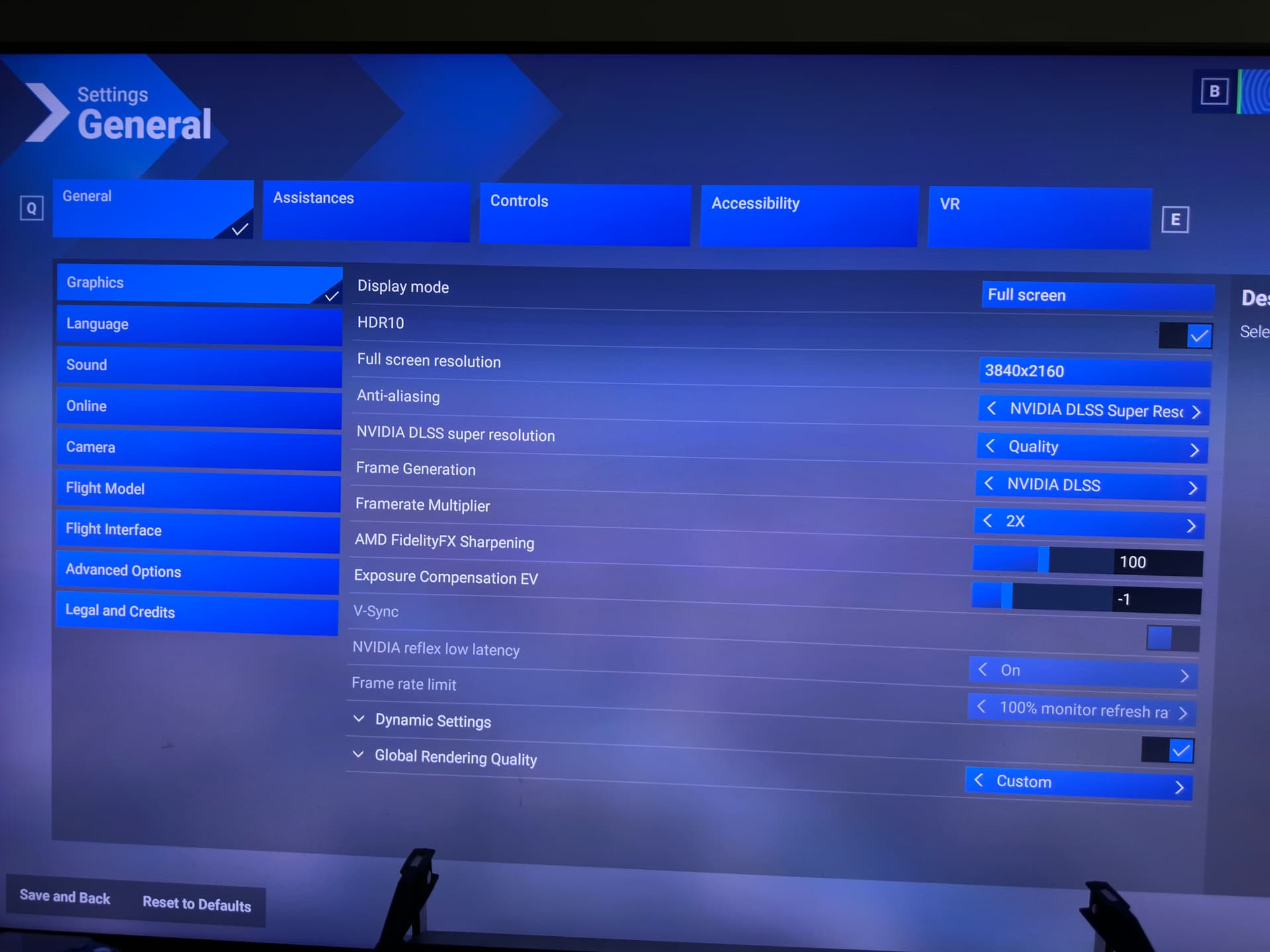
1 Like
I don’t use FrameGen, so this is a generic tipp:
Using DLSS Swapper and the NVidia App override is redundant. It is possible that the app did something unwanted. Just use the swapper to get the dll version you want to use and set the preset you want to use. Theoretically what you did in the nvidia app should do exactly the same, so no need to do it twice. It’s a source for error and unwanted behaviour.
Thanks for all the contributions guys. The OP @DrewmorKuZy sent me a DM saying that HAGS has to be on for FG to work: that did the trick!
3 Likes
Just a quick reminder: for FG to work properly in MSFS, HAGS must be enabled in Windows.
Also, if you’re replacing DLSS files manually, make sure nothing gets overwritten - NVIDIA app shouldn’t replace any of those files either as Nikita rightly pointed out.
1 Like
Folks, friendly reminder to revisit DLSS Swapper if you have updated to SU16!
1 Like
Hi all, just doing a clean install of windows and MSFS 20024, do you still need the DLSS swapper installed ? I also use the nvidia app with latest Nvidia driver.
Just not sure if DLSS swapper needs to be installed to be running the latest files
Thanks
A reinstall of the sim will default DLSS to a lower version (why, Microsoft…WHY?)
You can update to the latest DLSS using either DLSS Swapper (for sure) or the nVidia app (I think.) I say “I think” because I don’t use the nVidia app - only DLSS Swapper.
1 Like
Be aware that the DLL swap with nVidia app doesn’t bring you for sure the latest DLL version. It has been demonstrated previously that DLSS Swapper can be a step ahead of nVidia app and may propose a newer DLL version. This is why I now stick to DLSS Swapper in my workflow.
2 Likes
I tried (again) yesterday to install the Nvidia app, just to try…
Well, for me it just alters the performance of the game (with or without clicking on the “optimize” button)
Something i noticed too, is that the little kind of overclocking available on this app, is creating stutters on flight simulator…
So for me, with my 3070ti, I really prefer to go through DLSS swapper, and NVCP if needed.
1 Like
Sorry to hear you’re in trouble with nvidia app. On my setup, this Nvidia App works fine and with the ShadowPlay feature, it’s the only tool I found capable to make screen shots ultra-wide, with no overlay, even when MSFS is windowed, in one keystroke. Not to mention the video recording efficient capabilities.
1 Like