Hello guys,
I’m using an NVIDIA RTX 5080 and came across this page while searching for a solution to a similar issue.
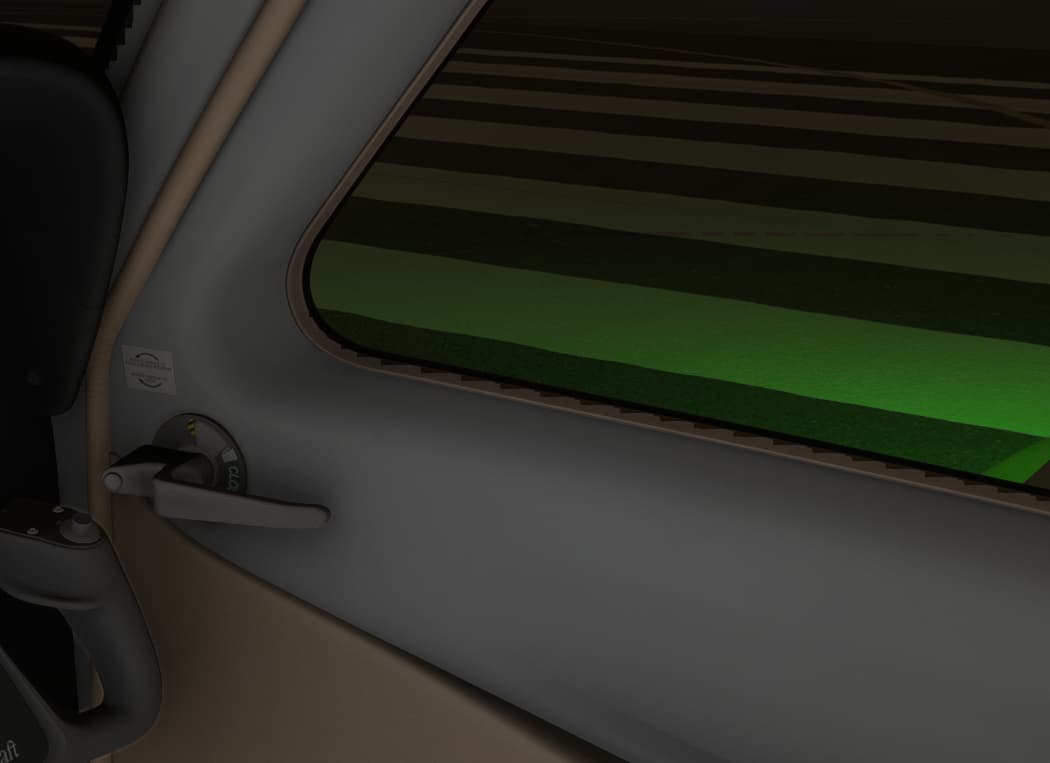
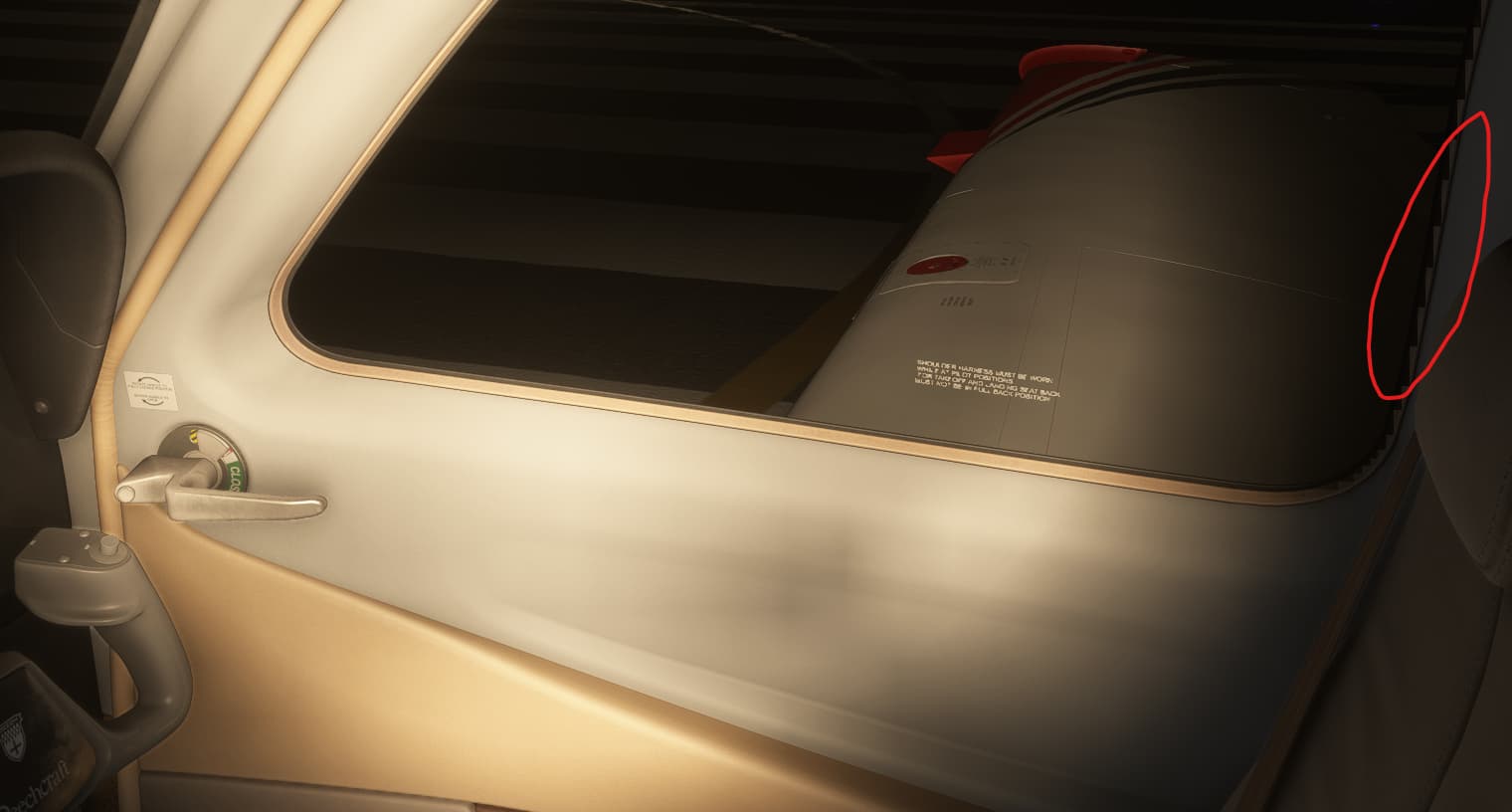
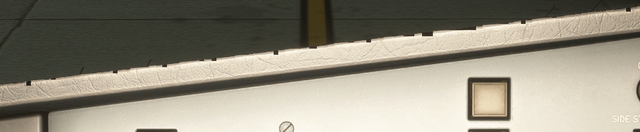
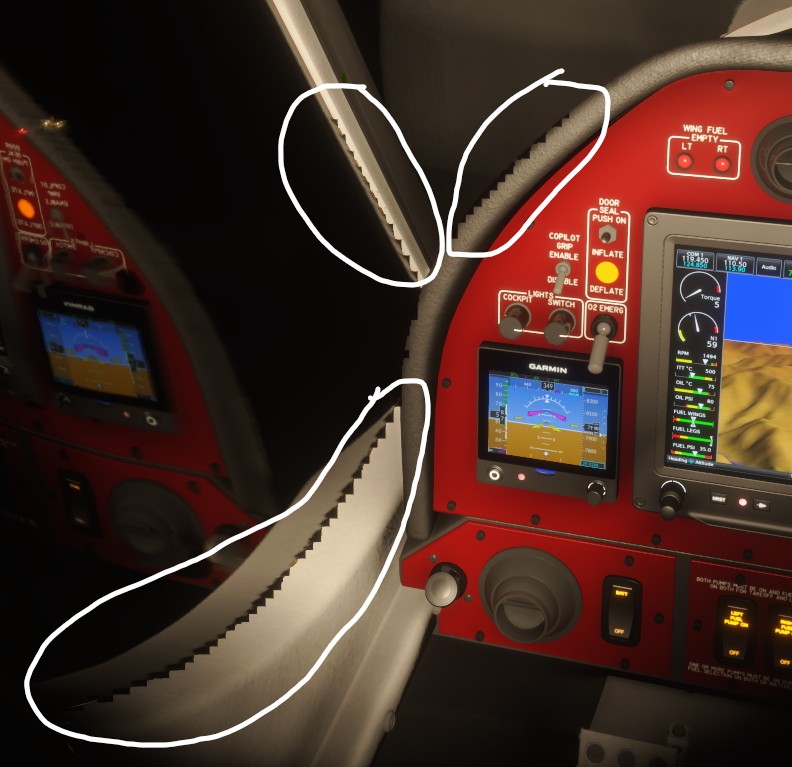
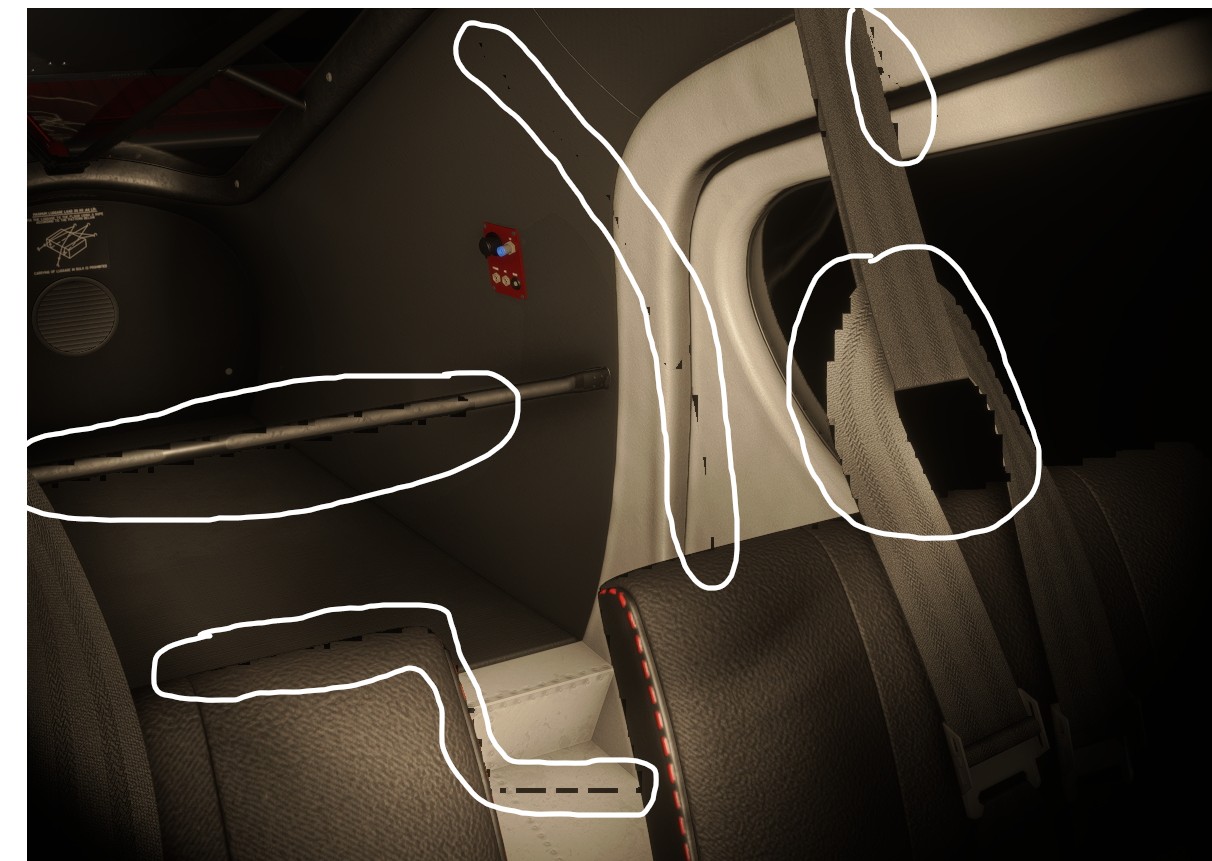
It looks like I’m experiencing the same problem: at night, whenever light reflects off a surface, the texture breaks into square-shaped blocks and flickers. This does not happen during the day, and it seems to occur specifically on reflective surfaces under artificial lighting.
This issue is not limited to AMD GPUs — I’m seeing it on my NVIDIA setup as well. It’s especially noticeable in Career Mode, on the Headquarter static screen, where the fluorescent lighting inside the office creates large-scale flickering artifacts on reflective surfaces.
Changing anti-aliasing settings (TAA, DLSS, AMD FSR, or Off) makes no difference, and the issue occurs regardless of whether V-Sync or G-Sync is enabled or disabled.
My system specs: CPU: AMD 7900X GPU: RTX 5080 NVIDIA Driver: 576.02
This issue has been going on for over 2 1/2 months without a resolution and has not yet been addressed in CU3. We also seem be stuck on 47 votes so please, if anyone has not cast their vote can you please do so. I guess us RX 9000 users are just the forgotten bunch…
On a side note it looks like CU3 will allow for the downloading of content locally. At least its like that in the beta so let’s hope they stick with it.
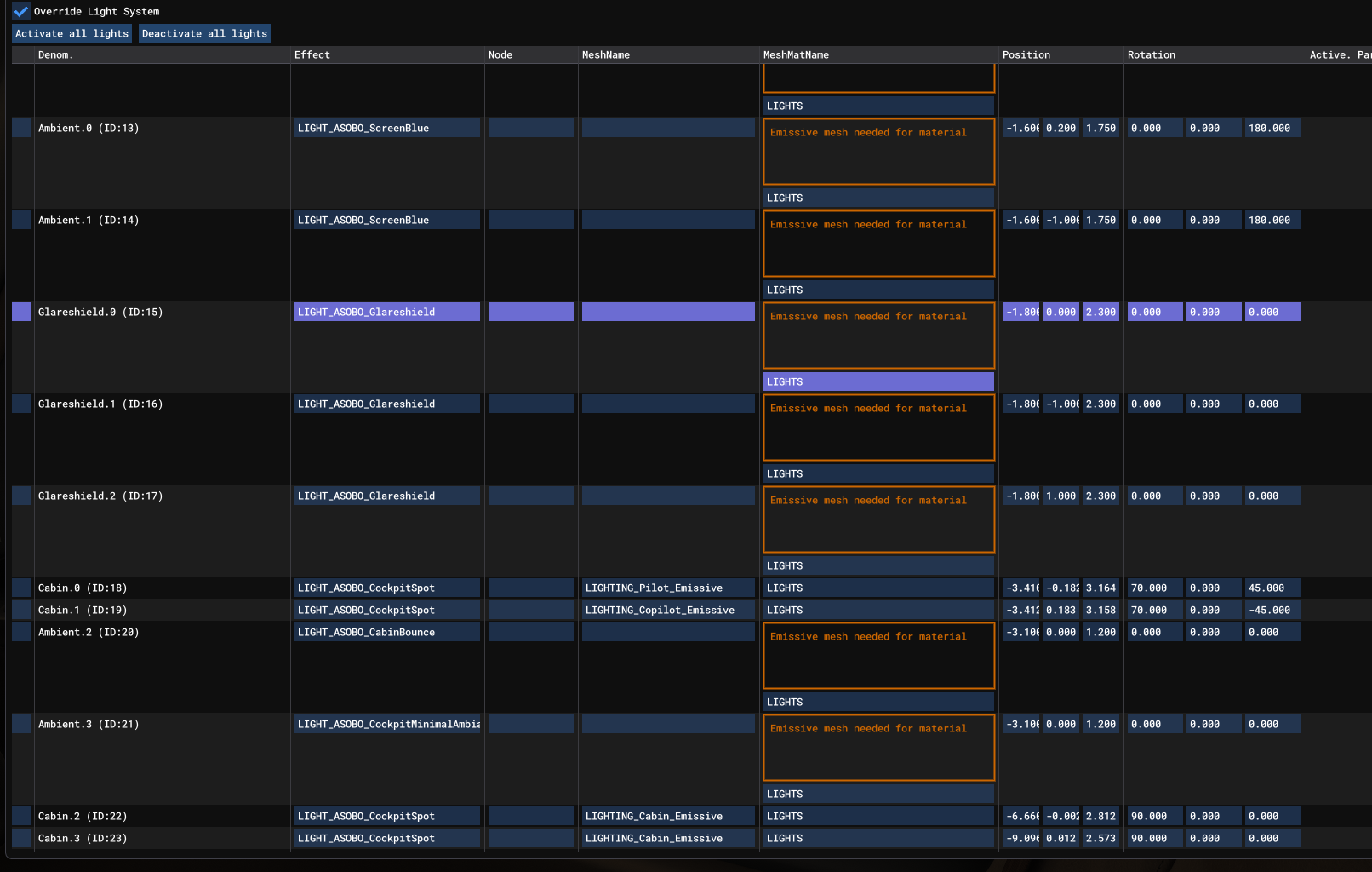
Been doing more poking around using DEV Mode. In the Tools menu I found the User Lights section and enabled it. This is what it indicates. Appears to be a lot of missing Emission Meshes inside the cockpit. In this case the Beechcraft Bonanza G36. Tried a couple other planes and they each had missing meshes. Not sure if it has anything to do with the weird artifacts but it could be related.
If this also concerns some NVidia GPUs, then it is not an AMD driver problem and it is rather up to Asobo to correct this bug in MsFs.
Don’t forget to vote at the beginning of the thread to improve its visibility and consideration.
It’s been looked into by AMD after we posted in their forums. It’s linked above in this thread, we are hoping for a potential driver fix. I suggest reading up the whole thread too
Do you have the same issue if you follow the OP’s steps to reproduce it?
•
Provide extra information to complete the original description of the issue:
•
If relevant, provide additional screenshots/video:
• RT9070XT runs really well in Sim 3 beta, but artifacts at night around cockpit windows really bad. Needs to be address real immersion killer
Do you have the same issue if you follow the OP’s steps to reproduce it?
• Yes, I see this problem in the cabin of all planes at night, during the day it is perfect, but at night it is quite annoying.
If relevant, provide additional screenshots/video:
•
Can you please update the status of this bug. Has it been logged as a bug yet and is anyone working on it? It’s been over 2 months since your post and this thread has still not been moved to bug-logged. PLEASE UPDATE US!!!
hopefully not… how hard could that be?.. (Clarkson style)
With the best graphics out there for any simulator and now you get that glitch to kill the night flying immersion… I bought the 9070XT just to have 16GB ram and go ultra on my 1080P system, and now this..
Newly bought AMD Radeon RX 9060 XT user here - I am also experiencing this issue. Seems like nothing resolves this problem when fiddling around with the settings.