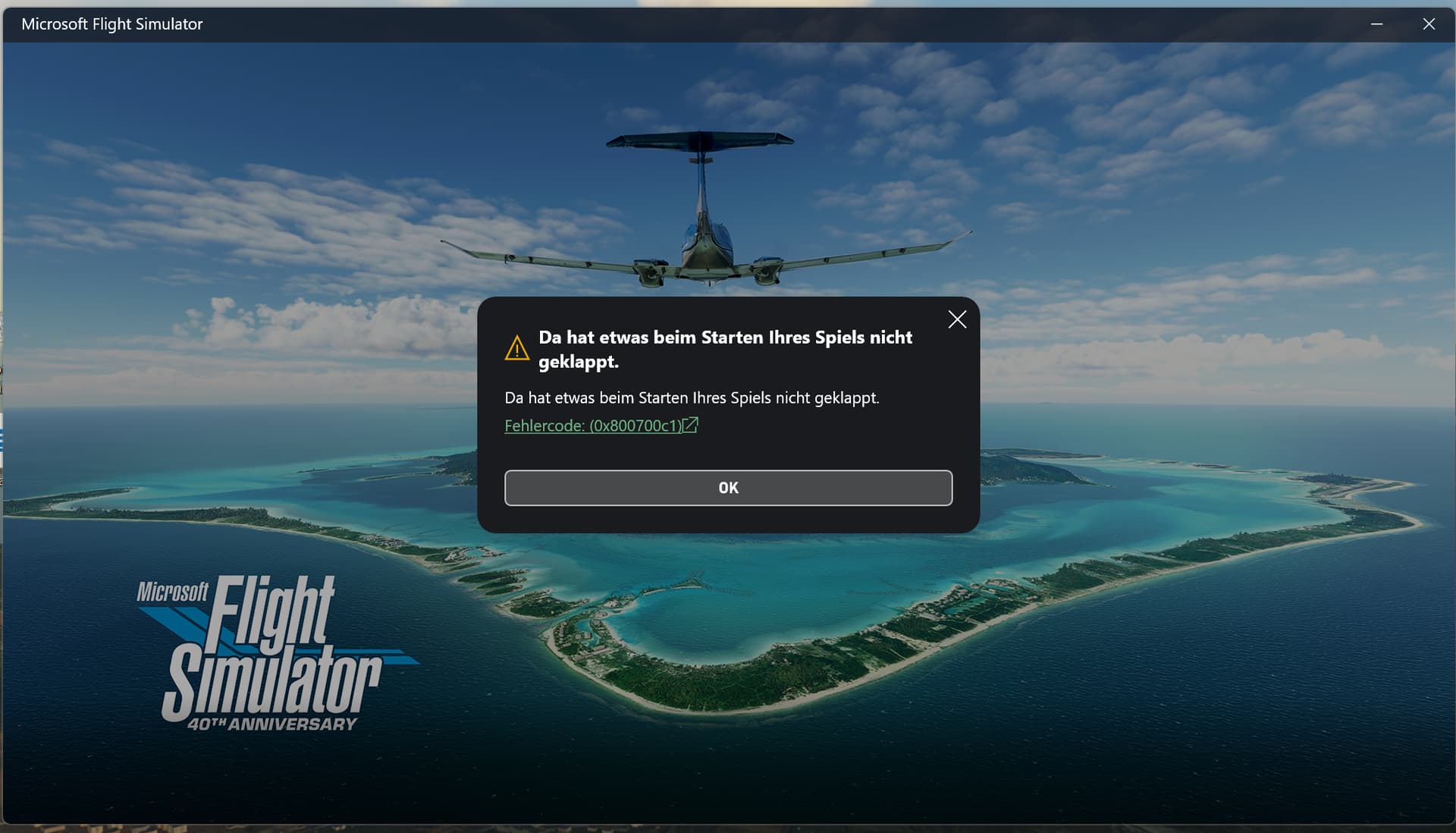
Perpetual denial of service (loading the game), NB: it worked just fine after I got a new PC and installed the Sim 2020, I was prompted to enter/confirm my MS Account upon booting the MS Desktop. That already was weird. Then the error message occured.
REPRODUCTION STEPS
Please list clear steps you took in order to help our test team reproduce the same issue:
Logged out of MS Store
Logged out of X-Box-App
Logged into MS Store manually (incl. code sent)
Logged into X-Box App (incl. code sent)
Called Microsoft
They did things remotely, can’t tell all the details
Microsoft re-installed WIN 11
The Microsoft lady’s shift ended - denial of service during install
Steps 1.-4. again
Re-named Community folder
YOUR SETTINGS
If the issue still occurs with no mods and add-ons, please continue to report your issue. If not, please move this post to the User Support Hub.
What peripherals are you using: Thrustmaster Airbus Stick, throttle quadrant, a mouse
[PC Only] Are you using Developer Mode or have you made any changes to it?
No
[PC, MSFS 2020 Only] Are you using DX11 or DX12?
I think DX12
[PC Only] What GPU (Graphics Card) do you use?
NVidia 5070ti Driver 581.42
[PC Only] What other relevant PC specs can you share?
AMD Ryzen 7 9800X3D, 64 GB RAM, ASUS RTX 5070ti, Windows 11 Build 26200.6584
Thank you for this report. We’ve moved your topic into the User Support Hub.
The Bug Reporting Hub is for posting suspected or confirmed bugs that other users are able to reproduce without duplicating an existing bug report. Using the template or providing all the relevant information about your bug and sim setup is required in order to provide valuable information, feedback, and replication steps to our test team.
If you are not sure if your issue is a bug or need further input from the community, please use the User Support Hub category. If the community can replicate your issue, first search the Bug category to see if there’s an existing topic. If it already exists, contribute to that report. Duplicate bug reports will be closed.
If you believe it is a new report and no duplicate exists, then create a new bug topic using the provided topic template.
All issues caused by or involving third-party addons/mods should be reported to the third-party developer. Assure that no addons/mods are used when reporting issues in Bug Reports.
Gosh, I had the same thing. But that was with a 5080. Check all your graphics settings are not conflicting. Also, use ddu and go back a few drivers. 577 i think folks were recommending. There are a few threads here about these Driver issues
Okay, it wasn’t the driver. I did ddu and installed 577.00. I’ll write TenPatrol next.
But then I’ll re-install the game. But via Steam. It’s on sale here in GER (47.99€, Premium Deluxe). I hope I won’t have to deal with these stupid MS apps ever again because that’s where the trouble lies. I mean, the MS agent literally re-installed WIN 11 remotely. How can that not fix everything?
There are obviously 4 different sets of graphics settings. Nvidia, screen, windows and the sim itself. If not all working together it causes issues. Secondly, there are reports of the nvidia app itself causing problems particularly in 2020. And then Dx 11 is incompatible with later nvidia cards. Really, get a hold of TenPatrol. He knows pc’s
FYI, I helped the OP with his issue. As far as I know, Microsoft support also tried to assist, but they couldn’t solve it.
The important thing is that MSFS is now working for him
Thanks so much for the kind words! But if you tell everyone to send me private messages, I won’t have any time left for virtual flying - just kidding
Microsoft support staff tried to get creative, but sometimes overthinking things backfires Still, they also deserve thanks for their good intentions.
We eventually reset WIN 11 and I updated it until the latest 25H2 version, marked as a preview version. It wasn’t an easy fix but it seems to have worked. MSFS is running again but I am still picking up the pieces (installing scenery, all the 3rd party apps etc…).
Reset WIN 11: Settings –> Recovery –> Reset this PC –> Keep my files
Before the reset, all apps to be removed will be shown via link. I, for one, saved all my e-mails before reset, for instance.
One of the Windows updates got bugged - it was an update that couldn’t be uninstalled, so the only solution was to restore Windows to a state before the update was installed and then update it again.


 Still, they also deserve thanks for their good intentions.
