I’ve been flying 2020 since its release and was excited to “upgrade” to 2024 recently, having left it a year or so for the early gremlins to be fixed. Hence my surprise and disappointment to see how bad the graphics in 2024 compared to my 2020 install. It’s so bad I’m considering uninstalling the game entirely. Yes I can continue playing 2020, but the point is 2024 is supposed to be an improvement.
I’m looking for some help as to what I might be doing wrong in the settings to cause the issue. Here’s the detail:
Issue:
- Visually the game appears to be a downgrade across the board compared to 2020. Same PC. Broadly same graphics settings.
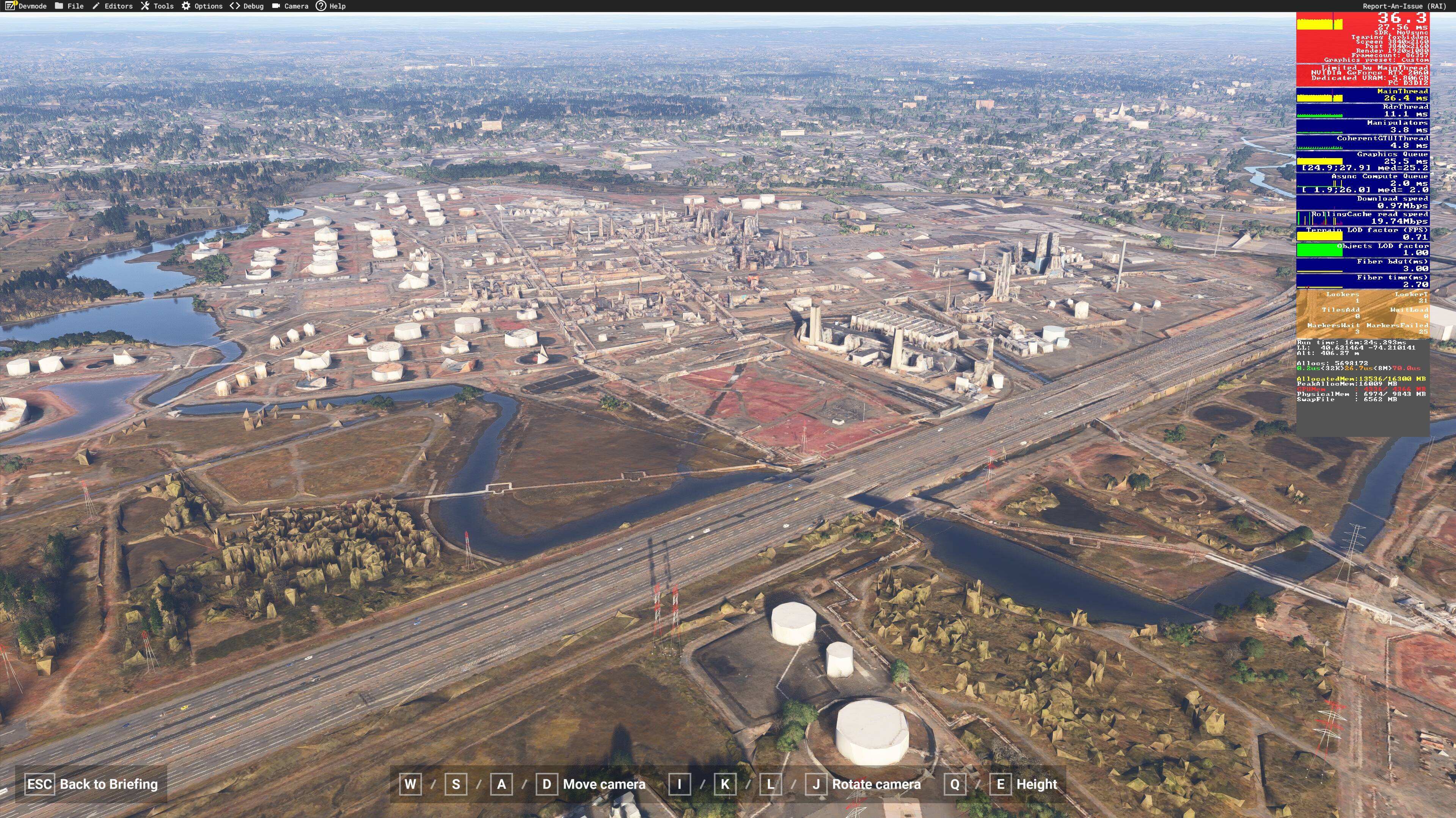
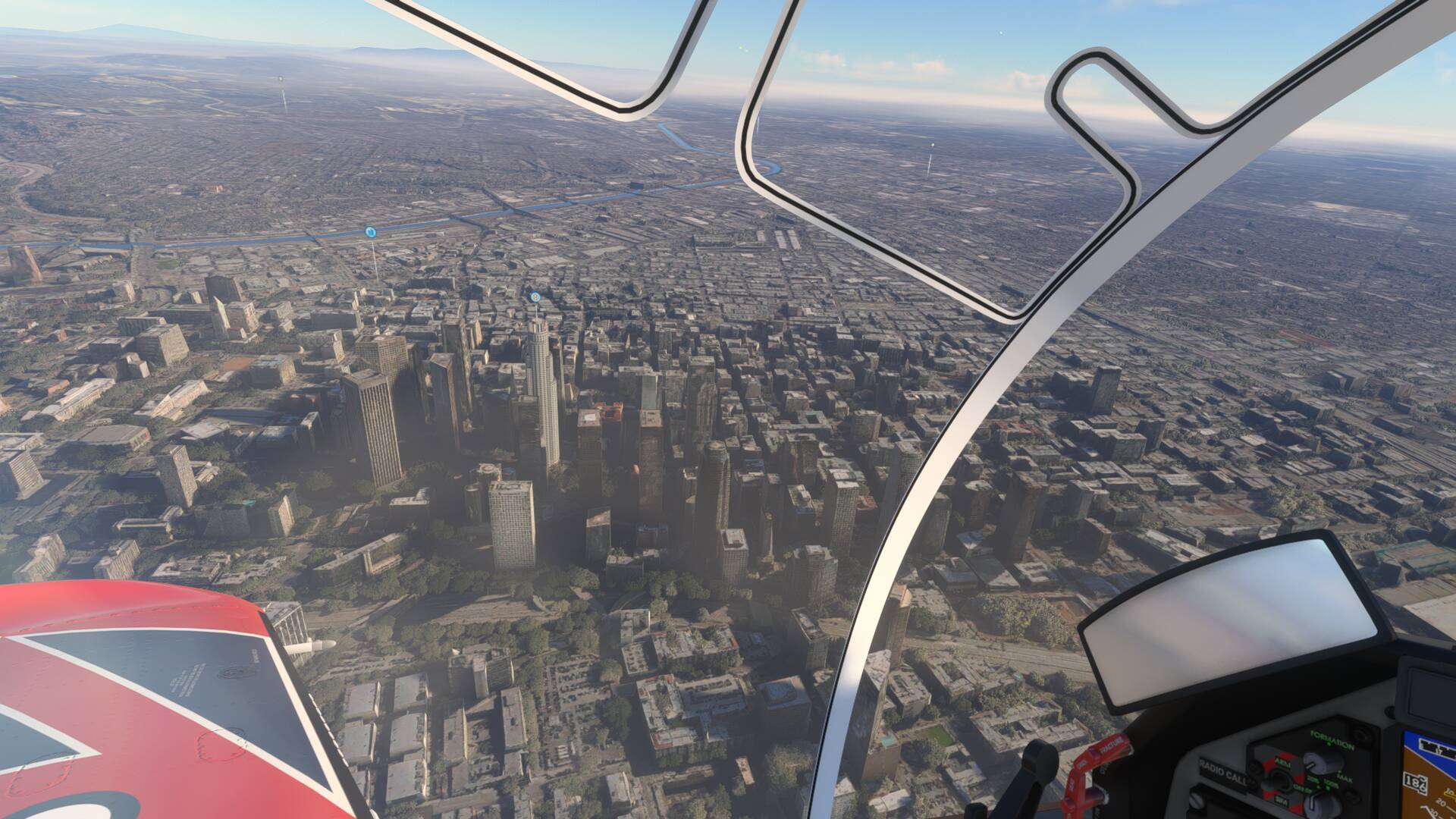
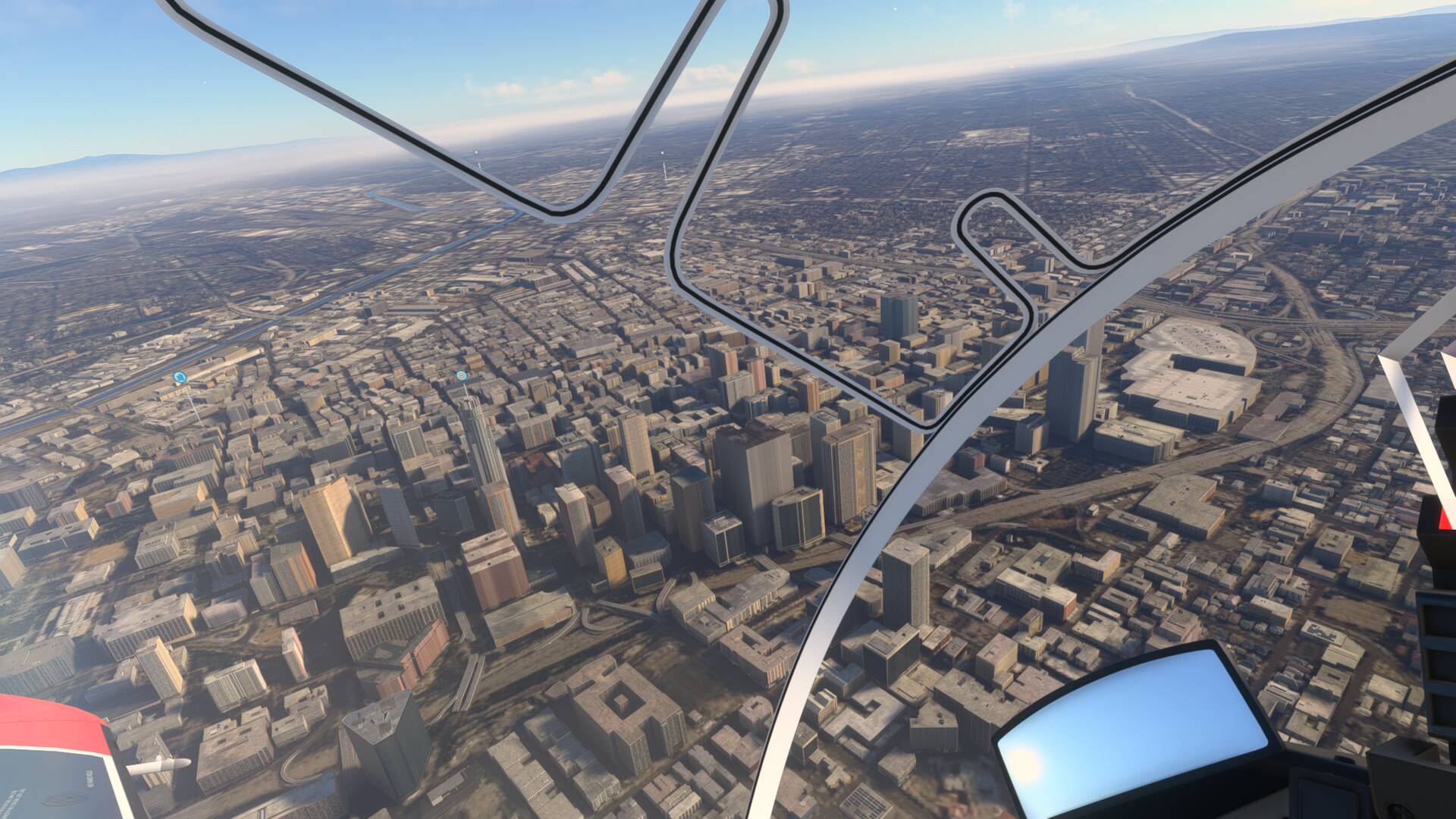
- Photogrammetry cities are awful. No detail. Just polygons and melting blobs everywhere. 2020 had it to a far lesser degree, but it would improve quickly in flight (load I guess). 2024 never improves in flight.
- Trees and fauna do look a bit better, granted. But the roads and runways are bad. Very simple colours and textures, like I get in 2020 when I change settings to low/medium. Runways look washed out and blurry on final approach.
Settings:
- Mostly high settings with a few mediums. LOD = 100.
- Photogrammetry on.
- All prior WU and SU installed from 2020 (I was prompted to do so during install)
- NOTE: I USE THE SAME SETTINGS AS I HAVE IN 2020 WHERE THE VISUALS ARE FAR SUPERIOR. I also sacrifice some stuttering for a better visual in 2020. I’ve found a good balance.
Specs:
- RTX 2060 6GB
- 16GB RAM
- Ryzen 5
- Download speeds of 200-250mbps over wireless.
I’d welcome any ideas as to what settings I need to change, if any. Or are the visuals issues I’m seeing to be expected considering my hardware? I just don’t understand why it’s such a downgrade on 2020 visuals with the same hardware.
Happy to share more specs and settings to diagnose.
Thanks in advance!
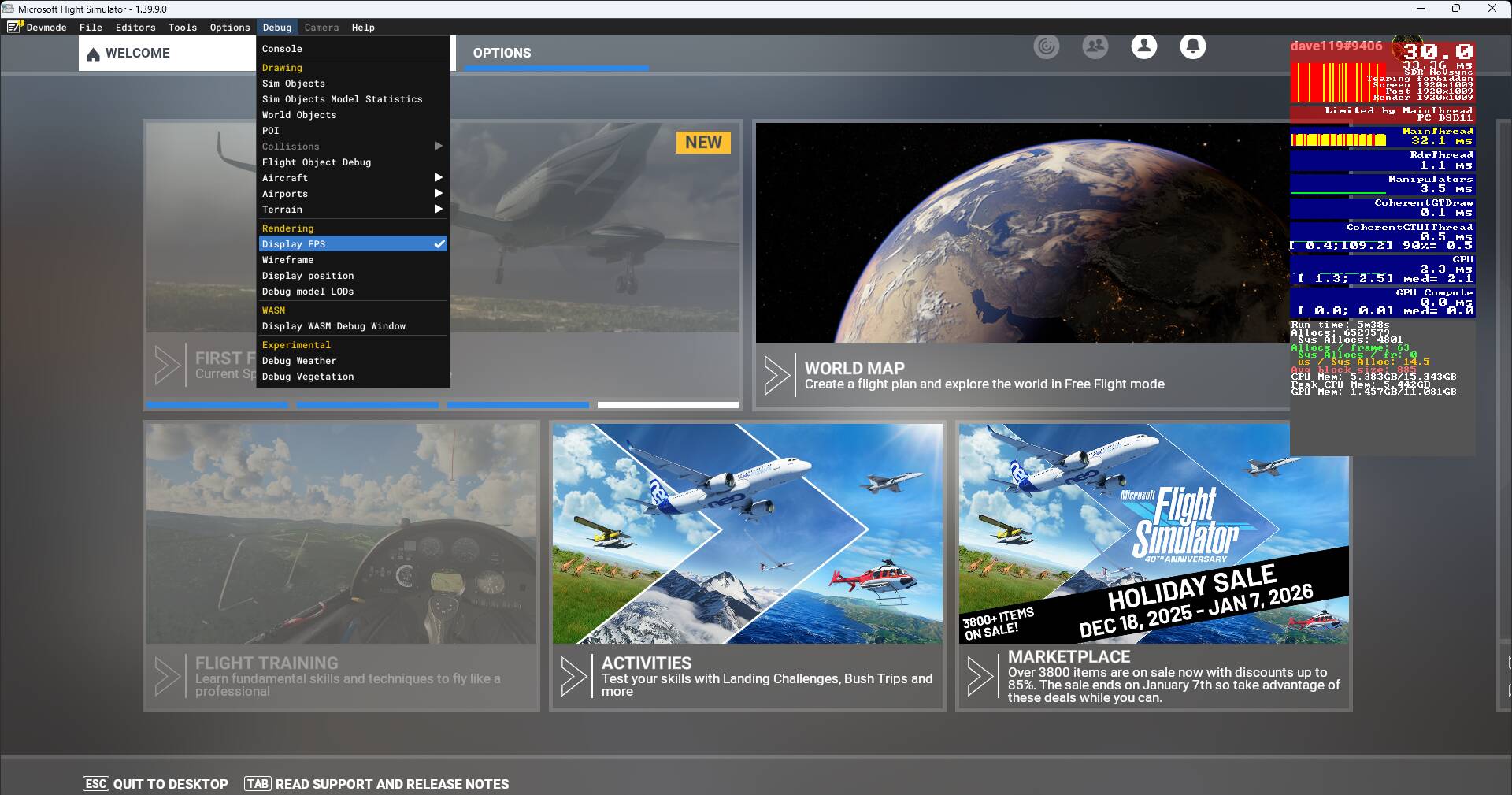
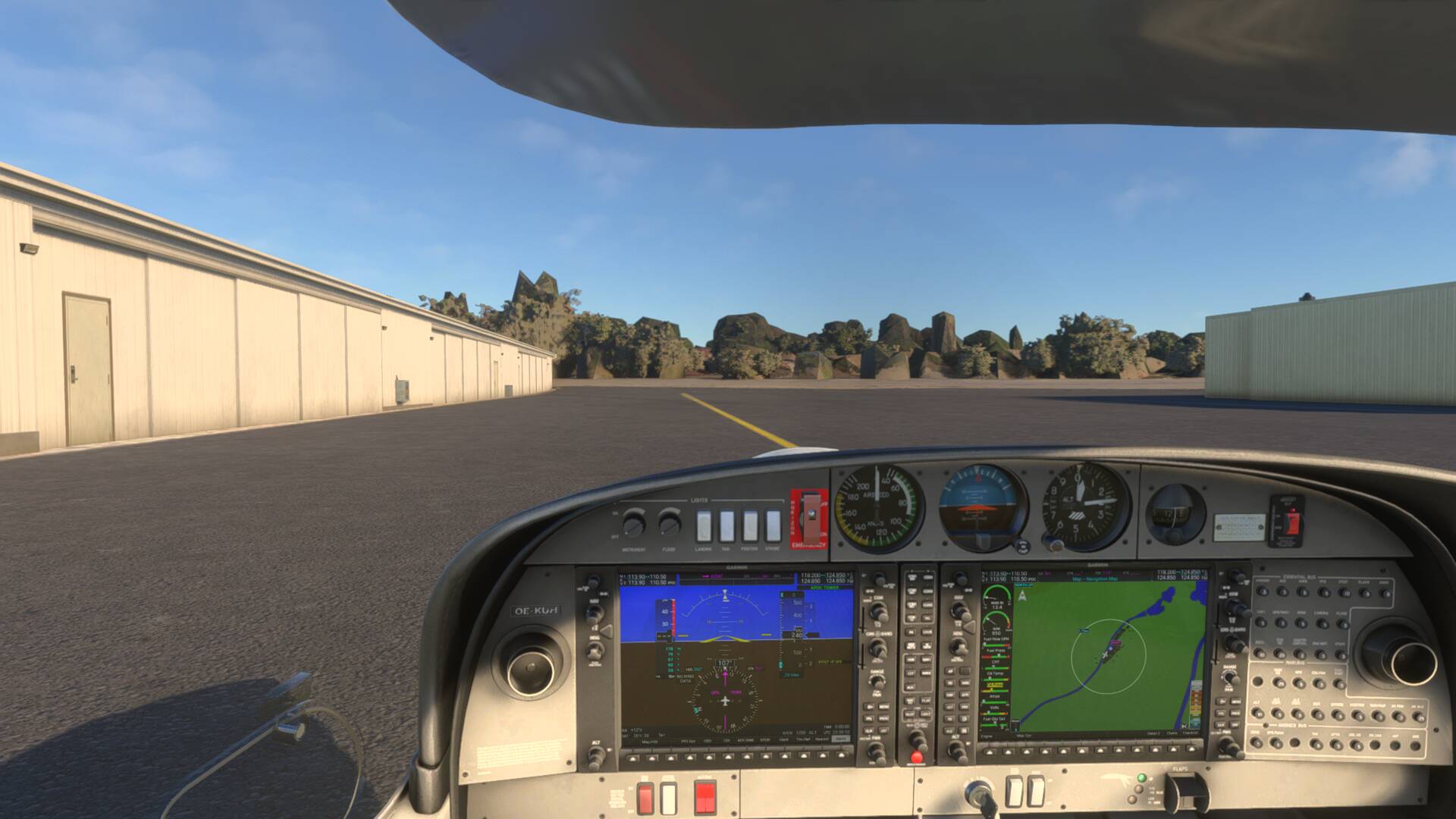
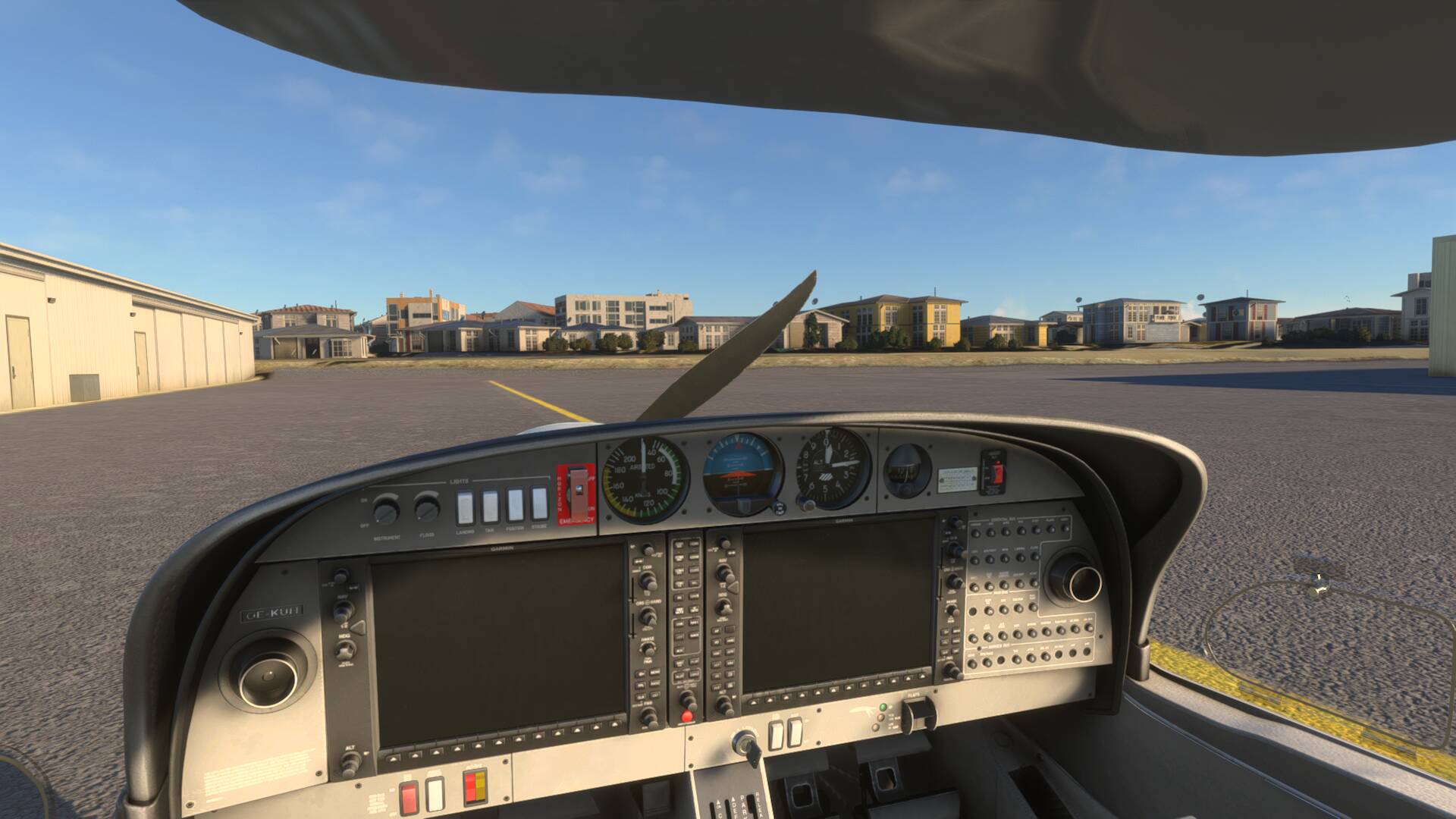
Can you share some photos of both 2020 and 2024 to show the graphics issues you are seeing, and include your FPS counter (General Options>Developers>Developer Mode>ON>Debug>Display FPS>ON)? Without visual reference it’ll be very hard to diagnose and then treat the apparent issue.
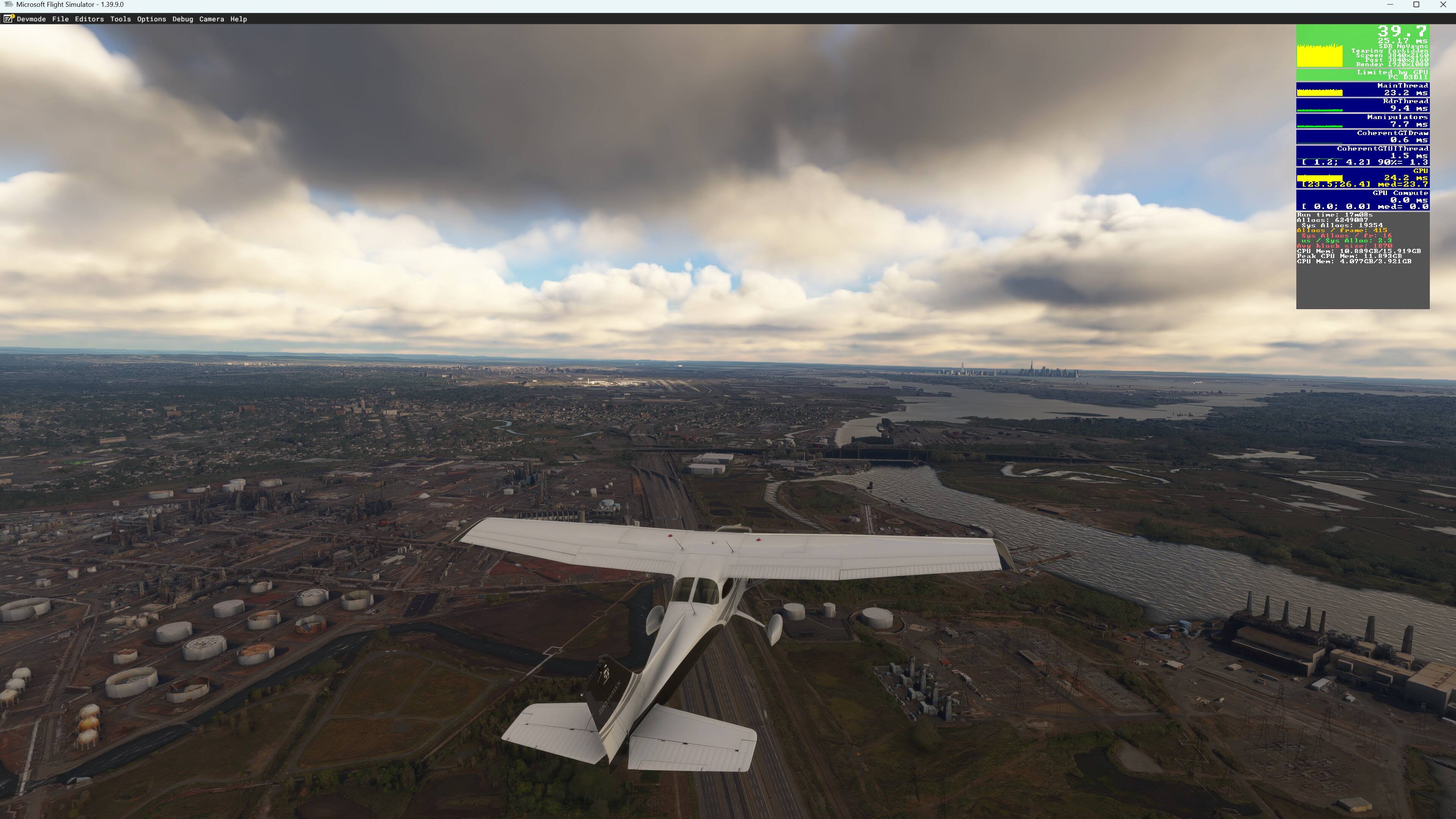
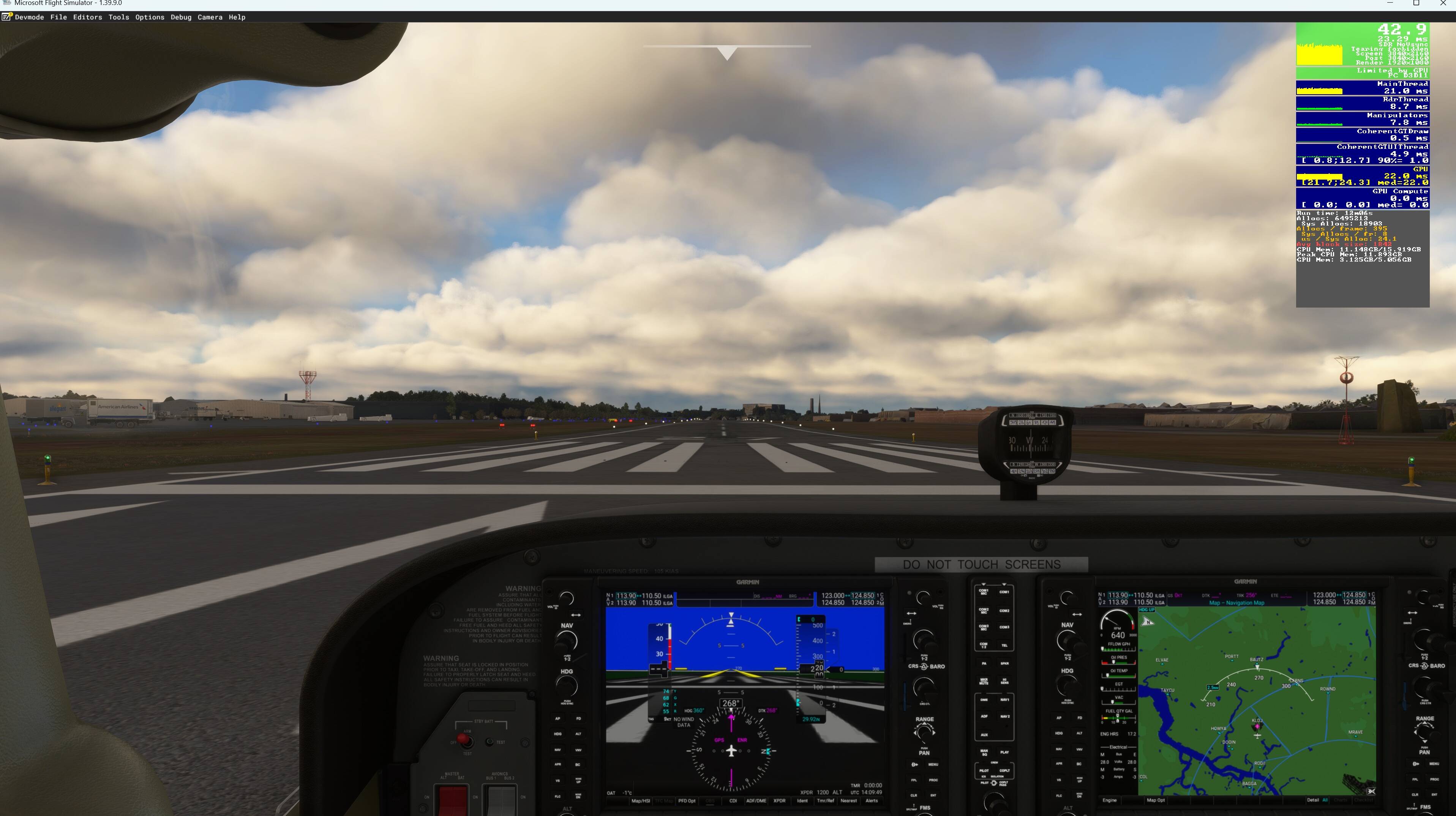
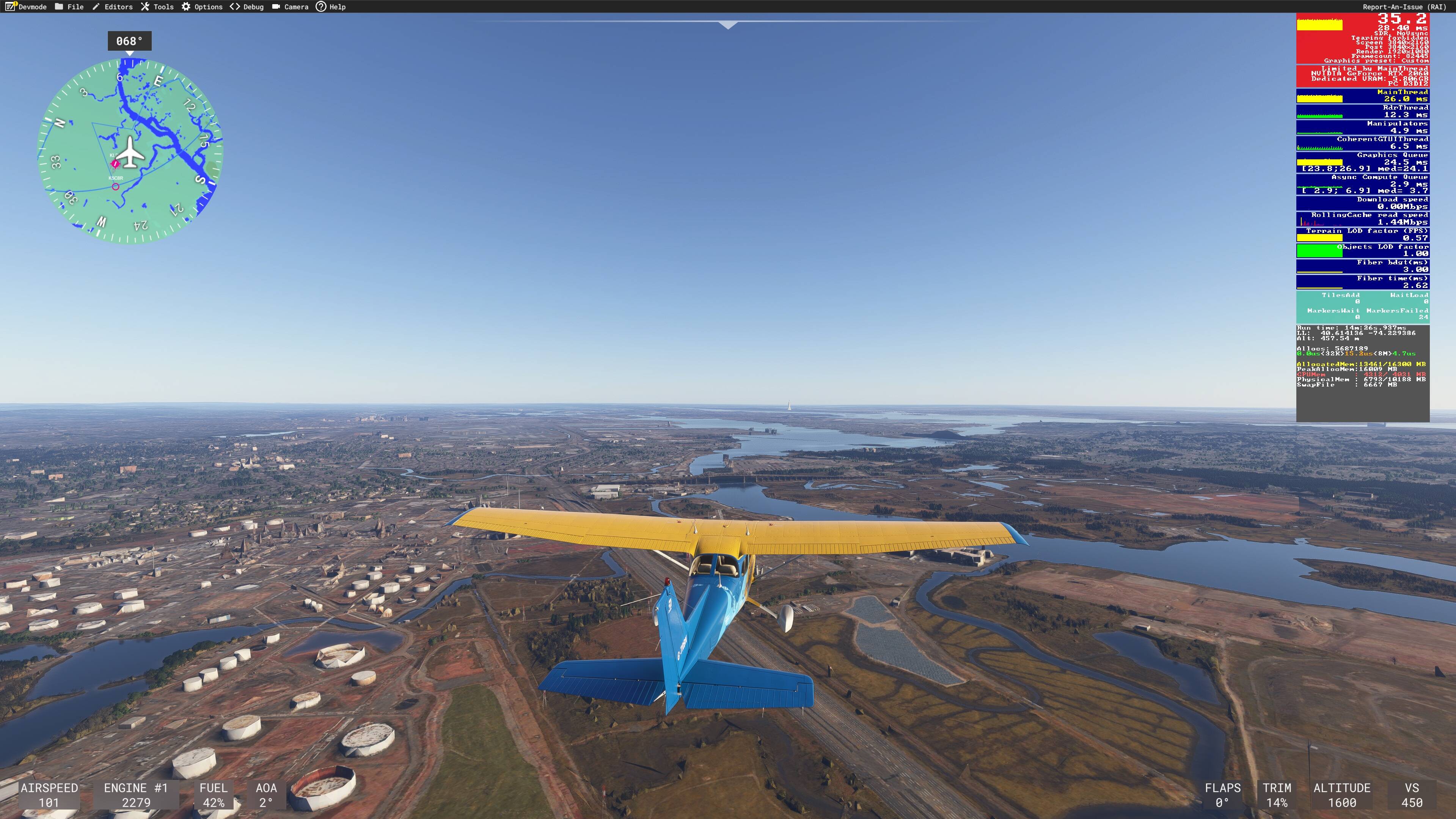
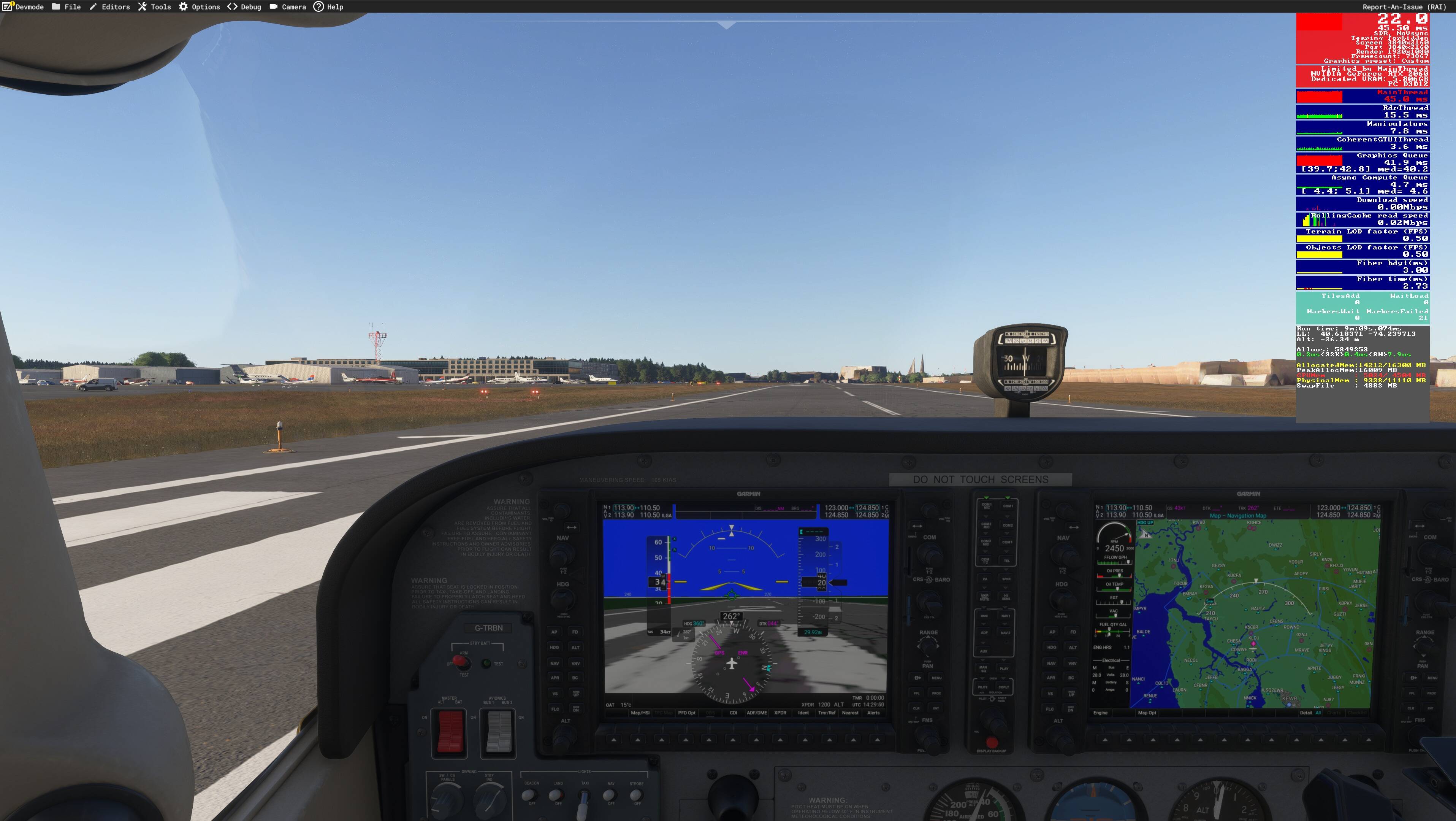
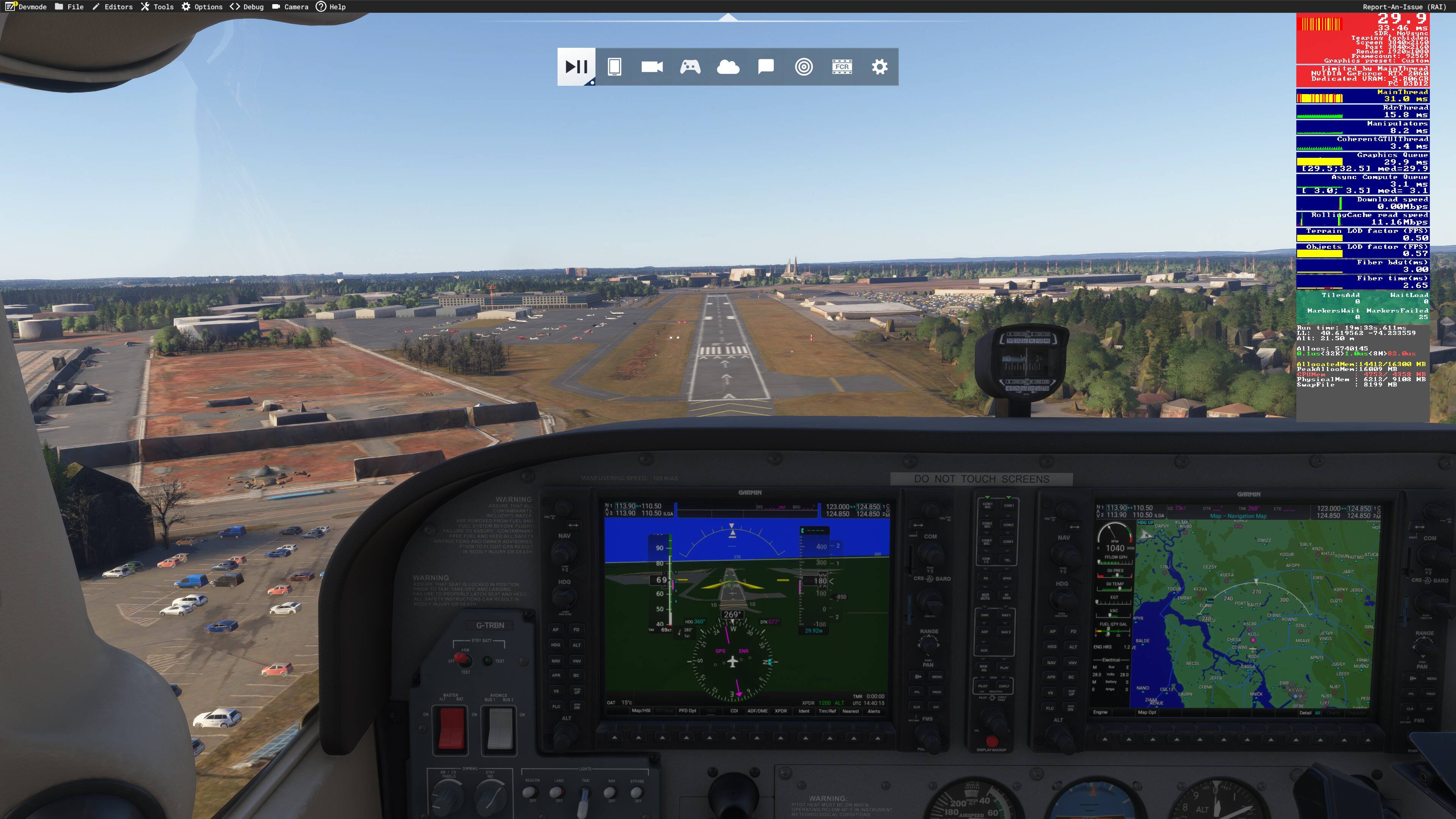
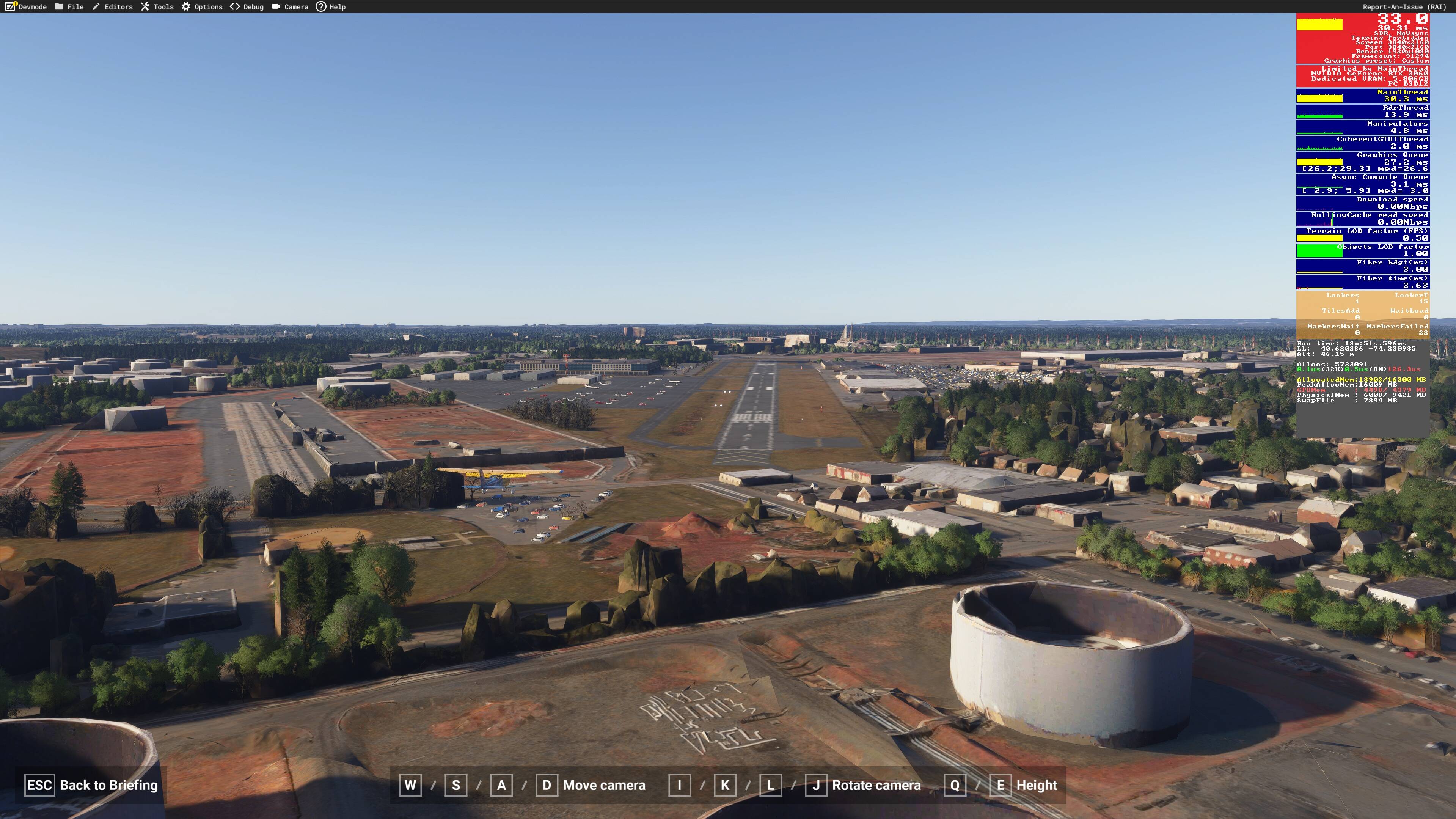
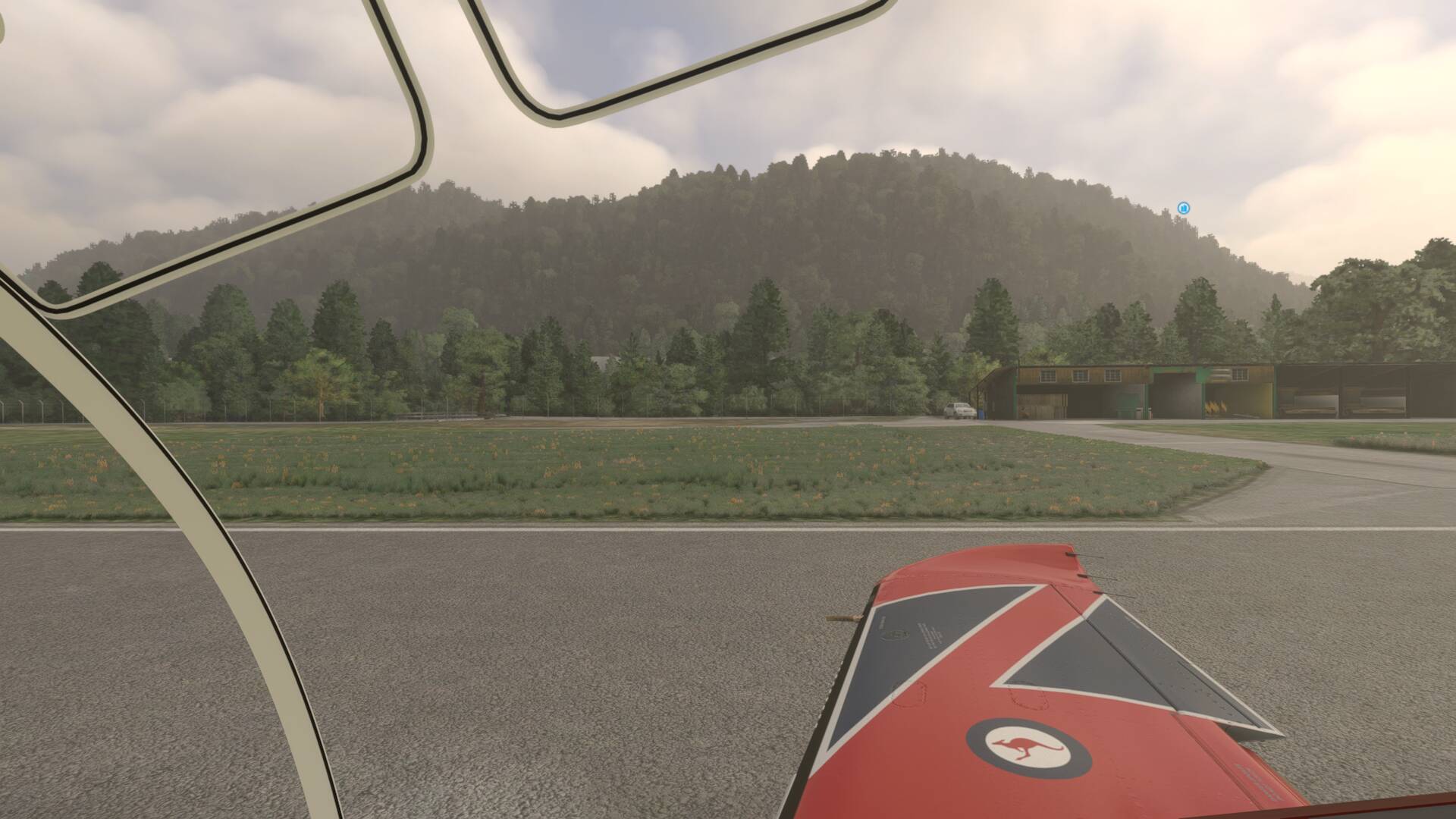
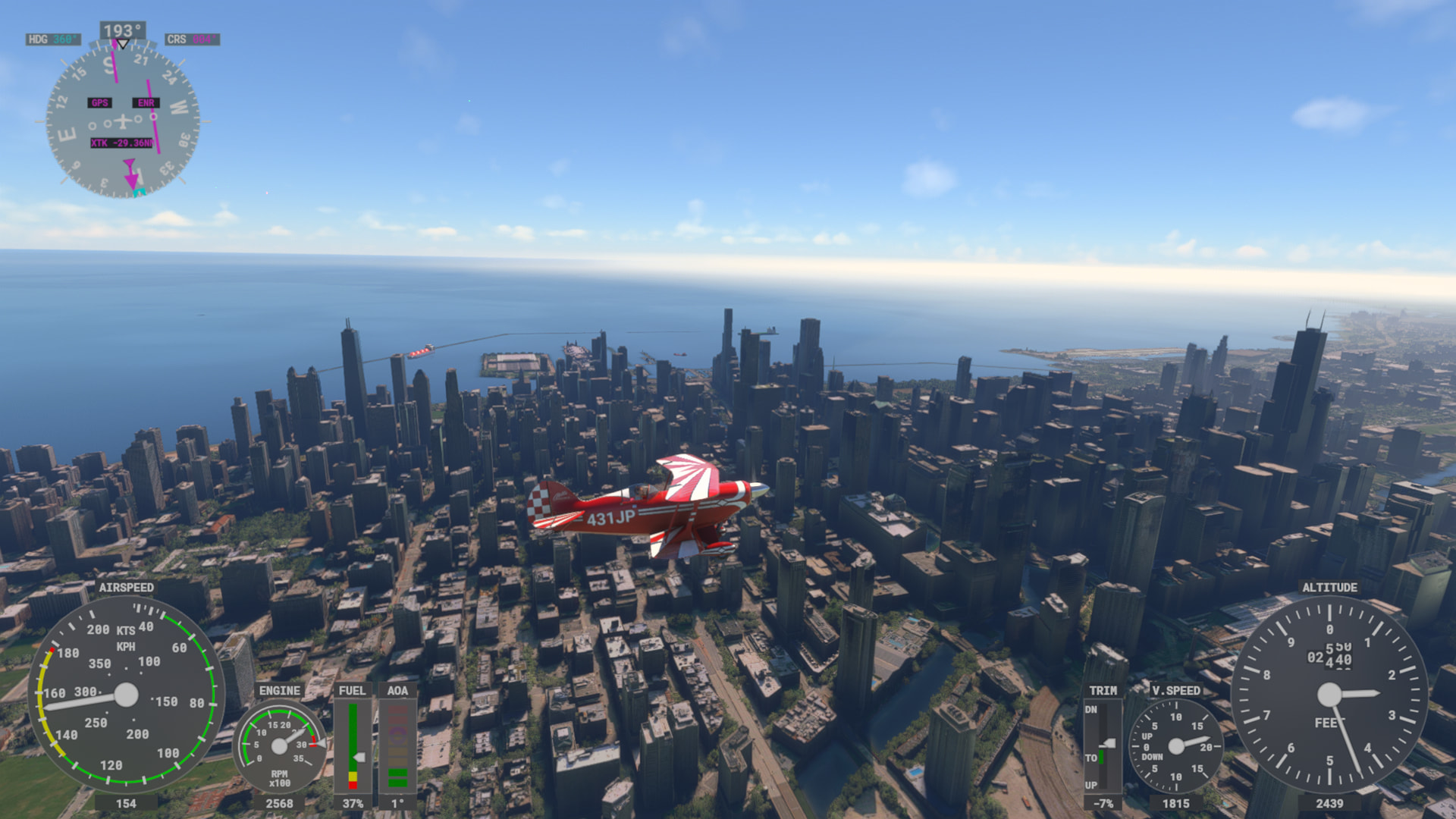
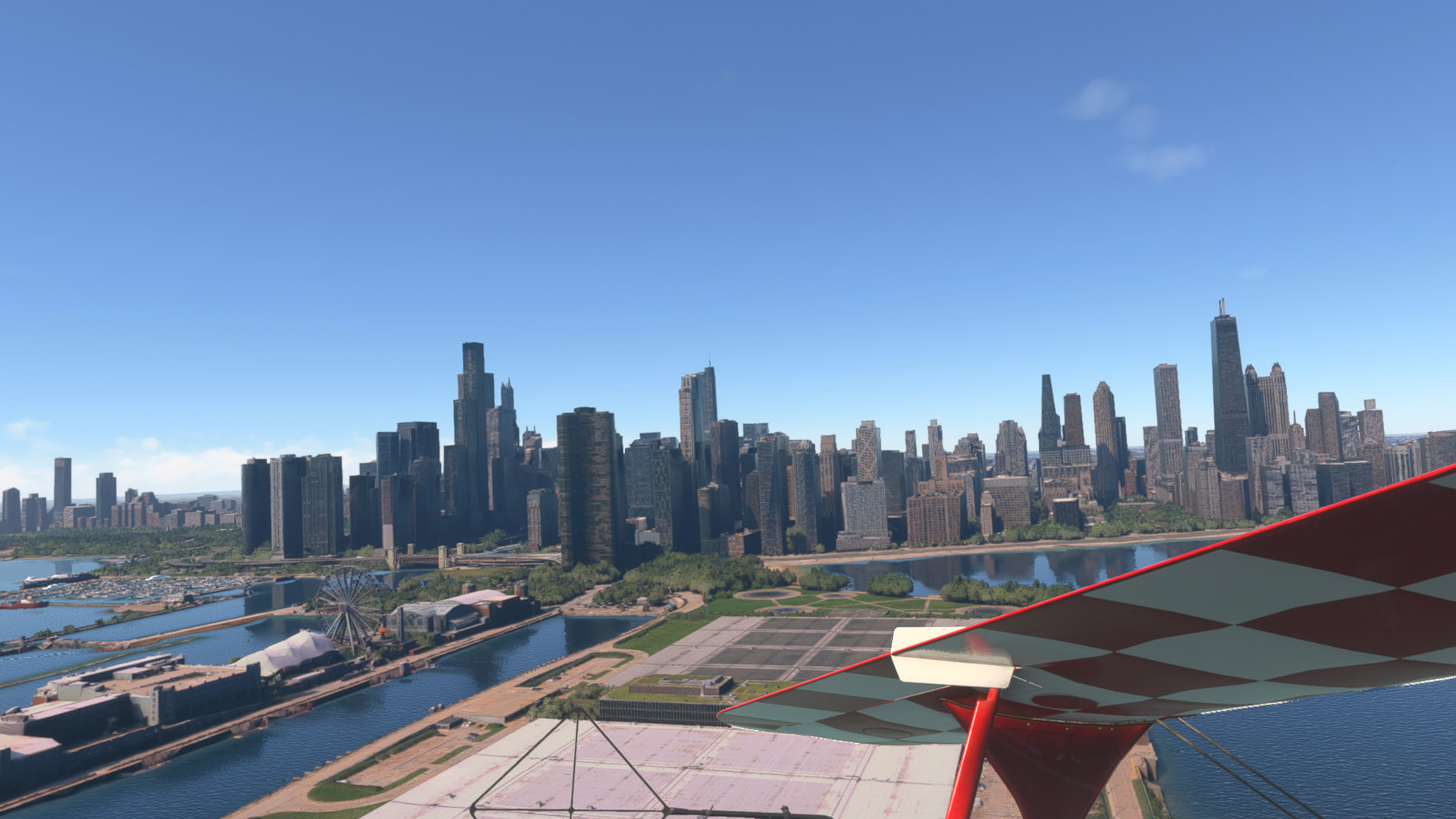
Here are some images taken from a flight out of Linden, heading towards Manhattan.
First two are from 2020. One in the air and one on the ground.
Next batch are from 2024, in roughly the same point on the map above the refinery. A few more in the air including final approach where the runway looks really blurry (although i’m unsure how well that comes out in these shots).
It’s apparent that the GPU is the constraint. I’m using a 4K monitor, and after these images amended the resolution to 1920x1080. It made a tiny difference but still in the red. I also amended object detail from 100 to 65, and turned all other settings from high to medium. That didn’t make any notable difference to GPU usage or FPS.
That’s actually quite an interesting phenomenon; FS2020 says Limited By GPU while FS2024 says Limited By Mainthread (meaning your CPU). And that’s with FS2024 especially optimized for better CPU usage, and easing the strain off your system by lowering rendering resolution does nothing… and FS2020 gives better visuals and FPS. 
Do you by any chance have Dynamic LOD on? Try turning that off and see what happens.
Note that I no longer have 2020 installed so I cannot check this myself.
From your screenshots it is clear that you have photogrammetry enabled in 2024 but the 2020 screenshots are too dark and not in spots where I can see whether PG is enabled. Photogrammetry impacts both the performance and it shows some strange shapes for objects such as trees etc. on the ground, so I am not sure if this is a factor here. Would it be possible to take 2020 screenshots in the same position and lighting as the 2024 ones please?
Photogrammetry is on in 2020. I’ve always had it on.
Good suggestion on the dynamic LOD. I’ve turned that off and it appears to have made a difference. I’ve repeated the flight from Linden and managed to fly over Manhattan and the graphics have been very good (considering my hardware). At or above a comparable level to 2020.
I took a flight around Austin, TX to check and that also performed well and PG loaded well.
I’ve then tried a UK flight (I’m from UK and fly around it most often). My home airport is EGTK with Oxford having PG. It remains awful. Just polygons everywhere. FPS drops to 9 as well!
That Dynamic LOD setting really is a puzzle; sometimes it works really well and sometimes it doesn’t. But I’m glad to see it works nicely for you now.
About the Oxford area: my guess is that’s due to server traffic; if you try it when most folks in your area are at work or sleeping then you may find the quality goes up (like you noticed in NJ and TX).
And yeah, those FPS numbers aren’t healthy at all. For decent photogrammetry, you’d need to be hitting at least the 20s or everything slows down and graphics tank. Are you using the latest Nvidia drivers?
Dynamic settings reduce the TLOD/OLOD when the GPU/CPU is under heavy load, by up to 50%. If you start with a TLOD of 100, you’ll end up with a TLOD reduced to 50. Needless to say, the graphics quality won’t be there.
Unfortunately, with only 6GB of VRAM, you’ll have to make some very difficult graphics choices.
It’s sad to say, but it might be wiser to stick with MSFS 2020 on this PC.
Not trying to be too negative, but MSFS 2024 has a more demanding engine under the hood. The revamped lighting and physics takes more to run and leaves less bandwidth on a system for graphics compared to 2020.
With the limited RAM and VRAM you have with an older system you’ll have to make some compromises and probably won’t have the same visual experience on 2024 .
If you want to move up at all, I’d consider looking at the used GPU market on Facebook Marketplace. Lots of people are upgrading to 5000 series cards right now and you can find really good deals on used hardware. Even a 4060 would be a jump for you.
Thanks. I was thinking of making the jump to new hardware anyway so this is probably the catalyst. Any recommendations on a card, or overall setup that gives a very good playing experience? I imagine 16GB RAM isn’t good enough either.
@BlaringWings208
I recently upgraded from an Intel Arc 770 to an ASRock RX 9070 XT (16GB VRAM).
Apart from this bug, which may be fixed in SU5, it is giving very good framerates when paired with my i7-12700K - 80’s in graphically demanding situations such as large airports (KJFK, EGLL, etc) & 120 elswhere (I restrict the max frame rate to 120 which is the same as my TV’s refresh rate).
Expand to see my basic PC specs:
| Item |
Setting |
| CPU |
i7-12700K (no overclocking or undervolting) |
| RAM |
32 GB 5200 MHz DDR5 CL40 RAM |
| GPU |
AMD Radeon RX 9070 XT (16GB) Driver v25.11.1 |
| Rebar BIOS Setting |
On |
| Main MSFS monitor |
55" Hisense U7 4K TV @ 120Hz |
| Secondary monitors |
Two 32" 1080p 1360 x 768 @ 60 Hz |
| Internet |
Starlink, with max download speeds of ~ 400 Mbps |
Expand to see my graphics settings
| Item |
Setting |
| Display Mode |
Full Screen |
| HDR10 |
On |
| Exposure Compensation EV |
-1 |
| Full Screen Res |
3840 x 2160 |
| Anti-Aliasing |
TAA |
| Render scaling |
100 |
| AMD FidelityFX Sharpening |
200 |
| Max Frame Rate |
On |
| Max Frame Rate Value |
60 |
| Frame Generation |
AMD FSR 3 |
| Framerate Multiplier |
2x (N/A) |
| VSync |
Off (N/A) |
| VSync Interval |
Half refresh rate (N/A) |
| Dynamic Settings |
On |
| Frame Rate Target |
40 |
| - |
- |
| Global Rendering Quality |
Custom |
| Terrain LOD |
400 |
| Off Screen Terrain Pre-Cache |
Ultra |
| Displacement Mapping |
On |
| Buildings |
High |
| Trees |
Medium |
| Plants |
High |
| Rocks |
High |
| Grass |
High |
| Object LOD |
200 |
| Volumetric Clouds |
Ultra |
| Texture Resolution |
High |
| Anisotropic Filtering |
16x |
| Water Waves |
High |
| Raytraced Shadows |
Off |
| Shadow Maps |
2048 |
| Terrain Shadows |
512 |
| Contact Shadows |
High |
| Windshield Effects |
Medium (was High, changed to reduce glare reflections) |
| Ambient Occulsion |
High |
| Cubemap Reflections |
256 |
| Raymarched Reflections |
High |
| Light Shafts |
Ultra |
| Depth of Field |
Ultra |
| Motion Blur |
Off |
| Glass Cockpit Refresh Rate |
High |
| Characters Quantity |
Low |
| Characters Variety |
Ultra |
| Characters Quality |
Medium |
| Airport Services Quantity |
Low |
| Airport Service Variety |
Ultra |
| Parked Aircraft Quantity |
Low |
| Parked Aircraft Variety |
Ultra |
| Aircraft Traffic Quantity |
Low |
| Aircraft Traffic Variety |
Ultra |
| Road Traffic |
High (was Medium) |
| Sea Traffic |
High (was Medium) |
| Fauna |
Ultra |
| Seatbelt Visibility |
On |
You should upgrade your graphics card.
I have the AMD RX7900 XTX Phantom Gaming 24 GB GPU and the graphics are absolutely INSANE!!! It’s completely absurd how real this looks.
Thank you for all the replies. It’s clear I need hardware upgrades. I’ve been really surprised by the hardware demands from 2020 to 2024 when a lot of what I was reading before and just after release was that 2024 had been designed to be more efficient.
Looking around i’ll probably opt for a Radeon GPU as they’re a bit cheaper than Nvidia and all I need it for is FS2024. Something like the RX 9060 maybe. I’ll also double RAM to 32GB. The trouble could be also needing to upgrade the CPU. That might be trickier as my PC is ~5 years old and I’m limited to a Ryzen 7 5700X3D which is as far as I can go on my motherboard. By the time it all adds up individually I might be better off buying a new PC. We’ll see.
Super helpful. Thanks for sharing.
Oh it was, however they ate up all that extra resource with adding bells and whistles and thus requiring more powerful hardware to run, contrary to what Jorg said about it initially, which was that the hardware requirements would be the same.
I have a 5800x3d, 64 GB DDR4 RAM, and a 5070ti in my rig. I run 4k all ultra settings with frame gen on.
You should be able to sell your older parts on eBay or locally to help offset some of the cost of your upgrades.
Graphics have been ugly on 2020 and 2024 since 2024 launch.
This is on an Xbox Serie S. (most of the landscape is not reliant on the hardware anymore) 
This is KEMT (El Monte - USA) airport with Photogrammetry ON (look at the trees)
Same with photogrammetry OFF
which is the most realistic of the two as in real life you’ll see houses down there, even though there first is a tall wall in between.
Downtwon Los Angeles with photogrammetry ON
Same with phogotrammetry OFF (again, better looking)
Interestingly enough, Lugano Switzerland looks the same with both option ON or OFF
ON
OFF
My connection is 500 mbps . I also played directly from the cloud version, same result. So the limit is coming from MS servers not rendering appropriately.
i played the updated Chicago yesterday, and the whole city was visible immediately, in full quality of what i can get on the Xbox S. Everything was smooth and fully rendered. Not sure if this is due to the city update or an upddate with the servers (or just pure luck ). I then played my usual Swiss scenery with lots of mountain, and there as well everything was loaded before i could even fly near to it. Best experience on the sim in years. I hoe this is a permanent change!