 Thank you for using the Bug section, using templates provided will greatly help the team reproducing the issue and ease the process of fixing it.
Are you using Developer Mode or made changes in it?
No
Have you disabled/removed all your mods and addons? If the issue still occurs with no mods and add-ons, please continue to report your issue. If not, please move this post to the User Support Hub.
Peripherals only. Cannot access MSFS as it is stuck on Ínstallation Manager
Brief description of the issue:
'Start MSFS (steam version) and it commences through to the INSTALLATION MANAGER. Select UPDATE. The update commences, f-base-0.1.282 fspatch - Parts [1/3] and [2/3] appear to load however part [3/3] will not load. Gets to 100% loaded then restarts.
Provide Screenshot(s)/video(s) of the issue encountered:
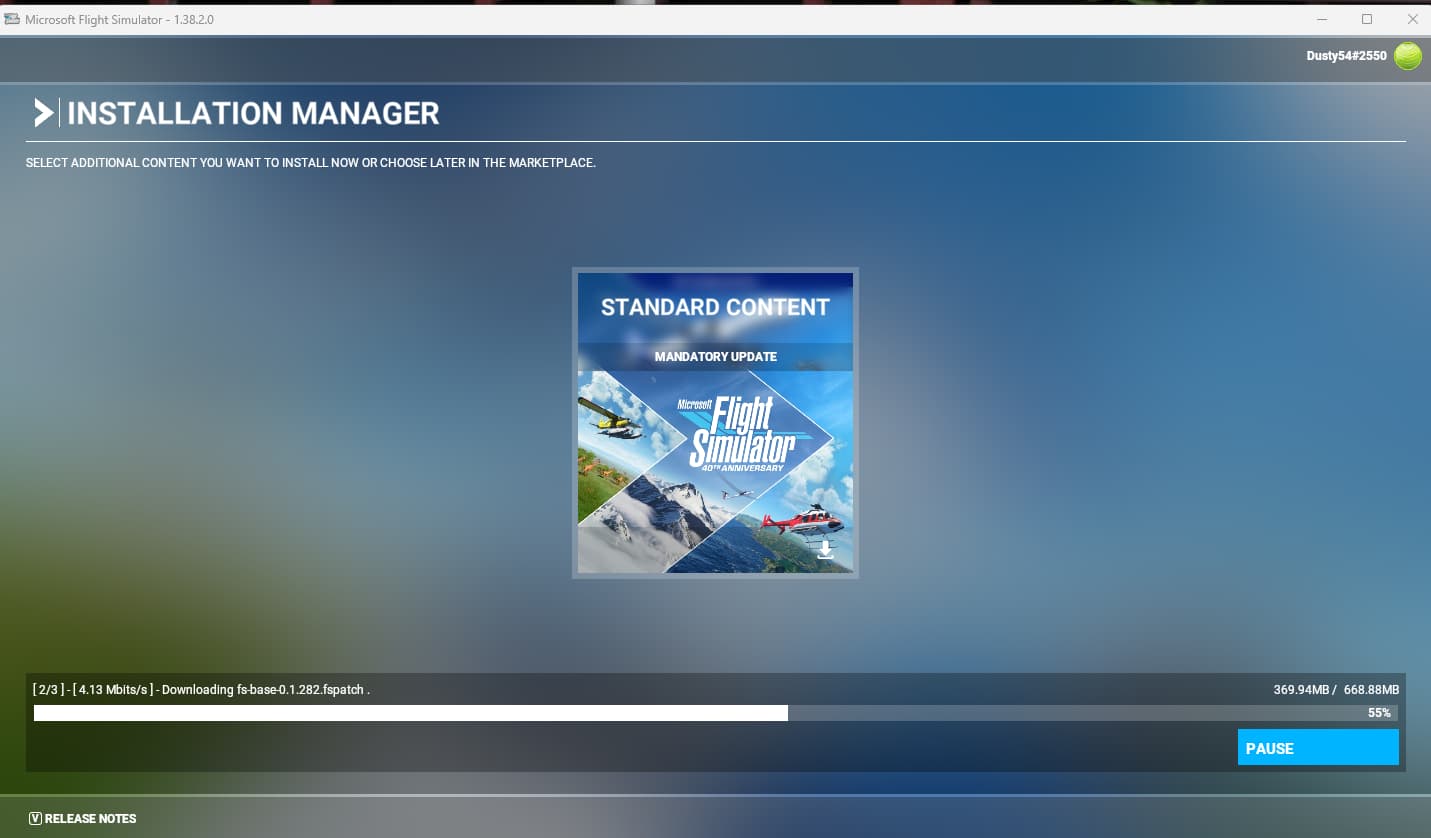
Detailed steps to reproduce the issue encountered:
deleted community file from : ```
AppData\Roaming\Microsoft Flight Simulator\Packages\Community
However this folder is not available - ```
C:\Users\your_username\AppData\Roaming\Microsoft Flight Simulator\Packages\Official\Steam

Have deleted all new files from the MSFS directory dated when  I tried the download
Uninstalled MSFS (through STEAM app)
Deleted STEAM and reinstalled MSFS from STEAM app.
Opened MSFS and ran installation manager. Same isse
Many issues may be due to an outdated graphics card. Please state your Graphics Card Driver Manufacturer (NVIDIA, Intel, AMD) and Version (Learn how to find your current graphics card driver version):
NVIDIA 3060
PC specs and/or peripheral set up if relevant:
Motherboard: Gigabyte Z790, Intel Core i9-13900k, 32b DDR5 RAM C: is Samsung SSD 860 EVO 1tb (where STEAM is loaded to) F: is Samsung SSD 870 EVO 2tb where MSFS is loaded to. O/S is Wiindows 11 - 64bit (up to date)
Build Version # when you first started experiencing this issue:
1.38.2.0
 For anyone who wants to contribute on this issue, Click on the button below to use this template:
Do you have the same issue if you follow the OP’s steps to reproduce it?
n/a
Provide extra information to complete the original description of the issue:
If relevant, provide additional screenshots/video: