I don’t plan on giving up the fight.
Yep, this is no time to be giving up. There’re free and payware mods coming online showing significant improvements to depiction at least are very doable. Deeper weather simulation may need more thought, but the idea that weather is too difficult to improve in MSFS is clearly nonsense.
Me neither. They need to address this openly, honestly, and with a plan.
Regarding the now plethora of external weather apps, this should tell them one thing: the clouds, weather, and atmosphere simulation simply isn’t good enough a lot of the time otherwise these tools wouldn’t exist.
Agreed, it shouldn’t be difficult to improve in MSFS, but the difficulty lies in doing it on a system with an AMD Zen 2 processor (equivalent to a Ryzen 7 4700g), an AMD RDNA 2 GPU (equivalent to an RX 6600 XT) and only 16 GBs memory. That’s where the problem is.
I’ve only just started using FS2024 in the last week. I bought it at launch but it was a mess and I just never got around to using it again. The overall sim is much better now and I’m enjoying it but the clouds do look rubbish compared to FS2020. Is it just my sim but all the clouds in FS2024 seem to have completely flat bottoms if that makes sense. They are all the same little fluffy shape with a flat bottom. I can’t remember 2020 looking like that at all.
Keep in mind that cloud layers often have fairly flat, uniform bottoms, especially when viewed from a distance. It has to do with how clouds are formed, surface temperature, dewpoint, the lifted condensation level, and other complexities. That’s a bigger discussion, could get deeper into it if you want. In short, no, they’re not always that way, but it’s not at all uncommon.
What you’re saying is true—but a lot of other people have high-end systems that can handle this without any problems—and then I’ll add a slider for the “general” weather resolution.
So you can customize it—there’s something like that for animals, there’s something like that for “rocks” on the ground—but for one of the most important aspects of a flight simulation—and that, among other things, is the weather—there’s nothing like that! And as long as they refuse to understand this, we’ll keep reporting on it!
BR
If there is a hardware performance issue, it’s not on the PC side, and was not the reason for a deliberate reduction in cloud quality.
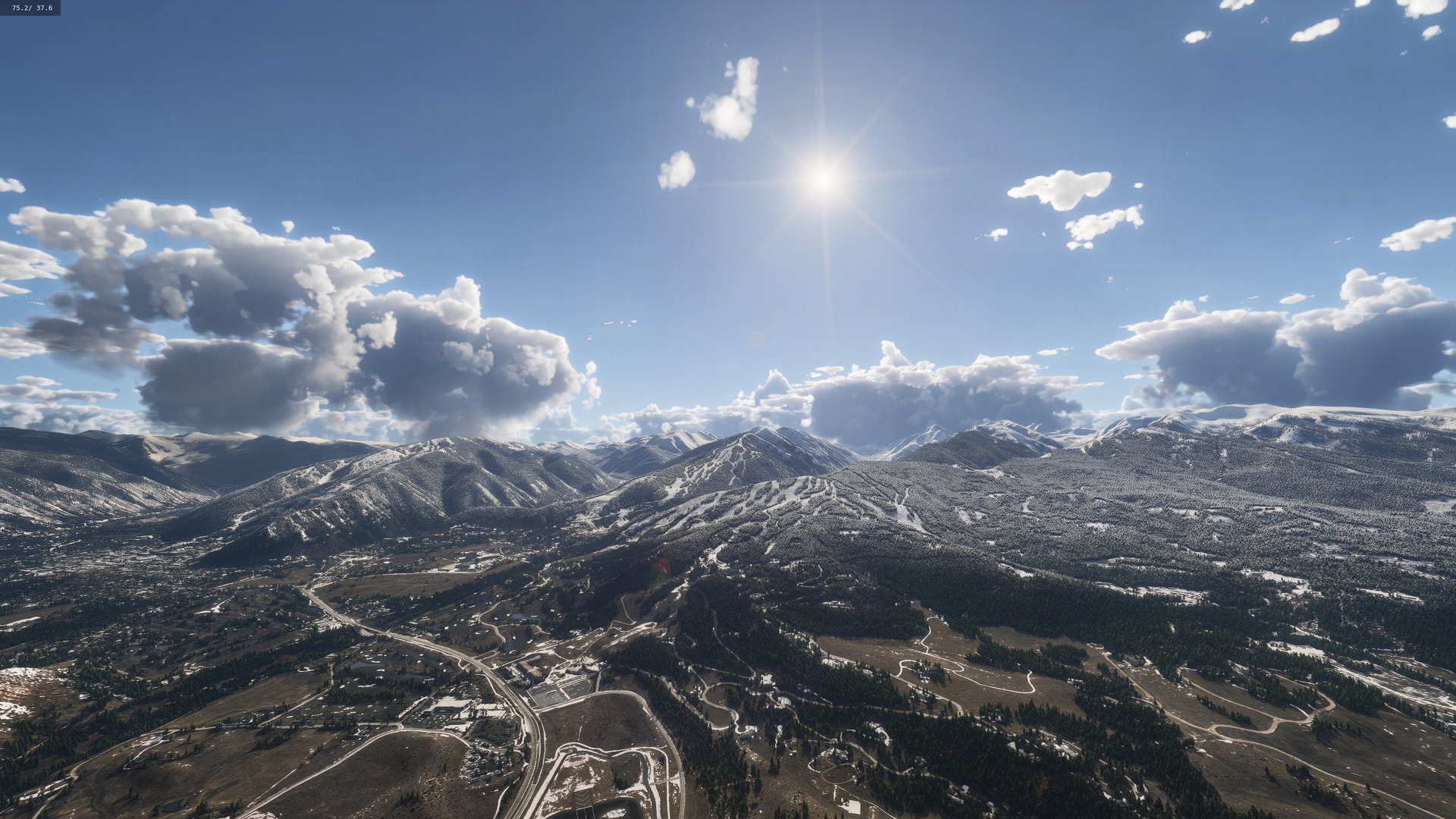
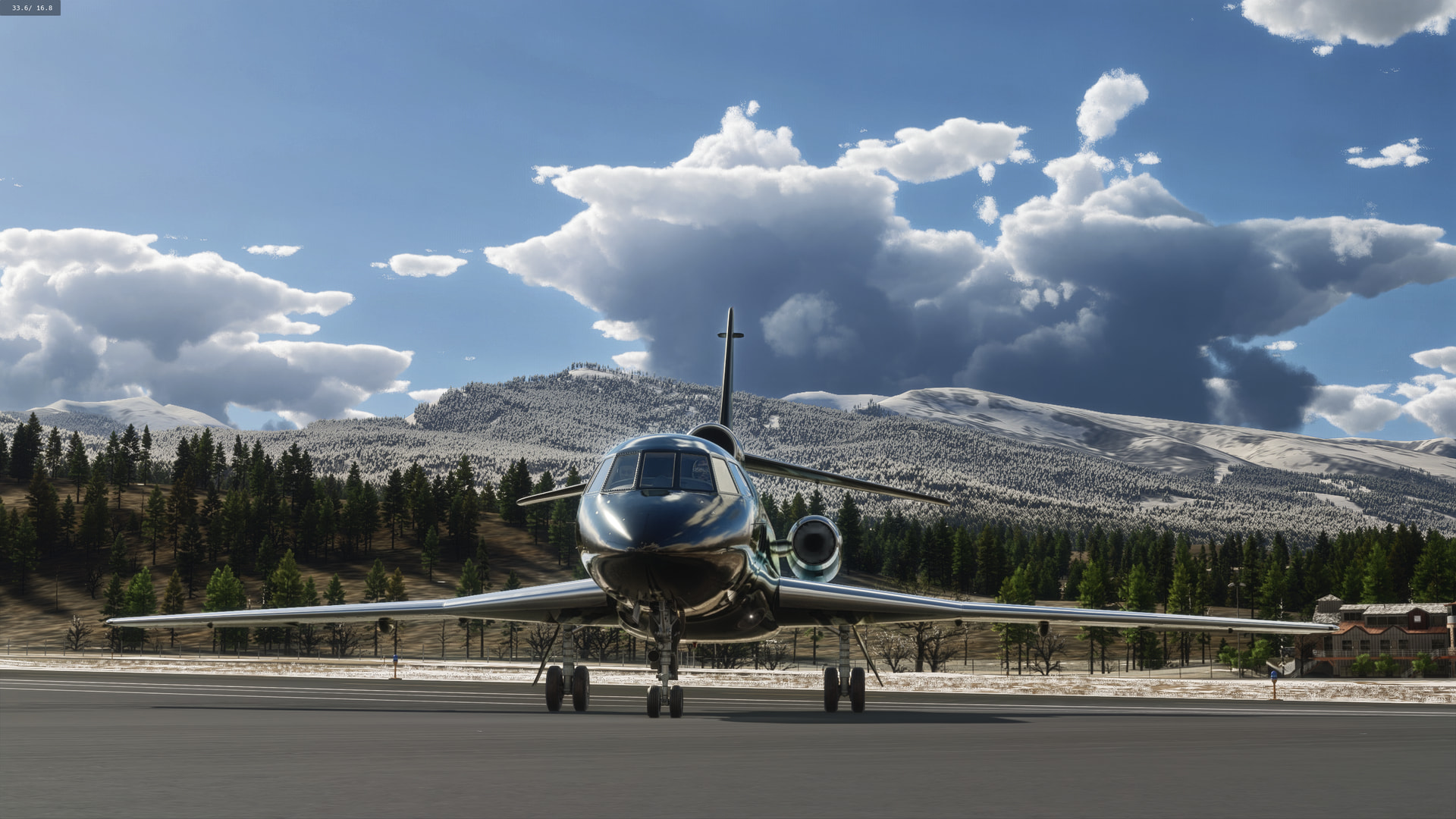
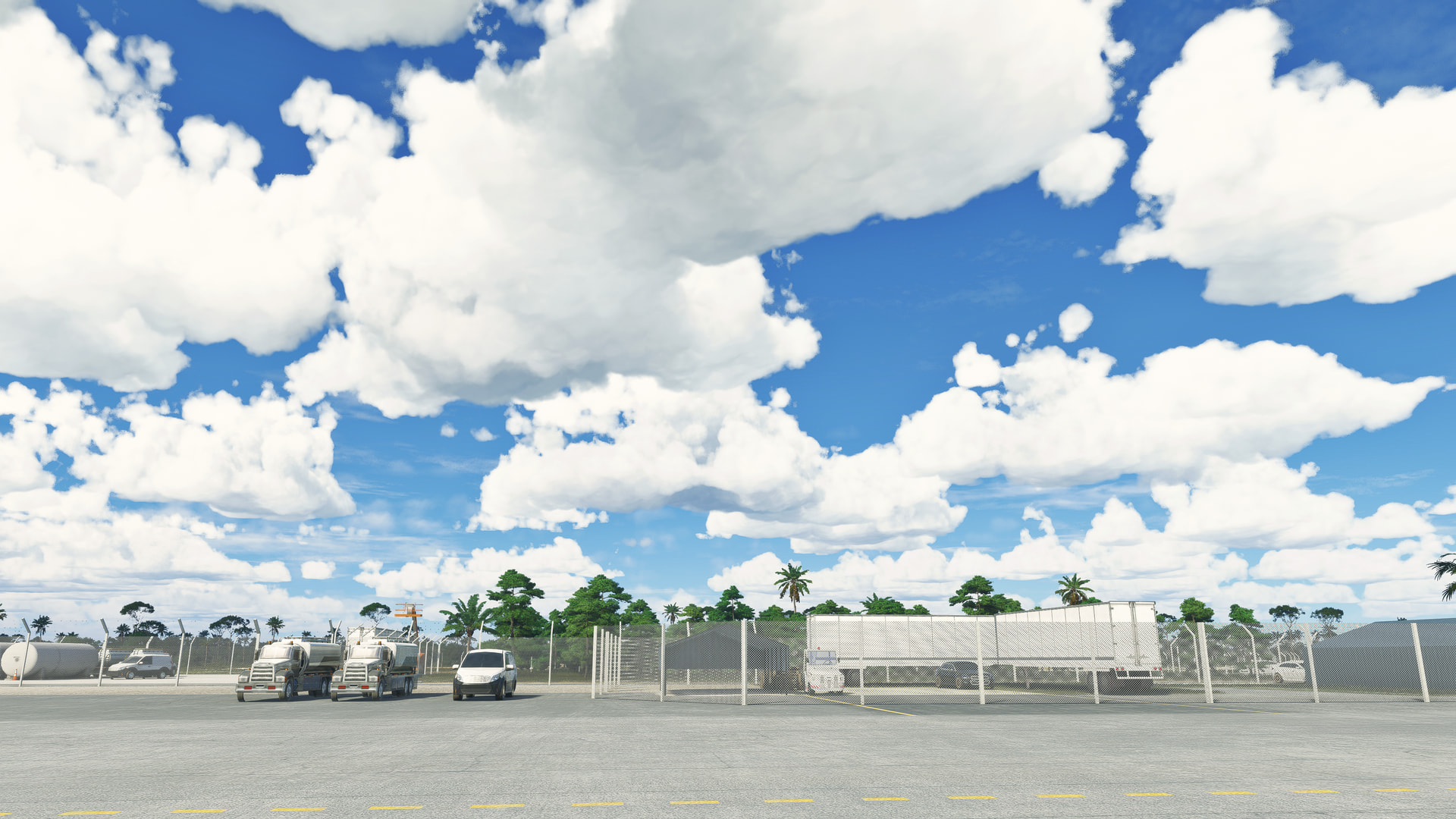

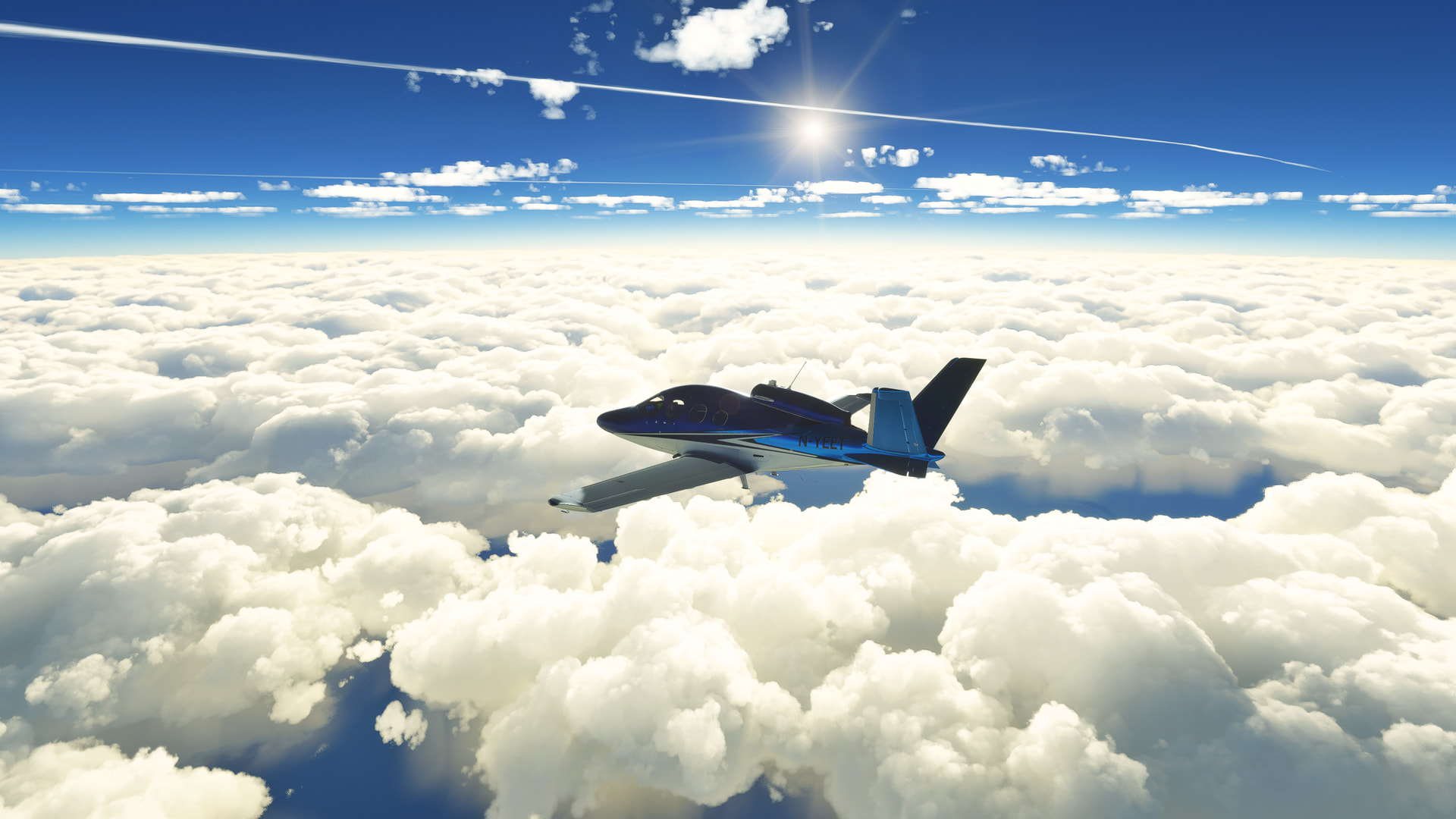

@OverPaperSkies Doesn’t look realistic IMO. The first one reminds me of the Simpsons opening scene.
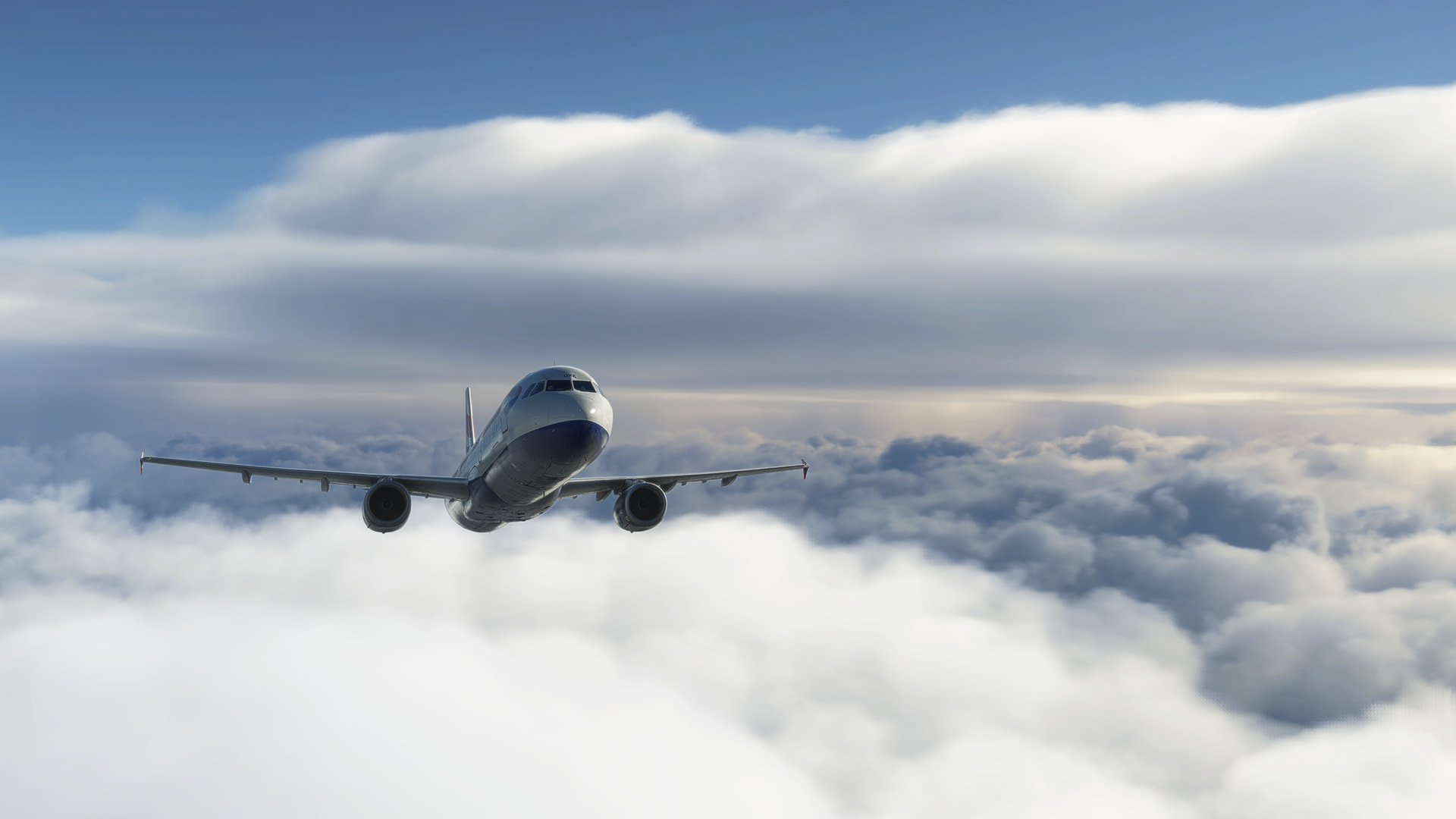

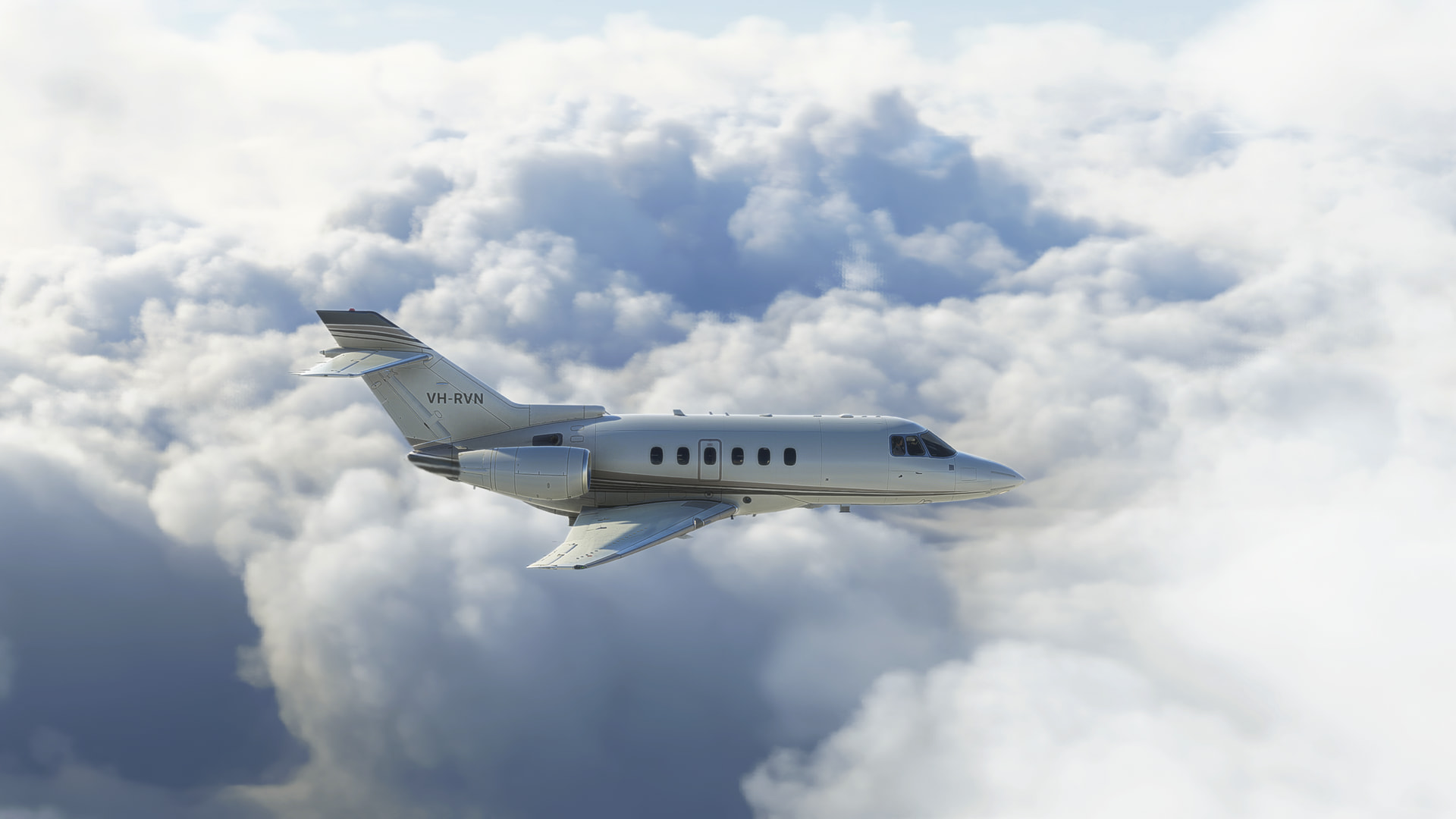

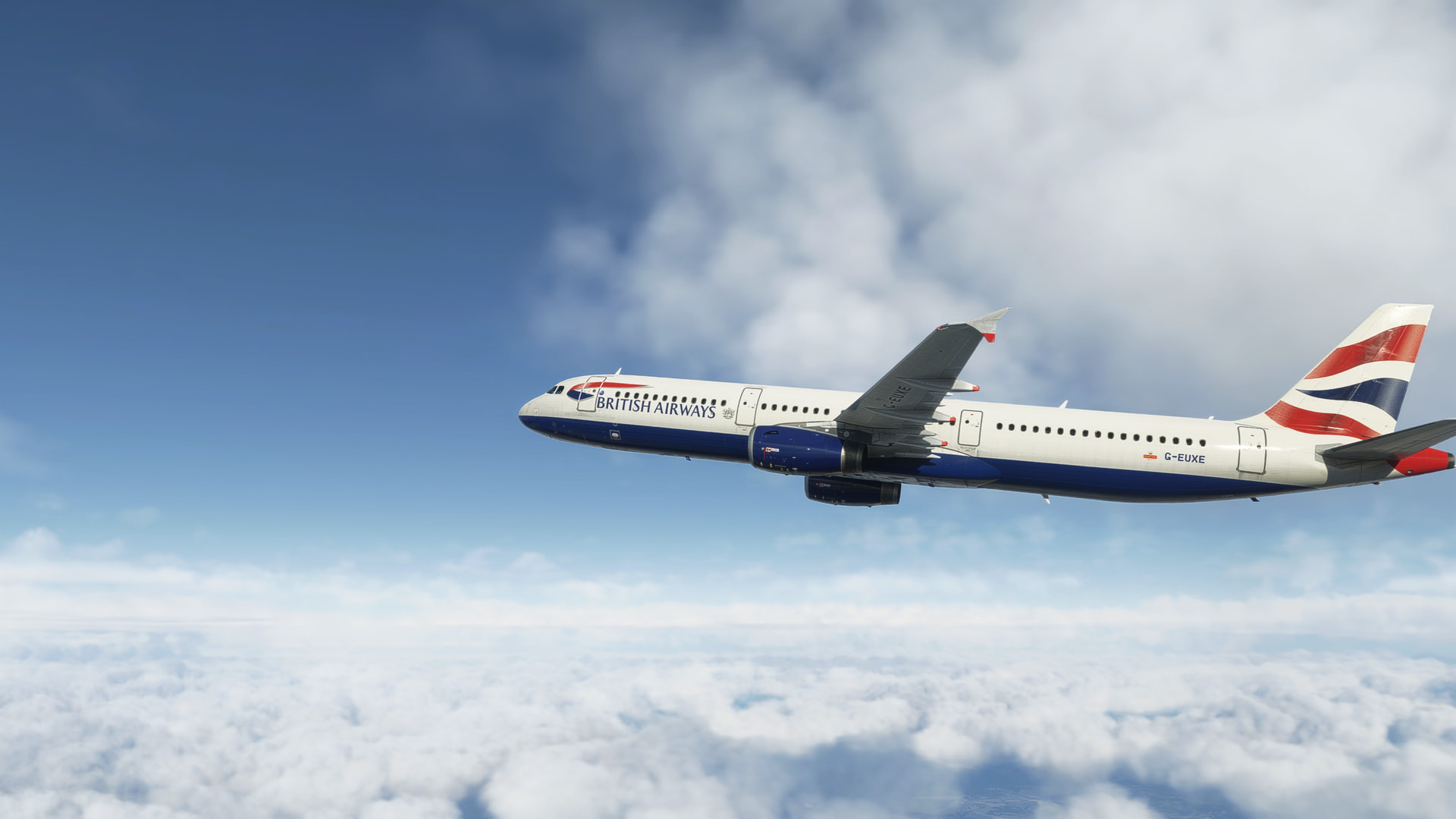
Nice shots and that is a nice combo right now. I am only using the Atmos Weather setting for a some slight cloud luminance as the clouds can still be a bit too dark sometimes. The Enviro and Atmos settings were not playing nicely alongside the Atmosphere Mod for me…
I’ll try see if I can post my settings sometime this week
I think the first shot by @OverPaperSkies looks a lot like skies you see in the Bahamas or along the US Gulf Coast. The cloud shading is wrong but the starkness is right. The second pic isnt bad but I dont care for the others.
I really like @RC2018 's first shot and most of the others with it. They are perfectly fine but not all real life scenes are soft.
That would be great. I like what you’ve done and would very much like to try it out.
Its pretty good btw better than some xplane sky
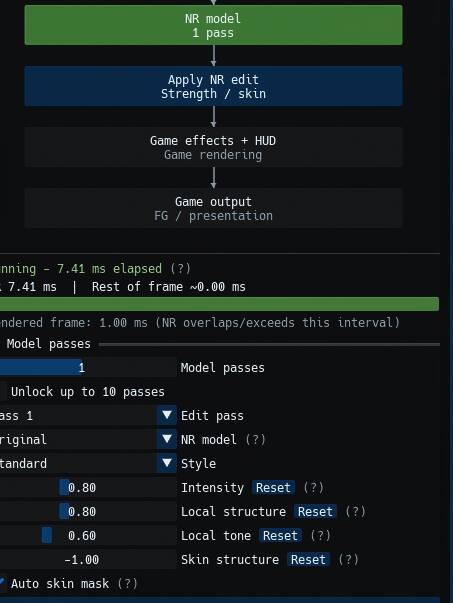
Hi Guys ok so I’ve put togeher my settings in screenshots. I’m using optiscaler to run dlss5 and get good frames in it using the setting provided. Tweak settings to suite your needs / screen
MSFS INGAME SETTINGS:

Desktop Settings:
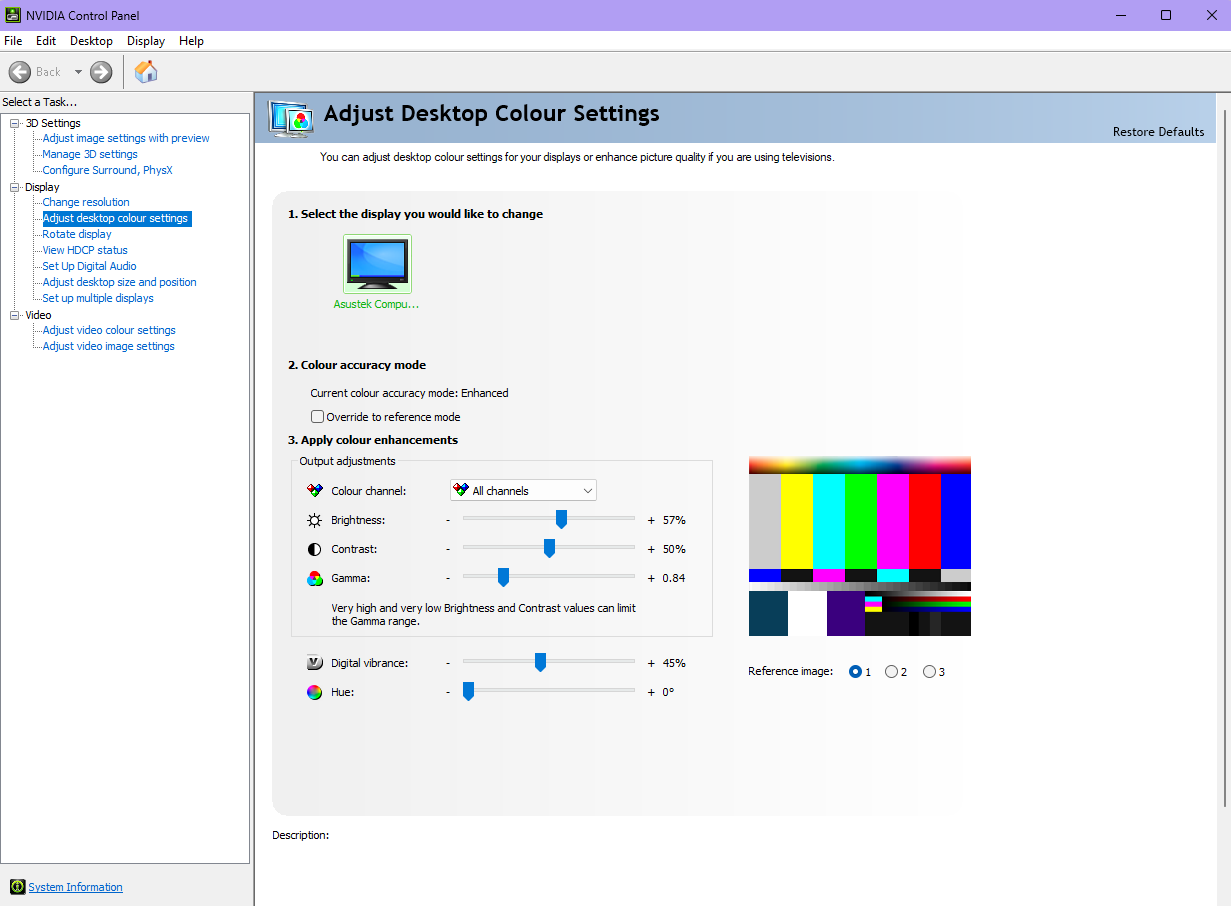
OPTISCALER SETTINGS, note to change the settings in the Neural Rendering section, click on the specified tabs:
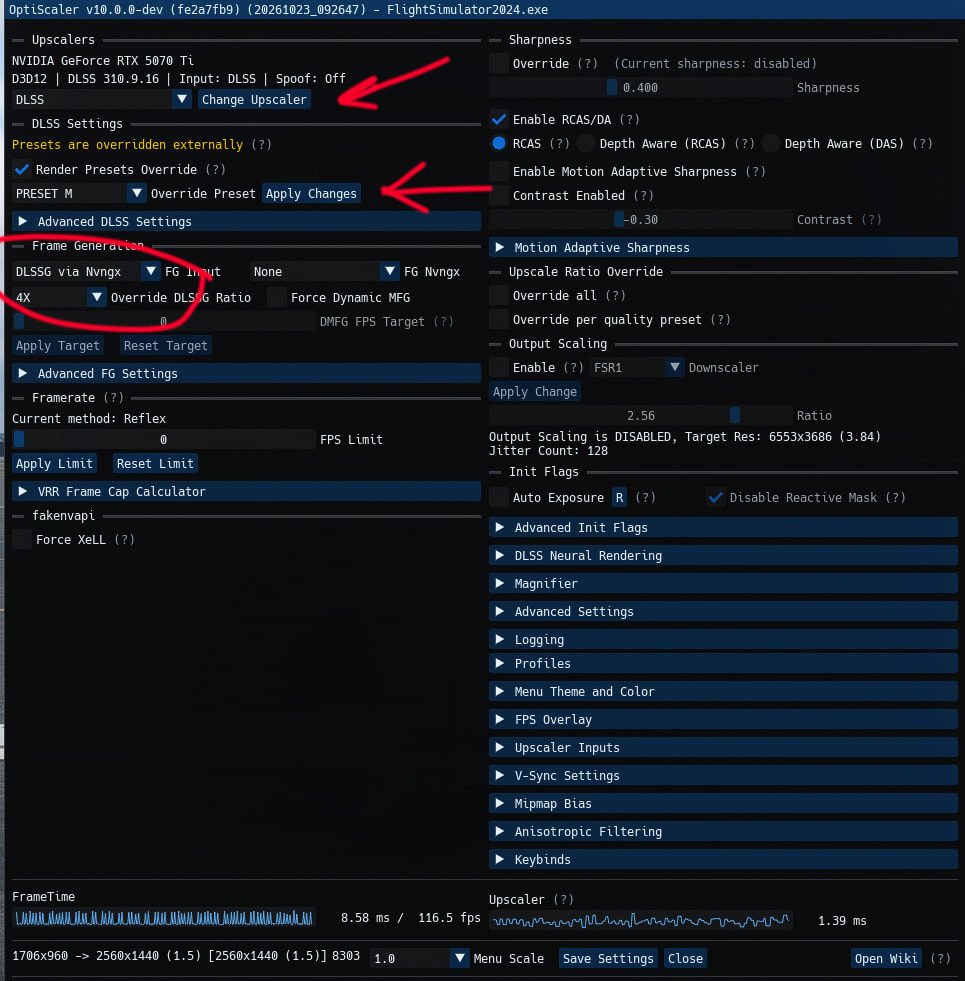
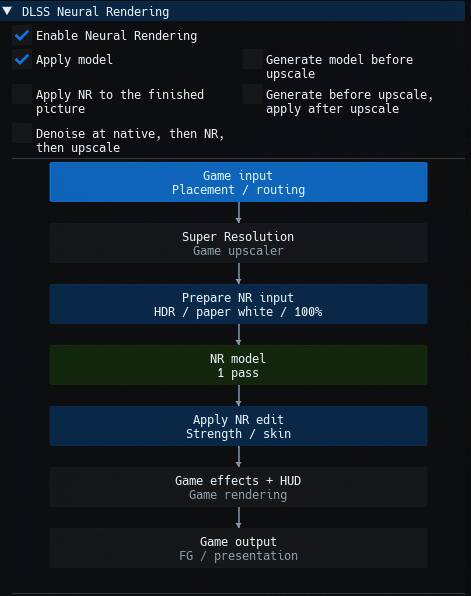
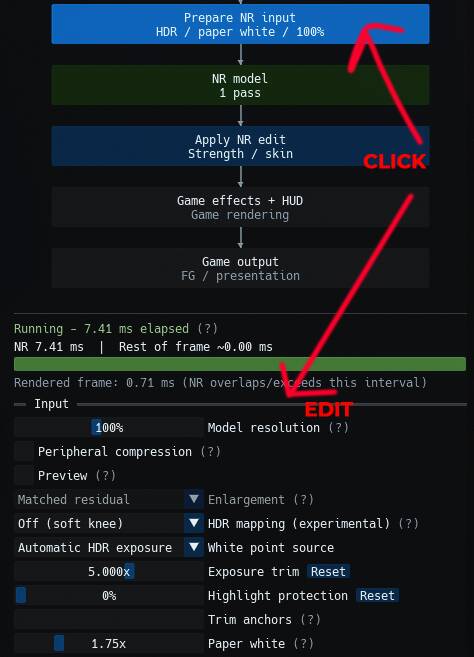
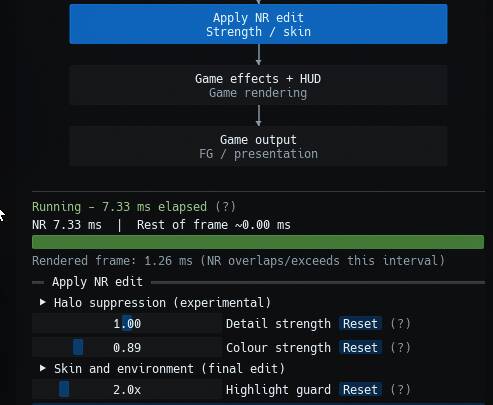
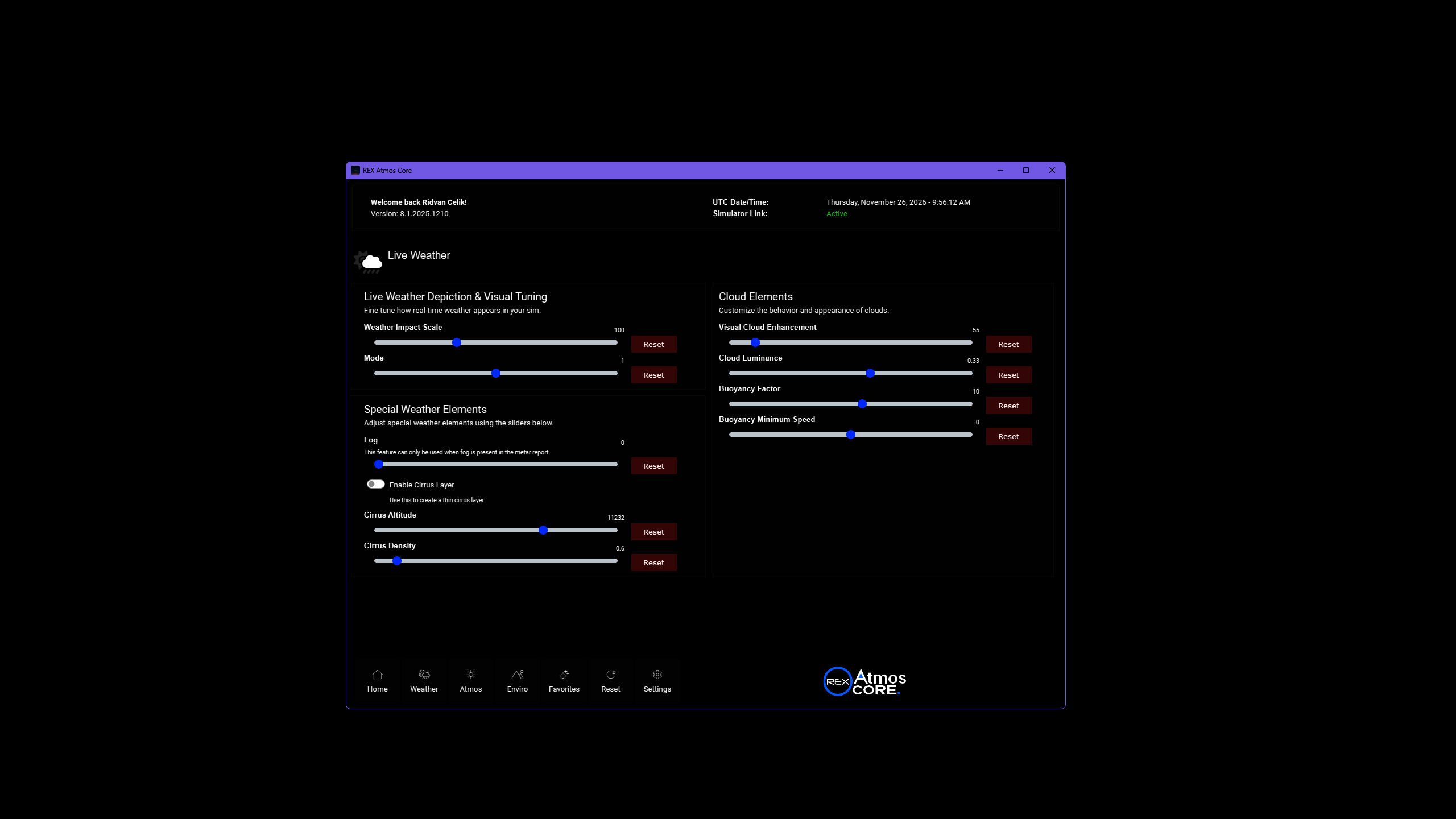
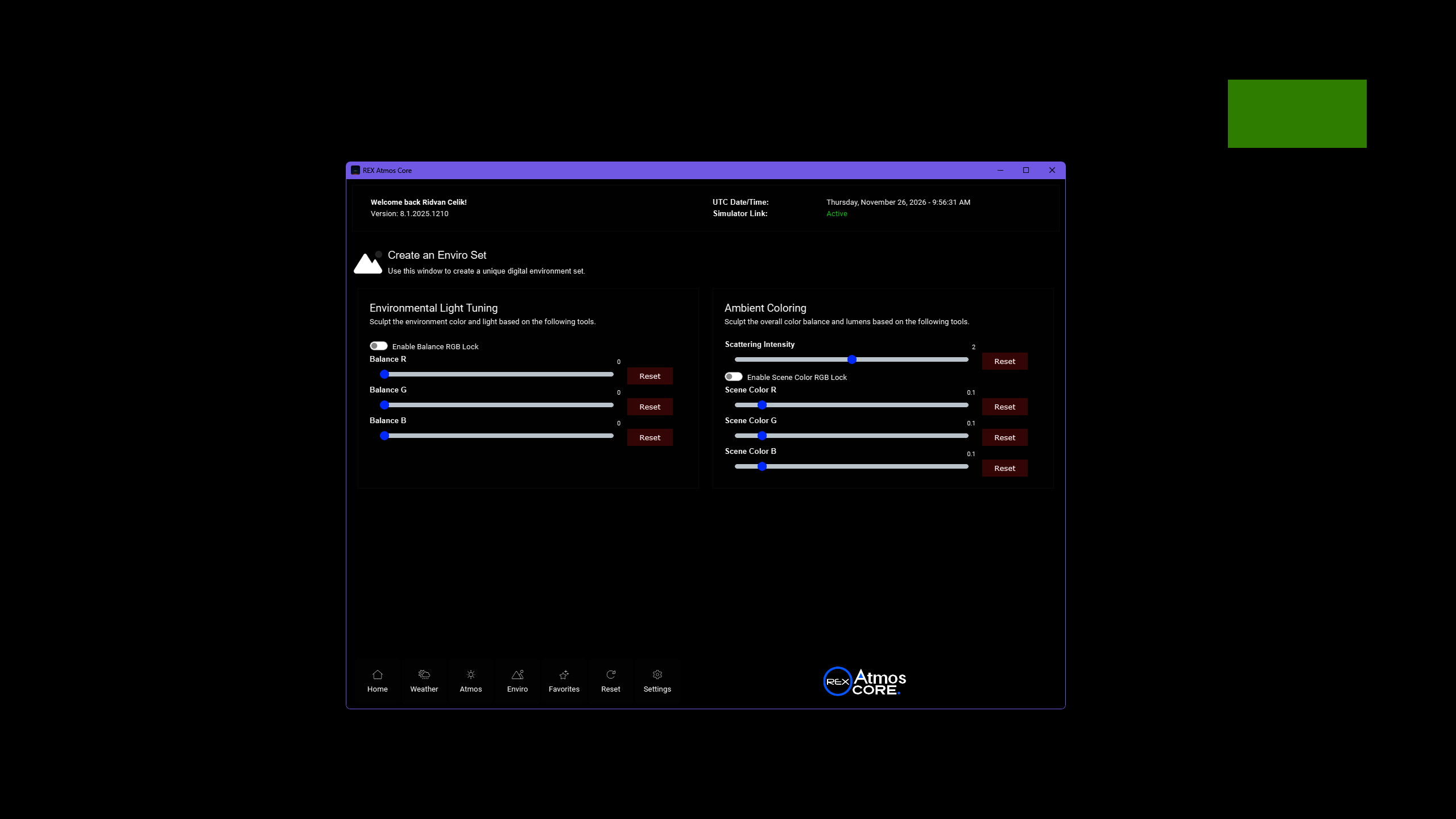
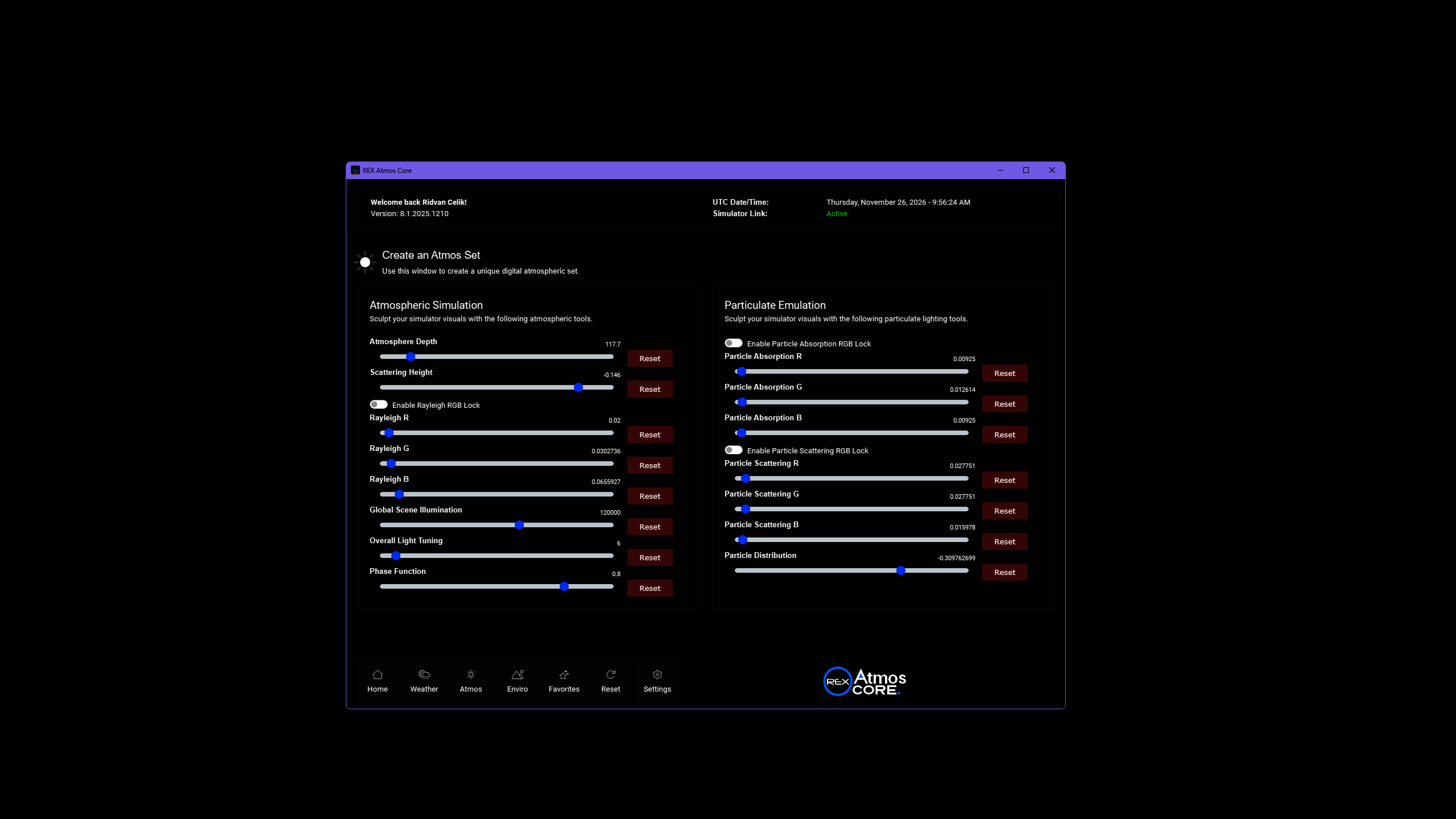
REX ATMOS SETTINGS: you can fine tune the numbers using the PGUP/PGDOWN and Arrow keys after clicking on the relevant tabs.
ATMOSPHERE MOD AND RESHADE presets attached RIDSV3= RESHADE, TUNABLES=atmos mod. IMPORTANT!!! Rename the extensions FROM .TXT to .INI
tunables.txt (12.3 KB)
RIDSV3.txt (19.6 KB)
I’ve started a thread that hopefully summarizes the nearly 2.500 messages in this one well enough to represent the core issues. Maybe people can add to it in case I missed something?