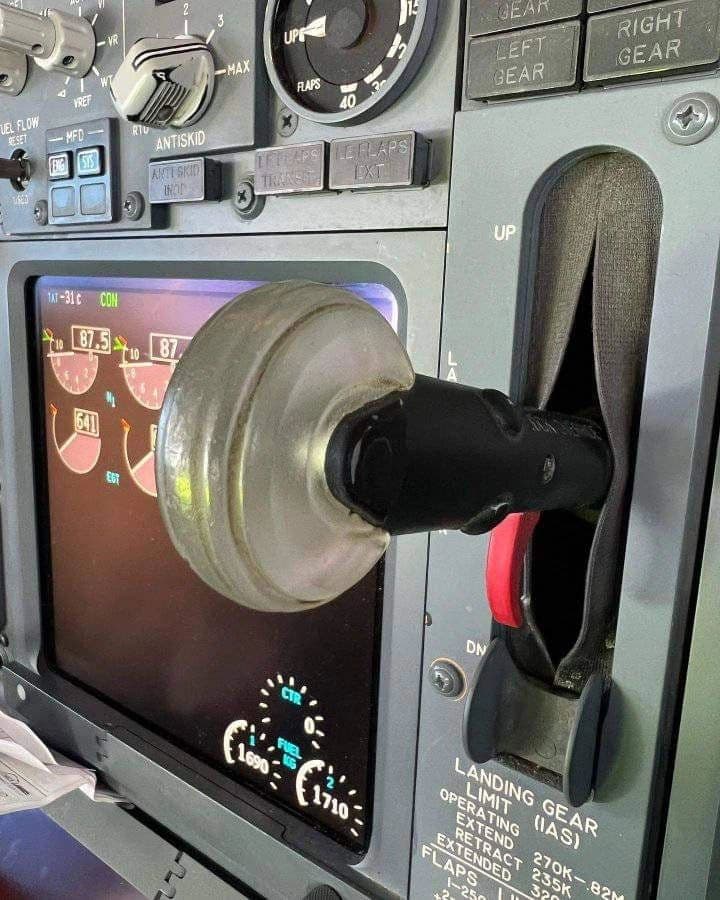
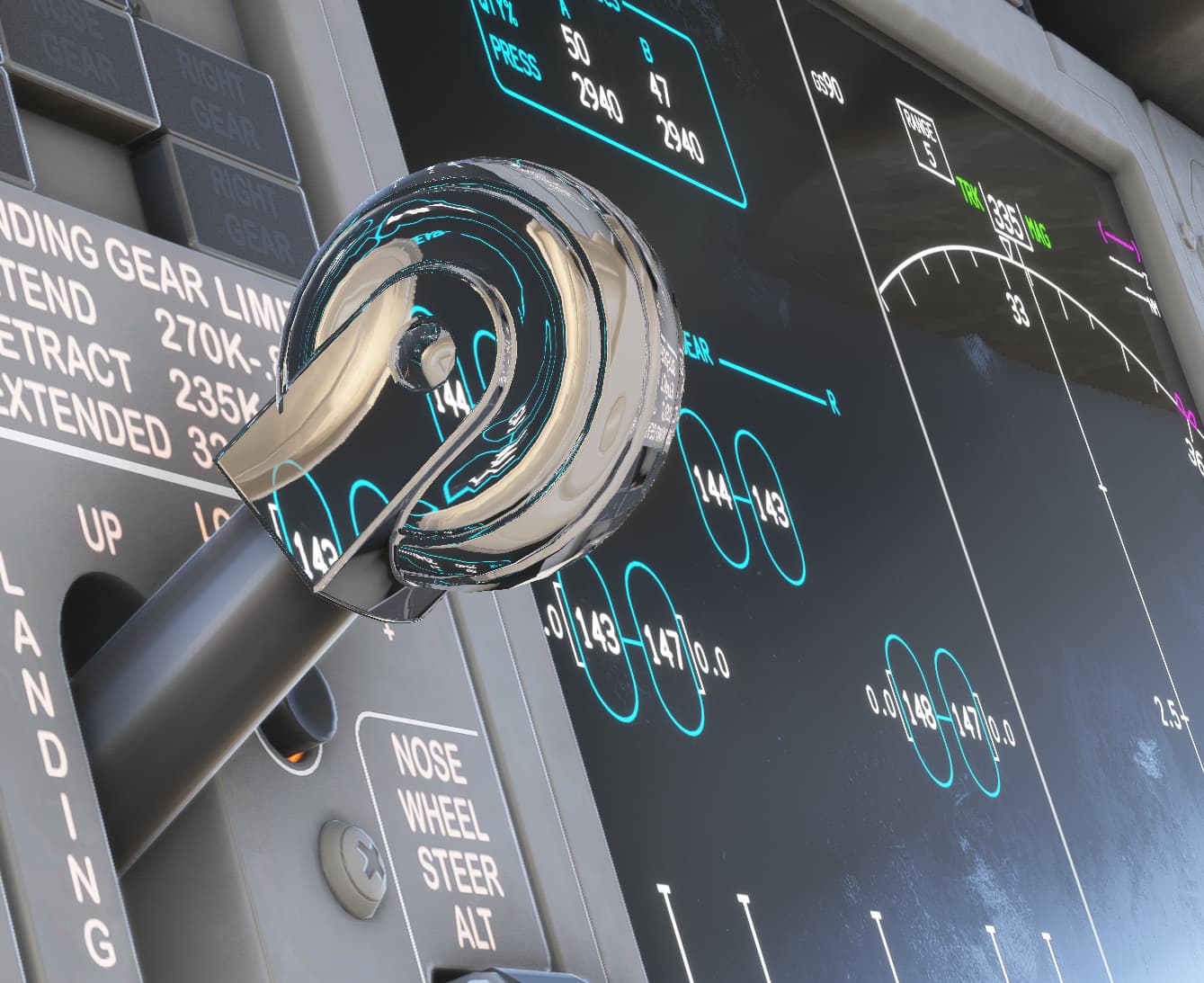
737 Max Gear Lever looks transparent

2 tags are required - add them in the tag section next to the title above:

  • One for platform (ms-store, steam, xbox, or xcloud)
  • One for aircraft (start typing in your aircraft name in the tag section and pick correct option)

Feel free to delete this quote section after adding your appropriate tags.


ISSUE DESCRIPTION

Description of the issue:
The gear lever in the 737 Max looks like a crystal ball or something, I’m not sure if this is how it actually looks like but it is very strange.

If applicable, which aircraft is experiencing this issue:
737 Max

[PC Only] Did you remove all your community mods/add-ons? If yes, are you still experiencing the issue?
Yes

FREQUENCY OF ISSUE

How often does this occur for you (Example: Just once, every time on sim load, intermittently)?
I believe every time

REPRODUCTION STEPS

Please list clear steps you took in order to help our test team reproduce the same issue:

1.Load in 737 Max
2. Look at gear lever
3. Pan camera around it and look at crazy refractions

YOUR SETTINGS

If the issue still occurs with no mods and add-ons, please continue to report your issue. If not, please move this post to the User Support Hub.

What peripherals are you using, if relevant:
N/A

[PC Only] Are you using Developer Mode or have you made any changes to it?
No

[PC Only] What GPU (Graphics Card) do you use?
4070 Ti Super

[PC Only] What other relevant PC specs can you share?
N/A

MEDIA

Please add a screenshot or video of the issue occurring.
[END OF FIRST USER REPORT]


:loudspeaker: For anyone who wants to contribute on this issue, Click on the button below to use this template:

Do you have the same issue if you follow the OP’s steps to reproduce it?

Provide extra information to complete the original description of the issue:

If relevant, provide additional screenshots/video:

1 Like

Do you have the same issue if you follow the OP’s steps to reproduce it?
• yes exactly the same

Provide extra information to complete the original description of the issue:
• as described by the OP. See a similar thing on a couple of third party aircraft but on switches.

If relevant, provide additional screenshots/video:

Can you confirm if you were seeing this issue before joining the Beta?

I will have to uninstall the Beta to confirm.

It didn’t seem to stand out like this for me before, but maybe I just never noticed.

I have checked and it’s only an issue in the Beta.

I reverted to the normal version and it looks perfectly fine.

Same issue.

Thanks for confirming that this issue is only present in the beta.

We have created an internal ticket to see if our team already has this logged, and if not they will attempt to reproduce the issue and create a new bug report. This item is now marked as feedback-logged. If there is an existing bug report or one is created, we will move this thread to bug-logged.

Hmm, your perfectly fine looks to me like a missing diffuse texture while the object is completely opaque. Also it’s looking more like a mirror and not transparent to me on the initial screenshot of the post.

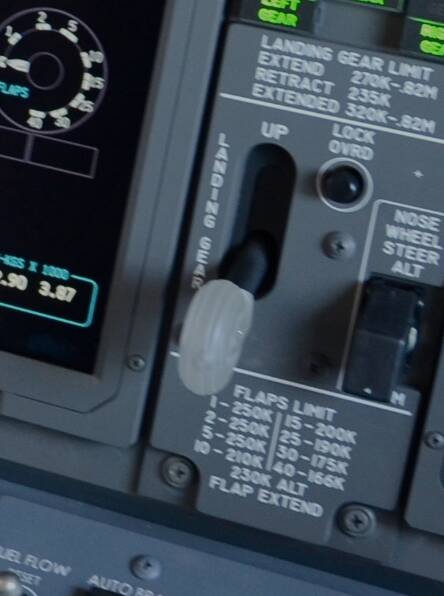
Actually the real gear handles wheel is transparent - here is an example pictures of a real 737NGs gear handle wheel (the design didn’t change a lot on the Max when it comes down to the transparency level):


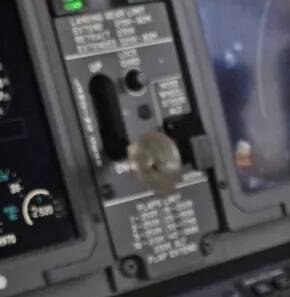
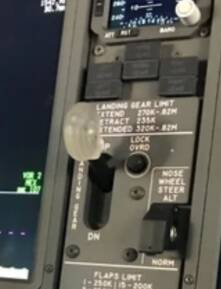
And here are the best comparison shots I found of a Max:


If I’d have to make a guess it would be about ~10% transparent. Somewhat like this:


(Orange was used just for contrast)

So, to fix this the mesh itself would need to be 5% to 10% transparent and feature a rubber like PBR with low gloss but some specular reflections, so it doesn’t look like a mirror or glass.

Wow super insightful, thanks for the IRL perspective! I didn’t know it was supposed to be transparent. In the beta it looks really strange, maybe they can tune it somewhere around like you showed in your example.

And yeah in the beta it’s not like a mirror, it seems to be projecting what’s behind it from the cameras perspective, but without and opacity it just looks like a glitch. You can see the same blue elements on the panel just behind it in the screenshot.

I’m guessing the reason it’s transparent IRL is because there’s a red warning light in there?

1 Like

That actually is how reflections technically work in the sim - it’s screen space reflections, so “reflections” build out of what is visible on your screen. With that technique you won’t ever be able to have a mirror like effect as nothing behind the camera exists :wink:

The only way to have something different is either cube maps if everything around is static (so using a static texture which was created using ray tracing out of the surrounding model) or real ray tracing reflections to have them dynamically.

I don’t think so, at least not on the newer 737s I’m not aware of this. I cannot speak for the 707 or earlier Boeing’s where that design originated or if it might have been a company option. Maybe it initially just was like that because of the material choice they took for that wheel and simply kept it this way, or the idea was to not completely block off other indication lights with that rather large wheel design.

1 Like