747 IRS Align not working anymore

:wave: Thank you for using the Bug section, using templates provided will greatly help the team reproducing the issue and ease the process of fixing it.

2 tags are required: One for platform, and one for aircraft.

Are you using Developer Mode or made changes in it?

no

Have you disabled/removed all your mods and addons? If the issue still occurs with no mods and add-ons, please continue to report your issue. If not, please move this post to the User Support Hub.

yes

Which aircraft are you reporting an issue about? (Please also add the proper tag for it)

747-800

Which aircraft version are you experiencing this issue on? (You can find this listed in the Content Manager under the Aircraft Name)

0.1.112

Brief description of the issue:

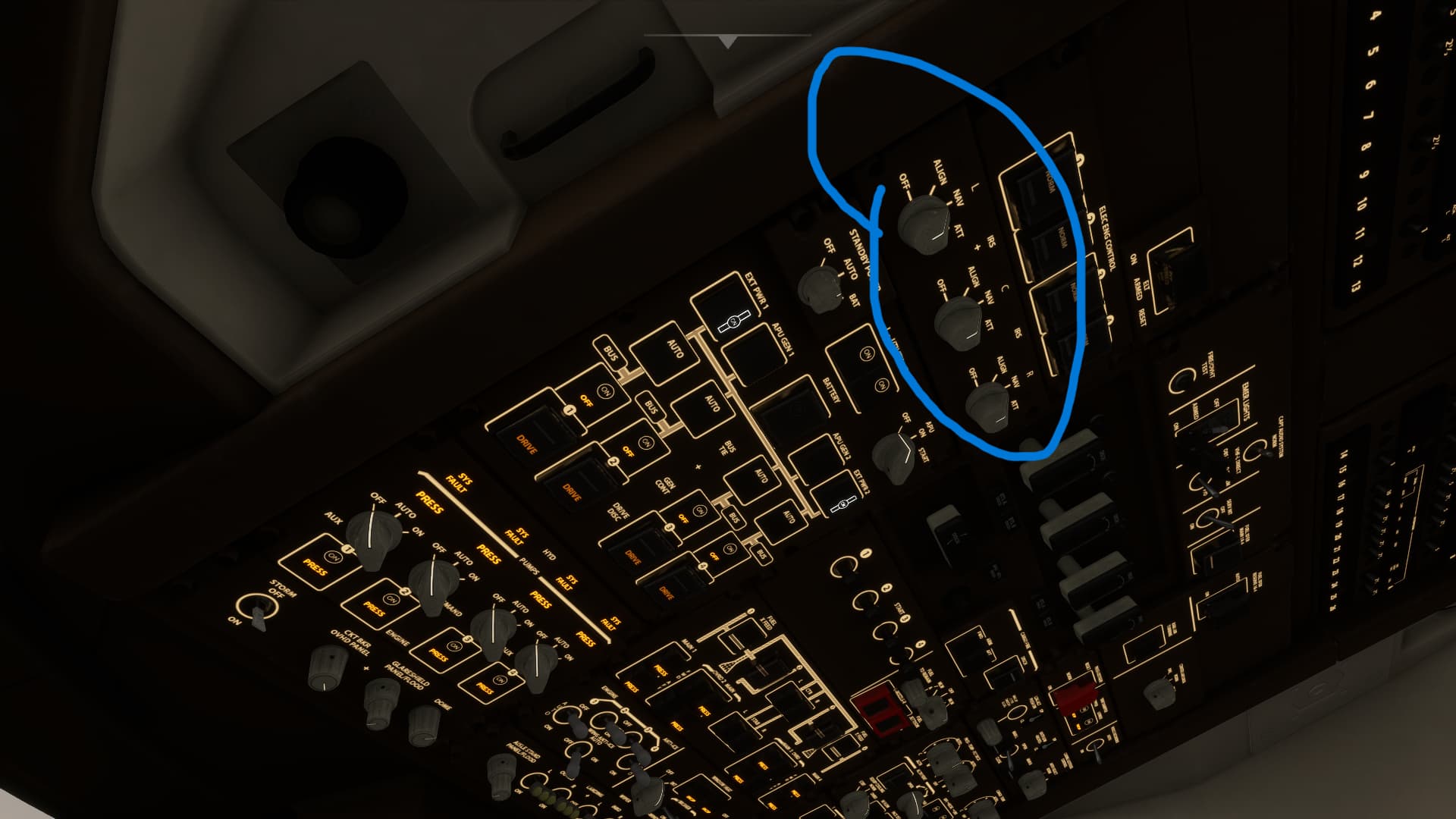
IRS Align no longer working/available. IRS selectors on NAV but no IRS align option on the MCDU.

Provide Screenshot(s)/video(s) of the issue encountered:
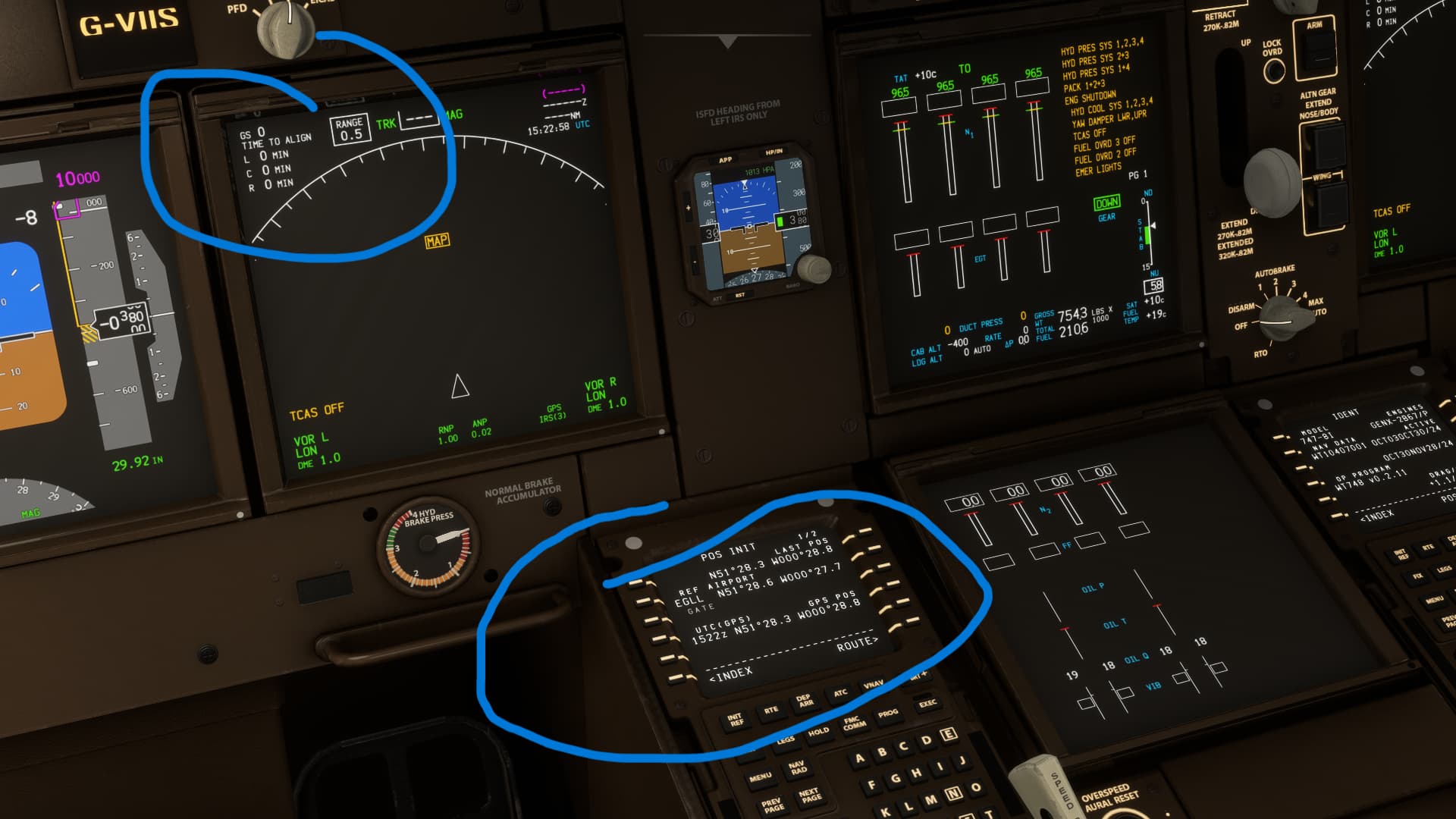

Detailed steps to reproduce the issue encountered:

Just simple try to set up the 747 and Align IRS

PC specs and/or peripheral set up if relevant:

Build Version # when you first started experiencing this issue:

1.38.2.0


:loudspeaker: For anyone who wants to contribute on this issue, Click on the button below to use this template:

Do you have the same issue if you follow the OP’s steps to reproduce it?

Provide extra information to complete the original description of the issue:

If relevant, provide additional screenshots/video:
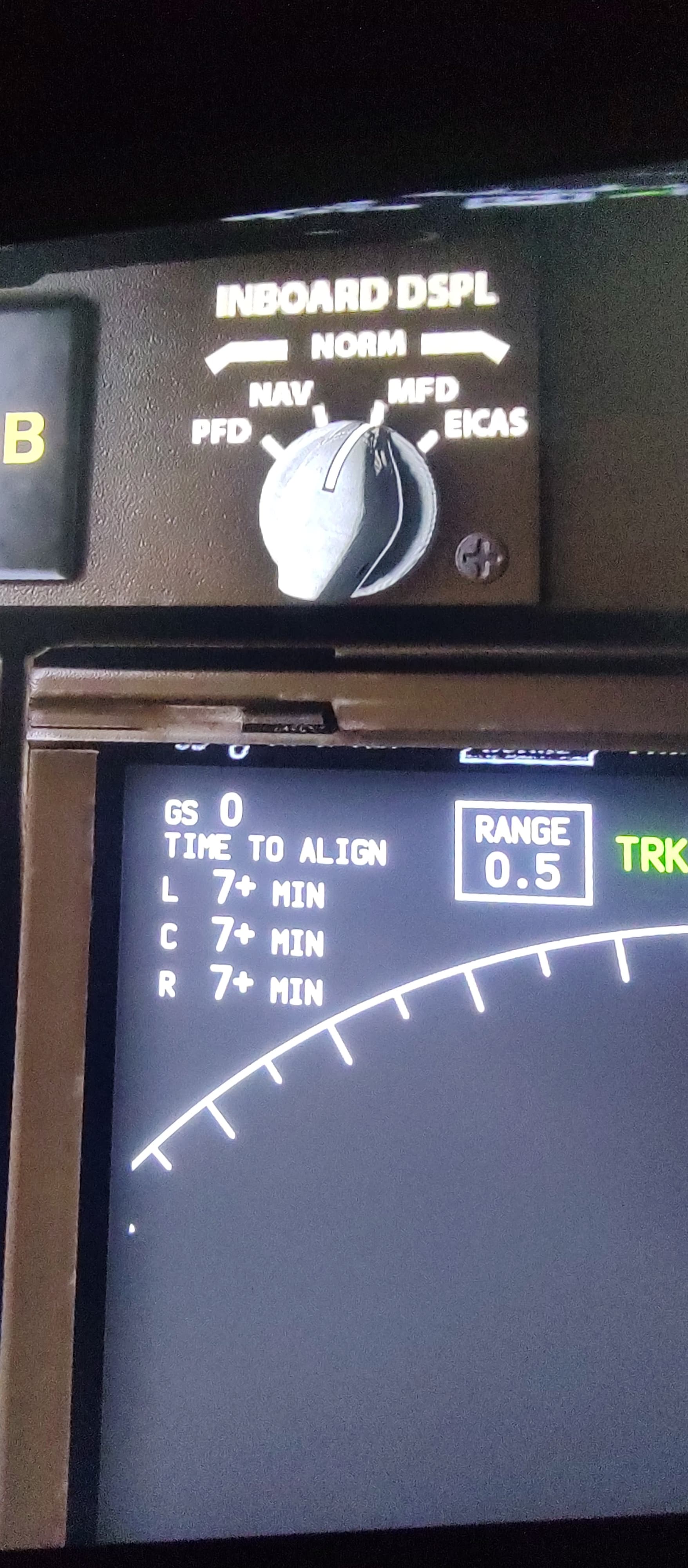

Strange. It’s working fine for me.

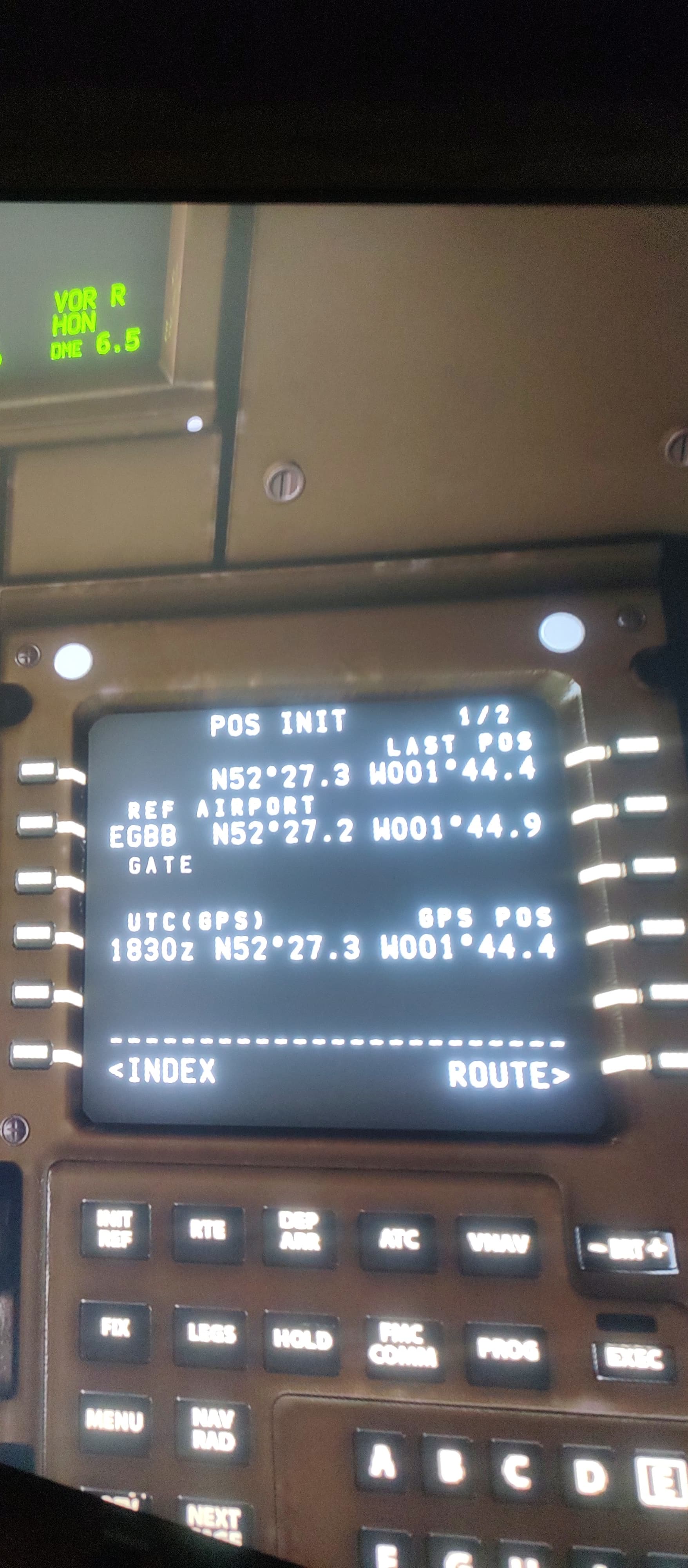
Your picture of the FMC is showing that it is aligned.

I finally understand how bug is triggered. When you turn on battery and external power, if you switch the MCDU on POS INIT page before set IRS knobs to ALIGN and NAV, the SET IRS POS row doesn’t appear and you have to reload the flight. Instead if you turn on battery and external power and set first IRS knobs and then switch MCDU on POS INIT page the SET IRS POS row appear regularly on both MCDU. I would be grateful if someone can replicate this just as confirm

Have the exact same problem. No mods. Running MSFS2020 via Steam. Was wondering why I couldn’t get the inertials to spin up!!

It indeed only works if you turn BATT ON, EXT Power, then set IRS knobs to NAV. THEN you can go into the MCDU and the SET IRS POS will be available. Anything slightly out of sequence and you need to reload.

TY!!

When starting from Cold and Dark at the gate, if you do not precisely follow the POWER and PREFLIGHT checklist sequence, and you open the POS INIT page on the FMC before setting the IRS switches to NAV, the empty boxes for entering the GPS POSITION on the POS INIT page will not appear, and IRS alignment will fail. If this occurs, you must press [ESC] and RESTART the flight to perform the checklists again in the correct sequence.

Another workaround for this bug is to press [CTRL]+[E] immediately after completing the STARTING ENGINES checklist. You can also do this before completing the checklist to autostart all four engines. IRS alignment occurs automatically during the autostart process.

How is this not fixed yet???

I hope they fixed it soon.

Turn off instant align. Reload airplane. DO NOT click POS INIT before turning on IRS switches. You need to turn the IRS switches to NAV before messing with the FMC. Or else the boxes never appear. Blows my mind this is still not fixed. Reported at least since 2024.

Do you have the same issue if you follow the OP’s steps to reproduce it?

Provide extra information to complete the original description of the issue:

If relevant, provide additional screenshots/video:
Hello everyone.
I found there is a problem with the Asobo 747-8 (DEFAULT AIRCRAFT).
There is a bug in the system and these are the procedures it MUST BE follwoed to restore IRS.

Once you start the Battery, followed by the External Power or APU, you MUST set your IRS to NAV before heading to the FMS (do not do anythihg with the FMS) BEFORE you align the IRS.
If yuo follow these instructions, all will work.
Cheers
Luiz C Laba