It wasn’t in the supported list.
I looked at many companies’ memory support tables to find SKHYNIX chips this time, but it seems that the update status of each company varies.
The shop staff also said, “Pricing boards tend to have newer lists, but don’t worry too much about not having them listed.”
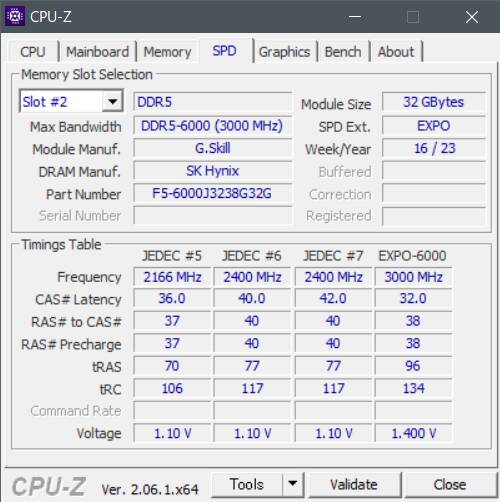
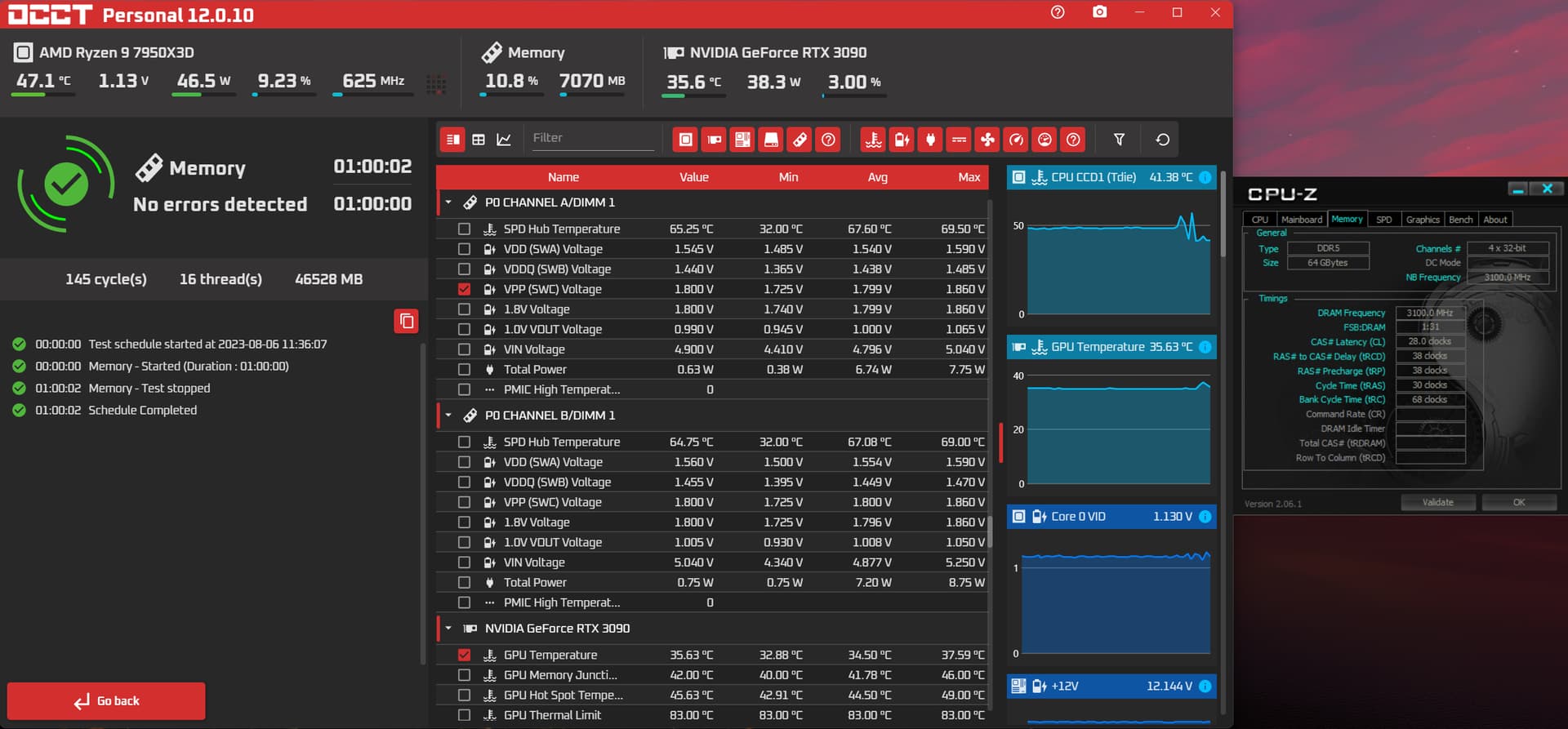
Memory seems to be running stable at EXPO now.
It was tough to get to this point.
After all, self-made is a hobby of investigating mistakes and inconsistencies of all manufacturers.
Now I can finally see a vanilla MSFS in front of me.
It’s all from now on, but I’m tired.
The thing to think about in my head is TCAS ringing and it’s totally conflict.
1 Like
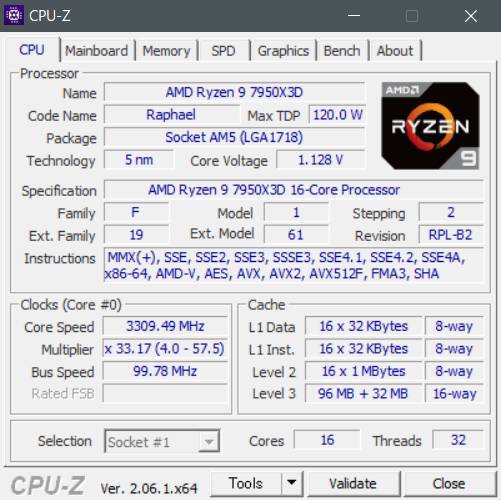
Last but not least, my B650PRORS suggested this EXPO quickly.
The value was right on the package specification, and AMD and ASROCK’s work was perfect in this regard.
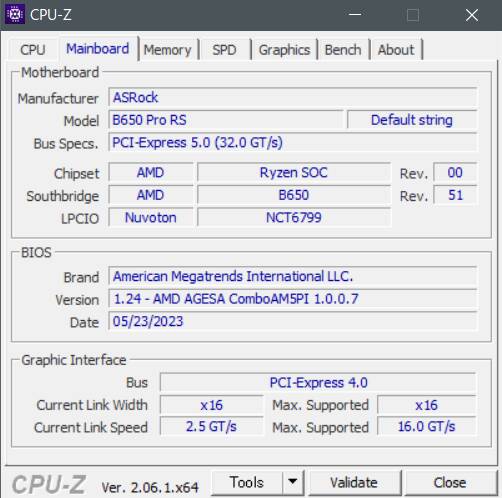
(Of course, I did the bios update first. It’s a big deal if the 7950x3D burns.)
However, I would like to question the reason for a short time why ASROCK put the item disallowing IGPU in such a deep hierarchy.
The PIMAX8kx connected to the 4090 cannot understand that the DP cable is stuck in itself unless the IGPU is disallowed…
I lost hours before I found out about this.
This is a few percent of my statement at the Air Accident Investigation Commission.
1 Like
Happy to hear that you did get it going. I wouldnt have known about that myself. I have a reverb g2 but dont use it. It cooks my eyeballs lol. Too hot, and dries my eyes out quickly.
AsRock Released the official bios update for my Taichi. 1.28 with the new AGESA update. Now I missed something very important when I tested the Beta BIOS. DDR5 Nitro!!! Currently running OCCT with my old timings, which would error inside of 3 minutes. This is the feature specifically designed to give far more robust memory training (It also takes even longer to train up to 15mins depending on settings. Mine takes around 5 minutes), and achieve stability over 6000MHZ… I am going to get my darn OC going good I think today. Will report back. I’m excited, as all I did was setup the Nitro parameters, and I’m stable. CL28 @6200Mhz is still my first goal. Then I might shoot for CL26 @6000mhz. Going to keep it at UCLK Div mode 1, but I will have to push my Infinity Fabric to make it worth the while.
Hopefully, I can get it stable with far less voltages than I’m using as well. I do see that Intel OCr’s are getting incredible results with these Hynix A-die kits on less voltage. I am currently at 1.47V on VDD CL28-36-36-30-68 @6000. Even If I can keep it at these timings with this bandwidth, with less V’s I’d be happy
I love this new BIOS!!! I also have my Infinity Fabric on a 2067 OC. 
 I actually nailed it. Relaxed my tRCP and tRD to 38’s from 36’s. Shot my VDD up to 1.55V and thank-you AMD for this new AGESA release!!! This was my first run, might get it tighter or less Voltages. I know if I hit 74C on my kit in particular, the errors flow. I had some headroom. But yes, I do need some dedicated fans hitting my Ram (I have 2 of these from my old build that I slapped on my NZXT Kraken 280 aio. they kicked butt Noctua NF-A14 iPPC-3000 PWM, Heavy Duty Cooling Fan, 4-Pin, 3000 RPM (140mm, Black) - Newegg.ca ). Maybe I can make a Super Jank push/pull, and slap em on the other side of my EK 360 rad. Once I get where I think my limit is, I’ll do the Y-Cruncher run. Thankfully this kit won’t hit those temps during MSFS. @Baracus250 I have seen report of this update running 4 sticks at 6200mhz!!! There is a pic posted special for yourself
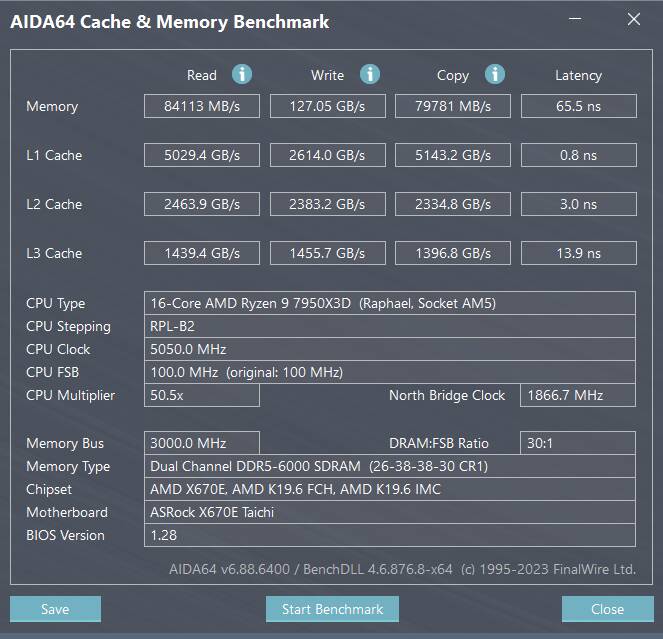
How about a first benchie? What I love is the I/F OC has brought down my L3 cache latency from a steady 13.7. I wonder if 2100mhz Infinity Fabric can get it sub 13ns
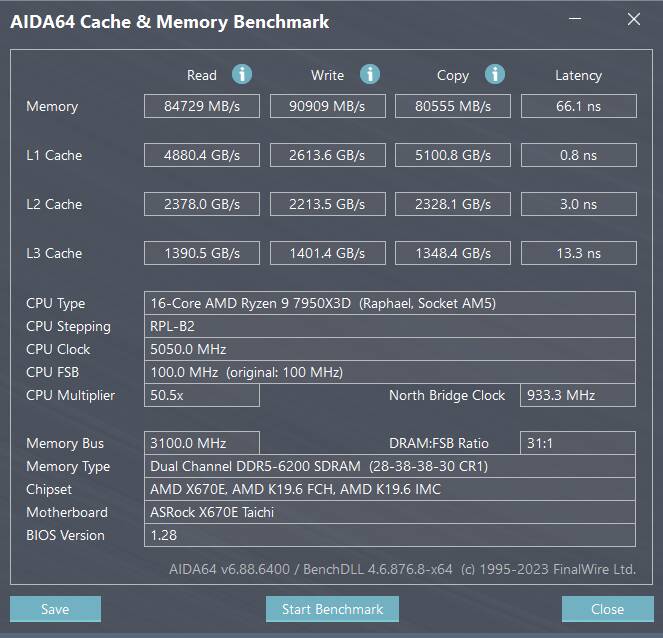
And here is some… meh idles
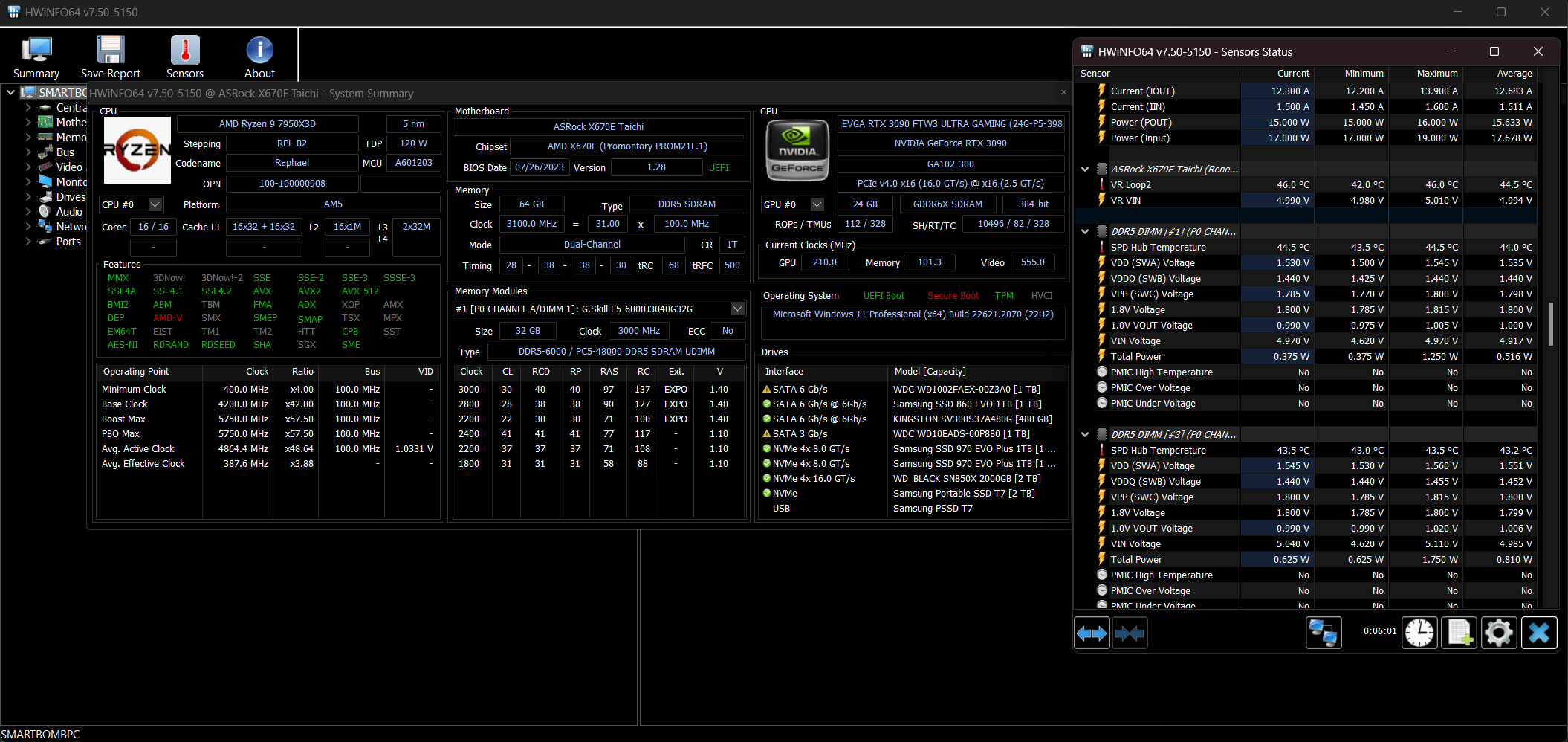
And for @Baracus250
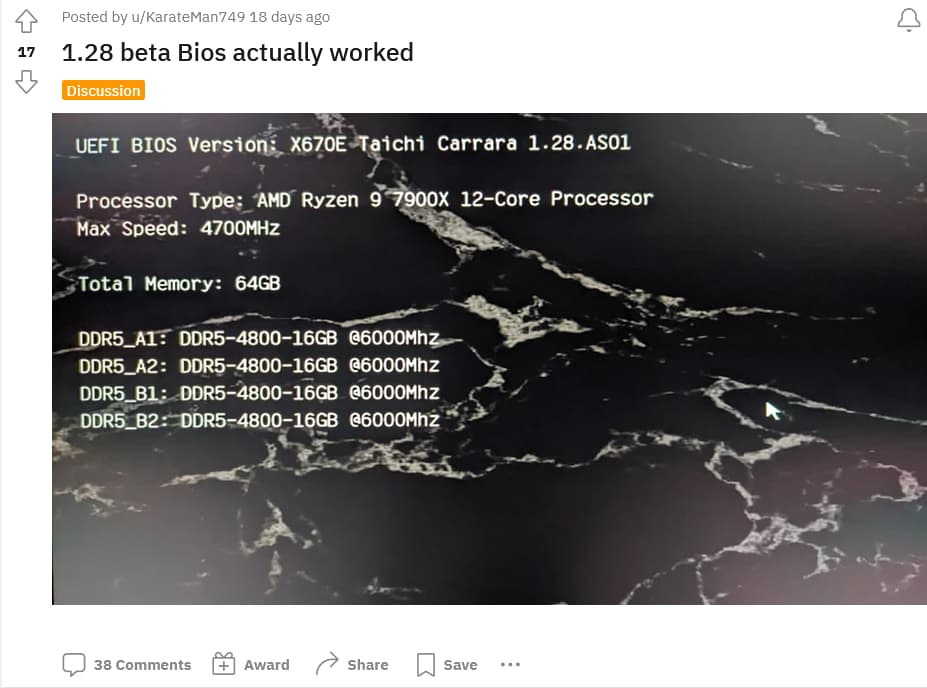
EDIT: tRCP at 36 is my voltage hog. Yes it’s a primary, but isn’t good gains vs trade-offs I can get with it relaxed to 38. I can get my tRD lower I’m sure without any more V’s hitting my sticks. Currently lowering my VDD and retesting, retesting. Then I’ll have a real good idea if I can get the headroom for CL26. That will be a big gain. CL28 @6400Mhz might not be out of reach. Would need my Infinity Fabric to stabilize at 2100mhz though. These are the new sweet spots (Bandwidth at 6200/6400 on UCLK/MEMCLK and 8000 on UCLK/MEMCLK2 If you can stabilize it)… 2000mhz I/F with Memory at 6000mhz was the old standard.
EDIT 2: I managed to get my VDD down to 1.52V and it took a full hour run on OCCT. So, with this logic… It took .7V over stock to get CL down to 28. It took a further .5V over stock to get 6200mhz. It would then take that again. Another .7V to further lower CAS to 26, or another .5V to make a 200mhz increase to 6400mhz. That’s 1.57V - 1.59V hell no am I running that much juice on the daily. Now to keep 6200mhz or go for CL26 @6000. I do know from the math, CL26, if the kit will stabilize it, has a bit better latency as the option.
EDIT3: Couldn’t help myself, I went for 2100mhz infinity fabric, and CL28 @6400Mhz. 1.58V VDD and not close to stable (Will run windows, and do benchies. but error inside of 3 mins in stress testing), that closes down anything other than tightening timings now. CL26 @6200 will probs be the same, and I’d need the same 1.6V it took buildzoid to do it.
EDIT4: Interested to see if I can make this kit hit 7600/7800mhz with relaxed timings. But I also know, I’m in the best spot this kit can be at.
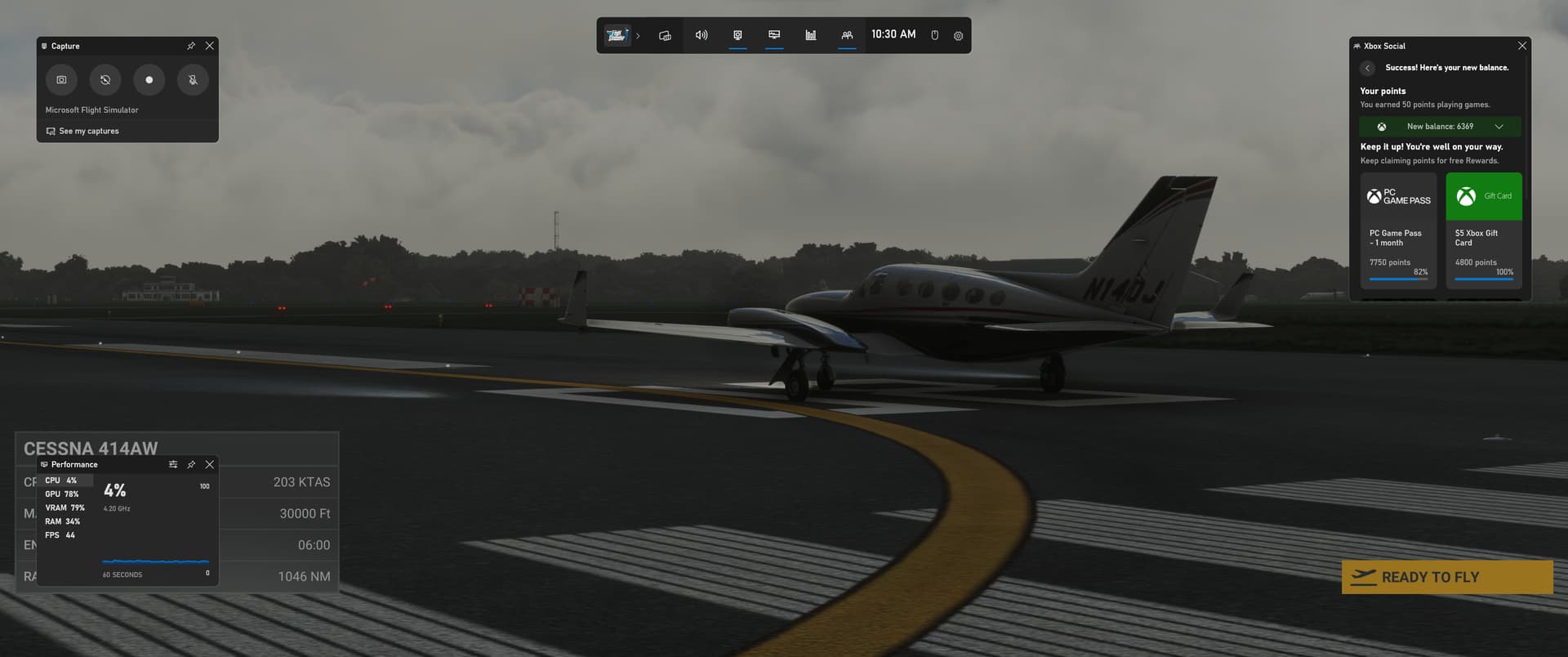
One of my heaviest loads (Holy VRAM usage lol 79% of 24GB). This, NYC, and LA. Billy Bishop with the frame cap off in TLOD 5.00.
Holy mother of voltages. Not stable at 1.59. My inifinty Fabric still OC’d to 2067, I’ve heard you don’t have to synch this but my L3 says diff. Might be a bit much? I can always tweak R/W/C with subtimings. 2x32 might just be out of reach. I’ll have to try with i/f at 2000mhz.
Honestly I would love to know these numbers come about because they dont’ seem to bear out in the real world situation.
I have a 5800X3D with a 4090, and 64gb RAM and I still struggle to even keep a solid 30-40fps without drops.
Under volt the x3d, make sure you use PBO. AAU2 did knock back performance to the tune of 10-20% loss. If you use DLSS3 (Frame Generation) in DX12 you can artificially double that. It’s not as nice looking as TAA, but is reported to give some added smoothness.
Not sure what PBO is but I’ll do some research. I doubt undervolting would help though as I don’t have any issues with thermal throttling under water, unless there is something else going on I’m not aware of.
The reason for under volting is to allow the x3d processor to boost higher, and for longer. PBO and the curve optimizer is how you set this up. PBO is Precision Boost Overdrive, and is how these CPU’s really get going good. It’s AMD’s version of overclocking with these cpu’s and is very easy to set up. It very much makes a difference, and will allow that chip to shine. Even if under volting isn’t your thing, I would very much look into PBO. It’s not going to blow the roof off with added performance, but it will make a difference.
Just blew through this video a bit, I only use bios, but this is an easy way to set this up
In this video below, I learned something very useful SET PBO LIMITS TO MOTHERBOARD. Oh my!!! I’m testing. I can’t make MSFS break my 40fps cap, no more dips… NONE!!! Tested in Metro Toronto area. Next to NYC.
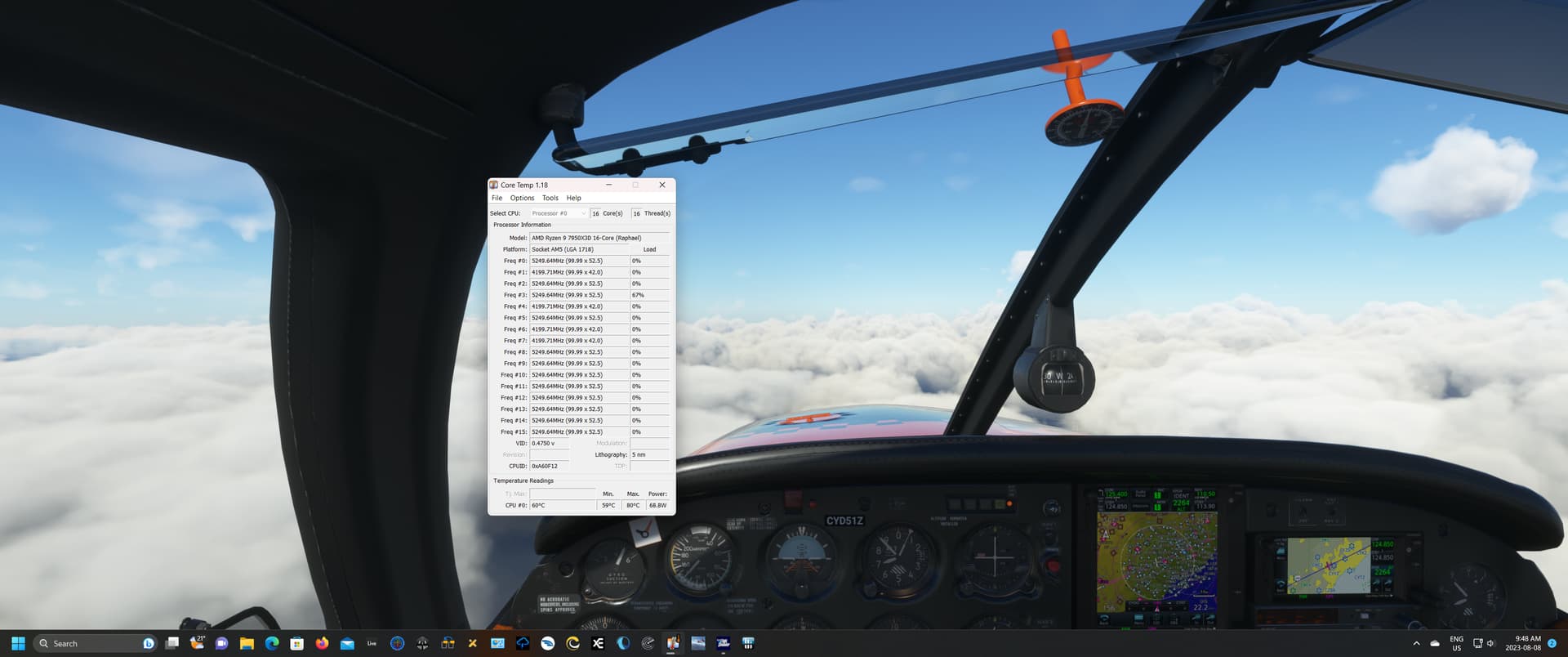
even rocking through the clouds…
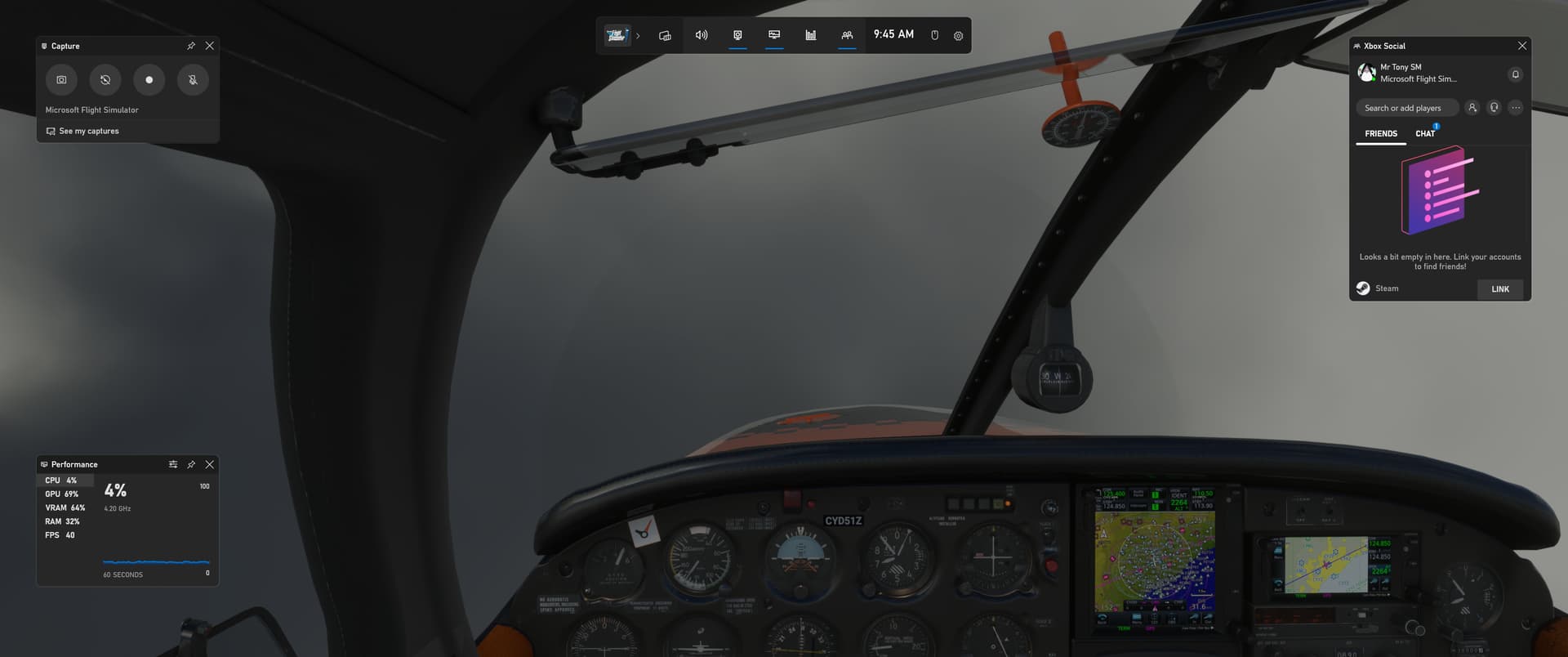
EDIT: I loaded up at NYC, I was hopeful with the new iniscene KJFK update. It addressed fps issues. So I left the train animations, interiors etc intact. HAHAHAHAHAHAHAHA 8fps on the ground in the TBM930 KJFK tlod 4.00. I’ll have to put the kills on that stuff and try again.
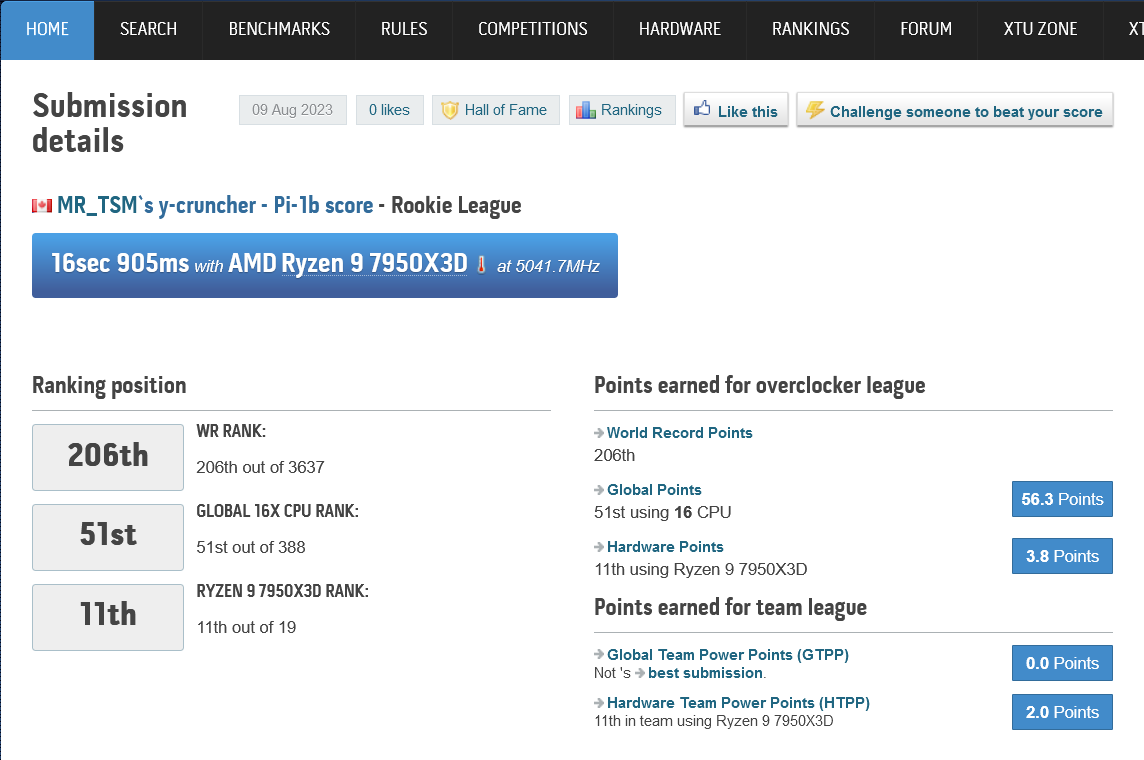
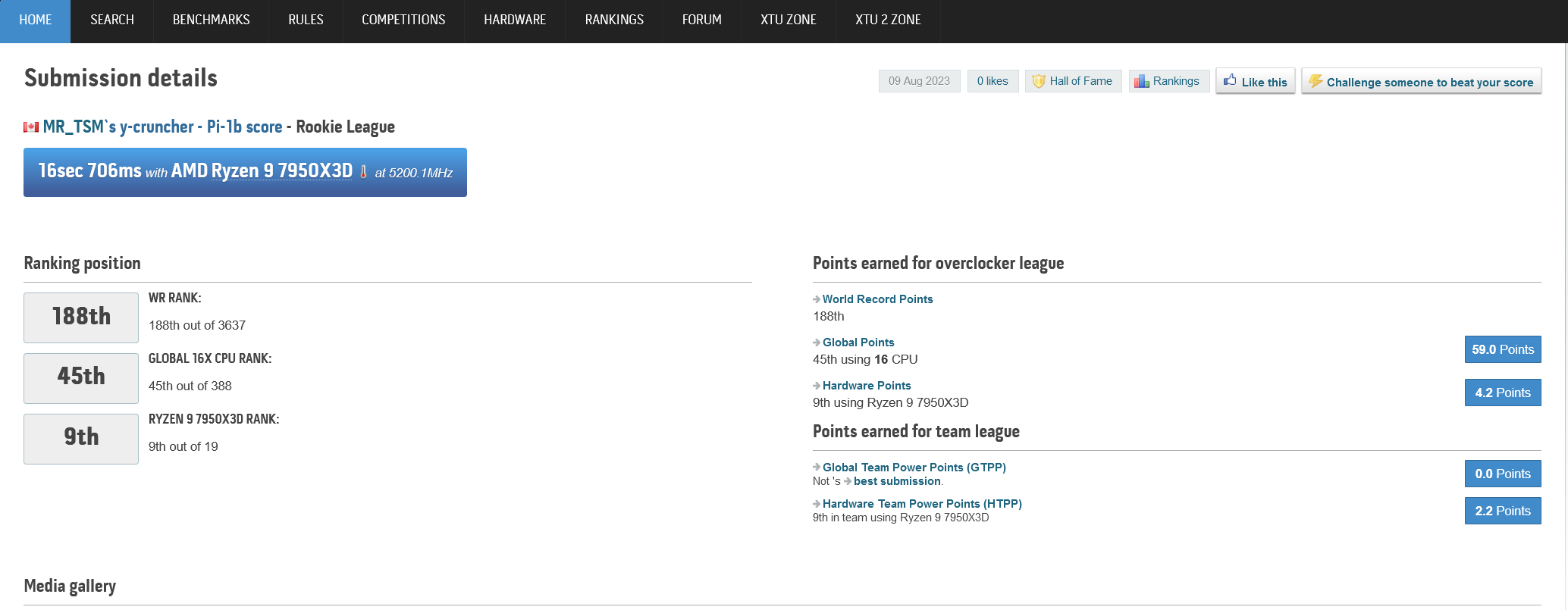
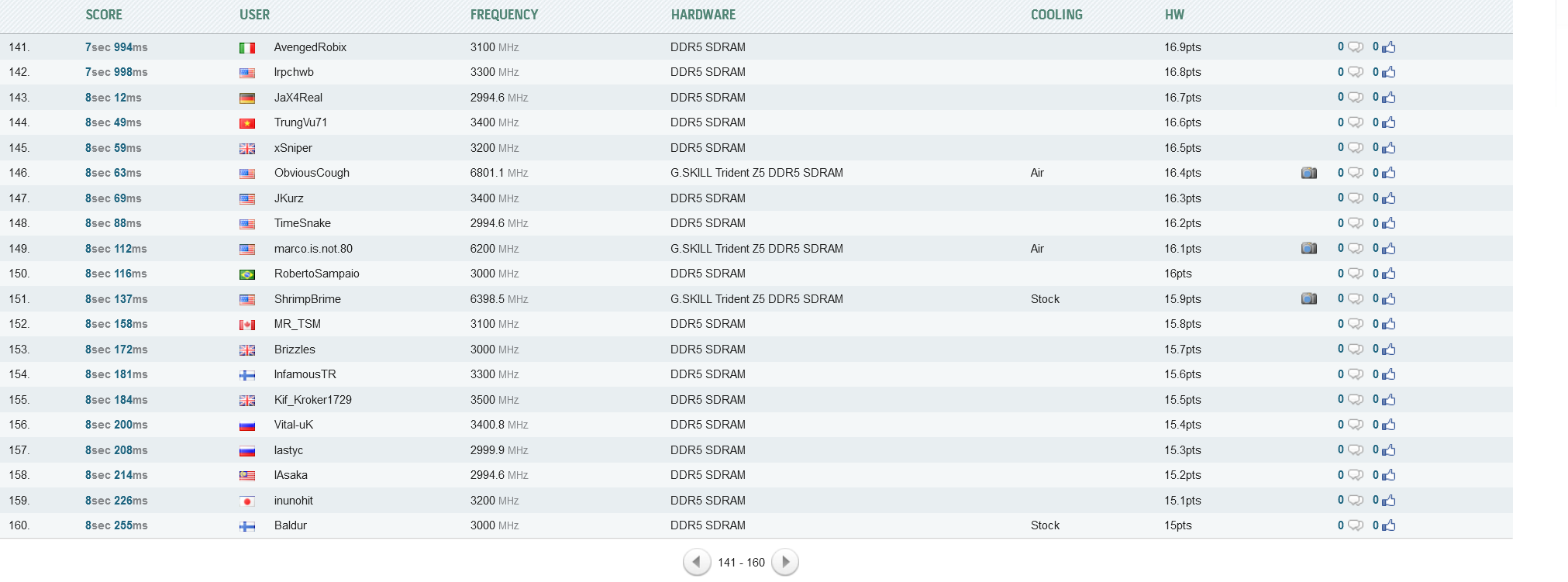
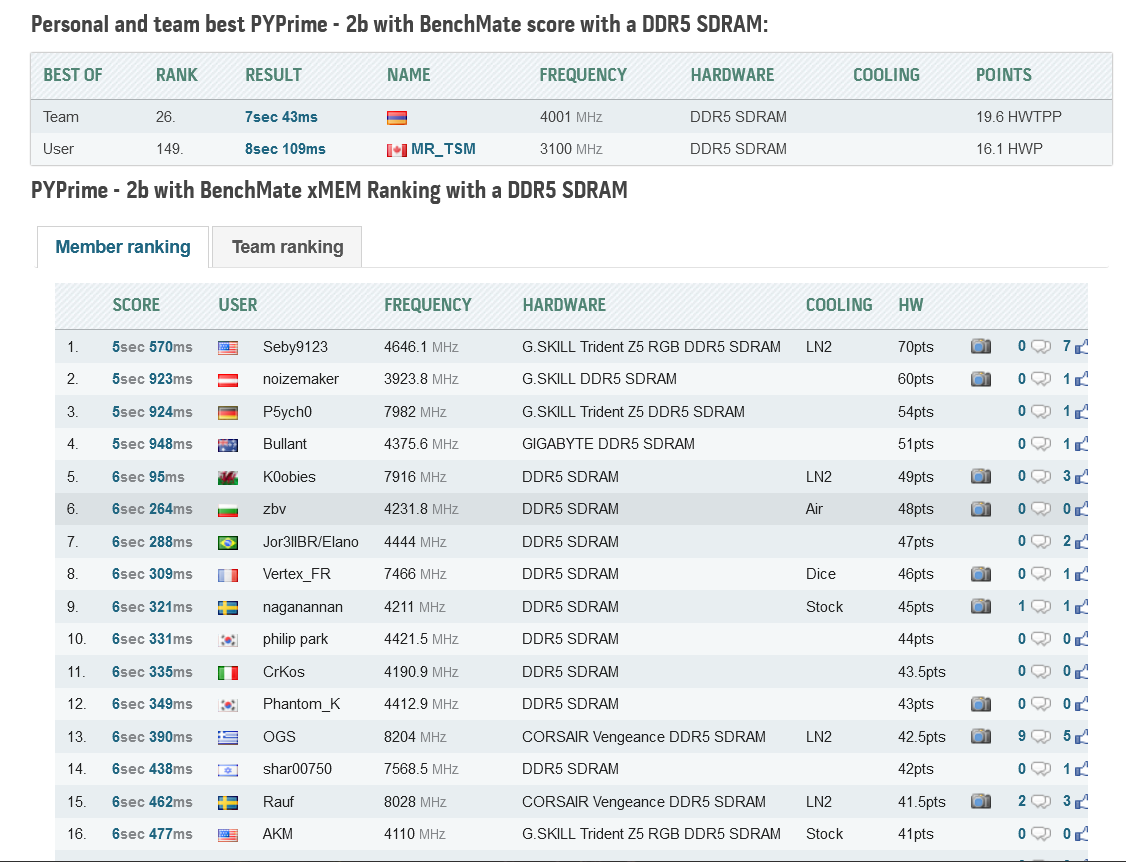
I’ll take it Mixing with the best OC’rs on the planet in memory benchmark. Happy to even be on the boards. I sure don’t have any Liquid Nitrogen set-up to really compete  I only joined HwBot, and haven’t posted any subzero benches, so I’m in rookie league till my points go up. But those scores are vs the world. Pretty happy with my first AMD OC. Been an Intel guy for 20+ years since my last AMD build.
EDIT: I might add, I can beat these scores with unstable OC’s. But the point seems lost to me. Stability is everything. Can’t use it otherwise That is the way it typically goes in the higher ranks, just get it running to make the benchie

And for CPU Based
Dialed in subtimings… Still very stable

1 Like
A little bit on the BIOS topic again. I have an ASUS x670e Crosshair currently on version 1303.
Didn’t stay on version 1415 because it reduced my 7950x3D SoC voltage to below 900mv figures. With 4 ddr5 modules it didn’t wanted to post ofc. I had to manually set my SoC voltage to 1.25 mv~ to make it work. But it used to be reset frequently after restarts for whatever reason making me go to bios, reset it, restart and set it again.
It was my only complaint and issue with this BIOS or previous betas until 1303.
Did anyone tried BIOS version 1516 on any Asus x670e motherboard? Or anyone having their default SoC voltage so low on post 1303 versions?
You are waiting for the same thing @Baracus250 and many others are. 1516 BIOS I just had a boo at. That is the new AGESA (Improved memory training, support for 7600mhz expo at 1.2V SOC). This fixes this, and will get 4 sticks of 6000mhz ddr5 running as advertised. If you do flash it, run this for 1 hour on memory at 80% to ensure stability. OCBASE/OCCT : Free, all-in-one stability, stress test, benchmark and monitoring tool for your PC
I would not suggest anything, but in heavy memory overclock, I’ve had my SOC up to 1.29. This won’t help you though. The problem that caused cpu/motherboards to melt was… ASUS got busted for sending their motherboards higher than set voltages. They did this for marketing as “THE TOP OC MOTHERBOARDS” When the reality was they where spiking the punch the whole time. This went bad for them as the x3d cpu’s are very sensitive to high V SOC.
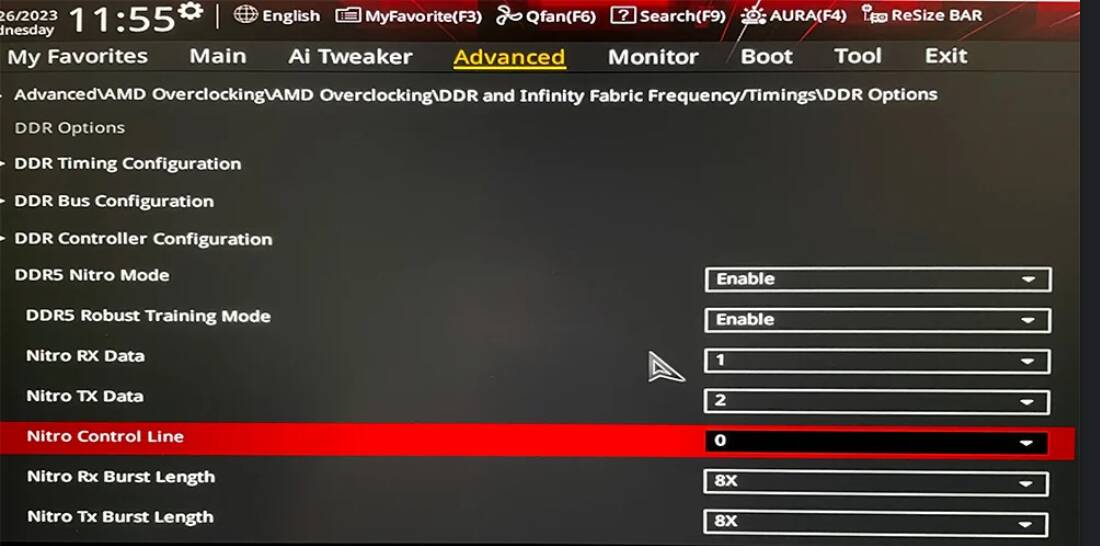
EDIT: Make sure to use DDR5 Nitro. I would set Nitro Mode Enable and Robust Training mode to enable, the rest leave at auto. Side note, memory training takes a lot longer with Agesa 1.0.0.7b It will probably take 5 minutes or so, be patient, it will boot. Also make sure to have memory context restore enabled in bios as well. This is working very good now, even with heavy memory OC’s
This pic isn’t for settings, it’s for where to find it in ASUS BIOS
2 Likes
This shows the reality of what lies in the top ranks of DDR5 OC, LN2. Well, top ranks of all OC lol. I don’t know how I can shave off anymore and remain stable. Still pretty happy to make it into top 150 worldwide. Did not at all expect this.
1 Like
Ah thanks for the info. Had no idea of the Nitro option. These new versions introduce almost constant important changes ‘till the point it’s starting to be less “plug and play” and more dive even more into bios settings to get stability.
Once again thanks for that info, I’ll look into that and test it once I get on my setup again.
1 Like
Very welcome. Hope its all good news
saw your picture and just received a similar build - it also has a 4090 GPU but there is no support under the GPU on the right side like yours has (although one came loose in a bag!)
Just wondering is the support really required and how does it work? (it seems to have a little wheel on the side - is this meant to extend the height of the support or just add tension when its under the GPU?)
Hello. The small wheel is simply used to enlarge or decrease the support depending on the space between the graphics card and the place where the support is placed. Is it really useful? If I do not use the support, the weight of the graphics card means that it is not perfectly straight and this forces on the PCIE connections. I prefer to use it. You can buy the support on Amazon.
thanks for reply!
as my machine came with it will try and fit it - just to be clear the wheel should raise or lower the rubber extension at the top so it can fit in a smaller gap- note when i slackened off the wheel (fully anti clockwise) did not seem to see any change in the support?
Use the support bracket.
by support bracket you mean at the other end of the card to secure it to the case or use this extendable support?
its a pre built machine so the the GPU came well secured in the case (but it looks to be a heavy ROG card!)