Thanks for all the replies, comments, and suggestions.
I will try to address them all in this one response.
Sebastiaan. My 2 seat, dual control, fully enclosed cockpit gives a more realistic experience than sitting in front of a single screen (or even a triple screen desktop set up with a single seat).
I often fly with visitors and friends and I sit in the co-pilot seat (as instructor).
My Instrument panel is on a physical dashboard - using Air Manager instruments.
so the MSFS instrument panel view on the front screen is hidden by my physical dashboard.
With my two seat arrangement, I need to set up the MSFS view so that the interior views of the plane are exactly centre of the cockpit… eg. with the left and right doors on the left and right screen.
Below is a link to some pictures of my cockpit build that should help.
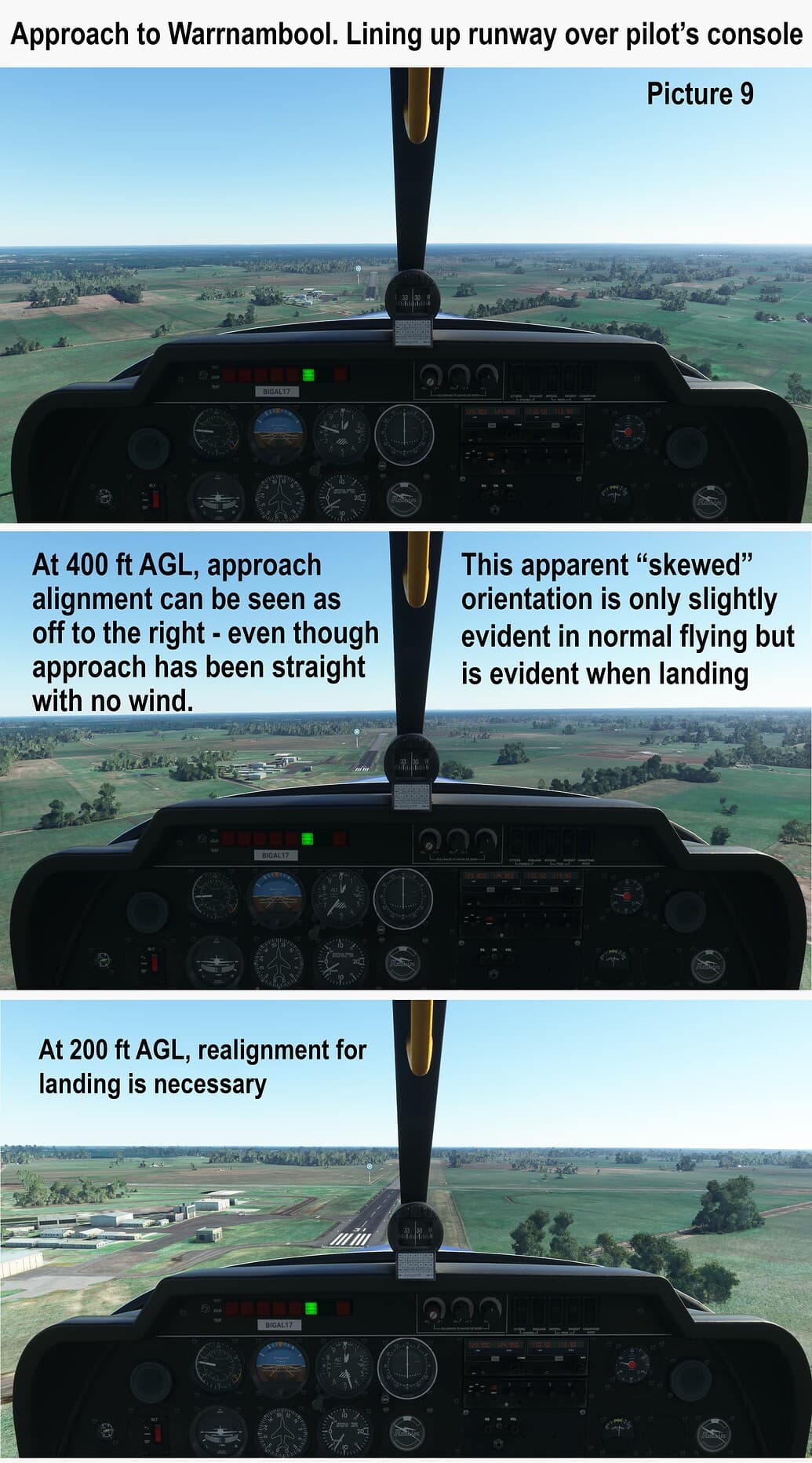
Sometimes my flying friends are real pilots. When in my SIM cockpit they try to line up for a take off as they do in a real plane, it is very noticeable for them that the alignment is “wrong”. On takeoff the plane appears to them to be yawing to the left.
Once we are flying above 1000 feet it is not so noticeable.
But when they setup for a landing as they do in a real plane, they end up off-line to the right.
The following pictures are copied from my first post on this topic.
@FlyerOneZero explained it pretty well. The only comment I would add to to that is that I have created a view in MSFS that does achieve a real pilot view in the left seat. That view achieves what I want for takeoff, approach and landing.
And it does not affect the general flying either… if fact I think it looks better because there is not that appearance of the view being slightly offset (yaw).
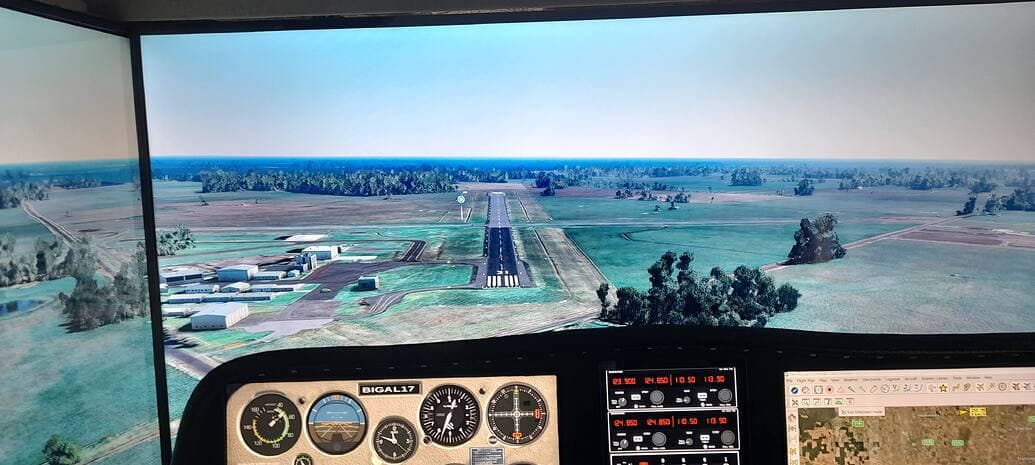
In this view, no features of the plane itself are visible. We can only see the outside world.
The instrument panel that we can see is the physical instrument panel in my cockpit. I showed that view in a previous post here:
@SeaCelery810439 I actually saw your deleted comment (in history).
No problem. I did not think it had a disrespectful tone. I am just not sure that you have understood the issue properly. It depends what you mean by “translate to the right seat”.
Are you talking about translating the view on the MSFS monitor?
My cockpit actually has 2 seats.
If you revisit the very first post at the top of this topic, it explains the issue in detail there.
Yes. That would be great. I have not actually seen P3D in action.
You may be right that MSFS will not do anything similar, but as Xplane found out, you are only the best until someone else comes up with something better.
I am looking forward to MSFS 2024, but for my Cockpit, if P3D came out with a new version that gave us similar world graphics as MSFS I might spend my money there - (to get the camera view ability they offer).
Keep it up. You’re not off topic.