Please add XeSS for Intel ARC, additionally to DLSS for Nvidia and FSR for AMD GPUs
9 Likes
I second this
2 Likes
Also XeSS 2 support would be awesome for the new B series ARC cards!
1 Like
I just got an Arc B580, XeSS 2 + Frame Generation is a must, especially in 2024.
1 Like
XeSS 2 SDK was just released Release XeSS SDK 2.0.1 · intel/xess · GitHub
Might be a minute - they’re just now adding FSR 3.1, which the first version of (FSR 3) came out in September of 2023. If it isn’t Nvidia, there often isn’t a large enough player base for them to prioritize it, unfortunately.
Submitted feedback about XeSS 2 to MSFS ZenDesk and logged as feedback internally by Asobo, but then again not a high priority unlike newer versions of FSR or DLSS.
How does the 580 do? I have an a750 which seems on par with my xbox series X so far. Im still leaning towards an amd 9070xt or nvidia 5070ti whenever i can get one on at MSRP. Even the arcs are out of stock though.
It’s alright on high end settings, except with airliners where it struggles 10-20 fps. It struggles with career mode too for some reason but world photography and activities missions it handles fine.
Just install optiscaler.
1 Like
Wondering if Asobo could take advantage of XeSS in that way in a future Sim Update alongside DLSS and FSR.
1 Like
Reason for adding it: XeSS 2 is based on AI-model super resolution and frame generation, supports many graphics cards, and has been tested in other games where it performs better than FSR 3. Since FSR 4 only supports AMD RDNA 4, it is not supported on other graphics cards.
Hi, I’m reaching out to strongly advocate for native Intel XeSS support in MSFS 2024.
The Intel Arc B580 is becoming a ‘savior’ for mid-range flight simmers. With its 12GB of VRAM, it handles MSFS 2024’s heavy texture demands far better than other 8GB cards in its class. As the B580 and future Arc GPUs rapidly replace older entry-level hardware, providing native XeSS integration has become essential. XeSS 2 and the upcoming XeSS 3 provide superior image stability and much clearer cockpit instrument readability compared to FSR 3.1. Combining XeSS’s Al-upscaling with the B580’s 12GB VRAM would allow mid-range players to achieve high-fidelity performance that was previously impossible.
We hope the dev team can prioritize this for the growing Intel Arc community.
Thanks!
3 Likes
Hi everyone. We all want native XeSS support, but while we wait for the developers, here is a working solution for the Intel Arc B580.
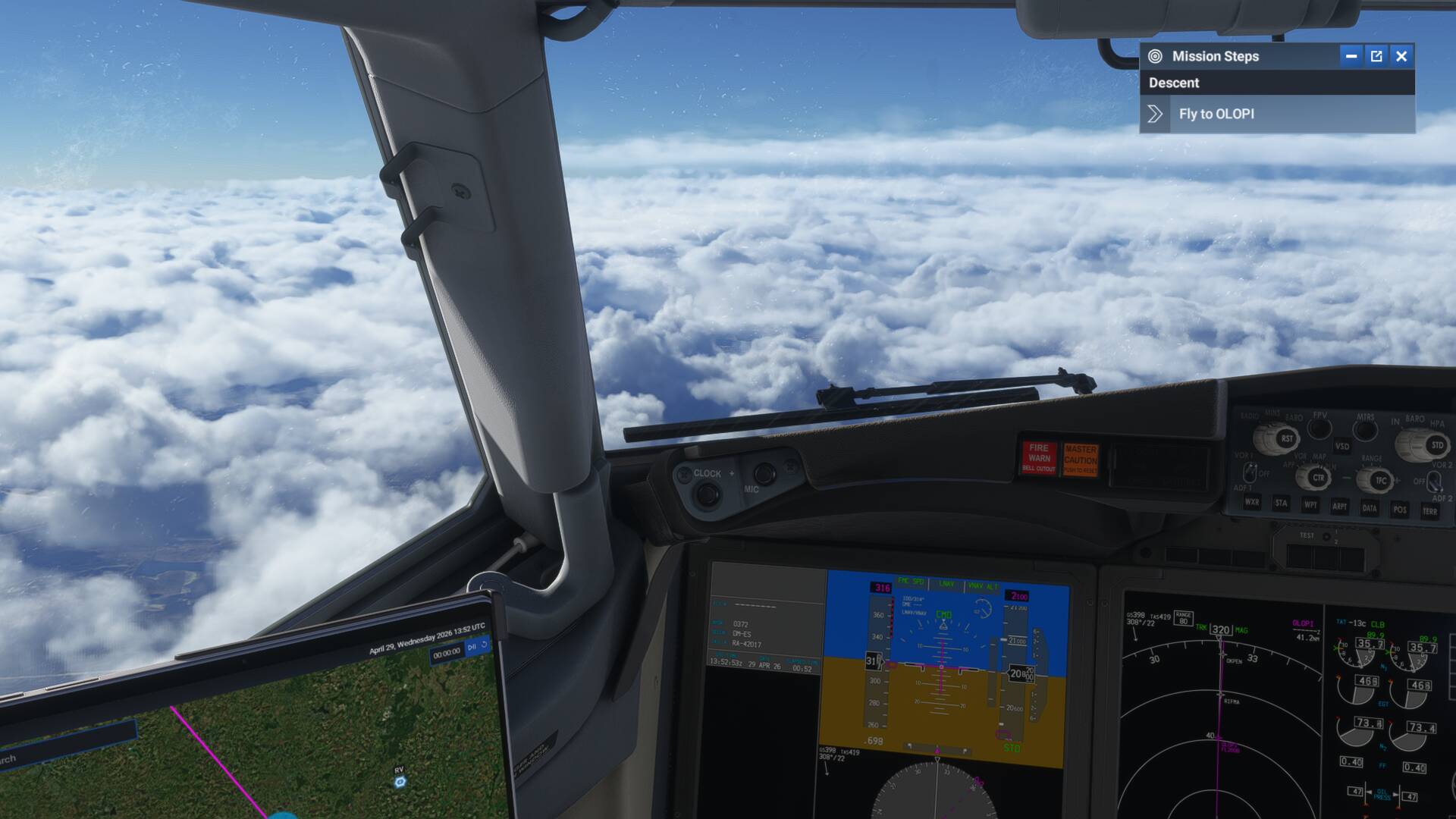
The Ideology: I’m a flight simmer, not a casual player. I don’t need “Mission Steps” or engine overlays cluttering my screen. I care about flight dynamics, a sharp cockpit, and smooth camera movement. This preset is built for those who value immersion over UI “trash”.
My Settings:
-
AA Mode: NVIDIA DLSS (Intercepted by OptiScaler to run XeSS 2.0.2 XMX).
-
Super Resolution: DLAA (Native resolution for maximum clarity).
-
Sharpening: 100% (FidelityFX).
-
V-Sync: OFF in game settings.
-
Graphics: Ultra + Raytraced Shadows.
Why HUD Fix is DISABLED: I have deliberately turned HUD Fix OFF in the config.
-
The Reason: This setting is an OptiScaler workaround that often causes stutters and freezes because it fails to sync the UI properly with the 3D render.
-
The Result: If you keep it off, any floating UI windows (like Mission Steps) might “float” or jitter during head movement.
-
My Take: Who cares about the overlay? Turning HUD Fix off is the only way to get butter-smooth cockpit movement and zero freezes while we wait for native XeSS support.
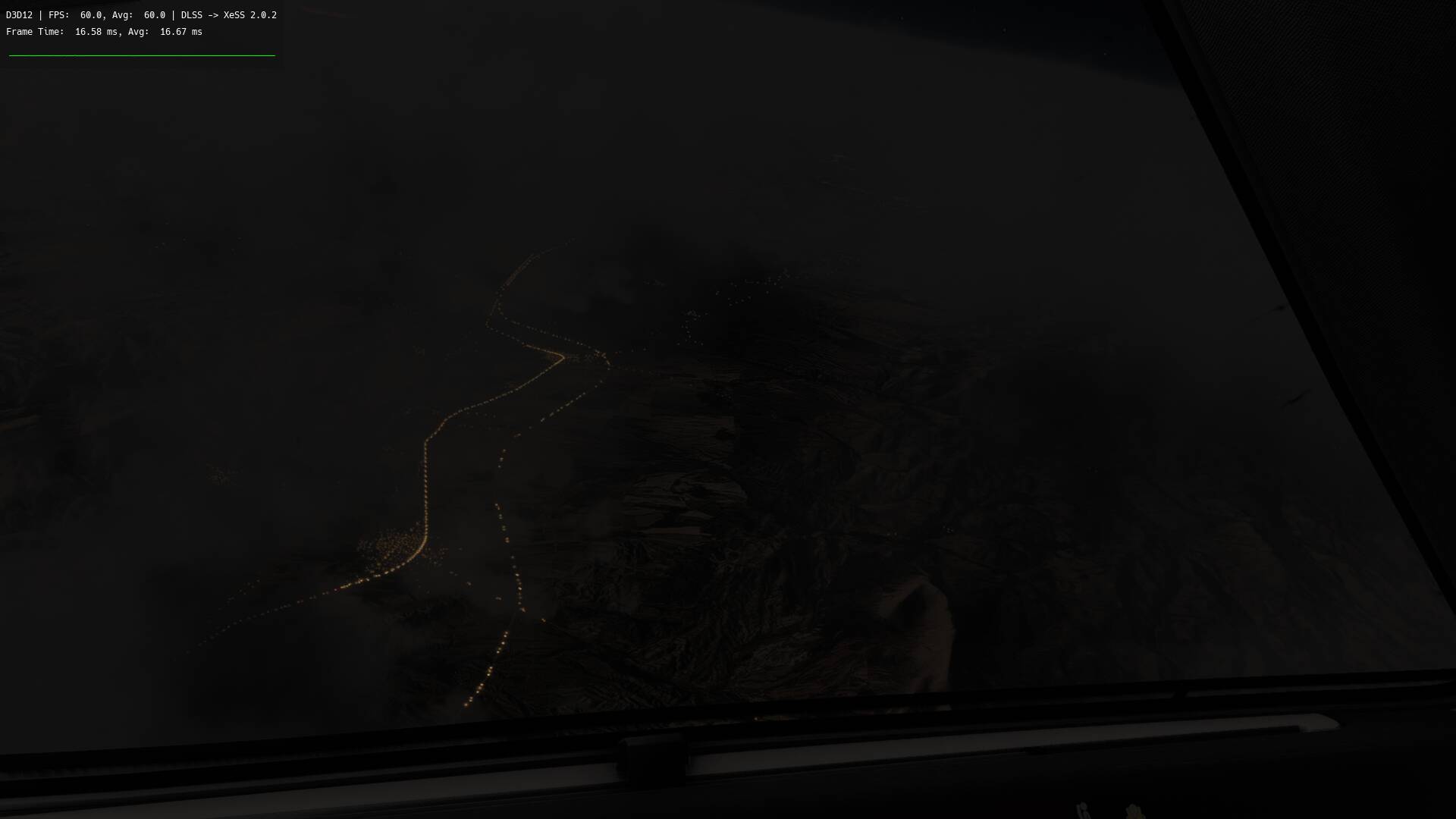
The 60 FPS Cap: I’ve locked the FPS to 60 within the OptiScaler menu (Press “Insert” in-game).
- The Logic: This gives the GPU enough headroom to process frames without delay, ensuring perfect stability and zero micro-stutters.
Installation: Unpack all files directly into the game’s root directory (where FlightSimulator2024.exe is located).
-
Steam:
...\SteamLibrary\steamapps\common\MSFS2024\ -
MS Store: Find your installation folder and drop the files next to the .exe.
***File on GDrive: Link Removed by Moderator
Moderator Edit: Direct link to file removed.

@SergeSmile
The direct link to the zip file has been removed from your post above. As per this section of the Code of Conduct:
“No direct download links (payware or freeware) allowed. Please direct to a 3rd party site.”
Since the moderator deleted the link (I guess they’re a bit too worried about NVIDIA’s reputation up there, lol), here are the Optiscaler config settings for those who want to see how Intel Arc actually crushes it. No magic, just the right tweaks.
; -------------------------------------------------------


[Upscalers]

; -------------------------------------------------------
; Select upscaler for Dx11 games
; fsr22 (native DX11), fsr31 (native DX11), xess (native DX11, Arc only), xess_12 (dx11on12), fsr21_12 (dx11on12), fsr22_12 (dx11on12), fsr31_12 (dx11on12, FSR4), dlss - Default (auto) is fsr22
Dx11Upscaler = xess

; Select upscaler for Dx12 games
; xess, fsr21, fsr22, fsr31 (also for FSR4), dlss - Default (auto) is xess
Dx12Upscaler = xess

; Select upscaler for Vulkan games
; fsr21, fsr22, fsr31, xess, dlss - Default (auto) is fsr21
VulkanUpscaler = xess


; -------------------------------------------------------
[FrameGen]

; -------------------------------------------------------
; Select the FG type to be used
; optifg - requires amd_fidelityfx_dx12.dll
; nukems - requires dlssg_to_fsr3_amd_is_better.dll, AMD/Intel GPU users need to add fakenvapi as well
; nofg, optifg, nukems - Default (auto) is nofg
FGType = OptiFG


; -------------------------------------------------------
[OptiFG]

; -------------------------------------------------------
; Enables FSR3.1 frame generation
; true or false - Default (auto) is false
Enabled = true

; Enables FSR3.1 frame generation debug view
; true or false - Default (auto) is false
DebugView = auto

; Enables FSR3.1 frame generation tear lines
; true or false - Default (auto) is false
DebugTearLines = auto

; Enables FSR3.1 frame generation interpolation skip lines
; true or false - Default (auto) is false
DebugResetLines = auto

; Enables FSR3.1 frame generation pacing lines
; true or false - Default (auto) is false
DebugPacingLines = auto

; Enables async FSR3.1 frame generation
; true or false - Default (auto) is false
AllowAsync = auto

; Enables HUD fix FSR3.1 frame generation
; Might cause crashes, specially with Async
; true or false - Default (auto) is false
HUDFix = auto

; Delays HUDless image capture
; Might cause crashes, specially if set too high!
; integer value above > 0 - Default (auto) is 1
HUDLimit = auto

; Extended HUDless checks for more image formats
; Might cause crash and slowdowns.
; true or false - Default (auto) is false
HUDFixExtended = auto

; Prevent swapchain buffers to be used as Hudless
; Might help fixing overlay issues but also might reduce compatibility
; true or false - Default (auto) is false
HUDFixDontUseSwapchainBuffers = auto

; Relax resolution checks for Hudless by 32 pixels
; Helps games which use black borders for some resolutions and screen ratios (e.g. Witcher 3)
; true or false - Default (auto) is false
HUDFixRelaxedResolutionCheck = auto

; Enables capturing of resources before shader execution.
; Increase hudless capture chances but might cause capturing of unnecessary resources.
; true or false - Default (auto) is false
HUDFixImmediate = auto

; Defines FG rectangle
; integer value - Default (auto) is whole screen
RectLeft = auto
RectTop = auto
RectWidth = auto
RectHeight = auto

; Resource tracking is always enabled regardless of Hudfix setting
; Might cause performance issues but disabling might cause stability issues
; true or false - Default (auto) is false
AlwaysTrackHeaps = auto

; Block rarely used resources from using as hudless
; to prevent flickers and other issues
; true or false - Default (auto) is false
ResourceBlocking = auto

; Makes a copy of Depth to be used with Hudfix FG call
; Setting it false most probably cause occasional garbling
; true or false - Default (auto) is true
MakeDepthCopy = auto

; Scale depth buffer according to DepthScaleMax value
; Fixes broken depth buffer info for DLSS-D + UE
; true or false - Default (auto) is false
EnableDepthScale = auto

; Scale value for EnableDepthScale
; Depth value will be divided to this value
; float - Default (auto) is 10000.0
DepthScaleMax = auto

; Makes a copy of motion vectors to be used with Hudfix FG call
; Setting it false most probably cause occasional garbling
; true or false - Default (auto) is true
MakeMVCopy = auto

; Flip Depth & Velocity textures
; This should fix OptiFG issues with Unity games
; true or false - Default (auto) is false
ResourceFlip = auto

; Enables usage of mutex for FG swapchain present calls
; Disabling it might improve performance in cost of stability
; true or false - Default (auto) is true
UseMutexForSwapchain = auto

; Frame Pace Tuning
; -------------------------------------------------------
; Enables custom Frame Pace Tuning parameters
; true or false - Default (auto) is true
FramePacingTuning = auto

; This info is from:
; https://github.com/GPUOpen-LibrariesAndSDKs/FidelityFX-SDK/blob/54fbaafdc34716811751bea5032700e78f5a0f33/ffx-api/include/ffx_api/ffx_api_types.h#L197
;
; Default Tuning
; safetyMarginInMs==0.1ms and varianceFactor==0.1.
;
; Tuning set A
; safetyMarginInMs==0.75ms, and varianceFactor==0.1.
;
; Tuning Set B
; safetyMarginInMs==0.01ms and varianceFactor==0.3.
;
; If your game when using FG, frame rate is running at unexpectly low frame rate, after gradual transition from rendering complex to easy scene complexity,
; you could try setting "Tuning Set B" to recover lost FPS at cost of a bit higher variance.
;
; OptiScaler will use Tuning B as default

; Frame Pace Tuning
; Sets safety margin
; float - Default (auto) is 0.01
FPTSafetyMarginInMs = auto

; Frame Pace Tuning
; Sets variance factor
; 0.0 - 1.0 - Default (auto) is 0.3
FPTVarianceFactor = auto

; Frame Pace Tuning
; Allows pacing spinlock to sleep, should reduce CPU usage
; Might cause slow ramp up of FPS
; true or false - Default (auto) is false
FPTHybridSpin = auto

; Frame Pace Tuning
; How long to spin if FPTHybridSpin is true. Measured in timer resolution units.
; Not recommended to go below 2. Will result in frequent overshoots
; uint - Default (auto) is 2
FPTHybridSpinTime = auto

; Frame Pace Tuning
; Allows WaitForSingleObject instead of spinning for fence value
; true or false - Default (auto) is false
FPTWaitForSingleObjectOnFence = auto


; -------------------------------------------------------
[Inputs]

; -------------------------------------------------------
; OptiScaler will hook (nvngx.dll) and use Dlss Inputs
; true or false - Default (auto) is true
EnableDlssInputs = auto

; OptiScaler will hook (libxess.dll) and use XeSS Inputs
; true or false - Default (auto) is true
EnableXeSSInputs = auto

; OptiScaler will hook Fsr2 Inputs
; true or false - Default (auto) is true
EnableFsr2Inputs = auto

; OptiScaler will use Fsr2 Inputs
; true or false - Default (auto) is true
UseFsr2Inputs = auto

; Try to find FSR2 methods with pattern matching
; Will slow down the loading of the game
; true or false - Default (auto) is false
Fsr2Pattern = auto

; OptiScaler will hook Fsr3 Inputs
; true or false - Default (auto) is true
EnableFsr3Inputs = auto

; OptiScaler will use Fsr3 Inputs
; true or false - Default (auto) is true
UseFsr3Inputs = auto

; Try to find FSR3 methods with pattern matching
; Will slow down the loading of the game
; true or false - Default (auto) is false
Fsr3Pattern = auto

; OptiScaler will hook FidelityFX (amd_fidelityfx_dx12.dll) Api Inputs
; true or false - Default (auto) is true
EnableFfxInputs = auto

; OptiScaler will use FidelityFX Api Inputs
; true or false - Default (auto) is true
UseFfxInputs = auto

; Enables hot swapping between games FSR3.1 upscaler and OptiScaler's selected upscaler
; true or false - Default (auto) is true
EnableHotSwapping = auto


; -------------------------------------------------------
[Framerate]

; -------------------------------------------------------
; Frame rate limit that uses Reflex therefore the game has to support Reflex and have it enabled
; AMD users can use fakenvapi to get this feature working
; float - Default (auto) is 0.0 (disabled)
FramerateLimit = 60.000000


; -------------------------------------------------------
[XeSS]

; -------------------------------------------------------
; Building pipeline for XeSS before init
; true or false - Default (auto) is true
BuildPipelines = auto

; Creating heap objects for XeSS before init
; true or false - Default (auto) is false
CreateHeaps = auto

;Select XeSS network model
; 0 = KPSS | 1 = Splat | 2 = Model 3 | 3 = Model 4 | 4 = Model 5 | 5 = Model 6
; Default (auto) is 0
NetworkModel = 5

; Override path of libxess.dll
; Example - D:\Downloads\OptiScaler\libxess.dll
; Default (auto) is same folder as mod dll
LibraryPath = auto

; Override path of libxess_dx11.dll
; Example - D:\Downloads\OptiScaler\libxess_dx11.dll
; Default (auto) is same folder as mod dll
Dx11LibraryPath = auto


; -------------------------------------------------------
[FSR]

; -------------------------------------------------------
; Sets camera vertical FOV value for FSR and FSR FG
; 0.0 to 180.0 - Default (auto) is 60.0
VerticalFov = auto

; If vertical fov is not defined will be used to calculate vertical fov
; 0.0 to 180.0 - Default (auto) is off
HorizontalFov = auto

; Sets camera near value for FSR and FSR FG
; 0.0 to max float value - Default (auto) is 0.1
CameraNear = auto

; Sets camera far value for FSR and FSR FG
; 0.0 to max float value - Default (auto) is 10000.0
CameraFar = auto

; Enables usage of camera values (near, far, fov)
; received from FSR2/3 or FFX inputs
; true or false - Default (auto) is true
UseFsrInputValues = auto

; Enables debug view for FSR3.X upscaler
; true or false - Default (auto) is false
DebugView = auto

; Selects upscaler backend for FSR3.X
; 0 = FSR 3.1.2 | 1 = FSR 2.3.2
; 0 or 1 (for now) - Default (auto) is 0
UpscalerIndex = auto

; Sets velocity factor for FSR3.1.1 and above
; Value of 0.0f can improve temporal stability of bright pixels.
; 0.0 to 1.0 - Default (auto) is 1.0
VelocityFactor = auto

; Sets reactiveness scale for FSR3.1.4 and above
; Meant for development purpose to test if writing a larger value to reactive mask, reduces ghosting
; 0.0 to infinite - Default (auto) is 1.0
ReactiveScale = auto

; Sets shading scale for FSR3.1.4 and above
; Increasing this scales fsr3.1 computed shading change value at read to have higher reactiveness.
; 0.0 to infinite - Default (auto) is 1.0
ShadingScale = auto

; Sets accumulation added per frame for FSR3.1.4 and above
; Corresponds to amount of accumulation added per frame at pixel coordinate where disocclusion occurred or when reactive mask value is > 0.0f.
; Decreasing this and drawing the ghosting object (IE no mv) to reactive mask with value close to 1.0f can decrease temporal ghosting.
; Decreasing this value could result in more thin feature pixels flickering.
; 0.0 to 1.0 - Default (auto) is 0.333
AccAddPerFrame = auto

; Sets minimum disocclusion accumulation for FSR3.1.4 and above
; Increasing this value may reduce white pixel temporal flickering around swaying thin objects that are disoccluding one another often.
; Too high value may increase ghosting. A sufficiently negative value means for pixel coordinate at frame N that is disoccluded,
; add fAccumulationAddedPerFrame starting at frame N+2.
; -1.0 to 1.0 - Default (auto) is -0.333
MinDisOccAcc = auto

; Use raw DLSS reactive mask as transparency mask
; true or false - Default (auto) is true
UseReactiveMaskForTransparency = auto

; Bias to apply DLSS reactive mask when using with FSR
; Higher the value, more bias on new frame
; 0.0 - 0.9 - Default (auto) is 0.45
DlssReactiveMaskBias = auto

; Enables updating of FSR3.X to FSR4
; true or false - Default (auto) is depends on GPU
Fsr4Update = auto

; Select FSR4 model to use
; 0 = model used for FSR AA/Quality, 5 = model used for FSR Ultra Performance
; From 0 to 5 - Default (auto) is game's default
Fsr4Model = auto

; Indicates input color resource contains perceptual sRGB colors
; Might improve IQ of FSR4
; true or false - Default (auto) is false
FsrNonLinearSRGB = auto

; Indicates input color resource contains perceptual PQ colors
; Might improve IQ of FSR4
; true or false - Default (auto) is false
FsrNonLinearPQ = auto

; Updates the DirectX 12 Agility SDK
; Enabling the use of FSR4 on Windows 10 in older titles like Cyberpunk 2077
; You MUST copy D3D12_OptiScaler folder next to games exe!
; true or false - Default (auto) is false
FsrAgilitySDKUpgrade = auto

; Override path of amd_fidelityfx_dx12.dll
; Example - C:\Program Files\Rockstar Games\Grand Theft Auto V Enhanced\Altdll\amd_fidelityfx_dx12.dll
; Default (auto) is same folder as mod dll
FfxDx12Path = auto

; Override path of amd_fidelityfx_vk.dll
; Example - D:\Downloads\OptiScaler\amd_fidelityfx_vk.dll
; Default (auto) is same folder as mod dll
FfxVkPath = auto


; -------------------------------------------------------
[DLSS]

; -------------------------------------------------------
; Enables calls to original NVNGX
; true or false - Default (auto) is true
Enabled = auto

; Override path of nvngx.dll / _nvngx.dll
; Default (auto) is path defined in registry
LibraryPath = auto

; Path of streamline/nvngx_dlss.dll folder
; Which will be used on initing nvngx api
; for example .\streamline
; Default (auto) is OptiScaler dll path
FeaturePath = auto

; Override path of nvngx_dlss.dll
; Example - D:\Downloads\OptiScaler\nvngx_dlss.dll
; Default (auto) is means override disabled
NVNGX_DLSS_Path = auto

; Set this to true to enable custom render preset overrides
; true or false - Default (auto) is false
RenderPresetOverride = auto

; Render presets for quality settings
; Depends on DLSS version but most recent order is
; 0 = Default | 1 = A | 2 = B | 3 = C | 4 = D | 5 = E | 6 = F | 7 = G
; 8 = H | 9 = I | 10 = J | 11 = K | 12 = L | 13 = M | 14 = N | 15 = O
; Default (auto) is 0
RenderPresetForAll = auto
RenderPresetDLAA = auto
RenderPresetUltraQuality = auto
RenderPresetQuality = auto
RenderPresetBalanced = auto
RenderPresetPerformance = auto
RenderPresetUltraPerformance = auto

; Use generic appid with NGX, fixes OptiScaler preset override not working with certain games
; true or false - Default (auto) is false
UseGenericAppIdWithDlss = auto


; -------------------------------------------------------
[Nukems]

; -------------------------------------------------------
; Fix broken visuals in some games (mostly non-UE) on AMD GPUs under Windows
; Can cause stutters so best to use only when necessary
; true or false - Default (auto) is false
MakeDepthCopy = auto


; -------------------------------------------------------
[Menu]

; -------------------------------------------------------
; Enables new overlay ImGui menus
; without this option OptiScaler will disable all FG features
; true or false - Default (auto) is when OptiScaler is nvngx.dll false otherwise true
OverlayMenu = auto

; In-game ImGui menu scale
; 0.5 to 2.0 - Default (auto) is 1.0, gets lower below 900p
Scale = auto

; Shortcut key for opening menu
; For all keycode values you can check this address
; https://learn.microsoft.com/en-us/windows/win32/inputdev/virtual-key-codes
; Integer value - Default (auto) is 0x2D -> VK_INSERT, previous default key VK_HOME is 0x24
; -1 -> No shortcut key
ShortcutKey = auto

; Extends scaling ratio limits to 0.1 - 6.0
; true or false - Default (auto) is false
ExtendedLimits = auto

; Use high quality font for menu
; Might use more VRAM
; If you see a black overlay or experience menu related crashes with Vulkan, try disabling
; true or false - Default (auto) is true
UseHQFont = auto

; Path to a font to be used as HQ Font, requires UseHQFont=true
; Best to use monospace fonts
; Example path: C:\\Windows\\Fonts\\comic.ttf
; Default (auto) is Hack-Regular bundled with OptiScaler
TTFFontPath = auto

; Disables startup splash message
; true or false - Default (auto) is false
DisableSplash = true

; Enables Fps overlay
; true or false - Default (auto) is false
ShowFps = auto

; In-game FPS Overlay scale
; 0.5 to 2.0 - Default (auto) is using the same scale as menu
FpsScale = auto

; Fps overlay position
; 0 = Top Left | 1 = Top Right | 2 = Bottom Left | 3 Bottom Right
; 0 to 3 - Default (auto) is 0
FpsOverlayPos = auto

; Fps overlay type
; 0 = Just FPS | 1 = Simple | 2 = Detailed | 3 = Detailed + Graph | 4 Full | 5 Full + Graph
; 0 to 4 - Default (auto) is 0
FpsOverlayType = 3

; Shortcut key for fps overlay
; Integer value - Default (auto) is 0x21 -> VK_PRIOR
; -1 -> No shortcut key
FpsShortcutKey = auto

; Shortcut key for fps overlay type cycle
; Integer value - Default (auto) is 0x22 -> VK_NEXT
; -1 -> No shortcut key
FpsCycleShortcutKey = auto

; Enables Horizontal Fps overlay layout
; true or false - Default (auto) is false
FpsOverlayHorizontal = auto

; Fps Overlay background alpha
; 0.0 to 1.0 - Default (auto) is 0.4
FpsOverlayAlpha = auto


; -------------------------------------------------------
[Spoofing]

; -------------------------------------------------------
; VerdorId to spoof
; 0x10de = Nvidia | 0x8086 = Intel | 0x1002 = AMD
; Integer value - Default (auto) is 0x10de
SpoofedVendorId = auto

; DeviceId to spoof
; 0x2684 = 4090 | 0x56A0 = A770 | 0x7550 9070 XT
; Integer value - Default (auto) is 0x2684 (4090)
SpoofedDeviceId = auto

; Target VerdorId to be spoofed
; Integer value - Default (auto) is all
TargetVendorId = auto

; Target DeviceId to be spoofed
; Default (auto) is all
TargetDeviceId = auto

; Spoofed GPU name
; NVIDIA GeForce RTX 4090 | Intel(R) Arc(TM) A770 Graphics | AMD Radeon RX 9070 XT
; Default (auto) is NVIDIA GeForce RTX 4090
SpoofedGPUName = auto

; Enables GPU spoofing for Streamline even if Dxgi spoofing is disabled for the rest of the game
; Usually allows for using fakenvapi without spoofing the whole game, and sometimes DLSS/DLSSG
; true or false - Default (auto) is false on Nvidia, true on Intel/AMD
StreamlineSpoofing = auto

; Enables Nvidia GPU spoofing for DXGI
; true or false - Default (auto) is true
Dxgi = auto

; Skips DXGI GPU spoofing when caller method in the list (example: slInit|slGetPluginFunction|nvapi_QueryInterface)
; Be careful this will disable spoofing for rest of the calls also does not work on Linux
; method names seperated with pipe "|" - Default (auto) is disabled
DxgiBlacklist = auto

; Spoof amount of VRAM for DXGI
; Spoofed amount in GBs - Default (auto) is disabled
DxgiVRAM = auto

; Enables Nvidia GPU spoofing for Vulkan
; true or false - Default (auto) is false
Vulkan = auto

; Enables Nvidia extension spoofing for Vulkan
; true or false - Default (auto) is false
VulkanExtensionSpoofing = auto

; Spoof amount of VRAM for Vulkan
; Spoofed amount in GBs - Default (auto) is disabled
VulkanVRAM = auto

; Enables spoofing of hardware accelerated gpu scheduling
; Required for nukem's mod, lets RTX40xx series users use DLSSG without HAGS enabled
; true or false - Default (auto) is false, unless DLSSG mod is enabled
SpoofHAGS = auto

; Enables overriding of requested D3D feature level
; true or false - Default (auto) is false
D3DFeatureLevel = auto

; Prevents DirectX12 not supported error on UE games
; with Intel cards when spoofing enabled
; true or false - Default (auto) is false
UEIntelAtomics = auto


; -------------------------------------------------------
[Plugins]

; -------------------------------------------------------
; Path that will be searched for same filename plugins (dxgi.dll, winmm.dll, etc.)
; Default is .\plugins
Path = auto

; OptiScaler loads *.asi files in plugins folder
; true or false - Default (auto) is false
LoadAsiPlugins = auto

; Loads SpecialK64.dll from game's exe folder
; Please put a SpecialK.dxgi file next to SpecialK64.dll
; to set SpecialK's working mode otherwise it will not be activated
; BECAUSE OF STABILITY ISSUES, WILL NOT BE LOADED WHEN OPTIFG IS ENABLED
; true or false - Default (auto) is false
LoadSpecialK = auto

; Loads Reshade64.dll from game's exe folder
; Rename Reshade dll to ReShade64.dll, put next to OptiScaler and set to true
; true or false - Default (auto) is false
LoadReshade = auto


; -------------------------------------------------------
[NvApi]

; -------------------------------------------------------
; Override loading of nvapi64.dll
; true or false - Default (auto) is false for Nvidia, true for others
OverrideNvapiDll = auto

; Disable FlipMetering
; Fix the thick frametime graph caused by Nvidia's Flip Metering when using NukemFG, needs Fakenvapi to work
; true or false - Default (auto) is false for Nvidia, true for others
DisableFlipMetering = auto

; If nvapi override enabled and file path defined here
; will try to load it from here, otherwise will check current folder for nvapi64.dll
; Default (auto) is local folder
NvapiDllPath = auto


; -------------------------------------------------------
[Dx11withDx12]

; -------------------------------------------------------
; Delay some operations during creation of D11wDx12 features to increase compatibility
; true or false - Default (auto) is false
UseDelayedInit = auto

; Prefer using D3D11_RESOURCE_MISC_SHARED, which is lower level
; and a bit more performant and possibly less compatible
; true or false - Default (auto) is false
DontUseNTShared = auto


; -------------------------------------------------------
[Hooks]

; -------------------------------------------------------
; Early hooking of kernel methods
; May cause compatibility issues!!!
; true or false - Default (auto) is false
EarlyHooking = auto

; Skip hooking of local nvngx files and only hook nvngx at registry
; Needed for Uniscaler + FG
; true or false - Default (auto) is false
HookOriginalNvngxOnly = auto


; -------------------------------------------------------
[Sharpness]

; -------------------------------------------------------
; Override DLSS sharpness paramater with fixed shapness value
; true or false - Default (auto) is false
OverrideSharpness = true

; Strength of sharpening,
; value range between 0.0 and 1.0 (while using upper limit is RCAS 1.3) - Default (auto) is 0.3
Sharpness = auto


; -------------------------------------------------------
[OutputScaling]

; -------------------------------------------------------
; Enable output scaling option for Dx12 and Dx11 with Dx12 backends
; true or false - Default (auto) is false
Enabled = auto

; Output scaling ratio
; 0.5 - 3.0 - Default (auto) is 1.5
Multiplier = auto

; Enable FSR for upscaling & downscaling, otherwise bicubic will be used
; true or false - Default (auto) is true
UseFsr = auto

; Downscaler to use when FSR is disabled
; 0 = Bicubic | 1 = Lanczos | 2 = Catmull-Rom | 3 = MAGC
; 0 to 3 - Default (auto) is 0 (Bicubic)
Downscaler = auto


; -------------------------------------------------------
[CAS]

; -------------------------------------------------------
; Enables RCAS sharpening
; true or false - Default (auto) is false
Enabled = auto

; Enable motion sharpness
; true or false - Default (auto) is false
MotionSharpnessEnabled = auto

; Sharpening will be added or removed according to motion length
; value range between -1.3 and 1.3 - Default (auto) is 0.4
MotionSharpness = auto

; How much a pixel should move before motion sharpness applied
; 0.0 - 100.0 - Default (auto) is 0.0
MotionThreshold = auto

; How much a pixel should move to reach maximum MotionSharpness value
; Values between MotionThreshold and this value will use be used to scale sharpness value
; 0.0 - 100.0 - Default (auto) is 10.0
MotionScaleLimit = auto

; Enable debug highlighting for motion sharpening
; Reddish hue for added greenish for reduced sharpness
; true or false - Default (auto) is false
MotionSharpnessDebug = auto

; Enable Contrast based sharpening
; Increases sharpness at high contrast areas.
; true or false - Default (auto) is false
ContrastEnabled = true

; Contrast based sharpening value
; Higher values increases sharpness at high contrast areas.
; High values might cause graphical GLITCHES when used with high sharpness values !!!
; 0.0 - 2.0  - Default (auto) is 0.0
Contrast = 1.400000


; -------------------------------------------------------
[Log]

; -------------------------------------------------------
; Log file, if undefined OptiScaler.log file in current folder
; Default (auto) is OptiScaler.log in same folder
LogFile = auto

; Verbosity level of file logs
; 0 = Trace / 1 = Debug / 2 = Info / 3 = Warning / 4 = Error
; Default (auto) is 2 = Info
LogLevel = auto

; Log to console (Log level is always 2 (Info) for performance reasons)
; true or false - Default (auto) is false
LogToConsole = auto

; Log to file
; true or false - Default (auto) is false
LogToFile = auto

; Log to NVNGX API
; true or false - Default (auto) is false
LogToNGX = auto

; Open console window for logs
; true or false - Default (auto) is false
OpenConsole = auto

; When set to false creates a new log file for every OptiScaler session
; true or false - Default (auto) is true
SingleFile = auto

; Enables async logging
; true or false - Default (auto) is true
LogAsync = auto

; Async logging threads
; 1 - 8 - Default (auto) is 1
LogAsyncThreads = auto


; -------------------------------------------------------
[InitFlags]

; -------------------------------------------------------
; Force add ENABLE_AUTOEXPOSURE to init flags
; Some Unreal Engine games needs this, fixes colors specially in dark areas
; true or false - Default (auto) is  DLSS value
AutoExposure = auto

; Force add HDR_INPUT_COLOR to init flags
; true or false - Default (auto) is  DLSS value
HDR = auto

; Force add INVERTED_DEPTH to init flags
; true or false - Default (auto) is DLSS value
DepthInverted = auto

; Force add JITTERED_MV flag to init flags
; true or false - Default (auto) is  DLSS value
JitterCancellation = auto

; Force add HIGH_RES_MV flag to init flags
; true or false - Default (auto) is  DLSS value
DisplayResolution = auto

; Force remove RESPONSIVE_PIXEL_MASK from init flags
; true or false - Default (auto) is true
DisableReactiveMask = auto


; -------------------------------------------------------
[UpscaleRatio]

; -------------------------------------------------------
; Set this to true to enable the internal resolution override
; true or false - Default (auto) is false
UpscaleRatioOverrideEnabled = auto

; Set the forced upscale ratio value
; Default (auto) is 1.3
UpscaleRatioOverrideValue = auto


; -------------------------------------------------------
[QualityOverrides]

; -------------------------------------------------------
; Set this to true to enable custom quality mode overrides
; true or false - Default (auto) is false
QualityRatioOverrideEnabled = auto

; Set custom upscaling ratio for each quality mode
;
; Default (auto) values:
; DLAA					: 1.0
; Ultra Quality         : 1.3
; Quality               : 1.5
; Balanced              : 1.7
; Performance           : 2.0
; Ultra Performance     : 3.0
QualityRatioDLAA = auto
QualityRatioUltraQuality = auto
QualityRatioQuality = auto
QualityRatioBalanced = auto
QualityRatioPerformance = auto
QualityRatioUltraPerformance = auto


; -------------------------------------------------------
[DRS]

; -------------------------------------------------------
; Set this to true to enable limiting DRS min resolution to rendering resolution
; true or false - Default (auto) is false
DrsMinOverrideEnabled = auto

; Set this to true to enable limiting DRS max resolution to rendering resolution
; true or false - Default (auto) is false
DrsMaxOverrideEnabled = auto


; -------------------------------------------------------
[HDR]

; -------------------------------------------------------
; Force HDR color space
; true or false - Default (auto) is false
ForceHDR = auto

; Use HDR10
; true or false - Default (auto) is false
UseHDR10 = auto


; -------------------------------------------------------
[Hotfix]

; -------------------------------------------------------
; Enables blocking of Steam and Epic overlays
; true or false - Default (auto) is false
DisableOverlays = false

; OptiScaler will try to force high performance GPU
; true or false - Default (auto) is false
PreferDedicatedGpu = auto

; OptiScaler will report only first high performance gpu
; true or false - Default (auto) is false
PreferFirstDedicatedGpu = auto

; Override value for mipmap lod bias
; -15.0 - 15.0 - Default (auto) is disabled
MipmapBiasOverride = auto

; Use a fixed value for lod bias
; true or false - Default (auto) is false
MipmapBiasFixedOverride = auto

; Use override value as scale multiplier
; true or false - Default (auto) is false
MipmapBiasScaleOverride = auto

; Override all textures lod bias (normally only overriding < 0 values)
; true or false - Default (auto) is false
MipmapBiasOverrideAll = auto

; Override max anisotropy for textures
; 2, 4, 8, 16 - Default (auto) is disabled
AnisotropyOverride = auto

; Override anisotropy and mipmap bias values of shader samplers
; Might cause image corruption and other issues but could solve override is not working with some games issues
; true or false - Default (auto) is false
OverrideShaderSampler = auto

; Rounds internal resolutions width and height to multiple of this value
; 2, 4, 8, 16 ...  - Default (auto) is disabled
RoundInternalResolution = auto

; Skips upscaling of n frames
; n is integer number  - Default (auto) is disabled
SkipFirstFrames = auto

; Restore last used compute signature after upscaling
; true or false - Default (auto) is false
RestoreComputeSignature = auto

; Restore last used graphics signature after upscaling
; true or false - Default (auto) is false
RestoreGraphicSignature = auto

; Use precompiled shaders for RCAS, Output Scaling ans Mask Bias
; true or false - Default (auto) is true
UsePrecompiledShaders = auto

; Color texture resource state to fix for rainbow colors on AMD cards (for mostly UE games)
; For UE engine games on AMD, set it to 4 (D3D12_RESOURCE_STATE_RENDER_TARGET)
ColorResourceBarrier = auto

; For UE engine games on AMD, set it to 8 (D3D12_RESOURCE_STATE_UNORDERED_ACCESS)
MotionVectorResourceBarrier = auto
DepthResourceBarrier = auto
ColorMaskResourceBarrier = auto
ExposureResourceBarrier = auto
OutputResourceBarrier = auto