 SIM INFORMATION
-
Microsoft Flight Simulator 2024:
-
Version Build Number (Where do I locate that?):
Initial Public Release -
Game Platform (Exampe: Steam, Xbox, MS Store):
MS Store (XBox on PC)
ISSUE DESCRIPTION
- Description of the issue:
After adding a MS2020 aircraft purchased directly from the developer to the Community folder, and after doing a flight with the aircraft, the ability to change the aircraft selection on the Configuration / Hardware screen no longer works. Removing the aircraft from the community folder restores the normal behavior.
I tried this routine twice with the same results.
While normally the standard advice is to remove everything from your community folder, I thought this issue should be reported since adding content to the community folder is a standard feature but doing so seems to cause an issue with the user interface functionality. The community folder will be used by many to add aircraft to FS2024.
- Did you remove all your community mods/add-ons? If yes, are you still experiencing the issue?
No. It’s part of the issue. Also, I only had one item in the community folder (an aircraft) so can confirm adding/removing it causes/restores the behaviour.
FREQUENCY OF ISSUE
How often does this occur for you? (Example: Just once, every time on sim load, intermittently)
Every time.
REPRODUCTION STEPS
Please list clear steps you took in order to help our test team reproduce the same issue.
- Add an aircraft to your community folder.
- Do a free flight with the aircraft you just added.
- Enter Configuration / Controls and try to change the selected aircraft.
YOUR SETTINGS
If the issue still occurs with no mods and add-ons, please continue to report your issue. If not, please move this post to the User Support Hub.
-
What peripherals are you using, if relevant:
N/A -
[PC Only] Are you using Developer Mode or have you made any changes to it?
No -
[PC, MSFS 2020 Only] Are you using DX11 or DX12?
N/A -
[PC Only] What GPU (Graphics Card) do you use?
RTX 3070 Ti -
[PC Only] What other relevant PC specs can you share?
N/A
MEDIA
Please add a screenshot or video of the issue occurring.
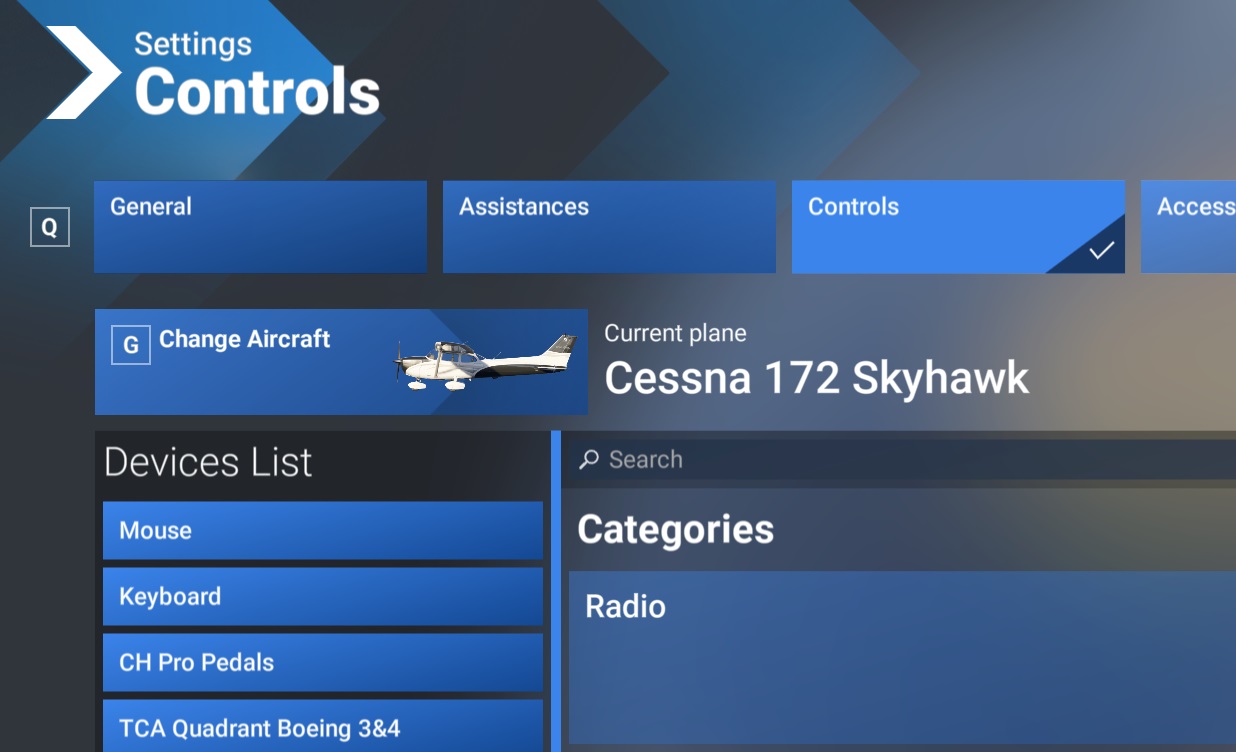
Before adding aircraft to community folder (“G” and Change Aircraft bright):
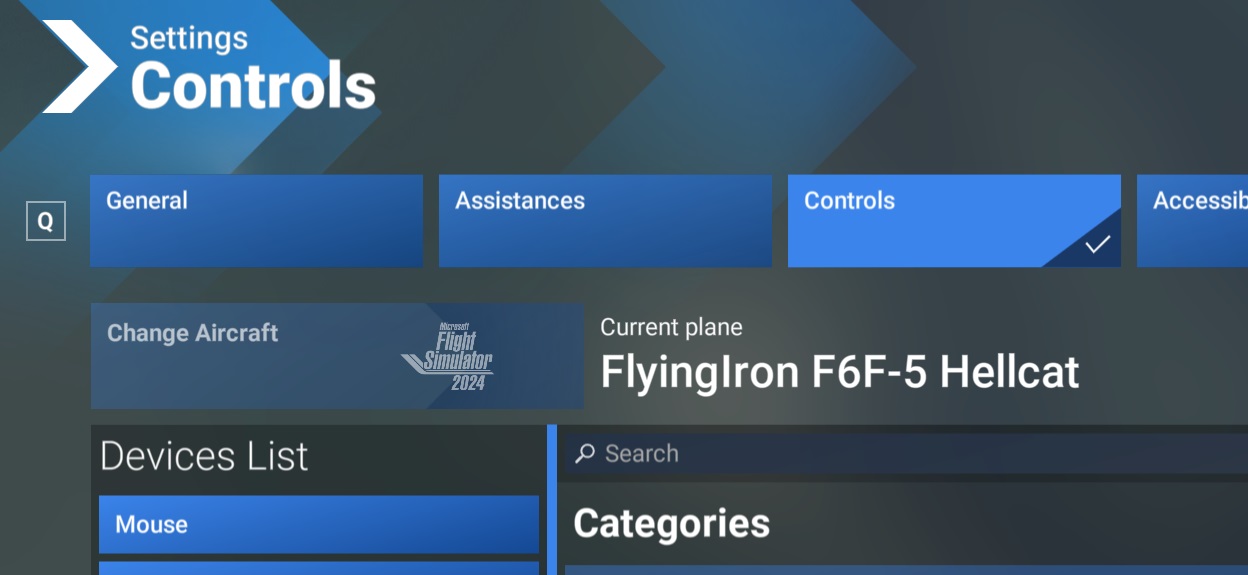
After adding the aircraft to the community folder and using it for a flight (no “G” and Change Aircraft dull):
[END OF FIRST USER REPORT]
 For anyone who wants to contribute on this issue, Click on the button below to use this template:
Do you have the same issue if you follow the OP’s steps to reproduce it?
•
Provide extra information to complete the original description of the issue:
•
If relevant, provide additional screenshots/video:
•