I have added a 2nd Saitek/Logitech throttle quadrant to my setup so I can run my 737 Throttles, Spoiler and Flaps lever plus the last two levers to act as thrust reverse (with the original black caps on top). That is till I can wire up the 737 Throttles properly.
How do I get FS 2020 to recognize the 2nd quadrant and setup the additional levers ? It’s plugged into my Logitech Yoke system via USB and has the green LED on.
Hey Minskie, I used to have two Logitech Quadrants and they worked fine.
I plugged the second one directly in to the pc cause the Yoke did not supply enough power to the second quadrant for it to be recognized by the system. Try it, it might help
I just bought a second Logitech Quadrant, but MSFS is seeing both with the same profile name. If I try to change the name for 1 it changes both. Which means neither work as they should. How do I fix this so MSFS plays well with 2 throttles, please?
A bug report has this solved. I’m afraid it ain’t necessarily so.
At any time Control settings change on their own, and what was working does not work anymore.
For the time being my solution was:
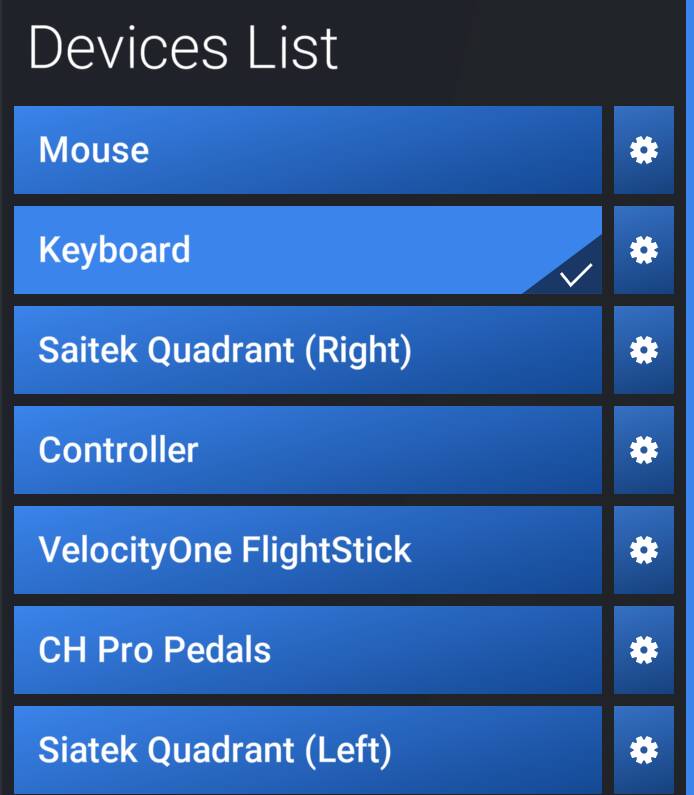
Ensure you rename the two Quadrants, e.g. “Logitech Left” and “Logitech Right”.
Set your controls for the Left Quadrant and click below in “General” and save a “QuadLeft” Profile.
Same for your Right Quadrant.
go to the ….bbwe\…. \wgs folder , where control assignments are stored, and make a backup.
If at any time the assignments get scrambled, exit MSFS2024 and restore \wgs from the backup.
At this point they have their independent profiles ….
BUT! … see my later post below
I use 2 Logitech throttles …..long time since I set them up , but I’m sure in 2020 I plugged the first in then renamed it and then plugged the second in and renamed that (I used Quad left and Quad right to)
Worked fine …but I do use a powered hub as I also have the radio & switch panels and a couple of the mini instrument displays.
In 2024 it seemed fine and registered both Quads with issue IIRC.
What I did worked OK … for about 30 minutes, then unexpectedly MSFS2024 modified the 2nd quadrant bindings copying them from the 1st quadrant. And loading the saved profile did not restore! You cannot every 30 minutes or so reconfigure the quadrants! I got SPAD.neXt payware and it resolves the issue. But I find it shameful that I have to pay to have “patches” that fix MSFS 2024 bugs.
Strange indeed. Tried twice, resetting everything in between.
Mine are old Saitek Quadrants, both with Device Name “Flight Throttle Quadrant”.
Sometimes flying for one hour with no problem, then the 2nd quadrant goes mad.
And recovering the settings from the saved profile is useless: I have to reset every single assignment for the 2nd quadrant.
And again it works for a while, then it goes.
I tried SPADneXt and with it the two quadrants work fine, but most assignments to the buttons do not go through.
Now I just gave up. Switched off the 2nd quadrant and fly all engines with 1 quadrant.
Pity.
What I need is for you to plug it into a USB port and look at the Device name.
Edit: an AI search seems to show that the Device Names are identical:
”Flight Throttle Quadrant (USB)”.
Unfortunately, this means that mixing a Saitek and a Logitech unit will NOT resolve the but in MSFS 2024.
Dear AirPorkOne. I am afraid you did not understand the problem. Two identical quadrants: left one used for Throttle 1 and 2 and Propeller 1, right one used for Propeller 2 and Mixture 1 and 2.
MSFS2024 finds them and assigns them different names …1 and …2, and you can assign to them different functions, and “Export” each quadrant.
Then you fly. Sometimes 20 minutes, sometimes more, and then suddenly the 2nd quadrant behaves strangely. You go bback to Contrrols and find that the software has “copied” into the 2nd quadrant the settings of the 1st quadrant. OK, you say, let ‘s “Import”. Does not work! OK, you say, let us manually re-assing each lever. Fine. After 20 minutes, the same problem again. It is not possible to fly that way!
My present solution is to shutdown the 2nd quadrant and use a single quadrant, Throttle+Propeller+Mixture, each one assigned to all the engines. Pity.
I would gladly replace the old Saitek quadrants with the beautiful Honeycomb Aeronautical Bravo, but
It cost €290 and
it takes 10 cm more space in depth and wide and in my place (where a plank with all the joysticks is moved instead of the keyboard for flying) I just do not have that space …
Saitek Throttle Quadrant Left
Saitek Throttle Quadrant Right.
And as I said, it worked on a charm for a while until, about 20-30 minutes later,
the simulator would copy the … Left assignments in to the … Right
and no restart, no Import would fix it: I had to re-enter the assignments of the 3 axis, 6 buttons.
Did it twice, then it happened again!
I gave up. Shutdown the 2nd quadrant.